
What is Codex? OpenAI's AI coding agent, explained
Codex is OpenAI's AI coding agent. You describe what you want, such as a feature, a bug fix or a set of tests, and Codex reads your code, edits the files, runs commands and tests, and shows you the changes to review. It runs in four places: the ChatGPT desktop app, a command-line tool called the Codex CLI, an extension for VS Code and similar editors, and in the cloud, where it works on tasks while you do something else. It comes with ChatGPT plans rather than as a separate product.
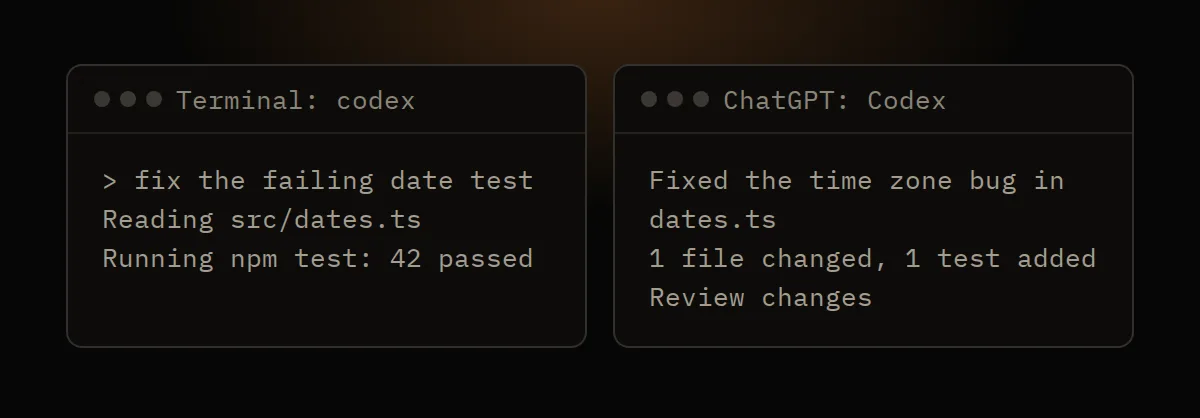
Codex in one sentence
Codex is ChatGPT with access to your code: instead of answering in a chat window and leaving you to copy code in and out, it opens the files itself, makes the change, runs your build and tests, reads the errors and tries again until the job is done or it needs a decision from you.
OpenAI describes the shift as moving from chat to delegation. In a chat you guide every next step with another message. With an agent like Codex you describe the outcome, the context and the boundaries, and it chooses and carries out several steps toward the goal. You then review the work, along with any results, questions or blockers it brings back.
Source: Working with agents, OpenAI
What does Codex do?
On an ordinary day, developers hand Codex the same kinds of jobs they would give a capable colleague:
- Explore unfamiliar code and explain how a part of it works.
- Plan a change, then make it across as many files as it needs.
- Fix a bug from an error message or a failing test.
- Write the tests nobody got round to.
- Review uncommitted changes, a commit or a branch before you open a pull request, reporting findings by priority without changing your files.
- Run repeatable jobs from scripts and CI, such as release preparation or migrations.
- Search the web for current documentation when a task depends on a recent release.
In the CLI, OpenAI lists the features that make longer work possible: resuming a saved chat with codex resume, passing a screenshot or diagram with --image, splitting a large investigation across subagents, live web search with --search, sending work to the cloud with codex cloud, and connecting outside tools through MCP with codex mcp.
Source: Codex CLI, OpenAI
Where does Codex run?
Codex is one agent with several front doors. All of them use your ChatGPT sign-in, so the same account works everywhere.
| Where | What it is | Best for |
|---|---|---|
| ChatGPT desktop app | Select Codex in the ChatGPT app on macOS, Windows or Linux and open a project folder | Several projects in parallel, long-running work, people who prefer a window to a terminal |
| Codex CLI | A program you run in a terminal with the codex command | Developers who live in the terminal, scripts and CI |
| IDE extension | Codex beside your code in VS Code, Cursor, Windsurf and other VS Code-based editors | Focused edits on the files you have open, reviewing changes in place |
| Codex cloud | Tasks run in a cloud environment from the web, the app, the IDE or the CLI | Handing off longer work and coming back to a reviewable result |
| Codex on mobile | Codex in the ChatGPT phone app | Starting tasks, approving actions and reviewing work away from your desk |
The ChatGPT desktop app is where most people meet Codex now. Choose Codex from the ChatGPT dropdown for software work with codebase context and developer tools, start a new chat, and point it at a folder. The same app also runs ChatGPT Work, for research and documents, so Codex sits beside the rest of ChatGPT rather than in a separate program.
Source: Quickstart, OpenAI
Source: ChatGPT desktop app, OpenAI
Source: Codex IDE extension, OpenAI
What is the Codex CLI?
The Codex CLI is the terminal version of Codex: a lightweight coding agent that runs on your own computer. It is open source on GitHub under the Apache 2.0 licence and written in Rust. You install it once, open a project folder and run codex:
npm install -g @openai/codexcodexOpenAI also offers a one-line installer for macOS, Linux and Windows, and a Homebrew package. The CLI lets you choose the model, the reasoning effort, the permissions and the commands that suit the task. For scripts and CI, codex exec runs a single task without the interactive screen:
codex exec "update the changelog for the last release"Our Codex CLI guide covers the commands, slash commands and sign-in options in detail, and our install guide walks through each system.
Source: Codex CLI, OpenAI
Source: openai/codex on GitHub
How does Codex work?
Every Codex task follows the same loop. You give it a goal. It reads the parts of the project it needs, decides on a step, such as opening a file, editing it or running a command, looks at the result, and decides on the next step. It keeps going until the goal is met, it gets stuck, or it reaches an action it needs your permission for. You can steer it mid-task, interrupt it, or ask for a plan before it changes anything.
Before it starts, Codex reads any AGENTS.md files: plain instruction files you keep in your home folder and in your repository, holding your conventions, test commands and rules. Skills add reusable procedures that Codex only loads when a task needs them, and MCP servers connect it to tools such as issue trackers, databases and documentation.
Source: Custom instructions with AGENTS.md, OpenAI
Source: Build skills, OpenAI
How Codex cloud tasks work
Local Codex works on the copy of the project on your computer. Codex cloud works in a cloud environment instead, so a task keeps going after you close the laptop. To start one, choose Work in, then Cloud, on the web or in the desktop app, or open Codex on your phone. If the default environment is available, you can pick it and submit a task without choosing a repository, or pick an environment your team has published with the repositories and tools already set up.
From the CLI, codex cloud lets you browse active and finished cloud chats, submit work to a configured environment, and apply the result to your local repository. The IDE extension can hand a task to the cloud too, and the chat stays there when you come back to review it. A common pattern is quick iterations locally and longer, well-defined jobs in the cloud.
Source: Quickstart, OpenAI
Source: Codex CLI, OpenAI
Is Codex safe to use?
Codex is built to work on its own inside limits you set. Two controls decide what it can do. The sandbox decides what is technically possible: by default Codex runs in workspace-write mode, where it can read files, edit inside your project and run routine commands there, with the network turned off. The approval policy decides when it has to stop and ask you before going further, for example to install a package from the internet or edit a file outside the project.
The sandbox covers every command Codex starts, not just its own edits, so git, your package manager and your test runner get the same limits. You can loosen it to full access for trusted work or tighten it to read-only when you only want answers. Our Codex sandbox guide explains each mode and the approval settings.
OpenAI is also clear that review is part of the work. Check the output against what you asked for, and give closer attention to changes that affect other people or are hard to undo. A confident summary is not proof that a task succeeded.
Source: Codex sandbox, OpenAI
Source: Working with agents, OpenAI
Which models does Codex use?
Codex runs on OpenAI models tuned for agentic coding. In November 2026 the main ones are GPT-6.2 Astra for the hardest work, GPT-6.2 Sol for everyday coding, GPT-6.1 Terra for fast writing and visual tasks, and Luna for focused, repeatable jobs. You switch with /model in the CLI, or set a default in ~/.codex/config.toml. Our Codex models guide compares them.
Source: Codex models, OpenAI
Is Codex free? Which plans include it?
Codex has no separate subscription: it comes with ChatGPT plans, and how much you can use depends on the plan. The Free and Go plans include Codex in the desktop app with the Luna model while OpenAI rolls it out. Plus and above add the CLI, the IDE extension, cloud tasks, automatic code review and the stronger models. Pro plans raise the limits a long way, and Business, Enterprise and Edu plans cover teams. You can also use Codex with an API key and pay per use, though some features are not available that way.
Prices and allowances change often, so check OpenAI before you buy. Our Codex pricing guide keeps the current plans side by side.
Source: Pricing, OpenAI
Codex for teams: code review, GitHub and CI
Beyond your own machine, Codex can review pull requests. The Code Review plugin shows a pull request with its description, changed files, comments and checks, so you can investigate issues before approving. GitHub code review is generally available, and GitLab merge request support is in preview, triggered with @codex review.
For automation, the Codex GitHub Action, openai/codex-action@v1, installs the Codex CLI in a workflow and runs codex exec with the permissions you give it. Teams use it to post review feedback on pull requests, gate changes on quality checks, and run repeatable jobs such as release preparation and migrations.
Source: Code review, OpenAI
Source: Codex GitHub Action, OpenAI
Codex beyond code: Computer Use
In supported regions, the ChatGPT desktop app on macOS and Windows can let Codex see and operate other programs through Computer Use. That helps with tasks command-line tools cannot reach: checking a desktop app, using a browser, changing app settings or reproducing a bug that only shows up in a graphical interface. Because it can change things outside your project, OpenAI recommends keeping those tasks narrow and reading each permission prompt.
Source: Computer Use, OpenAI
Codex then and now: the 2021 model and the agent
The name is older than the agent. In August 2021 OpenAI announced OpenAI Codex, a model descended from GPT-3 that translated natural language into code. It powered the first version of GitHub Copilot and was offered through the OpenAI API. Those Codex models were deprecated in March 2023.
The name came back in 2025 for something different. In April 2025 OpenAI released the Codex CLI as an open-source local coding agent, and in May 2025 it launched Codex as a cloud-based software engineering agent that can work on many tasks in parallel. When people say Codex today, they mean this agent and its app, CLI, IDE extension and cloud versions, not the 2021 model.
Source: OpenAI Codex (2021 announcement), OpenAI
Codex vs Claude Code, Copilot and Cursor
| Tool | How it differs from Codex |
|---|---|
| Claude Code | Anthropic's coding agent, with its own CLI, desktop app and IDE extension, running on Claude models and Claude plans. The closest like-for-like rival. |
| ChatGPT (chat) | Answers in a chat window. Codex works directly in your files and terminal. |
| GitHub Copilot | Started as autocomplete inside your editor, originally powered by the 2021 Codex model, and now has agent modes on GitHub's plans. |
| Cursor | An AI code editor you work inside. Codex is an agent that runs in a terminal, an app or the cloud, and also installs as an extension in Cursor. |
Codex and Claude Code are the two tools people compare most, because they do the same job the same way: an agent that reads, edits and runs your project, with a permissions system, project instruction files, skills and MCP. The real differences are the models behind them, the plans you already pay for, and small differences in how each one asks for permission. Many developers keep both.
Source: Claude Code overview, Anthropic
Who is Codex for?
- Developers who want an agent doing the legwork of features, fixes and tests while they review the result.
- Teams who want pull request reviews and repeatable maintenance jobs running in GitHub.
- ChatGPT subscribers who already pay for a plan that includes Codex and want to put it to work.
- People who would rather work in a desktop app than a terminal: the ChatGPT app needs no command line at all.
How to start with Codex
- Install the ChatGPT desktop app, or the Codex CLI if you prefer a terminal.
- Sign in with your ChatGPT account.
- Open a project folder. Codex can read and change files in the folder you choose.
- Start with a small, checkable task, such as fixing one failing test, and review the diff before you keep it.
- Add an AGENTS.md file with your test command and conventions, so every later task starts with them.
OpenAI suggests starting with assignments you can judge. Before delegating, ask whether you can describe the outcome and what done means, whether Codex can reach the information and tools it needs, and whether you can check the result and recover if something goes wrong.
Source: Quickstart, OpenAI
Source: Working with agents, OpenAI
How to brief Codex well
OpenAI breaks a good assignment into four parts. Covering each one is the quickest way to get work back that you can keep:
| Part | What to make clear |
|---|---|
| Task | What Codex should accomplish, for whom, and what is in or out of scope |
| Context | Which files, facts, priorities and constraints should guide it, and what to do when something is missing |
| Actions | What it may do on its own, what needs your approval, and when it should pause or stop |
| Output | What it should hand back, in what form, and how you will judge whether it is complete |
Show an example of done when you have one, such as an earlier pull request you were happy with. Instructions say what you want, but permissions control what Codex can actually reach, so set both. And remember that changing an instruction does not undo an action Codex already took: check the saved result.
Source: Working with agents, OpenAI
Running many Codex agents at once
Once Codex is useful, the next step is running several sessions at once: one on a bug, one on tests, one on a refactor. The hard part then is knowing which one needs you. 10u is an AI coding agent dashboard that shows every Codex and Claude Code session side by side, each in its real terminal, marked Needs you, Working, Waiting or Parked. They do the building. You decide what gets built.

Questions people ask
- What is Codex?
- OpenAI's AI coding agent. It reads your code, edits files, runs commands and tests, and shows you the changes, from the ChatGPT desktop app, a terminal, your code editor or the cloud.
- Is Codex the same as ChatGPT?
- Codex is part of ChatGPT and uses your ChatGPT account, but it is built for software work: it acts in your project instead of only answering in a chat.
- Is Codex free?
- The ChatGPT Free and Go plans include Codex in the desktop app while OpenAI rolls it out. The CLI, IDE extension, cloud tasks and stronger models need Plus or above.
- Is the Codex CLI open source?
- Yes. The Codex CLI is open source on GitHub at openai/codex under the Apache 2.0 licence.
- Is Codex the model behind GitHub Copilot?
- The original 2021 Codex model powered the first GitHub Copilot and was deprecated in March 2023. Today Codex is the name of OpenAI's coding agent.