
Codex GUI: every way to use Codex outside the terminal
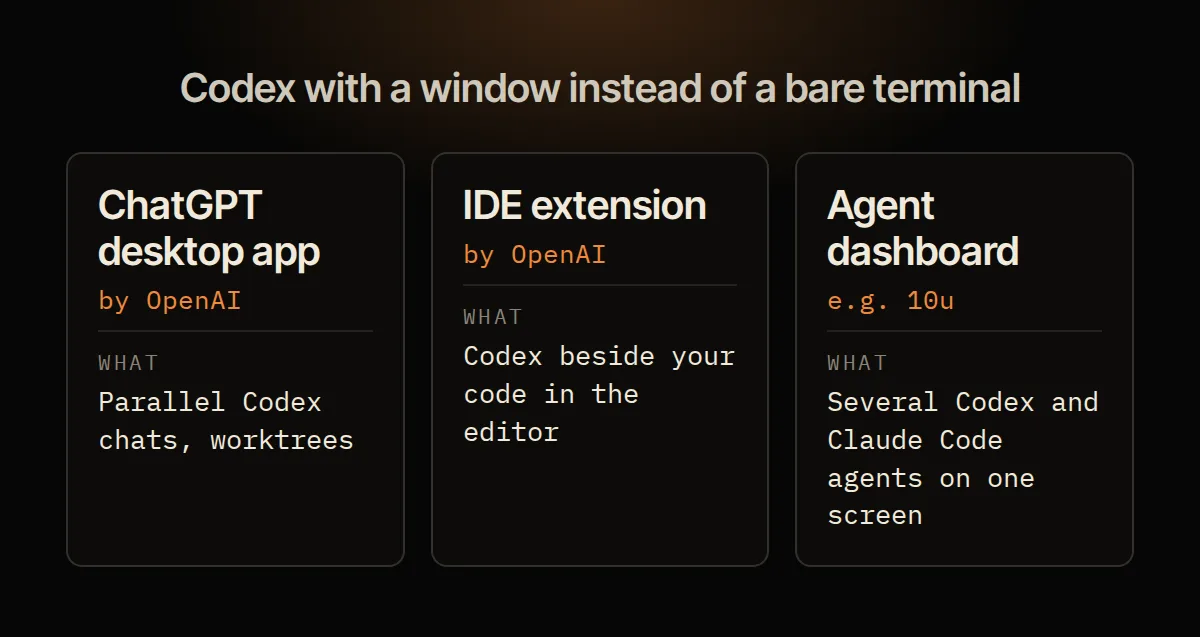
If you want a Codex GUI, OpenAI gives you two: Codex inside the ChatGPT desktop app for macOS, Windows and Linux, and the Codex IDE extension for VS Code, Cursor and Windsurf. If your problem is keeping several Codex and Claude Code agents moving at once, a dashboard built for that is the third option.
| Option | Where it runs | Best for |
|---|---|---|
| Codex in the ChatGPT desktop app | macOS, Windows and Linux | Several Codex chats in parallel, files, projects and long-running work |
| Codex IDE extension | VS Code, Cursor, Windsurf; Xcode and JetBrains have their own | Working beside your code with open files and diffs in view |
| Codex CLI | Any terminal | Speed, scripts and automation |
| A multi-agent dashboard such as 10u | Your desktop | Watching many Codex and Claude Code agents and answering the one that needs you |
Codex in the ChatGPT desktop app
OpenAI's official Codex GUI lives in the ChatGPT desktop app. You download ChatGPT for macOS or Windows, or follow the Linux install guide for Ubuntu, Debian, Fedora or Arch, sign in with your ChatGPT account, and choose Codex. Start with New chat, open a folder or a project, and describe what you want.
OpenAI pitches the app for running projects in parallel and keeping long-running work moving from one workspace. You can keep every chat in view, open documents, spreadsheets and images in the same window, use the built-in browser and your computer, and schedule a task inside a chat.
Source: ChatGPT desktop app, OpenAI
Parallel chats with worktrees
In a Git project, the desktop app can give each Codex chat its own worktree: a second checkout of your repository, so chats do not trip over each other or over the files you are editing. You can queue up background work while you stay focused, then hand a chat back to your local checkout when you are ready to test it. The repository and worktrees stay on your own computer; the ChatGPT phone app can control Codex on that computer, but worktrees never run on the phone itself.
Source: Worktrees in Codex, OpenAI
The Codex IDE extension
If you live in an editor, the Codex IDE extension puts Codex in a side panel beside your code. VS Code and editors built on it, such as Cursor and Windsurf, use the same extension; Xcode and JetBrains IDEs have their own integrations.
- Use the context already open. Reference open files, selected code and recent chats from the composer, so you spend less time explaining.
- Review changes beside your code. Read the summary, look at a focused diff and follow up in the same chat, keeping only the changes you want.
- Hand off bigger jobs. Keep quick changes local, or send a task to Codex on the web when it needs more time, and come back to a reviewable result.
Source: Codex IDE extension, OpenAI
Open source and third-party Codex GUIs
Several independent projects wrap the Codex CLI in a desktop window, often adding prompt boxes, file trees or task boards on top of the real terminal. Most are hobby or early projects, so check how recently each was updated and whether it runs the official codex command or its own copy before you trust it with a repository. Our alternatives pages compare the better-known multi-agent tools, such as Vibe Kanban, Nimbalyst, Claude Squad, Omnara and Conductor.
Which Codex GUI to pick
- You want OpenAI's own app and run mostly Codex: Codex in the ChatGPT desktop app.
- You spend your day in VS Code, Cursor or Windsurf: the Codex IDE extension.
- You like the terminal but want to see more than one session: keep the CLI and add a dashboard.
- You run Codex and Claude Code side by side: a dashboard that shows both in one place.
A GUI for Codex and Claude Code together
Codex's own app shows Codex. Claude Code has its own tools. If you run both, the agents waiting on you end up in different windows. 10u is an AI coding agent dashboard that runs every Codex and Claude Code agent side by side, each in its real terminal, marked Needs you, Working, Waiting or Parked, so the one that has stopped to ask you something is always on top. It uses the Codex and Claude Code you already have, on your own account. They do the building. You decide what gets built.

Questions people ask
- Is there an official Codex GUI?
- Yes. Codex is built into the ChatGPT desktop app for macOS, Windows and Linux, and there is a Codex IDE extension for VS Code, Cursor and Windsurf.
- Does Codex have a desktop app?
- Codex runs inside the ChatGPT desktop app. Install ChatGPT, sign in, and choose Codex to start a coding chat.
- Can I run several Codex chats at once in the app?
- Yes. In a Git project the desktop app can give each chat its own worktree so they work in parallel without interfering.
- What does the Codex IDE extension add?
- Codex in a side panel beside your code, able to use your open files and selections, with diffs you review in place.
- Can one GUI show Codex and Claude Code together?
- Not OpenAI's or Anthropic's own apps. A dashboard such as 10u shows both kinds of agent side by side.