
Claude Code vs Bolt: a coding agent for your codebase or an app builder in the browser?
Claude Code is Anthropic's coding agent: it works in any codebase, reading files, editing code and running commands from the terminal, your editor, a desktop app or the browser. Bolt is an AI app builder in the browser: type an idea, click Build now, and it creates a working website, web app or mobile app, with Bolt Cloud supplying the database, hosting and domain. Pick Bolt to get a new app live quickly with no setup. Pick Claude Code to build and maintain software of any kind in your own repository, on your own hosting. Bolt's GitHub connection makes it easy to start in one and continue in the other.
Facts come from Anthropic's documentation and Bolt's help center, read on 23 November 2026.
Claude Code and Bolt at a glance
| Claude Code | Bolt | |
|---|---|---|
| What it is | A coding agent for any codebase | A prompt-to-app builder in the browser |
| What it builds | Anything: web, mobile, backend, scripts, data work | Websites, web apps in JavaScript frameworks, and mobile apps through Expo |
| Where it runs | Terminal, VS Code and JetBrains, desktop app, web | Browser |
| Hosting and data | Bring your own | Bolt Cloud: database, sign-in, file storage, server functions, hosting and domains |
| Models | Claude models you pick | Standard and Max agents; Bolt picks the model |
| Your code | In your repository | Yours to use; back it up and sync with GitHub |
| How you pay | A Claude plan, or API usage | Monthly tokens, from a free plan up |
What Bolt is
Bolt is an AI-powered builder for websites, web apps and mobile apps. You describe the idea, Bolt builds it, and you change it by chatting. It builds full-stack web apps with JavaScript-based frameworks and mobile apps through its Expo integration. Bolt says it is for everyone, from people who have never written code to full-stack developers who want to choose frameworks, connect source control and edit code directly in its code view.
Source: Intro to Bolt, Bolt help center
Source: Expo for mobile apps, Bolt help center
Bolt offers two build agents. Standard is fast and token-efficient, a good default for small and medium apps and well-defined tasks. Max thinks harder about each step, for large apps, interconnected features, refactoring and open-ended problems. Bolt chooses the underlying model for each. Its Plan Mode lets you talk through the approach before any code is written.
Source: Choose an agent, Bolt help center
Bolt Cloud is the backend and hosting built into Bolt: every project can have a database with sign-in, file storage, server functions, secrets and security scans, and you publish and connect a domain from the same project. You can also connect Supabase instead.
Source: What is Bolt Cloud?, Bolt help center
What Claude Code is
Claude Code is Anthropic's agentic coding tool. It reads your codebase, edits files, runs commands and works with your development tools. It works on whatever is in your repository, whatever language or framework, and leaves hosting to you.
- Plan mode has Claude research and propose a plan before editing.
- Permission modes run from Manual to Auto, so you choose how much it asks first.
- Subagents and agent teams split big jobs across several sessions.
- Hooks, skills, plugins and MCP servers connect it to your own tools.
- CLAUDE.md files hold your project's rules and commands.
Source: Claude Code overview, Anthropic
The main differences
Setup and hosting
Bolt needs nothing but a browser, and Bolt Cloud means no separate accounts for a database or host. Claude Code runs on your machine or in Anthropic's cloud sessions, and you choose and set up the host, database and domain, with Claude writing the code and configuration.
Range
Bolt focuses on websites, JavaScript web apps and Expo mobile apps. Claude Code covers any language and any kind of software, including large existing codebases, backends, infrastructure and data work.
Control
Bolt hides the model choice behind its Standard and Max agents and handles Git for you. Claude Code lets you pick the Claude model and effort, set exactly what it may run with permission modes and rules, and add your own checks with hooks.
Code ownership
Bolt says the code you create is yours to use for any legal purpose, including commercial work. Connect GitHub and Bolt backs the project up with a full history, and you can switch between building in Bolt and working in GitHub. Claude Code works in your own repository from the start.
Source: GitHub for version control, Bolt help center
Pricing: Claude Code vs Bolt
| Claude Code | Bolt | |
|---|---|---|
| Free | No free plan | Free: 1 million tokens a month, daily limits, up to 3 collaborators, hosting with Bolt branding |
| Individual | Pro: US$17 a month billed annually or US$20 monthly | Pro: US$25 a month, 10 million tokens with rollover, your own domain |
| Heavy use | Max: US$100 a month; Ultra: US$200 a month | Pro, with unused tokens rolling over |
| Teams | Team: US$20 per seat a month billed annually, or US$25 monthly | Teams: US$30 per member a month |
| Enterprise | US$20 per seat a month plus usage at API rates | Custom, billed by consumption |
Source: Plans and pricing, Claude
Source: Pricing, Bolt
Bolt meters tokens: every build step uses them, and Max uses more than Standard. A Claude plan is a flat monthly fee with usage limits, and hosting is separate. For a single website or prototype, Bolt's free or Pro plan with hosting included is usually the simplest bill; for ongoing work on a real codebase, Claude Code plus your existing host usually goes further.
Which should you choose?
- You don't code and want a website or app live quickly: Bolt.
- You want a database, sign-in, hosting and a domain with no setup: Bolt.
- You have an existing codebase or need something other than a JavaScript or Expo app: Claude Code.
- You want detailed control over models, permissions and checks: Claude Code.
- You want a fast start and room to grow: start in Bolt, connect GitHub, continue with Claude Code.
Moving from Bolt to Claude Code
- Connect GitHub to your Bolt project, or create a new repository from Bolt.
- Clone the repository and run claude in the folder, then /init to write a CLAUDE.md.
- Note which Bolt Cloud services the app uses, such as the database, sign-in and secrets, and plan where they'll live.
- Let Claude Code take on bigger changes, and keep building small changes in Bolt if you like, since both work from the same repository.
A day with each
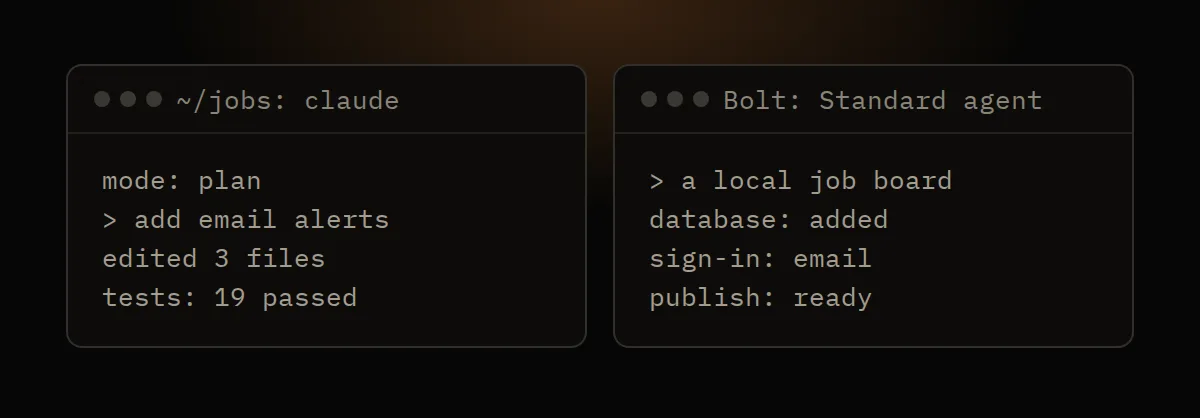
With Bolt, you type: a job board for local tradies with sign-in and saved searches. Bolt builds it with the Standard agent, adds a database and sign-in, and you publish it to your own domain the same afternoon, switching to Max only to untangle one tricky feature.
With Claude Code, you open the job board's repository, ask Claude to plan email alerts for new jobs, approve the plan, and review the code and tests before deploying to your host.
Watching several agents at once
Once an app outgrows its first version, work often spreads across several Claude Code and Codex sessions. 10u shows every session side by side under the goal it's working toward, marks the ones waiting on you, and lets you answer from one screen on your laptop or phone.

Questions people ask
- What is the difference between Claude Code and Bolt?
- Claude Code is Anthropic's coding agent, working in any codebase. Bolt is a browser-based app builder that creates websites, web apps and mobile apps from prompts, with hosting and a database built in.
- Is Bolt good for beginners?
- Yes. Bolt needs only a browser and includes hosting, a database and domains. Claude Code suits people comfortable with a terminal or editor.
- Which models does Bolt use?
- Bolt offers Standard and Max agents and chooses the models behind them; Max reasons more for complex work.
- Can I move a Bolt project to Claude Code?
- Yes. Connect the project to GitHub, clone the repository and work on it with Claude Code.
- Is Bolt free?
- Bolt has a free plan with 1 million tokens a month and daily limits. Pro was US$25 a month on 23 November 2026.