
Claude Code vs tmux: do you still need tmux to run several Claude Code sessions?
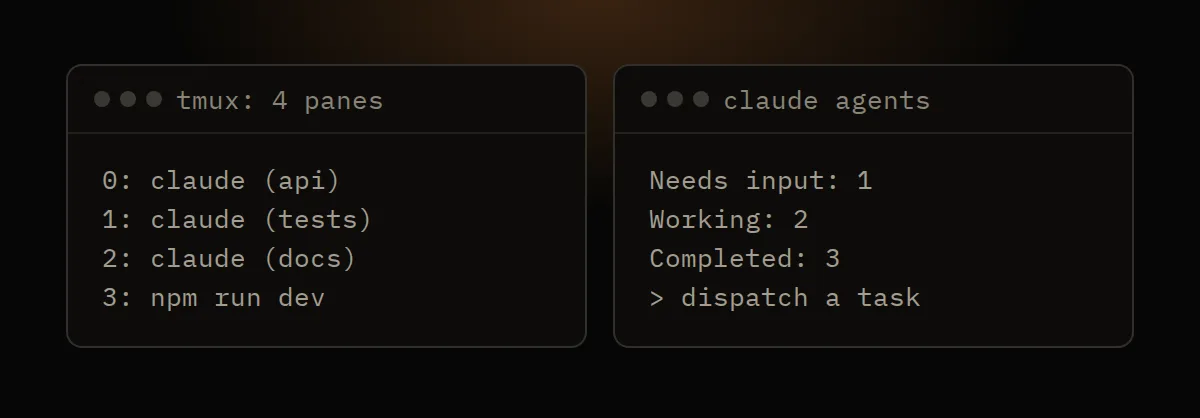
Claude Code and tmux aren't rivals: Claude Code is Anthropic's coding agent, and tmux is a terminal multiplexer that keeps terminal sessions running after you disconnect and splits one window into panes. For a long time, running Claude Code inside tmux was the standard way to keep sessions alive over SSH and run several agents side by side. Claude Code now has its own tools for much of that: agent view, opened with claude agents, shows every background session on one screen, and agent teams can open each teammate in its own tmux pane. The short answer is to use agent view for juggling sessions on one machine, and keep tmux for remote servers, SSH sessions that must survive a dropped connection, and layouts you want to control yourself.
Facts come from Anthropic's Claude Code documentation and the tmux project, read on 23 November 2026.
Claude Code and tmux at a glance
| Claude Code agent view | Claude Code inside tmux | |
|---|---|---|
| What it is | A built-in screen listing background Claude Code sessions | Claude Code running in tmux sessions, windows and panes |
| Start it | claude agents | tmux new -s name, then claude |
| Sessions survive closing the terminal | Yes, background sessions keep running | Yes, tmux keeps the session alive |
| Survives SSH disconnects | Sessions keep running on the machine | Yes, the classic reason to use tmux |
| Shows who needs you | Yes: grouped by needs input, working, completed | Only what's visible in each pane |
| See several agents at once | One row each, attach to any | Split panes, all output visible |
| Scriptable | claude agents --json, claude -p | tmux send-keys and capture-pane |
| Works for any program | Claude Code only | Any terminal program |
What tmux is
tmux is an open-source terminal multiplexer. It runs a server that holds your terminal sessions, so programs keep running when you close the window or lose an SSH connection, and you reattach later exactly where you left off. Inside a session you can open windows, like tabs, and split them into panes. It's been a fixture of developers' terminals for years, and it works with any program, not just Claude Code.
Source: tmux wiki, GitHub
# start a named tmux session and run Claude Code in it
tmux new -s api
claude

# detach with Ctrl-b d, then later reattach
tmux attach -t api
Why people run Claude Code in tmux
- Persistence: a long Claude Code task on a remote server keeps going after your laptop sleeps or the SSH connection drops.
- Parallel agents: split a window into panes and run a Claude Code session in each, often one per git worktree.
- Seeing everything at once: all panes are visible, so you can watch several agents work.
- Scripting: tmux send-keys types a prompt into a pane and capture-pane reads its output, which some people use to drive agents from scripts.
- Habit: if you already live in tmux, Claude Code is just another pane.
What Claude Code does on its own now
Agent view and background sessions
Agent view, opened with claude agents, is one screen for all your background sessions: what's running, what needs your input and what's done. You type a task at the bottom to dispatch a new background session, which appears as a row grouped under Needs input, Working or Completed, with its latest status or question. You attach to a row to get the full conversation and detach to go back to the list. To move a session you already have open into the background, run /bg, or press the left arrow on an empty prompt. Background sessions keep running after you close agent view, and the list covers every project and worktree, not just the current folder. Agent view is in research preview.
# open agent view: every background session on one screen
claude agents

# inside a running session, move it to the background
/bg
Source: Manage multiple agents with agent view, Anthropic
This covers the main reason many people reached for tmux: keeping several Claude Code sessions running and knowing which one is waiting. Agent view also sends a notification through your terminal when a session needs you, and the terminal tab title shows how many are awaiting input.
Working agent view day to day
Select a row and press Space to peek: you see the session's latest output, or the question it's waiting on, and can type a reply without leaving the list. Press Enter or the right arrow to attach for the full conversation, and the left arrow on an empty prompt to detach. Pinned sessions and the ones that need you sit at the top. Ctrl+X, or claude stop, stops a session. You can also start a background session straight from your shell with claude --bg.
Background sessions don't need any terminal open. A separate supervisor process runs them, so you can close agent view or your shell, and sessions survive auto-updates and your machine sleeping. They stop if the machine shuts down, which is the gap tmux on an always-on server still fills.
Parallel edits without clashes
The classic tmux setup is one pane per git worktree, so agents don't overwrite each other's files. Agent view does this for you: when you dispatch a background session, Claude moves it into its own git worktree under .claude/worktrees/ before editing files, so parallel sessions share the checkout for reading but each writes to its own copy. A session you moved to the background from an open conversation keeps editing where it was.
Agent teams in tmux panes
Agent teams let one Claude Code session lead several teammates working on a shared task list. Teammates run inside your main terminal by default, where you pick one with the arrow keys to view and message it. Set teammateMode to auto and, when you run Claude Code inside tmux or iTerm2, each teammate opens in its own split pane so you can see everyone's output at once. Outside tmux, setting it to tmux opens the panes in a separate tmux session you can attach to. Anthropic notes that tmux has known limitations on some operating systems and works best on macOS, and suggests tmux -CC in iTerm2.
{
  "teammateMode": "auto"
}
Source: Agent teams, Anthropic
So tmux isn't replaced here; Claude Code uses it as the way to show a team side by side.
Limits to keep in mind
Every session uses your Claude plan's usage, whichever way you run it, so ten agents in ten tmux panes or ten agent view rows use quota about ten times as fast as one. Agent view's sessions run on the machine where you started them, and agent view is still in research preview, so its keys and screens may change. tmux has its own quirks: key handling and notifications need the configuration below, and Anthropic says tmux works best on macOS for split-pane agent teams.
Setting up Claude Code inside tmux
Inside tmux, two things break by default: Shift+Enter submits your prompt instead of adding a new line, and desktop notifications don't reach your outer terminal. Anthropic's fix is four lines in your tmux.conf, then tmux source-file ~/.tmux.conf to apply them:
# ~/.tmux.conf
set -g allow-passthrough on
set -g focus-events on
set -s extended-keys on
set -as terminal-features 'xterm*:extkeys'
For Shift+Enter, the last two lines matter: detach, reattach and restart Claude Code after adding them. For notifications to reach Ghostty, Kitty or iTerm2 from a visible pane, keep allow-passthrough on and restart Claude Code.
Source: Configure your terminal for Claude Code, Anthropic
Running Claude Code on a remote server with tmux
- SSH into the server and start a named session: tmux new -s agent.
- Change to the project folder and run claude, signing in the first time.
- Give Claude a long task, such as upgrading a dependency and fixing every failing test.
- Detach with Ctrl-b then d, and close the SSH connection; the task keeps running.
- Later, SSH back in and run tmux attach -t agent to pick up exactly where Claude is.
- Add the tmux.conf lines above on the server so Shift+Enter works when you're typing longer replies.
This is where tmux still earns its place: a server that's always on, a session that must outlive your connection, and nothing on your laptop that needs to stay awake.
send-keys versus Claude Code's own automation
A popular trick is driving Claude Code with tmux send-keys and reading results with capture-pane. It works, but it's fragile: you're typing into an interactive screen and scraping its output, so a changed prompt or an unexpected question breaks the script. Claude Code has proper ways to do this. claude -p runs a task without the interactive interface and prints the result, ready for scripts and CI, and claude agents --json reads the state of every background session for another program.
# the tmux way: type into a pane from a script
tmux send-keys -t api 'run the tests and fix failures' Enter
tmux capture-pane -p -t api | tail -20

# the Claude Code way: run a task without a terminal UI
claude -p "run the tests and fix failures"
Source: Run Claude Code programmatically, Anthropic
When to use which
| Situation | Use | Why |
|---|---|---|
| Several Claude Code tasks on your own laptop | Agent view | One screen shows who needs you; no tmux setup |
| A long task on a remote server over SSH | tmux | The session survives a dropped connection |
| Watching a team of agents work side by side | Agent teams in tmux panes | Each teammate gets its own visible pane |
| Mixing Claude Code with other terminal programs | tmux | tmux works with anything |
| Running tasks from scripts or CI | claude -p | Clean output, no screen scraping |
| Checking session state from another tool | claude agents --json | Structured state instead of capture-pane |
A rough rule: if the question is which of my agents needs me, use agent view; if it's how do I keep this alive on that server, use tmux.
Common problems and fixes
- Shift+Enter sends the prompt inside tmux: add the extended-keys lines to tmux.conf, then detach, reattach and restart Claude Code.
- No notification when Claude finishes in tmux: add allow-passthrough on and restart Claude Code.
- Agent team panes don't appear: run Claude Code inside tmux or iTerm2 with teammateMode set to auto, or set it to tmux to open panes in a separate tmux session.
- A send-keys script stops working after an update: switch it to claude -p, which doesn't depend on the screen layout.
- Too many panes to watch: background the sessions and use agent view, which sorts them by who needs you.
A sample setup that uses both
- On your laptop, run claude agents and dispatch independent tasks as background sessions.
- On a remote build server, start a named tmux session and run Claude Code there for long jobs, so they survive disconnects.
- For a big change, run Claude Code inside tmux with teammateMode set to auto and let an agent team work in visible panes.
- Use claude -p in scripts and CI rather than tmux send-keys.
- Keep the tmux.conf lines above so Shift+Enter and notifications work wherever you use tmux.
Who each approach suits
Agent view suits most people running several Claude Code tasks on their own laptop or desktop: no setup, a clear list of who needs you, and automatic worktrees. tmux suits people who work on remote servers over SSH, already live in tmux, or want to watch several agents' output at once in panes. Agent teams in tmux panes suit big changes where you want to see a lead and its teammates working side by side. Many developers end up using all three.
What Claude Code is
Claude Code is Anthropic's agentic coding tool. It reads your codebase, edits files, runs commands and works with your development tools, in any terminal, in VS Code and JetBrains, in a desktop app that runs several sessions side by side, and on the web. It works in any terminal without configuration, including inside tmux.
Source: Claude Code overview, Anthropic
Watching agents across machines
Agent view covers the sessions on one machine, and tmux covers one server at a time. When Claude Code and Codex sessions run across a laptop, a desktop and remote servers, 10u shows every session side by side under the goal it's working toward, marks the ones waiting on you, and lets you answer from one screen on your laptop or phone.

Questions people ask
- Do I need tmux to run several Claude Code sessions?
- No. Agent view, opened with claude agents, runs and lists background sessions on one screen. tmux is still useful on remote servers and for side-by-side panes.
- How do I fix Shift+Enter in Claude Code inside tmux?
- Add set -s extended-keys on and set -as terminal-features 'xterm*:extkeys' to tmux.conf, then detach, reattach and restart Claude Code.
- Does Claude Code use tmux for agent teams?
- Yes, optionally. With teammateMode set to auto, teammates open in their own split panes when Claude Code runs inside tmux or iTerm2.
- Is agent view better than tmux?
- For several Claude Code sessions on one machine, usually: it shows which sessions need you. tmux is better for SSH persistence and for any terminal program.
- Should I script Claude Code with tmux send-keys?
- It works but is fragile. Use claude -p for scripted tasks and claude agents --json to read session state.