
Claude Code Linux install guide: Ubuntu, Debian, Fedora, Alpine and more
To install Claude Code on Linux, open a terminal and run curl -fsSL https://claude.ai/install.sh | bash, then type claude in a project folder and sign in. That native installer works on Ubuntu 20.04+, Debian 10+ and Alpine Linux 3.19+, on x64 or ARM64 with at least 4 GB of RAM, and updates itself in the background. Anthropic also publishes signed apt, dnf and apk repositories if you would rather use your package manager.
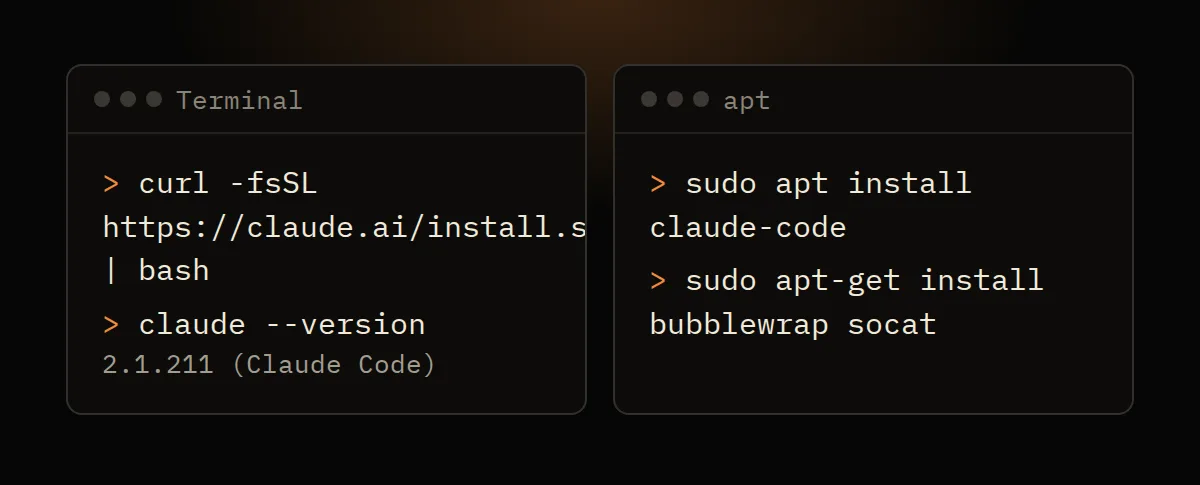
curl -fsSL https://claude.ai/install.sh | bashclaude --versionclaude
Source: Advanced setup, Claude Code docs
Claude Code Linux requirements
| Requirement | Detail |
|---|---|
| Distributions | Ubuntu 20.04+, Debian 10+, Alpine Linux 3.19+; Fedora and RHEL through the dnf repository |
| Hardware | 4 GB+ RAM, x64 or ARM64 processor |
| Shell | Bash or Zsh |
| Network | An internet connection, from a country Anthropic supports |
| Account | Pro, Max, Ultra, Team, Enterprise or Console; the free claude.ai plan does not include Claude Code |
| Extras | ripgrep is usually bundled; git is optional |
Source: Advanced setup, Claude Code docs
Install Claude Code on Linux with the native installer
The native installer is Anthropic's recommended method. It puts a launcher at ~/.local/bin/claude that links into ~/.local/share/claude/versions/, and it checks for updates on start-up and while running, installing them in the background for your next start.
curl -fsSL https://claude.ai/install.sh | bashTo pin a version, pass it after bash -s: stable for the build that is about a week old, or a number such as 2.1.89.
curl -fsSL https://claude.ai/install.sh | bash -s stableThen check it worked. claude --version should print something like 2.1.211 (Claude Code), and claude doctor prints install health, settings errors and suggested fixes without starting a session.
claude --versionclaude doctor
Source: Advanced setup, Claude Code docs
Install Claude Code with apt on Ubuntu or Debian
Anthropic's apt repository is signed, and each repository has two channels: stable, about a week old and skipping releases with major regressions, and latest, which gets every release as it ships. These commands set up stable. Fresh installs may need curl and gnupg first:
sudo apt install curl gnupgsudo install -d -m 0755 /etc/apt/keyrings
sudo curl -fsSL https://downloads.claude.ai/keys/claude-code.asc \
-o /etc/apt/keyrings/claude-code.asc
gpg --show-keys /etc/apt/keyrings/claude-code.ascThe only fingerprint gpg should print is 31DDDE24DDFAB679F42D7BD2BAA929FF1A7ECACE. Then add the repository and install:
echo "deb [signed-by=/etc/apt/keyrings/claude-code.asc] https://downloads.claude.ai/claude-code/apt/stable stable main" \
  | sudo tee /etc/apt/sources.list.d/claude-code.list
sudo apt update
sudo apt install claude-code
For the latest channel, change both stable words in the deb line to latest. To upgrade later, run sudo apt update && sudo apt upgrade claude-code. If the key download failed, apt update later fails with NO_PUBKEY BAA929FF1A7ECACE.
Source: Advanced setup, Claude Code docs
Install Claude Code with dnf on Fedora or RHEL
sudo tee /etc/yum.repos.d/claude-code.repo <<'EOF'
[claude-code]
name=Claude Code
baseurl=https://downloads.claude.ai/claude-code/rpm/stable
enabled=1
gpgcheck=1
gpgkey=https://downloads.claude.ai/keys/claude-code.asc
EOF
sudo dnf install claude-code
dnf downloads the key on first install and asks you to confirm the fingerprint; check it matches 31DD DE24 DDFA B679 F42D 7BD2 BAA9 29FF 1A7E CACE. Use baseurl=https://downloads.claude.ai/claude-code/rpm/latest for the latest channel, and sudo dnf upgrade claude-code to upgrade.
Source: Advanced setup, Claude Code docs
Install Claude Code on Alpine Linux
Alpine and other musl-based distributions need bash and curl for the installer, and Claude Code itself needs bash or zsh. Alpine includes neither by default, so the install command fails with not found until you add them:
apk add bash curlcurl -fsSL https://claude.ai/install.sh | bash
Or use the apk repository:
wget -O /etc/apk/keys/claude-code.rsa.pub \
  https://downloads.claude.ai/keys/claude-code.rsa.pub
echo "https://downloads.claude.ai/claude-code/apk/stable" >> /etc/apk/repositories
apk add bash claude-code
Check the key with sha256sum /etc/apk/keys/claude-code.rsa.pub, which should report 395759c1f7449ef4cdef305a42e820f3c766d6090d142634ebdb049f113168b6. Upgrade with apk update && apk upgrade claude-code.
Source: Advanced setup, Claude Code docs
Install Claude Code on Linux with npm
The npm package needs Node.js 22 or later and installs the same native binary as the installer, pulled in as a per-platform package such as linux-x64, linux-arm64, linux-x64-musl or linux-arm64-musl. Never use sudo: Claude Code updates itself without sudo, so an install that needs it cannot update. Upgrade with the same command, not npm update -g, which may not move you to the newest release.
npm install -g @anthropic-ai/claude-code@latestSource: Advanced setup, Claude Code docs
Verify the Claude Code binary on Linux
Each release publishes a manifest.json with SHA256 checksums for every platform build, and the manifest is signed with Anthropic's GPG key, so checking the signature on the manifest also vouches for every binary it lists. Import the release key and confirm its fingerprint first:
curl -fsSL https://downloads.claude.ai/keys/claude-code.asc | gpg --importgpg --fingerprint [email protected]
The output should include 31DD DE24 DDFA B679 F42D 7BD2 BAA9 29FF 1A7E CACE, the same key that signs the apt, dnf and apk repositories.
Claude Code in WSL
On Windows, WSL 2 counts as Linux: open your WSL distribution and run the same curl installer there, then launch claude inside the WSL terminal, not from PowerShell or CMD. WSL 2 supports the sandbox; WSL 1 does not.
Source: Advanced setup, Claude Code docs
Which Claude Code Linux install should you pick?
| Method | Updates | Good for |
|---|---|---|
| Native installer | Automatic, in the background | Most people, on any supported distribution |
| apt, dnf or apk repository | Manual, with your package manager, because it needs sudo | Servers and teams that manage packages centrally |
| npm | Automatic if the npm folder is writable without sudo | People who already manage Node tools with npm |
Source: Advanced setup, Claude Code docs
Sign in on Linux
Run claude and follow the browser prompts to log in. If you have set ANTHROPIC_API_KEY and approve it when Claude Code asks, it skips the login prompt. Claude Code also works with Amazon Bedrock, Google Cloud's Agent Platform and Microsoft Foundry.
Source: Advanced setup, Claude Code docs
Set up the Claude Code sandbox on Linux
The sandbox confines the shell commands Claude runs to the folders and network access you allow. On Linux and WSL2 it relies on two packages: bubblewrap, which enforces filesystem isolation, and socat, which relays network traffic through the sandbox proxy.
| Distribution | Command |
|---|---|
| Ubuntu or Debian | sudo apt-get install bubblewrap socat |
| Fedora | sudo dnf install bubblewrap socat |
Run /sandbox in a session. If anything is missing, a Dependencies tab lists which of ripgrep, bubblewrap, socat and the seccomp filter your system lacks. Inside the sandbox, writing outside your project fails with Read-only file system on Linux.
Ubuntu AppArmor and bubblewrap
If Claude Code reports Ubuntu's AppArmor restriction on user namespaces, or sandboxed commands fail with bwrap: setting up uid map: Permission denied, add an AppArmor profile for /usr/bin/bwrap and reload AppArmor:
sudo tee /etc/apparmor.d/bwrap > /dev/null <<'EOF'
abi <abi/4.0>,
include <tunables/global>
profile bwrap /usr/bin/bwrap flags=(unconfined) {
  userns,
  include if exists <local/bwrap>
}
EOF
sudo systemctl reload apparmor
Claude Code runs the first bwrap on your PATH, so run which bwrap to check it is /usr/bin/bwrap.
Source: Sandboxing, Claude Code docs
Claude Desktop on Linux (beta)
If you want a window instead of a terminal, the Claude desktop app is in beta on Linux with the same Chat, Cowork and Claude Code experience as macOS and Windows: parallel sessions, visual diff review, a built-in terminal and editor, and live app preview. It needs Ubuntu 22.04+ or Debian 12+ on x86_64 or arm64; on Fedora or Arch, use the CLI instead. After adding Anthropic's claude-desktop apt repository, install it with:
sudo apt update && sudo apt install claude-desktopLaunch Claude from your applications menu, or run claude-desktop, and sign in. The app does not update itself on Linux; updates come with sudo apt update && sudo apt upgrade. Cowork, for longer agent work, runs tasks in a virtual machine and needs hardware virtualisation and your user in the kvm group (sudo usermod -aG kvm $USER, then log out and in).
Source: Claude Desktop on Linux (beta), Claude Code docs
Update Claude Code on Linux
| Install | Update |
|---|---|
| Native installer | Automatic; run claude update to update now |
| apt | sudo apt update && sudo apt upgrade claude-code |
| dnf | sudo dnf upgrade claude-code |
| apk | apk update && apk upgrade claude-code |
| npm | npm install -g @anthropic-ai/claude-code@latest |
To follow the week-old stable build on a native install, set "autoUpdatesChannel": "stable" in ~/.claude/settings.json; add "minimumVersion" with your current version to avoid a downgrade. To stop background updates, set DISABLE_AUTOUPDATER to "1" in the env block of settings.json.
Source: Advanced setup, Claude Code docs
Claude Code on Linux servers with a shared home
A running session keeps reading the Claude Code program from disk, so if the file vanishes mid-session, for example on an NFS home shared by several machines, the session crashes with Bus error. Anthropic suggests installing on each machine's local disk, such as with a package manager, keeping each version in its own folder, and setting DISABLE_UPDATES so one machine's update cannot delete a binary another machine is running.
Source: Advanced setup, Claude Code docs
Claude Code Linux problems and fixes
| Problem | Fix |
|---|---|
| command not found: claude | Add ~/.local/bin to your PATH: echo 'export PATH="$HOME/.local/bin:$PATH"' >> ~/.bashrc && source ~/.bashrc |
| Killed during install on a small server | Installing needs about 512 MB of free memory; add a swap file and run the installer again |
| Error loading shared library ld-linux-x86-64.so.2 | Wrong glibc or musl build; check with ldd --version, remove and reinstall |
| Install fails with not found on Alpine | apk add bash curl first |
| bash: /home/you/.bashrc: Permission denied | Make your shell config file writable |
| Sandbox will not start | Install bubblewrap and socat, and add the AppArmor profile on Ubuntu |
For a small server, Anthropic's fix is a 2 GB swap file:
sudo fallocate -l 2G /swapfilesudo chmod 600 /swapfilesudo mkswap /swapfilesudo swapon /swapfile
Source: Troubleshoot installation and login, Claude Code docs
Uninstall Claude Code on Linux
| Install | Remove |
|---|---|
| Native installer | rm -f ~/.local/bin/claude && rm -rf ~/.local/share/claude |
| apt | sudo apt remove claude-code, then delete /etc/apt/sources.list.d/claude-code.list and /etc/apt/keyrings/claude-code.asc |
| npm | npm uninstall -g @anthropic-ai/claude-code |
Source: Advanced setup, Claude Code docs
Running several Claude Code sessions on Linux
Linux boxes and servers are where many developers keep several Claude Code sessions going in tmux or SSH. 10u is an AI coding agent dashboard that shows every Claude Code and Codex session side by side, each in its real terminal, marked Needs you, Working, Waiting or Parked. They do the building. You decide what gets built.

Questions people ask
- How do I install Claude Code on Linux?
- Run curl -fsSL https://claude.ai/install.sh | bash in a terminal, then run claude in a project folder and sign in.
- Does Claude Code work on Ubuntu?
- Yes, Ubuntu 20.04 and later, through the native installer or Anthropic's signed apt repository.
- Can I install Claude Code on Fedora or Arch?
- Fedora and RHEL have an official dnf repository. Anthropic's docs point Fedora and Arch users to the CLI rather than the desktop app, which is only for Debian-based systems.
- Why does Linux say claude: command not found?
- The installer puts claude in ~/.local/bin, which may not be on your PATH. Add it to ~/.bashrc and open a new terminal.
- Does Claude Code update itself on Linux?
- The native installer does, in the background. apt, dnf and apk installs need a manual upgrade because they need sudo.