
Codex usage: how to check your limits and when they reset
To check your Codex usage, open the Codex usage dashboard in your ChatGPT settings, or type /status inside a running Codex CLI session to see what you have left. Codex shares its allowance with ChatGPT, so work you do in either one counts toward the same limits.
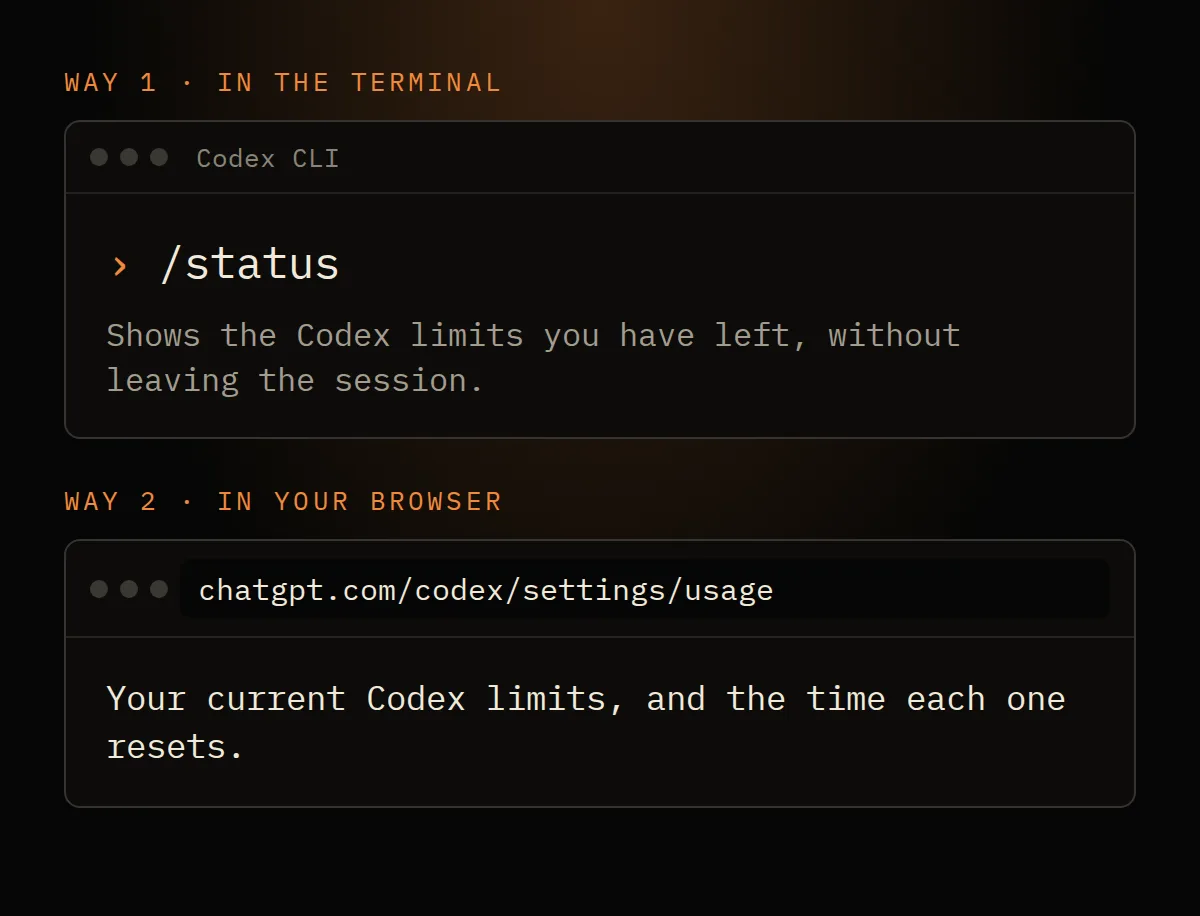
Check your Codex usage in the dashboard
OpenAI's usage dashboard is the main place to see your Codex usage. It shows your current limits and the time each one resets.
- Sign in to chatgpt.com with the ChatGPT account you use for Codex.
- Open chatgpt.com/codex/settings/usage.
- Read how much of each limit you have used, and the reset time beside it.
OpenAI suggests checking the dashboard every week or two to see your pace and how much room you have left. If your usage is higher than you expected, it suggests asking whether a smaller model or a tighter task would still get you a useful result.
Check your Codex usage from the Codex CLI
Inside an active Codex CLI session, type this at the prompt:
/statusIt shows the limits you have left without leaving the terminal. This is the quickest check before you hand Codex a long task, and it saves a trip to the browser when you are deep in a session.
Source: Codex pricing and usage limits, OpenAI
How Codex usage limits work
Your ChatGPT plan includes a usage allowance, and ChatGPT Work and Codex share it, along with pricing and credits. Local messages and cloud chats draw from the same allowance.
The five-hour limit
On Plus and Business plans, Codex usage is counted per five-hour period. Pro plans currently have no five-hour limit. The dashboard shows when your current period resets.
Weekly limits
Weekly limits may also apply on top of the five-hour period. If you hit a weekly limit, the dashboard shows when it resets.
There is no fixed message count
OpenAI does not set a fixed number of messages. Small scripts or routine functions may use only a fraction of your allowance, while larger projects, long-running tasks and long sessions that hold more context use much more per message. Tasks that look alike can use different amounts, because the model, context, reasoning, tool use, retrieval and caching all change the cost. Prompt length alone is not a reliable guide.
Codex usage by plan
| Plan | Price | What you get in Codex |
|---|---|---|
| Free | $0 a month | GPT-6 Luna at Standard speed in the desktop app, subject to rollout |
| Go | $8 a month | GPT-6 Luna at Standard speed in the desktop app, subject to rollout |
| Plus | $20 a month | Codex on the web, in the CLI, the IDE extension and on iOS, GPT-6.1 Sol and GPT-6 Luna, and extra credits when you need them |
| Pro | $100, $200 or $500 a month | Everything in Plus, no five-hour limit for now, and Ultrafast mode on Pro $500 |
| Business | $20 a user a month billed yearly, $25 billed monthly (2 or more users) | ChatGPT and Codex on desktop and mobile, larger cloud machines, and credits |
| Enterprise and Edu | Contact sales | Everything in Business, plus admin, security and data controls |
| API key | API pricing | Codex in the CLI, SDK or IDE extension, billed by usage, without cloud features such as GitHub code review or Slack |
How many messages you get every five hours
OpenAI publishes estimates of local messages per five-hour period on Plus and Standard Business. They are ranges, not fixed limits, and cloud tasks may use more of your allowance than local messages.
| Model | Plus and Standard Business |
|---|---|
| GPT-6.2 Astra | 6 to 50 |
| GPT-6.2 Sol | 17 to 180 |
| GPT-6.1 Sol | 15 to 160 |
| GPT-6.1 Terra | 35 to 285 |
| GPT-6 Sol | 15 to 150 |
| GPT-6 Luna | 350 to 3,000 |
The ranges are wide because one model can take a quick fix or a long task that reads much of your codebase. Across models the gap is bigger still: on these estimates GPT-6 Luna gives many times more messages than GPT-6.2 Astra, so a lighter model for routine work makes your allowance go much further.
What uses your Codex usage faster
- Larger models. GPT-6.2 Astra gives the fewest messages per five hours, and GPT-6 Luna the most.
- Fast and Ultrafast speeds. Fast uses included usage 2 to 2.5 times faster than Standard, and Ultrafast 6 to 8 times faster, depending on the model.
- Cloud tasks, which may use more than tasks that run on your own computer.
- Image generation, which uses your included limits 3 to 5 times faster on average than similar turns without it.
- Long sessions and big context, such as many files, long chat history and large tool results.
- Many MCP servers. Each one adds context to every message.
Codex usage with an API key
If you sign in to Codex with an API key instead of your ChatGPT account, your sessions are billed at API rates and do not touch your ChatGPT allowance. API-key Codex runs in the CLI, the SDK and the IDE extension, and suits automation in shared places such as CI. Cloud features such as GitHub code review and Slack are not available that way.
What happens when you run out
If you hit a limit in the middle of a turn, OpenAI says the agent can finish that turn, within fair use limits. After that you have four ways forward.
- Wait for the reset time shown in the usage dashboard.
- On Plus or Pro, buy extra credits and keep working without changing plan.
- On Business, Edu or Enterprise plans with flexible pricing, buy more workspace credits.
- Run extra local chats with an API key, charged at standard API rates.
How Codex credits work
Credits are what you spend once your included limits run out. They are priced per million tokens, and tokens are everything Codex reads and writes: your prompt, files, chat history, tool results and the reply. At Standard speed, GPT-6.2 Sol costs 50 credits per million input tokens, 2.5 per million cached input tokens and 250 per million output tokens. GPT-6 Luna costs 2.5, 0.25 and 12.5. Codex credit billing has no separate charge for writing to the cache.
With usage-based billing in US dollars, GPT-6.2 Sol at Standard speed costs $2 per million input tokens, $0.10 per million cached input tokens and $10 per million output tokens.
Does code review count toward Codex usage?
Code Review usage applies only when Codex runs reviews through GitHub, for example when you tag @Codex for review in a pull request or turn on automatic reviews for a repository. Reviews you run locally or outside GitHub count toward your general usage limits.
How to make your Codex usage last longer
OpenAI gives five tips for making your allowance go further:
- Control the size of your prompts. Be precise, and leave out context the task does not need.
- Limit source material. Give Codex only the files that matter, and narrow the sources or date range where you can.
- Match the output to the need. Say who it is for, the format and the length, and keep optional extras separate.
- Keep your AGENTS.md small. On a large project, nest AGENTS.md files inside your repository so each folder only loads what it needs.
- Limit your MCP servers. Turn off the ones you are not using.
A few habits help as well:
- Use a lighter model such as GPT-6.1 Terra or GPT-6 Luna for simple edits, and save the larger models for hard problems.
- Stay on Standard speed unless you really need the answer faster.
- Start a fresh chat when you change topic, so Codex is not re-reading a long history.
- Keep cloud tasks for work that needs them.
- Stop agents you are not using. Several agents running at once spend your allowance several times faster.
Source: Codex pricing and usage limits, OpenAI
Keeping several agents in check
If you run many Codex and Claude Code agents at once, it is easy to lose track of which ones are still working. 10u is an AI coding agent dashboard that shows every agent side by side, marked Needs you, Working, Waiting or Parked, so you can park the ones you do not need right now. They do the building. You decide what gets built.

Questions people ask
- Where can I see my Codex usage?
- In the usage dashboard at chatgpt.com/codex/settings/usage, or by typing /status in an active Codex CLI session.
- How often do Codex limits reset?
- On Plus and Business plans usage is counted per five-hour period, and weekly limits may also apply. The usage dashboard shows the reset time for each limit.
- Do ChatGPT and Codex share usage limits?
- Yes. Codex shares its included allowance with ChatGPT, so both count toward the same limits.
- How many Codex messages do I get on Plus?
- It depends on the model. OpenAI estimates 17 to 180 local messages per five hours on GPT-6.2 Sol and 350 to 3,000 on GPT-6 Luna. These are estimates, not fixed limits.
- Does using an API key count against my ChatGPT limits?
- No. API-key sessions are billed at API rates and do not use your ChatGPT allowance.
- What happens if I run out mid-task?
- The agent can finish the turn it is on, within fair use. Then you can wait for the reset, buy credits on Plus or Pro, or continue with an API key.