
Claude Code SDK guide: the Claude Agent SDK, API keys and pricing
The Claude Code SDK has been renamed the Claude Agent SDK. It lets you run Claude Code's agent from your own Python or TypeScript program, with the same built-in tools, agent loop and context management that power Claude Code, so your code can read files, run commands and edit code without you writing the tool loop. Install it with pip install claude-agent-sdk or npm install @anthropic-ai/claude-agent-sdk, set ANTHROPIC_API_KEY to a key from the Claude Console, and call query() with a prompt. It is billed at Claude API token prices.
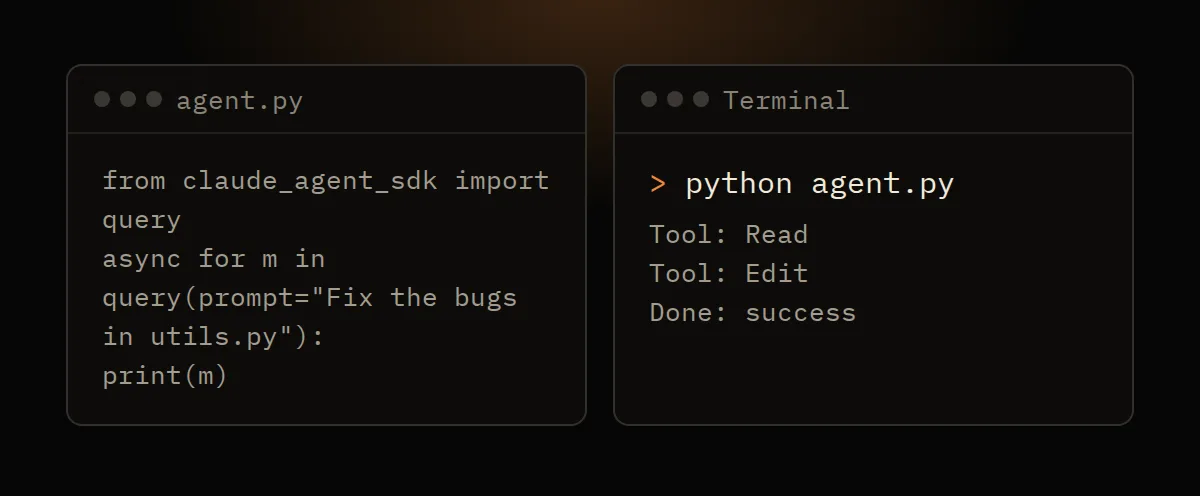
Source: Agent SDK overview, Claude Code docs
Claude Code SDK, Agent SDK, CLI or API?
| You want to | Use | What you get |
|---|---|---|
| Embed Claude Code's agent in your own Python or TypeScript app | Claude Agent SDK | A library that runs Claude Code, with its tools, permissions, sessions and hooks |
| Work interactively or run one-off tasks in a terminal | Claude Code CLI | The terminal app, built for daily use |
| Call the Claude API directly from any language | Client SDK | Direct API access; you write the tool loop yourself |
| Have Anthropic host the agent | Managed Agents | A hosted agent loop in an Anthropic-managed or self-hosted sandbox |
From a language other than Python or TypeScript, run the CLI as a subprocess with claude -p "your prompt" --output-format json, which gives you the same agent loop as JSON.
Source: Agent SDK overview, Claude Code docs
What the Claude Agent SDK can do
| Capability | What it does |
|---|---|
| Built-in tools | Read, write and edit files, run commands and search the web |
| Hooks | Run your own code at key points in the agent's lifecycle |
| Subagents | Spawn specialised agents for focused subtasks |
| MCP | Connect outside tools and data through the Model Context Protocol |
| Permissions | Choose which tools run automatically and which need approval |
| Sessions | Keep context across exchanges, then resume or fork later |
| Skills, commands and memory | Loaded from the project's .claude folder and ~/.claude, as in Claude Code |
| Plugins | Bundles of skills, agents, hooks and MCP servers, loaded by path |
Source: Agent SDK overview, Claude Code docs
Install the Claude Agent SDK
You need Node.js 18.14 or later, or Python 3.10 or later, and an Anthropic account. Both packages bundle a native Claude Code binary, so most installs need no separate Claude Code install.
| Language | Install |
|---|---|
| TypeScript | npm install @anthropic-ai/claude-agent-sdk |
| Python with uv | uv add claude-agent-sdk |
| Python with pip | pip install claude-agent-sdk |
Two exceptions: if pip installs the source package rather than a platform wheel (for example on ARM64 Windows), no binary is bundled, so install Claude Code natively; and npm ci --omit=optional skips the TypeScript binary, so reinstall without skipping optional dependencies.
Source: Agent SDK quickstart, Claude Code docs
Set your Claude Code API key
Get an API key from the Claude Console at platform.claude.com, then set it in the shell that runs your agent:
export ANTHROPIC_API_KEY=your-api-keyOn Windows PowerShell use $env:ANTHROPIC_API_KEY = "your-api-key". The SDK reads the key from the environment and does not load .env files on its own, so load one yourself (for example with dotenv) if you keep the key there. An error such as "Not logged in" or "Invalid API key" almost always means the variable is not set in that shell. To bill through a cloud account instead, set CLAUDE_CODE_USE_BEDROCK=1, CLAUDE_CODE_USE_VERTEX=1 or CLAUDE_CODE_USE_FOUNDRY=1 and configure that provider's credentials.
Unless Anthropic has approved it, third-party developers may not offer claude.ai login or subscription rate limits in their products, including agents built on the Agent SDK, so products use API key sign-in.
Source: Agent SDK quickstart, Claude Code docs
Using an API key with the Claude Code CLI
The command-line tool can use an API key too. If ANTHROPIC_API_KEY is set, Claude Code asks whether to use it on first launch and skips the browser login once you approve. Teams can also sign in with a Claude Console account, which can create a key for you, or with no key at all on v2.1.242 and later. If you have a subscription but ANTHROPIC_API_KEY is also set, Claude Code uses the key once you approve it, so run unset ANTHROPIC_API_KEY to fall back to your subscription and check /status to see which is active. For CI, claude setup-token makes a long-lived subscription token for CLAUDE_CODE_OAUTH_TOKEN.
Source: Authentication, Claude Code docs
Build your first agent
Anthropic's quickstart builds an agent that finds and fixes bugs. This Python version reviews utils.py, lets Claude read, edit and search files, and auto-approves edits:
import asyncio
from claude_agent_sdk import query, ClaudeAgentOptions, AssistantMessage, ResultMessage

async def main():
    async for message in query(
        prompt="Review utils.py for bugs that would cause crashes. Fix any issues you find.",
        options=ClaudeAgentOptions(
            allowed_tools=["Read", "Edit", "Glob"],
            permission_mode="acceptEdits",
        ),
    ):
        if isinstance(message, AssistantMessage):
            for block in message.content:
                if hasattr(block, "text"):
                    print(block.text)
                elif hasattr(block, "name"):
                    print(f"Tool: {block.name}")
        elif isinstance(message, ResultMessage):
            print(f"Done: {message.subtype}")

asyncio.run(main())
Run it with python agent.py (or uv run agent.py). It prints Claude's reasoning and each tool it calls, ending with Done: success, and utils.py comes back with defensive code. In TypeScript, import query from @anthropic-ai/claude-agent-sdk and run the file with npx tsx agent.ts.
Choose what the agent may do
| Tools | What the agent can do |
|---|---|
| Read, Glob, Grep | Read-only analysis |
| Read, Edit, Glob | Analyse and change code |
| Read, Edit, Bash, Glob, Grep | Full automation, including running commands |
Add WebSearch to let it look things up, set system_prompt to give it a role such as "You are a senior Python developer", and add Bash so it can, for example, write unit tests, run them and fix failures.
Source: Agent SDK quickstart, Claude Code docs
Moving from the old Claude Code SDK
| Old Claude Code SDK | Claude Agent SDK | |
|---|---|---|
| TypeScript package | @anthropic-ai/claude-code | @anthropic-ai/claude-agent-sdk |
| Python package | claude-code-sdk | claude-agent-sdk |
| Python options type | ClaudeCodeOptions | ClaudeAgentOptions |
Uninstall the old package, install the new one, and update your imports. The biggest behaviour change in v0.1.0: the SDK no longer uses Claude Code's system prompt by default. To get the old behaviour, pass systemPrompt: { type: "preset", preset: "claude_code" } in TypeScript, or system_prompt={"type": "preset", "preset": "claude_code"} in Python.
Source: Migrate to the Claude Agent SDK, Claude Code docs
Claude Code API pricing
Agents built on the SDK, and Claude Code signed in with an API key, pay Claude API token prices rather than a monthly subscription. Prices are per million tokens (MTok), in US dollars, from Anthropic's pricing page:
| Model | Input | Output | Cache hits |
|---|---|---|---|
| Claude Fable 5.2 | $8 | $40 | $0.20 |
| Claude Opus 5.5 | $4 | $20 | $0.20 |
| Claude Sonnet 5.5 | $2 | $10 | $0.10 |
| Claude Haiku 5.5 (prompts up to 100,000 tokens) | $0.10 | $0.50 | $0.01 |
Coding agents re-read a lot of the same context, so cached input, billed at a fraction of the normal input price, makes a big difference to the bill. Anthropic notes that its pricing page at claude.com/pricing has the most current figures. For heavy interactive use, a Pro, Max or Ultra subscription is often the better deal; see our Claude Code pricing guide.
Source: Pricing, Claude Platform docs
Branding rules for products built on the SDK
If you ship a product on the Agent SDK, you can call it "Claude Agent", "Claude" inside a menu already labelled Agents, or "YourAgentName Powered by Claude". You may not call it "Claude Code" or "Claude Code Agent", or use Claude Code-style ASCII art; your product should keep its own branding. Use is governed by Anthropic's Commercial Terms of Service.
Source: Agent SDK overview, Claude Code docs
Running many agents at once
Once you are scripting agents, you often end up running several Claude Code sessions in parallel too. 10u is an AI coding agent dashboard that shows every Claude Code and Codex session side by side, each in its real terminal, marked Needs you, Working, Waiting or Parked. They do the building. You decide what gets built.

Questions people ask
- Is there a Claude Code SDK?
- Yes. It is now called the Claude Agent SDK, for Python (claude-agent-sdk) and TypeScript (@anthropic-ai/claude-agent-sdk).
- Does Claude Code have an API?
- Claude Code runs on the Claude API. To drive it from code, use the Agent SDK in Python or TypeScript, or run claude -p with --output-format json from any language.
- Where do I get a Claude Code API key?
- Create one in the Claude Console at platform.claude.com, then set it as the ANTHROPIC_API_KEY environment variable.
- Can I use my Claude subscription with the Agent SDK?
- Products built on the SDK must use API key sign-in unless Anthropic has approved otherwise. Your own Claude Code CLI can use your Pro, Max or Ultra subscription.
- How much does the Claude Code API cost?
- You pay per token. For example, Claude Sonnet 5.5 is $2 per million input tokens and $10 per million output tokens, and Claude Opus 5.5 is $4 and $20.