
Claude Code vs Roo Code: how they compared, and where to go now Roo Code has shut down
Roo Code, the open-source AI coding agent for VS Code, was shut down on 15 May 2026. Its documentation now points users to ZooCode, a fork started by the Roo Code community, and to Cline, the project Roo Code originally grew out of, and its creators have moved on to Roomote, a cloud coding agent. Claude Code is Anthropic's coding agent, running in the terminal, VS Code and JetBrains, a desktop app and the browser with Claude models. If you're comparing the two today, the real question is where a Roo Code user should go next, and this page covers how Roo Code and Claude Code differed, the alternatives, and how to move your setup across.
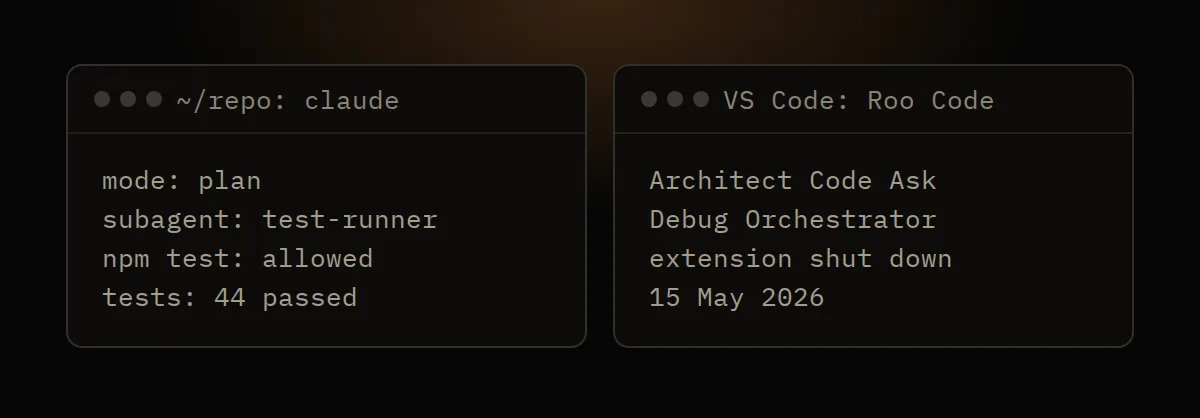
Facts come from Anthropic's documentation, Roo Code's archived documentation and the websites of the tools mentioned, read on 23 November 2026.
Claude Code and Roo Code at a glance
| Claude Code | Roo Code | |
|---|---|---|
| Status | Active | VS Code extension shut down on 15 May 2026 |
| Made by | Anthropic | Roo Code, now building Roomote |
| Where it runs | Terminal, VS Code and JetBrains, desktop app, web | VS Code extension |
| Models | Claude models | Any provider through your own API key: Anthropic, OpenAI, OpenRouter, Requesty and dozens more |
| How you pay | A Claude plan, or Anthropic API usage | Free extension; you paid providers for tokens |
| Ways of working | Plan mode, subagents, agent teams | Modes: Code, Architect, Ask, Debug and Orchestrator, plus custom modes |
| Open source | No | Yes |
Source: Roo Code docs, including the shutdown notice
What Roo Code was
Roo Code described itself as an open-source AI coding agent for VS Code, built to take full advantage of large language models, with real file system access, terminal control and multi-step workflows. It was model-agnostic: it worked with dozens of providers and hundreds of models through your own API keys, so you could switch to whichever model was best that week. Its stated approach was to trade tokens for quality, encouraging users to spend on capable models rather than skimp.
Source: FAQ, Roo Code docs
Its signature feature was modes, specialised personas with their own tool access. Code mode had full access to read, edit, run commands and use MCP tools. Architect mode planned and designed. Ask mode answered questions without changing files. Debug mode traced problems. Orchestrator mode, also called Boomerang mode, broke large projects into tasks and handed each to the right mode. Each mode remembered its own model, so you could plan on one model and code on another, and you could write custom modes. Out of the box Roo asked permission for everything, and Auto-Approve let it work for long stretches alone.
Source: Using modes, Roo Code docs
What Claude Code is
Claude Code is Anthropic's agentic coding tool. It reads your codebase, edits files, runs commands and works with your development tools, in any terminal, in VS Code and JetBrains, in a desktop app that runs several sessions side by side, and on the web.
- Plan mode has Claude research and propose a plan before editing, much like Roo's Architect mode.
- Permission modes run from Manual to Auto, where a classifier blocks risky actions instead of asking.
- Subagents handle side jobs in their own context with their own tools, and agent teams coordinate several sessions, covering what Roo's Orchestrator did.
- Hooks, skills, plugins and MCP servers add your own checks, know-how and tools.
- CLAUDE.md files hold project instructions that load every session.
Source: Claude Code overview, Anthropic
How they differed
Models
Roo Code's big draw was model choice: any provider, any model, a different model per mode. Claude Code runs Claude models only, and in return gets Anthropic's newest models and features first and is tuned closely to them. If model choice was the main reason you used Roo, look at Cline, Kilo Code or ZooCode; if you mostly ran Claude models in Roo anyway, Claude Code is the natural home.
Cost
Roo Code itself was free, and you paid each provider for tokens, which could add up fast with its token-hungry approach. Claude Code runs on a flat Claude plan with usage limits, or on Anthropic API usage if you prefer to pay per token. For heavy daily use of Claude models, a Claude plan is usually far cheaper than the same work billed per token.
Where you work
Roo Code lived inside VS Code. Claude Code runs in VS Code too, but also in JetBrains, any terminal, a desktop app and the browser, and can run without a person watching in GitHub Actions and scripts.
Structure
Roo's modes put structure in front of you: you picked a persona and it stayed in its lane. Claude Code puts structure in permission modes, plan mode and subagents, which you define as files with their own instructions, tools and model. Roo users who relied on custom modes can rebuild most of them as Claude Code subagents or skills.
Source: Subagents, Anthropic
Where Roo Code users can go now
| Option | What it is | Best for |
|---|---|---|
| Claude Code | Anthropic's coding agent, on a Claude plan | People who mostly ran Claude models in Roo and want a supported tool |
| ZooCode | A community fork of Roo Code | People who want Roo Code's workflow as unchanged as possible |
| Cline | The open-source agent Roo Code grew from, for VS Code, JetBrains, the terminal and desktop | People who want an open-source, model-agnostic agent with a long track record |
| Kilo Code | An open-source agent for VS Code, JetBrains and the terminal, with Code, Ask, Plan and Debug agents | People who liked Roo's modes and want hundreds of models |
| Roomote | A cloud coding agent from Roo Code's creators, self-hostable and model-agnostic | Teams that want a cloud agent that hands back pull requests |
Source: Cline
Source: Using agents, Kilo Code docs
Source: Roomote, by the creators of Roo Code
Roo Code's own notice names ZooCode and Cline. An extension that is no longer maintained won't get fixes for new models, editor updates or security problems, so it's worth moving even if your installed copy still runs.
Moving from Roo Code to Claude Code
- Install Claude Code, open your project and sign in with your Claude account, or use an Anthropic API key if you prefer per-token billing.
- Run /init to have Claude write a starting CLAUDE.md, then copy in anything important from your Roo rules.
- Re-create your MCP servers with claude mcp add.
- Turn your most-used custom modes into subagents or skills, each with its own instructions and tools.
- Replace Auto-Approve with permission rules: allow your test and build commands, keep everything else on ask, and deny anything destructive.
- Use plan mode where you used Architect mode, and subagents or agent teams where you used the Orchestrator.
# add an MCP server you used in Roo Code
claude mcp add --transport http <name> <server-url>

# write a starting CLAUDE.md from your codebase
claude
/init
Source: Choose a permission mode, Anthropic
Roo Code features and their Claude Code equivalents
| In Roo Code | In Claude Code |
|---|---|
| Code mode | A normal session, in Accept edits or Manual mode |
| Architect mode | Plan mode |
| Ask mode | Plan mode, or a read-only subagent |
| Debug mode | A normal session, or a debugging subagent with its own instructions |
| Orchestrator (Boomerang) mode | Subagents, or agent teams for several sessions |
| Custom modes | Subagents in .claude/agents/, or skills |
| A different model per mode | A model set in each subagent's file, or /model per session |
| Auto-Approve | Permission rules and Auto mode |
| MCP servers | MCP servers, added with claude mcp add |
| Project rules | CLAUDE.md files |
A custom mode becomes a subagent file like this one, saved as .claude/agents/test-runner.md. Claude hands work to it when the description matches, and it runs with only the tools listed:
---
name: test-runner
description: Runs the test suite and reports failures. Use after any code change.
tools: Bash, Read, Grep
model: sonnet
---

Run the project's tests, read any failures and report the cause in plain words. Don't edit files.
Security and data
Roo Code sent your code to whichever provider you chose, under that provider's terms. Claude Code sends it to Anthropic, or to Amazon Bedrock, Google Vertex AI or Microsoft Foundry if your company routes it there. Both run commands on your machine with your permissions. The bigger risk now is the old extension itself: with no maintainer, it won't receive security fixes, so uninstall it once you've moved, and check any fork's maintainers before trusting it with your code.
Questions to ask before you switch
- Which models did you actually use in Roo? If it was mostly Claude, Claude Code costs less on a plan than per-token billing.
- Do you need to stay in VS Code only? Claude Code, Cline, Kilo Code and ZooCode all run there.
- Did your team share custom modes? Plan to turn them into subagents or skills kept in the repository.
- Do you need everything open source? Then pick Cline, Kilo Code or ZooCode.
Pricing: Claude Code vs the alternatives
| Claude Code | Roo Code (when it ran) | |
|---|---|---|
| Tool | Included in a Claude plan | Free, open-source extension |
| Models | Pro: US$17 a month billed annually or US$20 monthly; Max: US$100; Ultra: US$200 | Paid per token to each provider you used |
| Teams | Team: US$20 per seat a month billed annually, or US$25 monthly | Paid per token, per person |
Source: Plans and pricing, Claude
Cline, Kilo Code and ZooCode follow Roo's model: the agent is free and open source, and you pay for the models, though Kilo and Cline also offer their own paid plans and credits. Claude Code bundles the agent and the model usage into one monthly plan.
A closer look at the open-source options
Cline is the open-source agent Roo Code was forked from. It now runs as a VS Code, Windsurf, JetBrains and Cursor extension, a command-line tool installed with npm i -g cline, a desktop app for macOS, Windows and Linux, and an SDK for embedding the agent in your own products, with a plan-and-act workflow and any model. Kilo Code runs one agent runtime across VS Code, JetBrains, a CLI and a desktop app, with built-in Code, Ask, Plan and Debug agents that will feel familiar to Roo users, custom agents as Markdown files, and hundreds of models at provider rates. ZooCode keeps Roo Code's own interface and modes, maintained by the community, which makes it the smallest change but the least certain long-term bet.
Which should you choose?
- You ran Claude models in Roo Code and want a supported, fast-moving agent: Claude Code.
- You want Roo Code's exact workflow back: ZooCode, the community fork.
- You want an open-source agent that works with any model: Cline or Kilo Code.
- You want a cloud agent you can host yourself: Roomote.
- You want the agent and model usage on one predictable bill: Claude Code.
Common problems when switching
- Claude Code asks for approval more than Roo did with Auto-Approve on: add allow rules for trusted commands, or use Accept edits for routine edits.
- You miss switching models per mode: set a model per subagent in its file, or pick the model for each session with /model.
- Your Roo rules didn't carry over: Claude Code reads CLAUDE.md, so move them there or import them from another file.
- Long tasks run out of room: let Claude hand side jobs to subagents so the main conversation stays focused.
A day after the switch
You open your project in VS Code with Claude Code. Where you'd have started in Architect mode, you ask Claude for a plan in plan mode and approve it. A test-runner subagent you built from your old Roo custom mode runs the suite, and your allow rules let it run npm test without asking. A second session in its own worktree takes the documentation, the job you used to give the Orchestrator.
Watching several agents at once
When Claude Code, Codex and other agents run across several projects, the hard part is knowing which one is waiting for you. 10u shows every Claude Code and Codex session side by side under the goal it's working toward, marks the ones waiting on you, and lets you answer from one screen on your laptop or phone.

Questions people ask
- Is Roo Code still available?
- No. The Roo Code VS Code extension was shut down on 15 May 2026. Its documentation points users to ZooCode, a community fork, and to Cline.
- What is the difference between Claude Code and Roo Code?
- Claude Code is Anthropic's coding agent running Claude models on a Claude plan, in many places. Roo Code was a free, open-source VS Code extension that worked with any model through your own API keys, organised around modes.
- What is the best Roo Code alternative?
- If you mostly used Claude models, Claude Code. If you want Roo's workflow unchanged, ZooCode. For an open-source agent with any model, Cline or Kilo Code.
- Does Claude Code have modes like Roo Code?
- It has plan mode and permission modes, and subagents you define with their own instructions, tools and model, which cover most of what Roo's modes did.
- What happened to the team behind Roo Code?
- Its creators now build Roomote, a self-hostable, model-agnostic cloud coding agent that hands back pull requests.