
How to use Claude Code and Codex together on one project
To use Claude Code and Codex together, give them one shared instructions file (AGENTS.md), put each agent in its own Git worktree so they never edit the same files, and decide who does what: one builds, the other reviews, or each takes its own task. OpenAI's Codex plugin for Claude Code lets you call Codex from inside a Claude Code session for reviews and hand-offs.
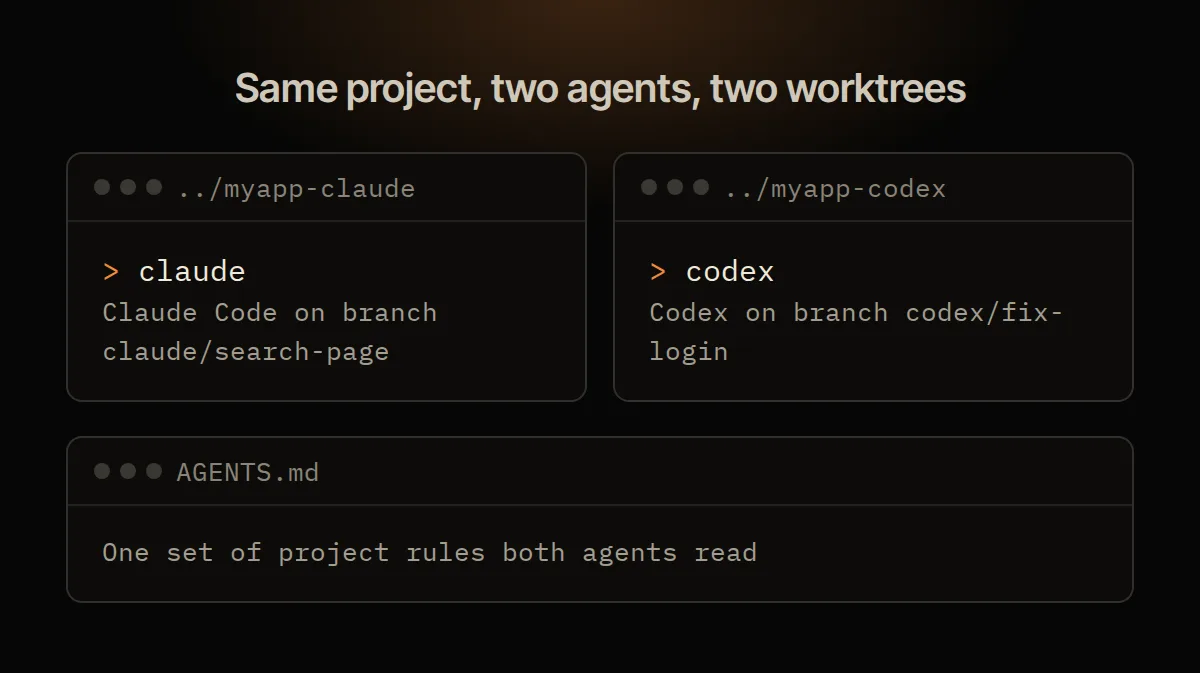
Why use both
Many developers already pay for a Claude plan and a ChatGPT plan, and each comes with its own coding agent and its own usage limits. Running both means more work gets done before either limit runs out, and a second agent that did not write the code is a useful reviewer. Each agent counts only against its own plan: Claude Code against your Claude limits, Codex against your ChatGPT or API limits.
Step 1: one instructions file for both
Codex reads AGENTS.md files before doing any work, layering a global file in ~/.codex with project files from the repository root down to your current folder. Claude Code can read AGENTS.md too: if a repository has an AGENTS.md and no CLAUDE.md, Claude reads the AGENTS.md as its project instructions. That makes AGENTS.md the natural shared file.
| Your repository has | Codex reads | Claude Code reads |
|---|---|---|
| AGENTS.md only | AGENTS.md | AGENTS.md (Claude Code v2.1.277 or later) |
| AGENTS.md and CLAUDE.md | AGENTS.md | CLAUDE.md only, unless it imports AGENTS.md |
| CLAUDE.md with @AGENTS.md inside | AGENTS.md | CLAUDE.md with AGENTS.md included |
If you want Claude-only notes as well, keep a small CLAUDE.md next to AGENTS.md that imports it:
@AGENTS.md

## Claude Code

Use plan mode for changes under src/billing/.
Watch one trap: a CLAUDE.local.md also counts as a CLAUDE.md, so adding one for your own notes stops Claude reading AGENTS.md unless you import it or change the Project instructions setting. Codex stops adding instruction files once they reach 32 KiB by default, so keep the shared file tight.
Source: How Claude remembers your project, Anthropic
Source: Custom instructions with AGENTS.md, OpenAI
Step 2: give each agent its own worktree
Two agents editing the same checkout will overwrite each other. A Git worktree is a second checkout of the same repository on its own branch, so each agent gets its own files. Both tools support them:
- Claude Code: start a session with claude --worktree name, and it creates the worktree and a branch for you.
- Codex: in the ChatGPT desktop app, a chat can run in a worktree instead of your local checkout, and you hand it back when you are ready to test.
- Either agent in a terminal: create a worktree yourself with git worktree add and start the agent inside it.
git worktree add ../myapp-codex -b codex/search-pagecd ../myapp-codex && codex
Then merge each branch the way you would merge a teammate's work, through a pull request or a local merge after you have checked it.
Source: Run parallel sessions with worktrees, Anthropic
Source: Worktrees in Codex, OpenAI
Step 3: decide who does what
There is no single right split, but these four patterns cover most of what people do:
Builder and reviewer
One agent writes the change, the other reviews it before you merge. A reviewer that did not write the code is less likely to share its blind spots. With the Codex plugin, Claude Code can ask Codex for a review without leaving the session.
Two tasks at once
Give each agent a separate task in its own worktree: Claude Code on a refactor, Codex on a new page. You check in with whichever one finishes or gets stuck first.
Planner and builder
Ask one agent to write a plan into a file, then have the other carry it out. The plan file becomes the hand-off, and the second agent starts from a clear brief instead of a long chat history.
Second opinion on a stuck bug
When one agent keeps circling a bug, hand it to the other with the error and what has been tried. A fresh agent with a different model often sees it from another angle.
Use Codex from inside Claude Code
OpenAI publishes a Codex plugin for Claude Code. Add it with /plugin marketplace add openai/codex-plugin-cc, install it, and run /codex:setup. It uses the Codex CLI already on your machine and its sign-in.
- /codex:review runs a read-only Codex review of your changes or your branch.
- /codex:adversarial-review questions the design and the trade-offs behind it.
- /codex:rescue hands a bug or a fix to Codex, in the background if you like.
- /codex:transfer turns your Claude Code session into a Codex thread you can carry on with codex resume.
Plugin jobs count toward your Codex usage limits. Its optional review gate, which has Codex review every Claude reply, can loop and use limits quickly, so only turn it on when you are watching.
Source: Codex plugin for Claude Code, OpenAI on GitHub
Settings that differ between the two
| Claude Code | Codex | |
|---|---|---|
| Instructions file | CLAUDE.md, or AGENTS.md when there is no CLAUDE.md | AGENTS.md |
| Settings file | ~/.claude/settings.json and .claude/settings.json | ~/.codex/config.toml and .codex/config.toml |
| Reusable skills | Skills in .claude/skills/ | Skills in Codex |
| Tool servers | MCP servers | MCP servers |
| Check usage | /usage | /status, and the usage dashboard |
MCP servers have to be added to each tool separately. If both agents need the same tool, such as your issue tracker, configure it in both, and turn off the ones you do not use, because each server adds context to every message.
Keep the two from getting in each other's way
- Never point both agents at the same checkout at the same time.
- Keep shared rules in AGENTS.md and agent-specific notes in CLAUDE.md, so the two do not drift apart.
- Name branches by agent, such as claude/ and codex/, so you can tell whose work is whose.
- Merge one branch at a time and rerun your tests after each merge.
- Check both usage meters. A long session on one plan does not touch the other.
A worked example
Say you need a new search page and a fix for a slow database query in the same app. Here is one way to run both agents on it in an afternoon:
- Write the shared rules once in AGENTS.md at the repository root: how to run the tests, the code style, and which folders not to touch.
- Start Claude Code in a worktree for the query fix: claude --worktree query-fix. Ask it to find the slow query, explain why it is slow and propose a fix before changing anything.
- In a second terminal, create a worktree for the page and start Codex inside it. Give it the page brief and point it at an existing page to copy the layout from.
- While both work, answer whichever one stops to ask you something first. Neither can touch the other's files, because each has its own checkout.
- When Claude Code has a fix, ask Codex to review it with /codex:review --base main from the Claude Code session, or open the branch in Codex and ask for a review there.
- When Codex has the page, ask Claude Code to review that branch the same way.
- Merge the reviewed branches one at a time, running the tests after each, then remove the worktrees.
The rhythm is the same with more agents: one task per worktree, a review by an agent that did not write the code, and one merge at a time.
When one agent is enough
Running two agents takes more attention than running one. For a small change in one file, a quick question or a task you will watch from start to finish, one agent is simpler. Two agents earn their place when the work splits cleanly into separate pieces, when you want an independent review, or when one plan's limit is close and the other has room.
Keep track of both agents at once
The hard part of running Claude Code and Codex together is not setup; it is noticing when one of them has stopped to ask you something while you are looking at the other. 10u is an AI coding agent dashboard that runs every Claude Code and Codex session side by side, each in its real terminal, marked Needs you, Working, Waiting or Parked, so the agent waiting on you is always on top whichever one it is. It uses the Claude Code and Codex you already have, on your own accounts. They do the building. You decide what gets built.

Questions people ask
- Can I use Claude Code and Codex on the same project?
- Yes. Share one AGENTS.md, give each agent its own Git worktree, and merge their branches like a teammate's work.
- Does Claude Code read AGENTS.md?
- Yes, from v2.1.277, when the repository has no CLAUDE.md. If you have both, import AGENTS.md from CLAUDE.md with @AGENTS.md.
- Can Claude Code call Codex?
- Yes, with OpenAI's Codex plugin for Claude Code, which adds commands such as /codex:review and /codex:rescue.
- Do Claude Code and Codex share usage limits?
- No. Claude Code uses your Claude plan and Codex uses your ChatGPT plan or API key.
- How do I stop the two agents overwriting each other?
- Run each one in its own Git worktree on its own branch, and never point both at the same checkout.