
Codex vs OpenCode: OpenAI's own agent, or an open-source one that runs any model?
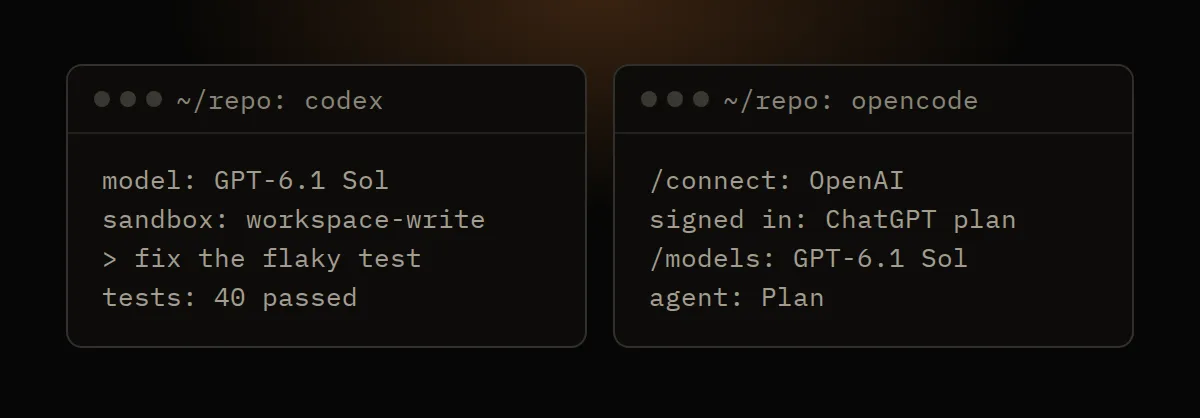
Codex is OpenAI's coding agent, included with ChatGPT plans, running in the ChatGPT desktop app, an open-source terminal CLI, editors, the cloud and your phone. OpenCode is an open-source coding agent from the OpenCode team that connects to many model providers: Anthropic, OpenAI, GitHub Copilot, its own OpenCode Go subscription and more. The two overlap more than you might expect: OpenCode can sign in with a ChatGPT Plus or Pro plan and use the same OpenAI models Codex does, counting against the same plan. Choose Codex for OpenAI's own agent with cloud tasks, a desktop app and the tightest fit with ChatGPT; choose OpenCode if you want one open-source agent you can point at any provider.
Facts come from OpenAI's and OpenCode's documentation, read on 23 November 2026.
Codex and OpenCode at a glance
| OpenAI Codex | OpenCode | |
|---|---|---|
| Made by | OpenAI | The OpenCode team, open source |
| Open source | The Codex CLI, Apache 2.0, written in Rust | Yes |
| Models | OpenAI models | Many providers: Anthropic, OpenAI with ChatGPT sign-in, GitHub Copilot, OpenCode Go and more |
| Where it runs | ChatGPT desktop app, Codex CLI, IDE extension, Codex cloud, ChatGPT mobile | Terminal, desktop app, web interface, Docker |
| Cloud tasks | Codex cloud | No managed cloud; run it on your own server |
| Instructions file | AGENTS.md | AGENTS.md |
| Built-in agents | Subagents for splitting work | Build and Plan, plus General and Explore subagents |
| Safety controls | Sandbox modes plus approval policies | Ordered allow, ask and deny permission rules |
| Extending | Skills, plugins, MCP servers | Config, plugins, MCP servers, custom commands, custom agents |
What Codex is
Codex is OpenAI's coding agent. You describe an outcome, and it reads the code, takes a step, checks the result and keeps going until the job is done or it needs you. Most people use it in the ChatGPT desktop app on macOS, Windows or Linux by choosing Codex and opening a project folder. The Codex CLI is the terminal version, open source under Apache 2.0; an extension puts it in VS Code and VS Code-based editors; Codex cloud runs tasks that keep going after you close the laptop; and the ChatGPT phone app lets you start and review work away from your desk.
Source: Codex app, OpenAI
Source: openai/codex, GitHub
- codex exec runs a task without the interactive screen, for scripts and CI.
- codex review checks uncommitted changes, a branch or a commit without editing anything.
- codex cloud sends work to a cloud environment, and codex apply brings the result back.
- codex resume and codex fork continue or branch a session.
- codex mcp and codex plugin manage MCP servers, plugins and marketplaces.
Source: Codex CLI, OpenAI
What OpenCode is
OpenCode describes itself as an open-source coding agent available as a terminal interface, a desktop app or a web app. You install the CLI with a script, Homebrew, npm, Bun, pnpm, Yarn or mise, or download a standalone binary; desktop builds cover macOS, Windows and Linux. The web interface opens with opencode pair, which prints a one-time link.
Source: OpenCode docs
Its defining feature is choice of provider. In the terminal you run /connect, choose a provider and enter its credentials, then /models to pick a model. OpenAI sign-in works with a ChatGPT Plus or Pro plan instead of an API key; GitHub Copilot works through GitHub's device flow if the account has Copilot Chat; OpenCode Go is an optional subscription for coding models the OpenCode team has tested; Anthropic and custom providers are supported too.
Source: Providers, OpenCode docs
Using your ChatGPT plan in OpenCode
This is the detail that makes Codex vs OpenCode an unusual comparison. When you sign in to OpenCode with a ChatGPT plan, usage counts against that plan, and OpenCode caps the context window to match Codex's defaults so your plan is used at about the same rate as in OpenAI's own products.
| Model | Input limit in OpenCode with a ChatGPT sign-in |
|---|---|
| GPT-6.1 Sol and newer | 500,000 tokens |
| Older models | 272,000 tokens |
You can turn the cap off by disabling its built-in plugin in OpenCode's config. In practice, that means a ChatGPT subscriber can try OpenCode at no extra cost and compare the two agents on the same models, the same plan and the same tasks. The difference you'll see is the agent itself: how it plans, which tools it uses, how it asks for permission and how it presents changes.
Install and sign in
Codex installs with OpenAI's one-line installer on macOS and Linux, a PowerShell installer on Windows, npm install -g @openai/codex or brew install --cask codex. Run codex in a project folder and choose Sign in with ChatGPT or an API key. The ChatGPT desktop app includes Codex with no separate install. OpenCode installs with its own script, Homebrew, npm, Bun, pnpm, Yarn or mise, or as a standalone binary, and its desktop app has builds for macOS, Windows and Linux. Start it, run /connect, pick a provider and sign in, then /models to choose a model.
Either takes a couple of minutes. The difference is what you sign in to: one OpenAI account for Codex, or any of several providers for OpenCode.
The main differences
Providers
Codex is OpenAI's agent for OpenAI's models. OpenCode works with many providers and lets you switch mid-project, or give different agents different models, such as a cheaper model for exploration and a stronger one for review. If you want to compare providers, or avoid depending on one, OpenCode is built for that.
Cloud and mobile
Codex has a managed cloud: tasks run in Codex cloud environments and can be started and reviewed from the desktop app, the web, the CLI or your phone. OpenCode runs where you run it: your terminal, its desktop app, its web interface, or a Docker container on a server you manage. If you want work to continue while your laptop is closed without running your own server, Codex has the simpler path.
Agents
OpenCode ships with primary agents you work with directly, Build and Plan, where Plan explores and plans without editing normal project files, and subagents the main agent can launch: General for research and multi-step work, and Explore for searching and reading code or the web without editing. Custom agents are Markdown files in .opencode/agents/ that combine a prompt, a model, permissions and display details. Codex uses subagents to split large investigations, with skills and plugins carrying reusable procedures.
Source: Agents, OpenCode docs
Permissions
Codex separates a sandbox, which limits what commands can technically do, from an approval policy, which decides when it asks. OpenCode uses ordered permission rules in opencode.jsonc, each naming an action, a resource and an effect of allow, ask or deny, where the last matching rule wins.
{
  "permissions": [
    { "action": "shell", "resource": "*", "effect": "ask" },
    { "action": "shell", "resource": "git status *", "effect": "allow" },
    { "action": "shell", "resource": "git push *", "effect": "deny" }
  ]
}
# Codex: edit inside the project, ask before anything outside it
codex --sandbox workspace-write --ask-for-approval on-request
# Codex: read and report only, never ask (for CI)
codex exec --sandbox read-only --ask-for-approval never "Summarize the failing tests"Source: Permissions, OpenCode docs
Source: Sandboxing, OpenAI Codex docs
The two approaches suit different needs. Codex's sandbox constrains every command the agent starts, including git, package managers and test runners, at the operating-system level, which is strong protection for unattended runs. OpenCode's rules give precise per-command control, such as allowing git status but always blocking git push.
Project instructions
Both read AGENTS.md. OpenCode loads a global file from ~/.config/opencode/AGENTS.md, then every AGENTS.md from your current folder up toward your home folder, and combines them without resolving conflicts, so keep global rules general and specific rules close to the code. Codex also layers global and project AGENTS.md files. One AGENTS.md serves both agents without changes.
Source: Rules, OpenCode docs
MCP and extending
Both connect to MCP servers, so the same GitHub, database or documentation server works in each. OpenCode adds custom commands, plugins and custom agents through its config; Codex adds skills that load only when needed, plugins and plugin marketplaces your team can share.
Source: MCP servers, OpenCode docs
Pricing: Codex vs OpenCode
Both agents' software is free and open source in the terminal. What you pay for is model access.
| Route | Codex | OpenCode |
|---|---|---|
| ChatGPT plan | Included: Plus US$20 a month, Pro US$100 to US$500 a month, Business US$20 to US$25 per user | Sign in with ChatGPT Plus or Pro; usage counts against the plan |
| Free | Codex in the desktop app on ChatGPT Free and Go, subject to rollout | Free software; you pay your chosen provider |
| API key | OpenAI API at per-token prices, CLI and IDE only | Any supported provider's API key |
| Other subscriptions | None | GitHub Copilot, OpenCode Go and others |
Source: Pricing, OpenAI ChatGPT and Codex docs
If you already pay for ChatGPT, both cost nothing extra to try. If you pay for GitHub Copilot or prefer another provider's models, OpenCode can use those, which Codex cannot.
Security and data
Both agents run commands on your machine with your permissions, and both send code to whichever model provider you use. With Codex that is always OpenAI; with OpenCode it is whichever provider you connect, so check that provider's data terms too. Keep Codex in workspace-write or read-only for everyday work and save full access for throwaway machines. In OpenCode, start with shell commands set to ask and add allow rules only for commands you trust. On both, keep secrets out of prompts and AGENTS.md, and review every diff before committing.
Common questions when switching
| Question | Codex | OpenCode |
|---|---|---|
| Where do my rules go? | AGENTS.md | AGENTS.md |
| How do I add an MCP server? | codex mcp add | In OpenCode's config |
| How do I make a reusable command? | A skill | A custom command or custom agent |
| How do I stop it pushing to git? | Keep the sandbox and approvals on | A deny rule for git push |
| How do I run it in CI? | codex exec | OpenCode's non-interactive run |
| How do I continue yesterday's session? | codex resume | Its session list |
Which should you choose?
- You want OpenAI's own agent with a desktop app, cloud tasks and phone access: Codex.
- You want one open-source agent that works with many providers: OpenCode.
- You pay for GitHub Copilot and want a terminal agent on that subscription: OpenCode.
- You want work to keep running in a managed cloud while your laptop is closed: Codex.
- You want per-command allow, ask and deny rules and custom agents in Markdown: OpenCode.
- You want an operating-system sandbox around every command for unattended runs: Codex.
Who each one suits
Codex suits people who already live in ChatGPT and want the most polished path from idea to finished change on OpenAI's models, including work that runs in the cloud and can be checked from a phone. OpenCode suits people who want to own their tooling: an open-source agent they can configure in detail, point at whichever provider is best or cheapest this month, and run on their own machines or servers.
Trying both on the same plan
- Put your conventions and test commands in AGENTS.md at the repository root.
- Install Codex and sign in with your ChatGPT plan.
- Install OpenCode, run /connect, choose OpenAI and sign in with the same plan, then pick the same model with /models.
- Run the same three real tasks in each, each in its own git worktree.
- Compare the diffs, the time taken, how often each asked you something, and how much of your plan each used.
A day with each
With Codex, you start in the ChatGPT desktop app, ask for a plan to fix a flaky test, approve it and review the diff. You send a bigger refactor to Codex cloud before lunch and check it from your phone. A nightly job runs codex exec read-only to summarise new test failures.
With OpenCode, you start in the terminal on your ChatGPT plan, switch to the Plan agent to map out the refactor, then to Build to make it. A custom read-only reviewer agent on a different provider's model checks the change before you commit, and the web interface lets you keep an eye on it from another device.
Watching several agents at once
Running Codex, OpenCode and Claude Code side by side is a good way to compare agents, and a fast way to lose track of which one is waiting for you. 10u shows every Codex and Claude Code session side by side under the goal it's working toward, marks the ones waiting on you, and lets you answer from one screen on your laptop or phone.

Questions people ask
- What is the difference between Codex and OpenCode?
- Codex is OpenAI's coding agent for OpenAI models, with a desktop app, CLI, editor extension, cloud tasks and phone access. OpenCode is an open-source coding agent that works with many providers, in a terminal, desktop app or web interface.
- Can OpenCode use my ChatGPT plan?
- Yes. OpenCode can sign in with ChatGPT Plus or Pro instead of an API key. Usage counts against your plan, and OpenCode caps the context window to match Codex's defaults.
- Is OpenCode better than Codex?
- It depends on what you value. OpenCode gives provider choice, custom agents and per-command permission rules. Codex gives OpenAI's own agent with a managed cloud, desktop app and phone access.
- Are Codex and OpenCode open source?
- Yes. The Codex CLI is open source under Apache 2.0, and OpenCode is open source.
- Does OpenCode read AGENTS.md like Codex?
- Yes. Both read AGENTS.md files, so one file of conventions and commands works for both.
- Can OpenCode use GitHub Copilot?
- Yes. OpenCode supports GitHub Copilot as a provider through GitHub's device sign-in, if the account has Copilot Chat access.