
Codex vs Copilot: OpenAI's coding agent or GitHub's AI assistant?
Codex is OpenAI's AI coding agent: you describe a task and it reads your code, edits files, runs commands and tests, and shows you the changes, from the ChatGPT desktop app, a terminal, your editor or the cloud. GitHub Copilot is GitHub's AI assistant: it suggests code as you type, answers questions, reviews pull requests and takes on issues, built into GitHub and your editor. Choose Codex if you want a strong agent you hand whole tasks to and already pay for ChatGPT; choose Copilot if your team lives in GitHub issues and pull requests and wants help in the editor too. They also overlap: Copilot can run OpenAI's Codex coding agent itself, in public preview.
Details here come from OpenAI's and GitHub's own documentation, read on 23 November 2026. Both products change every few weeks, so check the linked pages before you decide on price or plan.
Codex and Copilot at a glance
| OpenAI Codex | GitHub Copilot | |
|---|---|---|
| Made by | OpenAI | GitHub (Microsoft) |
| What it is | A coding agent that works through tasks on its own | An AI assistant built into GitHub and your editor, with agents |
| Where you use it | ChatGPT desktop app, Codex CLI, IDE extension, cloud, ChatGPT mobile | GitHub.com, GitHub Mobile, VS Code and other editors, the Copilot app, Copilot CLI |
| Code as you type | No; it works on tasks you give it | Yes, inline suggestions |
| Agent work | Local tasks on your machine, cloud tasks that keep running | Cloud agent picks up issues and returns pull requests |
| Models | OpenAI models such as GPT-6.1 Sol and GPT-6 Luna | Models from several providers, by plan |
| Instructions file | AGENTS.md | Custom instructions, agent skills, custom agents |
| Free option | Light Codex use on ChatGPT Free and Go | Copilot Free and Copilot Student |
| Paid entry point | ChatGPT Plus, US$20 a month | Copilot Pro, US$10 a month |
What Codex is
Codex is OpenAI's coding agent. You describe what you want, such as a feature, a bug fix or a set of tests, and it reads the parts of the project it needs, decides on a step, runs it, looks at the result and keeps going until the job is done or it needs your decision. It comes with ChatGPT plans rather than as a separate product, and the same ChatGPT sign-in works everywhere it runs.
- The ChatGPT desktop app on macOS, Windows and Linux, where you choose Codex and point it at a project folder. This is where most people meet Codex now.
- The Codex CLI, an open-source terminal agent written in Rust under the Apache 2.0 licence, started with the codex command.
- An extension for VS Code and VS Code-based editors such as Cursor and Windsurf.
- Codex cloud, where tasks run in a cloud environment and keep going after you close the laptop.
- The ChatGPT phone app, for starting tasks, approving actions and reviewing work away from your desk.
Source: Codex app, OpenAI
Source: openai/codex, GitHub
Codex reads AGENTS.md files before it starts: plain instruction files in your home folder and repository with your conventions, test commands and rules. Skills add reusable procedures, MCP servers connect it to outside tools, and it can review uncommitted changes, a commit or a branch before you open a pull request, reporting findings by priority without changing your files.
Source: AGENTS.md, OpenAI Codex docs
What GitHub Copilot is
GitHub describes Copilot as an AI assistant that helps you write, understand and ship software. It started as code completion and still suggests code as you type, but it now also answers questions about a codebase, reviews changes and works on tasks you assign it. Because it is built into GitHub, a change can start as an issue, be picked up by an agent, come back as a pull request, get reviewed and be merged, all in one place.
Source: What is GitHub Copilot, GitHub Docs
Copilot's cloud agent researches a repository, plans changes and implements them in the background, editing files and running tests and linters in a cloud development environment rather than in your editor. It runs in a cloud sandbox, on a GitHub Actions runner or in a remote environment of your own. Copilot code review can review pull requests on request or automatically, and Agent Merge can work on failed workflows and merge conflicts until a pull request is ready.
Source: About Copilot cloud agent, GitHub Docs
Codex inside Copilot
The two products are not entirely separate. GitHub lets Copilot hand tasks to third-party coding agents, currently in public preview. The OpenAI Codex agent uses the Codex SDK and can run on your existing Copilot subscription, alongside an Anthropic Claude agent. You start these agents from a repository's Agents tab, by assigning them an issue, by mentioning them on a pull request, from GitHub Mobile or in VS Code, once they are turned on in your account settings or your organisation's policies.
Source: About third-party agents, GitHub Docs
That changes the question for some teams. If what you want is OpenAI's agent working on GitHub issues and pull requests, paid through Copilot, the Codex agent in Copilot covers it. If you want the full Codex experience, including the desktop app, the CLI, local work, Codex cloud environments and ChatGPT's other tools, use Codex itself.
The main differences
Inline suggestions
Copilot suggests code inline as you type in your editor. Codex does not do inline completion; it works on tasks you describe, in the app, terminal, editor panel or cloud. If you want help line by line while you write, Copilot covers that. If you mostly want to hand over whole tasks, Codex is built for it.
Where the work happens
Copilot's agent is closely tied to GitHub: issues go in, pull requests come out, and work runs in GitHub's cloud or on Actions runners. Codex works on the copy of the project on your computer, or in a Codex cloud environment, and your code does not need to be on GitHub for local work. Codex cloud features such as GitHub code review and Slack need a ChatGPT plan rather than an API key.
Models
Codex runs OpenAI's models. On a Plus plan that includes GPT-6.1 Sol and GPT-6 Luna, with more on Pro. Copilot offers models from several providers depending on your plan, with Free and Student limited to automatic model selection, Pro offering a selection of models and Pro+ and above adding premium models.
Instructions and customisation
Codex uses AGENTS.md files, skills and MCP servers. Copilot uses custom instructions, reusable prompts, Copilot Spaces, custom agents, agent skills, MCP servers and hooks. The ideas are similar; the files are different. Many teams keep their conventions in AGENTS.md so more than one agent can read them.
Limits on delegated work
GitHub lists clear limits for Copilot's cloud agent: a session on GitHub Actions can only change the repository it started in, each task works on one branch and opens one pull request, and a session on Actions stops after 59 minutes. Codex cloud tasks have no published limit of that kind, but they draw on your plan's usage allowance, which OpenAI measures in five-hour windows and weekly limits rather than fixed message counts.
Pricing: Codex vs Copilot
Codex has no separate price; it comes with ChatGPT plans. Copilot has its own plans, priced per person per month, with an allowance of GitHub AI Credits.
| Plan | Codex (ChatGPT) | GitHub Copilot |
|---|---|---|
| Free | Free and Go: Codex in the desktop app with GPT-6 Luna, subject to rollout | Copilot Free: limited features and an allowance of AI credits; Copilot Student free for verified students |
| Individual entry | Plus, US$20 a month: app, CLI, IDE extension, web and code review | Pro, US$10 a month: 1,000 base AI credits and a selection of models |
| Power user | Pro at US$100, US$200 or US$500 a month | Pro+ at US$39 a month (3,900 credits) or Max at US$100 a month (10,000 credits) |
| Business | US$20 per user a month billed yearly, or US$25 monthly | Business, US$19 per seat a month |
| Enterprise | Contact sales | Enterprise, US$39 per seat a month |
Source: Pricing, OpenAI ChatGPT and Codex docs
Source: Plans for GitHub Copilot, GitHub Docs
Copilot is cheaper to start, and its free plan is more generous for inline help. Codex on Plus costs more but includes ChatGPT itself, which many people already pay for. If you already have ChatGPT Plus or Business, Codex costs nothing extra; if you already have Copilot, trying the Codex agent inside it costs nothing extra either. GitHub also notes that verified teachers and maintainers of popular open source projects may be eligible for free Copilot Pro, and OpenAI runs a Codex for Open Source programme for maintainers.
Codex vs Copilot feature by feature
| Feature | OpenAI Codex | GitHub Copilot |
|---|---|---|
| Inline suggestions | No | Yes |
| Terminal agent | Codex CLI, open source | Copilot CLI |
| Desktop app | ChatGPT desktop app | Copilot app |
| Editor | Extension for VS Code and VS Code-based editors | Built into VS Code, JetBrains and other editors |
| Picks up GitHub issues | Through the Codex agent in Copilot, or cloud tasks | Yes, assign an issue to Copilot |
| Pull request review | Codex code review on GitHub, with a ChatGPT plan | Copilot code review, on request or automatic |
| Runs while your computer is off | Codex cloud | Cloud sandbox or GitHub Actions |
| Works without GitHub | Yes, locally | Editor and CLI help, yes; the cloud agent needs GitHub |
| Instructions | AGENTS.md | Custom instructions and agents |
| MCP | Yes | Yes |
The table shows where each is strongest. Copilot covers more of GitHub itself: suggestions in the editor, review on every pull request, automations and merge fixes. Codex goes deeper as an agent you direct: a full desktop app, an open-source CLI, local and cloud work from one account, and ChatGPT's other tools next to it.
Which should you choose?
- You want inline code suggestions as you type: Copilot.
- Your team runs on GitHub issues and pull requests and wants agents to pick up issues there: Copilot, optionally with its Codex agent.
- You want the cheapest paid start: Copilot Pro at US$10 a month.
- You already pay for ChatGPT Plus or Business: Codex, at no extra cost.
- You want an agent you hand whole tasks to from a desktop app or terminal: Codex.
- Your code is not on GitHub, or you want the agent working on your own machine: Codex.
- You want an open-source agent you can inspect: the Codex CLI.
Using Codex and Copilot together
Many developers use both, and they fit together well. Copilot handles the moment-to-moment help in the editor and reviews every pull request on GitHub. Codex takes the bigger tasks: a refactor across many files, a new feature with tests, an investigation into a bug nobody understands, running in the desktop app or the cloud while you do something else. Keeping conventions in AGENTS.md means both agents follow the same rules.
- Keep Copilot in your editor for inline suggestions and quick questions.
- Hand bigger, well-defined tasks to Codex in the ChatGPT desktop app, the CLI or Codex cloud.
- Put your conventions, test commands and rules in AGENTS.md at the repository root.
- Leave Copilot code review on, so work from Codex gets a second look on GitHub.
- For issues your team triages on GitHub, try assigning some to the Codex agent inside Copilot.
A day with each
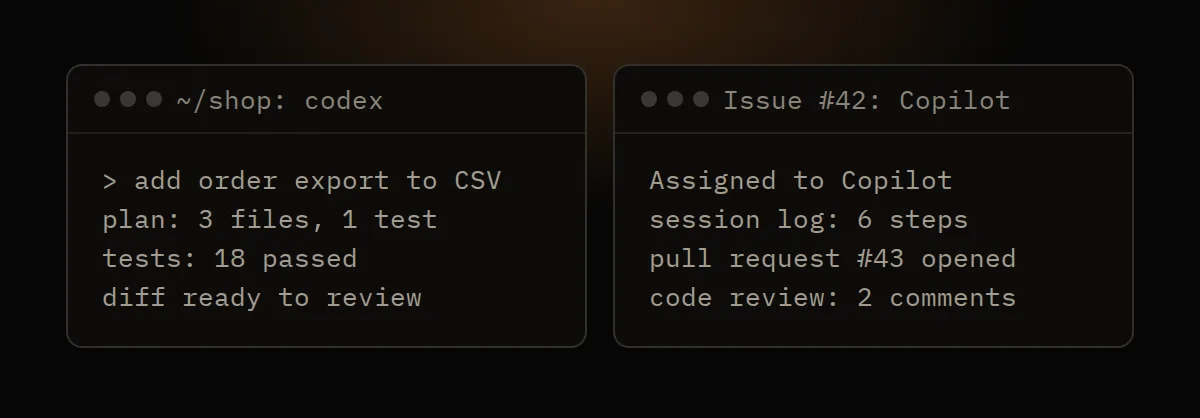
With Copilot, the help arrives where you already are. Suggestions appear as you type, you ask chat about a confusing function, and after lunch you assign two small issues to Copilot's agent. By the time you check GitHub, each has a pull request with a session log, and Copilot code review has already commented on a teammate's change.
With Codex, you hand over bigger pieces. You open the ChatGPT desktop app, choose Codex, point it at the project and ask for a plan before it changes anything. It works through the change, runs the tests and shows you the diff. A second task runs in Codex cloud while you're in a meeting, and you review both when you're back, from your laptop or your phone.
Watching several agents at once
Once you run more than one agent, the hard part is no longer the agent. It's knowing which task finished, which one is waiting for your approval and which one has been stuck for an hour. 10u shows every Codex and Claude Code session side by side under the goal it's working toward, marks the ones waiting on you and lets you answer from one screen on your laptop or phone. You keep using the agents you already pay for; 10u shows you where each one is up to.

Questions people ask
- What is the difference between Codex and Copilot?
- Codex is OpenAI's coding agent that works through whole tasks from the ChatGPT desktop app, a terminal, your editor or the cloud. Copilot is GitHub's AI assistant that suggests code as you type, reviews pull requests and has a cloud agent that turns issues into pull requests.
- Is Codex better than Copilot?
- They are good at different things. Copilot is stronger for inline suggestions and work that lives in GitHub issues and pull requests. Codex is stronger as an agent you hand whole tasks to, locally or in the cloud.
- Can Copilot use Codex?
- Yes. GitHub lets Copilot run the OpenAI Codex coding agent as a third-party agent, in public preview, on your existing Copilot subscription once it is turned on in your settings or organisation policies.
- Is Codex cheaper than Copilot?
- Copilot is cheaper to start: Copilot Pro was US$10 a month on 23 November 2026, while Codex comes with ChatGPT Plus at US$20 a month. If you already pay for ChatGPT, Codex costs nothing extra.
- Does Codex do inline code completion like Copilot?
- No. Codex works on tasks you describe rather than suggesting code as you type. Many developers use Copilot for inline help and Codex for bigger tasks.
- Can I use Codex and Copilot together?
- Yes. A common setup is Copilot in the editor and on pull requests, Codex for larger tasks in the desktop app, terminal or cloud, and shared conventions in AGENTS.md.