
Antigravity vs Claude Code: which coding agent should you use?
Google Antigravity is Google's agent-first development platform: a desktop app, an IDE, extensions for other editors, an SDK, and a terminal tool, Antigravity CLI, run as agy. Claude Code is Anthropic's coding agent, which runs in the terminal, VS Code and JetBrains, a desktop app and the web. Antigravity runs Gemini models first and offers some Claude models on paid plans; Claude Code runs Claude models. In 2026 Antigravity CLI also replaced Gemini CLI for free users and Google AI Pro and Ultra subscribers, so it is now Google's main terminal agent for individuals. This page compares the two on what Google and Anthropic document.
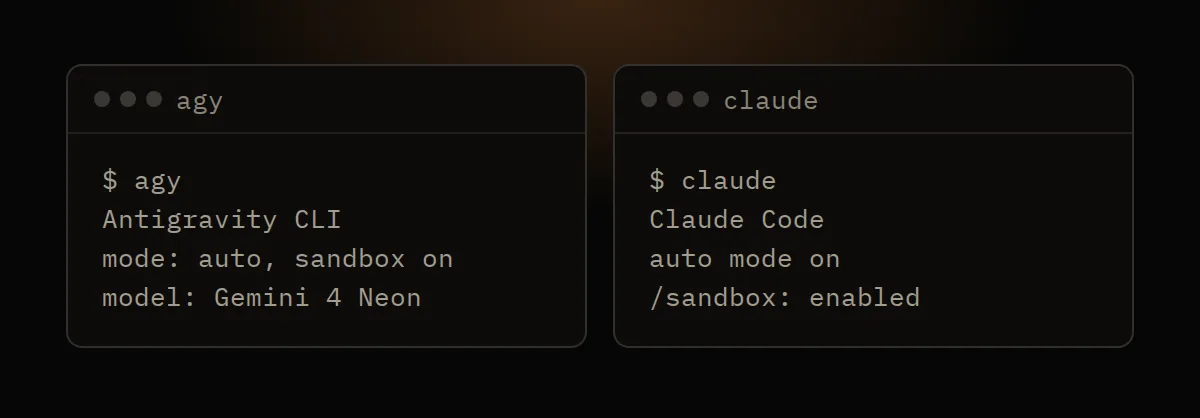
Source: Getting started, Google Antigravity docs
Antigravity and Claude Code at a glance
| Google Antigravity | Claude Code | |
|---|---|---|
| Made by | Anthropic | |
| Surfaces | Antigravity App, Antigravity IDE, editor extensions, Antigravity CLI (agy), Antigravity SDK | Terminal CLI (claude), VS Code and JetBrains extensions, desktop app, web |
| Models | Gemini 4 models such as Gemini 4 Neon by default, plus Claude models on some paid Google AI plans | Claude models; third-party providers in the CLI, VS Code and JetBrains |
| Account | A personal Google Account, or Gemini Enterprise for teams | A Claude subscription or Anthropic Console account |
| Modes | default (request review), accept-edits, auto, plan | Manual, acceptEdits, plan, auto, plus dontAsk and bypassPermissions |
| Sandbox | Terminal sandbox on by default in the app; built on OS primitives | Sandboxed Bash tool you turn on with /sandbox |
| Hooks | .agents/hooks.json or ~/.gemini/config/hooks.json | A hooks block in settings.json, about 30 events |
| Project instructions | GEMINI.md and AGENTS.md | CLAUDE.md, or AGENTS.md |
| Multi-agent | Background subagents, /swarm, /teamwork | Subagents, agent teams, background agents |
| Scripting | agy -p with text, json or stream-json output | claude -p and the Agent SDK |
What Google Antigravity is
Google describes Antigravity as its agent-first development platform. Google built it around a server-side agent harness shared by every surface, so improvements to the core agents show up wherever you use it. The Antigravity App is the desktop app, the Antigravity IDE is a standalone editor, and extensions bring the agent into VS Code, Visual Studio, JetBrains IDEs, Android Studio, Xcode, Zed and Eclipse. Antigravity CLI is the terminal surface, written in Go, which Google says is faster and lighter than Gemini CLI and can run several agents in the background without locking the terminal.
Source: Transitioning Gemini CLI to Antigravity CLI, Google Developers Blog
Install Antigravity CLI
On macOS, Linux and Googlebook, run curl -fsSL https://antigravity.google/cli/install.sh | bash, which puts agy in ~/.local/bin. On Windows, run irm https://antigravity.google/cli/install.ps1 | iex in PowerShell, or the install.cmd download in CMD, which installs to your AppData\Local\agy\bin folder. Check it with agy --version. The first launch walks you through colour scheme, rendering mode and workspace trust. The desktop app needs macOS 13 or later, Windows 10 or 11 64-bit, or a Linux with glibc 2.28 or newer, such as Ubuntu 20 or Debian 10 and later.
Source: Getting started, Google Antigravity docs
Install Claude Code
Claude Code installs with curl -fsSL https://claude.ai/install.sh | bash on macOS, Linux and WSL, or irm https://claude.ai/install.ps1 | iex in Windows PowerShell; Homebrew and WinGet also work. Run claude in a project folder and sign in. The desktop app includes Claude Code, so it needs no separate CLI install.
Source: Claude Code overview, Anthropic
Models and plans
Antigravity lets you switch models at any time and choose a thinking level: Low, Medium, High, or Extra on models that support it. Gemini 4 Neon is the default for new conversations on every plan that includes it. The model list also includes Gemini 4 Carbon, Argon and Hydrogen, Gemini Flash models, an Orchestrator that pairs a planner model with an executor, and Claude Sonnet and Opus models on paid Google AI Pro and Ultra plans. Your model choice persists between messages in a conversation.
Source: Choose a model, Google Antigravity docs
| Antigravity plan | What Google lists |
|---|---|
| No Google AI plan | A meaningful quota, refreshed weekly |
| Google AI Pro | A high quota refreshed every five hours until a weekly limit, and a higher weekly rate limit |
| Google AI Ultra | The highest quota, refreshed every five hours, the highest weekly limits and access to third-party models |
| All plans | Gemini models as the core agent, and every product feature, including scheduled tasks and the CLI |
Google says the limits track how much work the agent does, so simple tasks stretch further than complex ones. Pro and Ultra users can buy AI credits for use beyond the baseline quota, controlled by an AI Credit Overages setting of Never or Always, and the CLI shows your remaining credits in its status line. Antigravity does not support bring-your-own-key for extra limits. Google Workspace accounts do not get Antigravity plans or higher limits.
Source: Plans, Google Antigravity docs
Claude Code needs a Claude subscription or an Anthropic Console account on most surfaces, and its terminal CLI, VS Code and JetBrains versions also work with third-party providers. It runs Anthropic's Claude models only.
Source: Claude Code overview, Anthropic
Execution modes and permissions
Both tools let you choose how much the agent can do without asking, and both cycle modes with Shift+Tab.
| Antigravity CLI mode | What it does |
|---|---|
| default (request review) | Shows an inline diff before every file write and asks before terminal commands |
| accept-edits | Approves file edits inside the workspace, still asks before commands; subagents inherit it |
| auto | Approves workspace edits, runs commands in the sandbox, and checks commands outside it so safe, reversible ones run without asking |
| plan | Adds the /plan instruction so the agent outlines steps before writing code |
Since version 1.5.7, agy starts in auto mode where your account and platform support it, and in default mode otherwise. Auto mode needs the terminal sandbox and a personal account. In default mode a pending edit stays open until you accept or reject it; press f for a full-screen diff, or reject with Tab and type what to do instead.
Source: Choose an execution mode, Antigravity CLI docs
Claude Code's modes are Manual, which asks before edits and commands, acceptEdits, plan, and auto, where a classifier reviews actions, plus dontAsk and bypassPermissions for locked-down or isolated runs. Shift+Tab cycles through them in the CLI, with a mode indicator in VS Code and a selector in the desktop app.
Source: Choose a permission mode, Anthropic
Sandboxing
Antigravity's terminal sandbox isolates the agent's shell commands with operating system features rather than virtual machines or Docker, so it starts with no delay: kernel namespaces on Linux, Seatbelt profiles on macOS, and an AppContainer on Windows 11 24H2 or later. Sandboxed commands can write to your project, temp folders and build caches and read system folders such as /usr and /etc, while sensitive files such as .env are blocked and network access is off by default. Domains you allow for reading are added to its allowlist, and paths you allow for reading or writing are mounted on top. Auto mode turns the sandbox on automatically; in other modes you enable it in settings or /config.
Source: Terminal sandbox, Google Antigravity docs
Claude Code's sandboxed Bash tool uses Seatbelt on macOS and bubblewrap with socat on Linux and WSL2. You turn it on with /sandbox, which shows whether anything is missing, and set which folders commands may write and which domains they may reach.
Source: Configure the sandboxed Bash tool, Anthropic
Hooks
Both run your own scripts at set points in the agent loop. Antigravity CLI reads hooks from .agents/hooks.json in the project, ~/.gemini/config/hooks.json globally, or a plugin's hooks.json; hooks in the CLI's own settings.json are not loaded. Its events cover a session starting, before and after a tool, before and after each model call, and the loop ending. PreToolUse and PostToolUse matchers take regular expressions such as run_command|view_file or browser_.*, and Google gives running Prettier after file writes as a typical use.
Source: Hooks, Google Antigravity docs
Claude Code configures hooks in a hooks block in settings.json and has about 30 events, from SessionStart and UserPromptSubmit through PreToolUse, PermissionRequest, PostToolUse, Stop, SubagentStop and SessionEnd. Handlers can be shell commands, HTTP calls, MCP tools, or prompt and agent checks that ask a model to decide.
Source: Automate actions with hooks, Anthropic
Subagents and multi-agent work
Antigravity CLI can hand background tasks to concurrent subagents: type /agents to open the Agent Manager and watch their status, and approve a waiting subagent's tool request with Ctrl+K. /swarm runs named workers and a verifier that coordinate on a shared message board, with a live board on Alt+S, and /teamwork starts collaborative multi-agent teams for long projects on paid plans. There is also a browser subagent for web browsing and UI checks.
Source: CLI reference, Antigravity CLI docs
Claude Code has subagents defined as markdown files in .claude/agents/, which run side tasks in their own context and report back, and those definitions can be reused as teammates in agent teams. To run many independent sessions in parallel and watch them from one place, Anthropic points to background agents.
Source: Create custom subagents, Anthropic
Project instructions and settings
Antigravity reads GEMINI.md and AGENTS.md in your project, plus a global ~/.gemini/GEMINI.md, the same files Gemini CLI used. Workspace skills live in .agents/skills/ and MCP servers in .agents/mcp_config.json. The CLI keeps its settings in ~/.gemini/antigravity-cli/settings.json, edited by hand or with /config, and its key bindings in keybindings.json in the same folder, edited with /keybindings.
Source: Migrating from Gemini CLI, Google Antigravity docs
Source: CLI settings and tips, Antigravity CLI docs
Claude Code reads CLAUDE.md at the start of every session, and can read a repository's AGENTS.md instead. It also keeps auto memory, notes it saves as it learns a project.
Source: How Claude remembers your project, Anthropic
Everyday commands in Antigravity CLI
Type @ for file path suggestions, start a prompt with ! to run a terminal command directly, and type ? to list every slash command. /rewind or /undo rolls the conversation back, /fork branches it while keeping the workspace, /clear starts a new session and /resume lists earlier ones; when you close the CLI it prints the exact command to resume that session. Setting verbosity to low in /config cuts the noise from tool calls. Claude Code uses the same @ and ! conventions, with /resume and /rewind for history.
Source: CLI settings and tips, Antigravity CLI docs
Scripting and automation
Antigravity CLI runs once and exits with agy -p "prompt", also spelled --print or --prompt, and --output-format sets the shape of stdout: text, a single JSON object on completion, or stream-json for newline-delimited events. That makes it usable in shell scripts, for example answer=$(agy -p "..."). Claude Code works the same way with claude -p, and Anthropic's Agent SDK lets you build your own agents on its loop.
Source: Headless mode, Antigravity CLI docs
Coming from Gemini CLI
If you used Gemini CLI on a free or Google AI plan, Antigravity CLI is where Google moved you on June 18, 2026. The first time agy runs it detects your Gemini CLI setup and offers to migrate it; agy plugin import gemini converts extensions to plugins and legacy commands to skills. Move any workspace skills from .gemini/skills/ to .agents/skills/ by hand, and rename url or httpUrl to serverUrl in remote MCP server entries.
Source: Migrating from Gemini CLI, Google Antigravity docs
Which should you choose?
- You want Gemini 4 models, a Google desktop app and IDE, and you already pay for Google AI Pro or Ultra: Antigravity.
- You moved off Gemini CLI and want the closest successor: Antigravity CLI, which keeps your GEMINI.md and converts extensions.
- You want Claude models through Anthropic directly, a large hook system and the same agent in the terminal, VS Code, JetBrains, desktop and web: Claude Code.
- You want to try both: Antigravity's paid Google AI plans include some Claude models, so you can compare on the same task.
Running Antigravity and Claude Code together
Running a Google agent and Claude Code on the same project means more terminals to watch. 10u is an AI coding agent dashboard that shows every Claude Code and Codex session side by side, each in its real terminal, marked Needs you, Working, Waiting or Parked. They do the building. You decide what gets built.

Questions people ask
- Is Antigravity better than Claude Code?
- They suit different people. Antigravity runs Gemini 4 models with Google plans and its own app and IDE; Claude Code runs Claude models with Anthropic plans across terminal, editors, desktop and web.
- Can Antigravity use Claude models?
- Yes, on some paid Google AI Pro and Ultra plans Antigravity offers Claude Sonnet and Opus models alongside Gemini.
- What is the Antigravity CLI command?
- agy. Install it with the script at antigravity.google/cli/install.sh, or install.ps1 on Windows, then run agy --version.
- Does Antigravity have a free plan?
- Personal Google Accounts without a Google AI plan get a quota refreshed weekly; Pro and Ultra get higher quotas refreshed every five hours.
- Do both support hooks?
- Yes. Antigravity reads hooks.json files; Claude Code reads a hooks block in settings.json with about 30 events.