
GitHub Copilot vs Claude Code: which should you use?
GitHub Copilot is GitHub's AI assistant. It suggests code as you type, answers questions, reviews pull requests and takes on tasks from issues, all inside GitHub and your editor. Claude Code is Anthropic's coding agent: you give it a task in your terminal, editor, desktop app or browser and it works through it on its own. Choose Copilot if your work lives in GitHub issues and pull requests and you want help in the editor; choose Claude Code if you want a strong agent you direct from the terminal. Copilot can now run an Anthropic Claude coding agent too, in public preview.
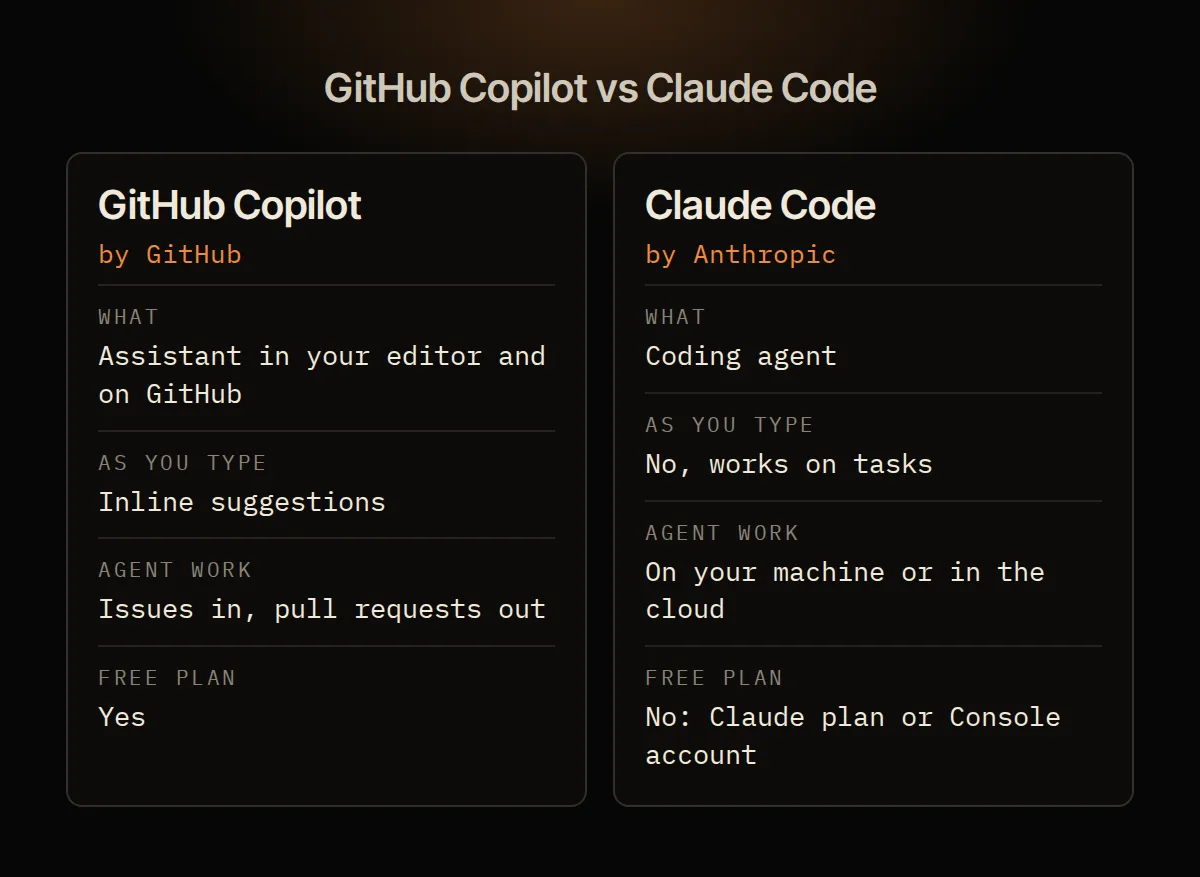
Copilot and Claude Code at a glance
| GitHub Copilot | Claude Code | |
|---|---|---|
| Made by | GitHub | Anthropic |
| What it is | An AI assistant built into GitHub and your editor | A coding agent that reads your code, edits files and runs commands |
| Where you use it | GitHub.com, GitHub Mobile, editors such as VS Code, the Copilot app and Copilot CLI | Terminal, VS Code and JetBrains extensions, desktop app, web |
| Code as you type | Yes, inline suggestions | No; it works on tasks you give it |
| Agent work | Plans, edits, opens pull requests; runs in a cloud sandbox, GitHub Actions or a remote environment | Works on your machine or in cloud sessions; subagents and agent teams |
| Other agents | Can run Anthropic Claude and OpenAI Codex coding agents (public preview) | Claude only |
| Free option | Copilot Free | Needs a Claude plan or Console account |
What GitHub Copilot is
GitHub describes Copilot as an AI assistant that helps you write, understand and ship software. It suggests code as you type, answers questions about a codebase, reviews your changes and works on tasks you assign it. Because it is built into GitHub, it works with your code and its history, the issues and pull requests you already use, and the automations in your repository. A change can start as an issue, be picked up by an agent, come back as a pull request, get reviewed and be merged, all in one place.
GitHub sorts Copilot's features into four groups:
- Assistive: suggestions, answers and explanations while you work, which you review and apply.
- Agentic: you describe a goal and Copilot researches the repository, proposes a plan, edits files, runs tools and prepares the work for your review.
- Customisations: instructions, reusable prompts, repository context, outside tools, agent skills and custom agents.
- Outside agents, models and tools: MCP servers and third-party coding agents that work alongside Copilot.
Source: About GitHub Copilot, GitHub Docs
Copilot in the cloud
On GitHub.com and GitHub Mobile, Copilot can plan and make changes, review pull requests and automate repository tasks. A session you start in the cloud can carry on in the Copilot app, your editor, GitHub Mobile or the Copilot CLI. The agent runs in one of three environments: a cloud sandbox, a GitHub Actions runner, or a remote environment of your own. GitHub says cloud sandbox sessions finished faster on average in its early testing, and they can be shared and resumed across clients, while Actions-based sessions support custom compute and self-hosted runners.
Source: GitHub Copilot on GitHub.com and GitHub Mobile, GitHub Docs
Claude and Codex inside Copilot
Copilot can hand tasks to third-party coding agents, currently in public preview. The Anthropic Claude coding agent uses the Claude Agent SDK and can run on your existing Copilot subscription; the OpenAI Codex agent uses the Codex SDK the same way. You start them from a repository's Agents tab, by assigning them an issue, by mentioning them on a pull request, from GitHub Mobile, or in VS Code. They must be turned on in your account settings or your organisation's policies first.
Source: Third-party coding agents, GitHub Docs
What Copilot's agent can do on GitHub
- Chat: explains unfamiliar code, suggests fixes, writes tests and compares approaches, with tools to create branches, update files and manage issues.
- Agentic work: researches a repository, plans changes and implements them in the background, editing files and running tests and linters in a cloud development environment rather than your editor.
- Code review: reviews pull request changes, flags likely problems and suggests fixes, on request or automatically, and can write a summary into the pull request description.
- Agent Merge: with Watch and fix turned on, Copilot works on the blockers you pick, failed GitHub Actions workflows, merge conflicts or both, until the pull request is ready.
- Automations: define a task once, such as triaging issues or preparing weekly release notes, and Copilot runs it on a schedule or when something happens in the repository.
- Agentic Workflows: tasks written in plain language in Markdown files that run as GitHub Actions workflows, using Copilot or another supported coding agent.
Session logs show the work and tools each run used, and teammates with access to the repository can follow shared sessions. A session started from the Copilot CLI can be watched and steered remotely while it keeps running on your own machine, which has to stay online.
Customising Copilot
Custom instructions hold personal preferences, repository conventions and organisation guidance. Copilot Spaces organise shared context for questions. For delegated work, custom agents and agent skills give task-specific instructions, MCP servers connect outside tools and data, and hooks can run commands during agent work for checks or logging. In cloud sandboxes, a dotfiles repository brings your own instructions, skills and custom agents to every session.
Limits to know about
- A session on GitHub Actions can only change the repository you started it in; cloud sandbox sessions can work across several repositories.
- Each task works on one branch at a time and opens one pull request.
- A session on GitHub Actions stops after 59 minutes, a limit that cannot be extended.
- GitHub reminds users that Copilot can produce incorrect code, including security vulnerabilities, so its output needs review and testing.
Source: GitHub Copilot on GitHub.com and GitHub Mobile, GitHub Docs
What Claude Code is
Claude Code is Anthropic's agentic coding tool. It reads your codebase, edits files, runs commands and works with your development tools. It runs in the terminal, in VS Code and JetBrains, in a desktop app that runs several sessions side by side and starts cloud sessions, and on the web. Most of these need a Claude subscription or an Anthropic Console account.
- Subagents do focused side jobs with their own context and report back.
- Agent teams, an experimental mode, let a lead session coordinate teammates through a shared task list.
- Agent view, opened with claude agents, shows every background session and which ones need you.
- Plan mode has Claude research and propose a plan before editing.
- Hooks, skills, plugins and MCP servers let you add your own checks, know-how and tools.
Source: Claude Code overview, Anthropic
Source: Orchestrate teams of Claude Code sessions, Anthropic
Claude Code on GitHub, in CI and in Slack
Claude Code is not built into GitHub, but it reaches it in two ways. Claude Code in GitHub Actions runs Claude in your CI pipeline for automated pull request reviews, issue triage and scheduled maintenance, and the same works with GitLab CI/CD. In Slack, mentioning @Claude in a team channel can turn a bug report into a pull request, on Pro, Max and Ultra plans.
Source: Claude Code platforms and integrations, Anthropic
The main differences
Suggestions as you type
Copilot started as code completion and still suggests code inline as you type. Claude Code does not do inline completion; it works on tasks you describe. If you want help line by line while you write, Copilot covers that. If you want to hand over a whole task, both can, in different ways.
Where the work happens
Copilot's agent is tied closely to GitHub: issues go in, pull requests come out, and work can run in GitHub's cloud or on Actions runners. Claude Code works wherever you run it: on your own machine, in your editor, or in a cloud session, and it does not need your code to be on GitHub.
Models and agents
Copilot offers models from several providers and can run Anthropic's and OpenAI's coding agents as third-party agents. Claude Code is Anthropic's own agent and runs Claude models. If you want Claude inside GitHub's workflow on your Copilot subscription, the Claude coding agent in Copilot gives you that; if you want Anthropic's full Claude Code features, such as agent teams, hooks and plugins, use Claude Code itself.
How you pay
Copilot has a free plan and paid plans with more models and a higher monthly allowance of AI credits; students, teachers and open source maintainers may qualify for free access. Claude Code uses a Claude plan or an Anthropic Console account. Each counts against its own allowance.
Teams and controls
For organisations, Copilot administrators control who has access, which features are on, which files Copilot cannot see, and can review usage and audit data. Claude Code has managed settings, so organisations can set rules, subagents and allowed models for everyone.
Copilot and Claude Code feature by feature
| Feature | GitHub Copilot | Claude Code |
|---|---|---|
| Inline suggestions as you type | Yes | No |
| Terminal agent | Copilot CLI | Claude Code CLI, its most complete surface |
| Editor | Built into editors such as VS Code and JetBrains | VS Code and JetBrains extensions |
| Picks up GitHub issues | Yes, assign the issue to Copilot | Issue triage through Claude Code in GitHub Actions |
| Pull request review | Copilot code review, on request or automatic | Automated pull request reviews through GitHub Actions |
| Runs while your computer is off | Cloud sandbox or GitHub Actions | Cloud sessions |
| Helper agents | Custom agents, third-party Claude and Codex agents | Subagents and agent teams |
| Hooks and MCP | Yes | Yes |
| Free plan | Copilot Free | No; Claude plan or Console account |
The table shows where each one is strongest. Copilot covers more of GitHub itself: suggestions in the editor, review on every pull request, automations and merge fixes. Claude Code goes deeper as an agent you direct: plan mode, subagents, agent teams, and hooks at many points in a session, working the same way whether or not your code lives on GitHub.
How to choose
- You want inline code suggestions in your editor: Copilot.
- Your team runs on GitHub issues and pull requests and wants agents to pick up issues there: Copilot.
- You want a free way to start: Copilot Free.
- You want Anthropic's full agent, directed from the terminal, with agent teams, hooks and plugins: Claude Code.
- Your code is not on GitHub, or you want the agent on your own machine: Claude Code.
A day with each
With Copilot, much of the help arrives where you already are. Suggestions appear as you type, you ask chat about a confusing function, and in the afternoon you assign two small issues to Copilot's agent. By the time you check GitHub, each has a pull request with a session log, Copilot code review has already left comments on a teammate's pull request, and Agent Merge is fixing a failed workflow on another.
With Claude Code, you hand over bigger pieces and steer them. You start a session in the terminal, ask for a plan first, approve it, and Claude works through the change, running tests as it goes. A subagent explores an unfamiliar part of the codebase while the main session keeps building, and you review the diff before committing. A second session in its own worktree takes a separate task, and agent view shows which one is waiting for you.
Moving from Copilot to Claude Code, or adding it
- Copy your Copilot custom instructions into AGENTS.md at the repository root; Claude Code reads it when there is no CLAUDE.md, or through an @AGENTS.md line.
- Add the MCP servers you use with Copilot to Claude Code, so both agents have the same tools.
- Start with one well-defined task in the terminal and ask Claude Code to plan before it edits.
- Keep Copilot code review on for your pull requests, so Claude Code's work gets a second look on GitHub.
- If your team wants Claude on GitHub itself, try the Anthropic Claude coding agent inside Copilot, or Claude Code in GitHub Actions.
Using Copilot and Claude Code together
Many developers use both: Copilot for suggestions as they type and for reviews on pull requests, and Claude Code for bigger tasks they hand off. A pull request Claude Code opens can get a Copilot review on GitHub before you merge it, so each tool checks the other's work. If both run agents at the same time on one repository, give each its own branch or Git worktree so they do not edit the same files.
Keeping track of every agent
Once you run several agents, the hard part is noticing which one has stopped to ask you something. 10u is an AI coding agent dashboard that runs every Claude Code and Codex session side by side, each in its real terminal, marked Needs you, Working, Waiting or Parked, so the agent waiting on you is always on top. They do the building. You decide what gets built.

Questions people ask
- Can Claude Code work on GitHub issues?
- Yes, in two ways: Claude Code in GitHub Actions can triage issues and review pull requests in CI, and Copilot can run an Anthropic Claude coding agent on issues in public preview.
- Which is better for a team that does not use GitHub?
- Claude Code. It works on any repository on your own machine or in cloud sessions, and also runs in GitLab CI/CD, while much of Copilot's agent work is built around GitHub.
- Can GitHub Copilot review pull requests made by Claude Code?
- Yes. Copilot code review works on any pull request in a repository where it is enabled, on request or automatically.
- How long can a Copilot agent session run?
- A session on GitHub Actions has a maximum of 59 minutes. Cloud sandbox sessions are not subject to that GitHub Actions limit.
- Is GitHub Copilot better than Claude Code?
- They do different jobs well. Copilot suggests code as you type and works inside GitHub issues and pull requests; Claude Code is an agent you direct from the terminal, your editor, a desktop app or the web.
- Can GitHub Copilot use Claude?
- Yes. Copilot offers Claude models, and an Anthropic Claude coding agent, built on the Claude Agent SDK, is in public preview as a third-party agent.
- Does Claude Code do inline code completion?
- No. Claude Code works on tasks you describe. Copilot provides inline suggestions as you type.
- Is there a free version?
- Copilot has a free plan. Claude Code needs a Claude plan or an Anthropic Console account.
- Can I use Copilot and Claude Code together?
- Yes. Many developers use Copilot in the editor and for pull request reviews, and Claude Code for bigger tasks.