
How to install Claude Code on any computer
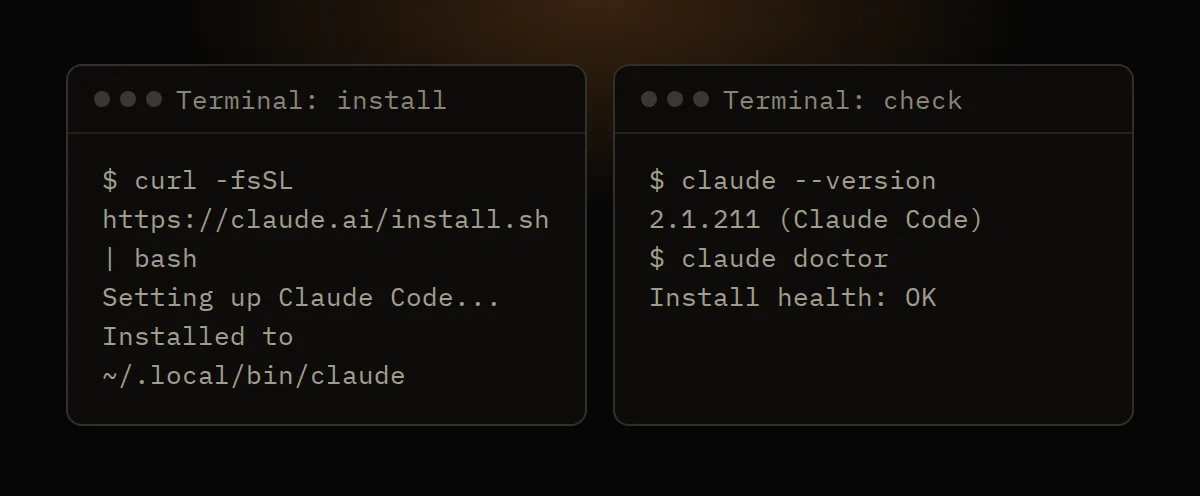
To install Claude Code, open a terminal and run the native installer: curl -fsSL https://claude.ai/install.sh | bash on macOS, Linux and WSL, or irm https://claude.ai/install.ps1 | iex in Windows PowerShell. Open a new terminal, run claude --version to check it worked, then run claude inside your project and sign in with a paid Claude plan or a Claude Console account.
Before you install Claude Code
Check three things first, because each one causes a failed install later.
- Your system. Claude Code runs on macOS 13.0 or later, Windows 10 1809 or later and Windows Server 2019 or later, Ubuntu 20.04 or later, Debian 10 or later, and Alpine Linux 3.19 or later. It needs 4 GB of RAM or more and an x64 or ARM64 processor. 32-bit Windows is not supported.
- Your shell. Bash, Zsh, PowerShell and CMD all work. You need an internet connection, and you must be in a country Anthropic supports.
- Your account. Claude Code needs a Claude Pro, Max, Ultra, Team or Enterprise plan, a Claude Console account with prepaid API credits, or access through a cloud provider such as Amazon Bedrock, Google Cloud or Microsoft Foundry. The free Claude plan does not include Claude Code.
Source: Set up Claude Code, Anthropic
Install Claude Code with the native installer (recommended)
Anthropic recommends the native installer for most people. It downloads a single program, puts it in your home folder, and keeps it updated in the background. You do not need Node.js, and you do not need to run it as an administrator.
macOS, Linux and WSL
curl -fsSL https://claude.ai/install.sh | bashWindows PowerShell
irm https://claude.ai/install.ps1 | iexWindows CMD
curl -fsSL https://claude.ai/install.cmd -o install.cmd && install.cmd && del install.cmdThe installer shows no progress while it downloads, so give it a minute. On macOS and Linux it places the claude command at ~/.local/bin/claude, with each version stored under ~/.local/share/claude/versions/. On Windows the same folder sits under your user profile.
Your prompt tells you which Windows shell you are in: PowerShell shows PS C:\ at the start of the line, and CMD shows C:\ without the PS. If you see The token '&&' is not a valid statement separator, you ran the CMD command in PowerShell. If you see 'irm' is not recognized, you ran the PowerShell command in CMD.
Source: Set up Claude Code, Anthropic
Other ways to install Claude Code
If you already manage software with a package manager, Claude Code is available there too. The main difference is updates: the native installer updates itself, and the package managers do not by default.
| Method | Install command | Updates |
|---|---|---|
| Native installer | curl -fsSL https://claude.ai/install.sh | bash | Automatic, in the background |
| Homebrew (macOS, Linux) | brew install --cask claude-code | Manual: brew upgrade claude-code |
| WinGet (Windows) | winget install Anthropic.ClaudeCode | Manual: winget upgrade Anthropic.ClaudeCode |
| apt, dnf or apk (Linux) | Add the signed Claude Code repository, then install claude-code | Manual, with your package manager |
| npm | npm install -g @anthropic-ai/claude-code@latest | Rerun the same command |
Homebrew
brew install --cask claude-codeHomebrew offers two casks. claude-code follows the stable channel, typically about a week behind and skipping releases with major regressions. claude-code@latest gets each new version as soon as it ships.
WinGet
winget install Anthropic.ClaudeCodeapt on Debian and Ubuntu
Claude Code publishes signed apt, dnf and apk repositories, each with a stable and a latest channel. These commands add the signing key and the stable apt repository, then install the package:
sudo install -d -m 0755 /etc/apt/keyringssudo curl -fsSL https://downloads.claude.ai/keys/claude-code.asc -o /etc/apt/keyrings/claude-code.ascecho "deb [signed-by=/etc/apt/keyrings/claude-code.asc] https://downloads.claude.ai/claude-code/apt/stable stable main" | sudo tee /etc/apt/sources.list.d/claude-code.listsudo apt updatesudo apt install claude-code
Before trusting the key, run gpg --show-keys /etc/apt/keyrings/claude-code.asc. The only fingerprint it should print is 31DDDE24DDFAB679F42D7BD2BAA929FF1A7ECACE. On Fedora and RHEL, add the matching repository file and run sudo dnf install claude-code. On Alpine, run apk add bash curl first, because the installer needs both and Alpine leaves them out.
npm
npm install -g @anthropic-ai/claude-code@latestThe npm package needs Node.js 22 or later, and installs the same native program as the standalone installer. Do not use sudo npm install -g: it causes permission problems, and Claude Code cannot update itself afterwards. To upgrade later, run the same install command again rather than npm update -g, which can leave you on an older release.
Source: Set up Claude Code, Anthropic
Check that Claude Code installed
claude --versionclaude doctor
A working install prints a version number such as 2.1.211 (Claude Code). claude doctor goes further: it checks the install, validates your settings files and lists any warnings with a suggested fix, all without starting a session.
Source: Set up Claude Code, Anthropic
Sign in and start your first session
Open a terminal in the folder of the project you want to work on, and type claude. On first use Claude Code asks you to log in, and opens your browser to finish. Choose your Claude subscription, which Anthropic recommends, or your Claude Console account. If you have set an ANTHROPIC_API_KEY environment variable and approve it when asked, Claude Code uses the key and skips the login.
Once you are in, describe what you want in plain words, such as explain how this project is organised, or fix the failing test in the login form. Claude Code reads your files, proposes changes and asks before it edits or runs commands.
Source: Claude Code quickstart, Anthropic
Install a specific Claude Code version
The native installer accepts a release channel or an exact version number. The channel you pick at install time becomes your default for updates. To install the stable channel:
curl -fsSL https://claude.ai/install.sh | bash -s stableTo install one exact version, pass its number:
curl -fsSL https://claude.ai/install.sh | bash -s 2.1.89In PowerShell, the same options use & ([scriptblock]::Create((irm https://claude.ai/install.ps1))) stable, or the version number in place of stable.
Source: Set up Claude Code, Anthropic
When the install does not work
Anthropic's troubleshooting guide matches error text to a fix. These are the ones people hit most:
command not found: claude
The install worked, but the folder holding claude is not on your PATH. The installer says so in its Setup notes, with a line such as Native installation exists but ~/.local/bin is not in your PATH. Add that folder to your PATH, open a new terminal and try again. Installing only the VS Code extension does not give you a claude command, because the extension keeps its own private copy.
syntax error near unexpected token '<'
What downloaded was a web page, not the install script. The same failure shows up in PowerShell as errors quoting HTML or CSS, or as System.Xml.XmlDocument is not recognized. Check that your network, proxy or region lets you reach claude.ai, or use another install method from the table above.
Killed during install on Linux
The system ran out of memory, which is common on small cloud servers. Installing needs roughly 512 MB of free memory. Free some up or add a swap file, then run the installer again.
running scripts is disabled on this system
This PowerShell error comes from an npm install on Windows, where script execution is blocked. Allow the npm shims to run, or switch to the native PowerShell installer, which does not need them.
Source: Troubleshoot installation and login, Anthropic
How Claude Code updates after you install it
Native installs check for updates on startup and while running, download them in the background and switch over the next time you start Claude Code. Run claude update to update straight away. The autoUpdatesChannel setting chooses between latest, the default, and stable, a version about a week old. Homebrew, WinGet, apt, dnf and apk installs need their own upgrade command.
Source: Set up Claude Code, Anthropic
Uninstall Claude Code
To remove a native install on macOS, Linux or WSL, delete the program and its versions folder:
rm -f ~/.local/bin/clauderm -rf ~/.local/share/claude
For other methods, use brew uninstall --cask claude-code, winget uninstall Anthropic.ClaudeCode, sudo apt remove claude-code or npm uninstall -g @anthropic-ai/claude-code. Your settings, MCP servers and session history live in ~/.claude and ~/.claude.json. Delete those only if you want a completely clean start, because removing them cannot be undone.
Source: Set up Claude Code, Anthropic
After you install Claude Code
Most people start with one session, then open a second and a third in other terminals once they see how much one agent can do. 10u is an AI coding agent dashboard that shows every Claude Code and Codex session side by side, each in its real terminal, marked Needs you, Working, Waiting or Parked. They do the building. You decide what gets built.

Questions people ask
- How do I install Claude Code?
- Run curl -fsSL https://claude.ai/install.sh | bash on macOS, Linux or WSL, or irm https://claude.ai/install.ps1 | iex in Windows PowerShell. Then open a new terminal and run claude.
- Do I need Node.js to install Claude Code?
- No. The native installer, Homebrew, WinGet and the Linux package managers do not need Node.js. Only the npm install does, and it needs Node.js 22 or later.
- Is Claude Code free to install?
- Installing is free, but using it needs a Claude Pro, Max, Ultra, Team or Enterprise plan, a Claude Console account, or a supported cloud provider. The free Claude plan does not include Claude Code.
- How do I know Claude Code installed correctly?
- Run claude --version in a new terminal. It prints a version number. For a fuller check, run claude doctor.
- Why does it say claude command not found after installing?
- The install folder is not on your PATH. The installer prints the folder in its Setup notes. Add it to your PATH and open a new terminal.