
Claude Code pricing: every plan, limit and API cost explained
Claude Code is included in every paid Claude plan: Pro, Max, Ultra, Team and Enterprise. It is not in the Free plan. You can also skip the plans and pay per token with an API key from the Claude Console, or run it through Amazon Bedrock, Google Cloud or Microsoft Foundry. On a plan, Claude Code shares one usage allowance with Claude on the web, desktop and phone, so a long coding day and your chats draw from the same pool.
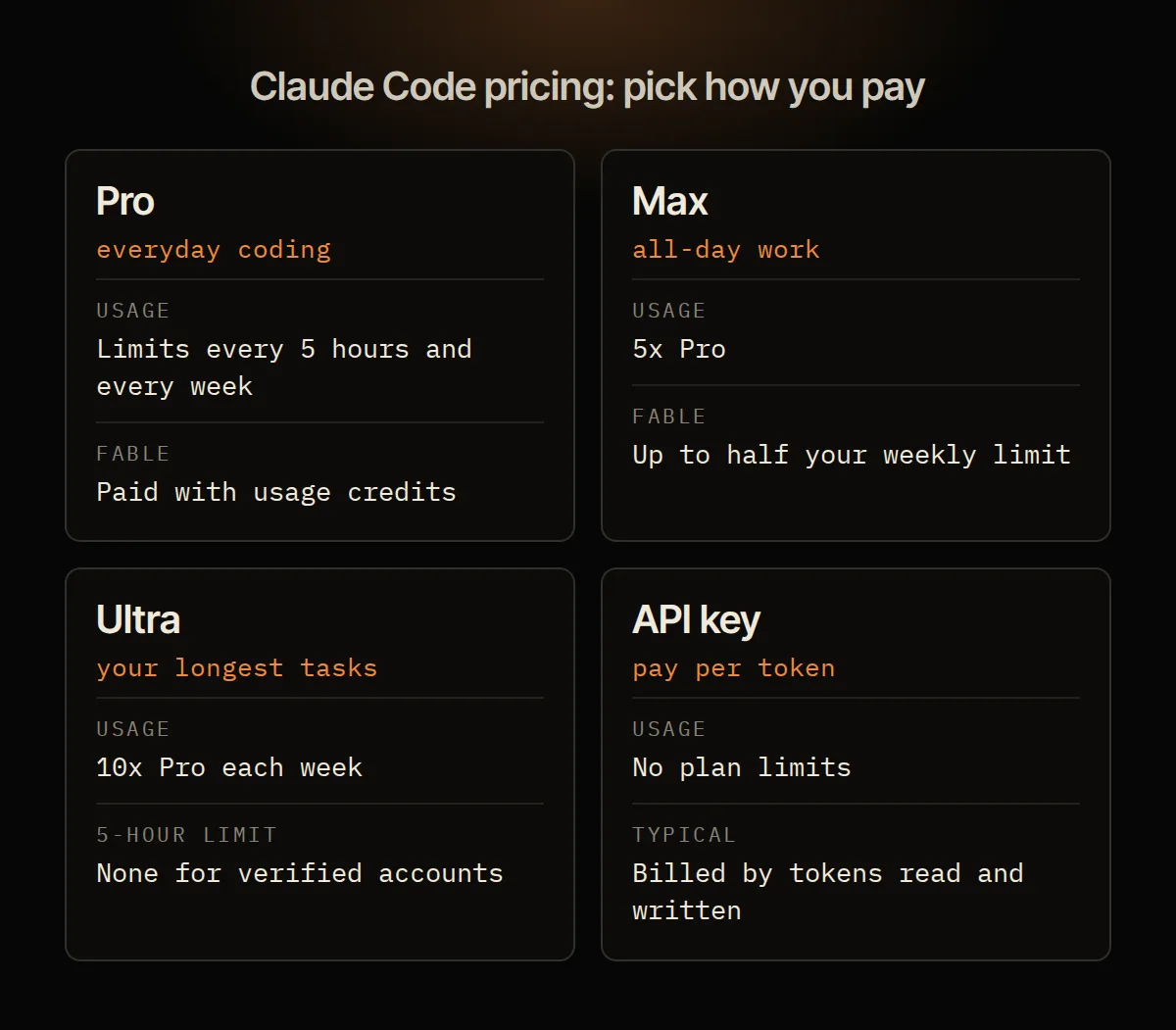
Prices below were read from claude.com/pricing and Anthropic's documentation on 22 November 2026, in US dollars before tax. Anthropic says prices and plans can change, so check the pricing page before you buy.
Claude Code pricing at a glance
| Plan | Price | Claude Code usage | Best for |
|---|---|---|---|
| Free | $0 | Not included | Trying Claude chat only |
| Pro | $20 a month, or $17 a month billed yearly ($200 up front) | More than Free, limits every 5 hours and every week | Learning Claude Code and lighter coding days |
| Max | $100 a month | 5x Pro, every 5 hours and every week | Coding most of the day |
| Ultra | $200 a month | 10x Pro each week, no 5-hour limit for verified accounts | Long tasks and several agents at once |
| Team, Standard seat | $20 a seat a month yearly, $25 monthly | More than Pro | Teams of 2 to 150 |
| Team, Premium seat | $100 a seat a month yearly, $125 monthly | 5x a Standard seat | Heavy coders on a team |
| Enterprise | $20 a seat a month plus usage at API rates, yearly, 20 seats minimum | Set by your admins | Large companies |
| API key (Claude Console) | Per token, see the table below | No plan limits; you pay for what you use | Automation, scripts and spiky use |
Source: Plans and pricing, Claude
Is Claude Code free?
No. Anthropic's pricing page lists Claude Code in Pro and above, and its plan FAQ says Claude Code is included in all paid plans. The Free plan covers Claude chat with limited usage. The cheapest way to use Claude Code is the Pro plan, at $17 a month when you pay for a year up front or $20 month to month. The other route with no subscription is an API key, where a short session can cost cents, but a long day of heavy work can cost more than a month of Pro.
Claude Code on the Pro plan
Pro is the entry plan for Claude Code. You get Claude Code in the terminal, the desktop app and your editor, plus everything in Claude chat, with more usage than Free. Usage is limited every five hours and every week, and Anthropic's top model, Fable, is paid for with usage credits on Pro rather than included. Pro is the right place to start if you code with Claude for an hour or two a day, or you are learning how Claude Code works.
If Claude Code is in the middle of a response when you reach your five-hour limit, it may keep working briefly to finish the step instead of stopping mid-step, and you see "Usage limit reached · wrapping up". On Pro this wrap-up allowance applies up to once per weekly usage period; Anthropic says it is rolling out gradually.
Claude Code on Max and Ultra
Max and Ultra are for people who work with Claude through the day. Max gives 5 times Pro's usage, every five hours and every week. Ultra gives 10 times Pro's weekly usage and removes the five-hour limit for verified accounts. Both include Fable for up to half of your weekly limit, both come with a monthly API credit to build on the Claude Platform ($100 a month on Max, $200 on Ultra), and Max adds priority access at busy times and early access to new features. Both are billed monthly.
| Pro | Max | Ultra | |
|---|---|---|---|
| Monthly price | $20 ($17 yearly) | $100 | $200 |
| Usage | Base | 5x Pro | 10x Pro each week |
| 5-hour limit | Yes | Yes | No, for verified accounts |
| Weekly limit | Yes | Yes | Yes |
| Fable, the top model | Paid with usage credits | Up to half your weekly limit | Up to half your weekly limit |
| Monthly API credit | None | $100 | $200 |
| Wrap-up allowance at a limit | Once a week | At each 5-hour limit | No 5-hour limit to reach |
Source: Use Claude Code with your Pro, Max, or Ultra plan, Claude Help Center
Team and Enterprise pricing for Claude Code
Team plans are for 2 to 150 people. Every seat includes Claude Code and Claude Cowork alongside Claude chat, with central billing, single sign-on and admin controls. You can mix seat types: Standard seats for most people, and Premium seats with 5 times the usage of a Standard seat for the developers who live in Claude Code. Team also includes up to $500 a month in pooled API credits.
Enterprise is priced differently: $20 per seat per month, billed yearly with a 20-seat minimum, plus usage at API rates, so the cost grows with the models and tasks your team runs. It adds spend limits per user and per organisation, role-based access, SCIM, audit logs, custom data retention, IP allowlisting and a HIPAA-ready offering.
On both, each member's Claude Code usage draws from a per-seat allowance that resets on a rolling five-hour window and a weekly window, shared with chat and Cowork. Admins can turn on usage credits to let members continue past the allowance, with spend limits at the organisation, group or member level, and the analytics dashboard shows daily active users, sessions and estimated spend per user.
Source: Manage costs effectively, Claude Code docs
Claude Code API pricing: paying per token
With an API key from the Claude Console, Claude Code charges by the tokens it uses: what it reads (your prompt, files and the conversation so far) and what it writes. There are no five-hour or weekly plan limits, only your organisation's rate limits and any spend limits you set. Prices are per million tokens (MTok):
| Model | Input | Cache hits | Output |
|---|---|---|---|
| Claude Fable 5.2 | $8 / MTok | $0.20 / MTok | $40 / MTok |
| Claude Opus 5.5 | $4 / MTok | $0.20 / MTok | $20 / MTok |
| Claude Sonnet 5.5 | $2 / MTok | $0.10 / MTok | $10 / MTok |
| Claude Haiku 5.5, prompts up to 100,000 tokens | $0.10 / MTok | $0.01 / MTok | $0.50 / MTok |
| Claude Haiku 5.5, prompts over 100,000 tokens | $0.50 / MTok | $0.05 / MTok | $2.50 / MTok |
Cache hits matter more than they look. Claude Code sends your whole conversation with every request, and prompt caching lets it re-read that history at the much lower cache rate instead of the full input price. Writing to the cache costs a little more than normal input: on Opus 5.5, $5 per million tokens for a five-minute cache and $8 for a one-hour cache.
Source: Pricing, Claude Platform docs
What developers actually spend on an API key
Anthropic publishes real numbers from enterprise deployments: the average cost is around $13 per developer per active day and $150 to $250 per developer per month, and 90% of users stay below $30 per active day. Costs vary widely with the model you pick, the size of your codebase and whether you run several sessions or automation at once. Anthropic suggests starting with a small pilot group to measure a baseline before rolling out to a whole team.
Compare that with the plans: a developer who works with Claude Code most days at about $13 a day spends roughly the price of Max every eight active days. That is why heavy individual users usually pick Max or Ultra, and why API keys suit automation, CI jobs and people who use Claude Code in short bursts.
Controlling API spend in the Claude Console
API organisations manage Claude Code spend through Console workspaces. The first time a member signs in and Claude Code creates an API key for them, a workspace called "Claude Code" is created automatically; it is only for Claude Code, and you cannot make your own keys in it. You can set a spend limit and a rate limit on that workspace, see cost and usage reports, and the Console's Claude Code dashboard shows spend and lines of code accepted per member. For numbers in your own tools, the Claude Code Analytics API returns daily metrics for each user.
Two smaller details affect the bill. A response served under data residency is charged at 1.1 times the list price, and Claude Code's session cost figure includes that. And if your company has negotiated rates, an administrator can set a modelPricing table in managed settings so the cost Claude Code shows matches your contract instead of list price.
Claude Code on Amazon Bedrock, Google Cloud and Microsoft Foundry
On cloud providers, Claude Code is billed per token to your cloud account and spend controls live in that provider's billing console. Claude Code does not send metrics from your cloud back to Anthropic, so Anthropic's analytics dashboards stay empty; for per-user costs, Anthropic suggests exporting OpenTelemetry metrics from each developer's machine, running a Claude apps gateway, or routing traffic through an LLM gateway such as LiteLLM that tracks spend per key.
How Claude Code usage limits work
Most accounts have a limit that resets on a rolling five-hour session window, and paid plans add weekly limits on top. Anthropic does not publish a fixed number of messages, because how much you can do depends on the length and complexity of your conversations, the model you choose and the features you use. Max and Ultra also have a separate weekly limit for Fable. Your usage across Claude on the web, desktop, phone and Claude Code all counts against the same limits, and you see warnings as you get close.
- "You've hit your session limit" or "You've hit your weekly limit" means a plan usage window, shared across all models, so switching models with /model does not bring access back. The message shows when the window resets.
- A model-specific message, such as reaching your Fable limit, means that model's weekly allowance is used; other models still work.
- A context or auto-compact warning is not a usage limit. It means the conversation is close to the point where Claude Code summarises older history to free space.
- On Claude Code v2.1.234 or later, Claude Code can wait for the reset and continue the interrupted task automatically.
What you can do when you reach a limit
- Wait for the five-hour or weekly window to reset.
- Turn on usage credits to keep working at standard API rates. Run /usage-credits in Claude Code to open the settings, set a monthly spend limit, and check your balance.
- Move to a bigger plan: Pro to Max, or Max to Ultra.
- For an intense sprint, sign in with a Claude Console account and pay per token for those days.
Watch out for one trap: if an ANTHROPIC_API_KEY environment variable is set on your computer, Claude Code uses that key instead of your subscription, and you pay API charges rather than using your plan's included usage. Run /status to see which account you are on, and /login to switch to your subscription.
Source: Use Claude Code with your Pro, Max, or Ultra plan, Claude Help Center
Usage credits: paying past your plan limit
Usage credits are Anthropic's way to keep working after you reach a plan limit without upgrading. You pay for the extra at standard API rates, on top of your subscription. Run /usage-credits after signing in with your Claude plan and Claude Code opens the right place for your account:
| Your account | What /usage-credits does |
|---|---|
| Pro, Max or Ultra | Opens Settings, Usage on claude.ai, where you turn usage credits on or off and see your balance, this month's spend and your monthly spend limit |
| Team or Enterprise, with billing access | Opens your organisation's usage settings |
| Team or Enterprise, without billing access | Asks you to confirm, then sends a request to your admins |
The command is not available when you sign in with an API key, because API usage is already pay as you go. On Pro, Max and Ultra, if you reach your spend limit while you still have credits, Claude Code asks whether to raise or remove the limit without leaving the terminal. /usage shows a usage-credits row with this month's spend while credits are on.
Monthly or yearly billing
Yearly billing costs less than paying monthly and is offered on Pro and Team; Enterprise is yearly only, and Max and Ultra are billed monthly. On Pro the saving is $3 a month: $200 up front for the year instead of $240 over twelve months. If you are already on a monthly plan, you can switch to yearly in Settings, Billing, and unused time is credited toward your first yearly invoice. Prices shown on the pricing page do not include tax.
Source: Plans and pricing, Claude
How to check your Claude Code usage and spend
Run /usage at the Claude Code prompt. On a plan you see your usage bars for the five-hour and weekly windows, activity stats and a breakdown of what used your allowance: skills, subagents, plugins and individual MCP servers, each as a share of the total. Recommendations follow, one per row, such as trimming a large CLAUDE.md, and pressing f applies the ones Claude Code can. Press d or w to switch between the last day and the last week. On an API key the Session block shows the session's token use and cost, worked out from token counts at list price. We cover this screen in detail in how to check your Claude Code usage.
Source: Manage costs effectively, Claude Code docs
Why Claude Code usage climbs in a long session
A session left open for hours can use far more of your limits than your activity suggests. Anthropic lists the usual causes:
- Long context: every request carries the whole conversation, and every batch of tool results adds another request.
- Cache misses: your first message after a break longer than the cache lifetime reprocesses the full context.
- Scheduled tasks, such as a /loop, fire on their interval even while the session is idle, sending the full context each time.
- Messages from your other sessions and goal check-ins start new turns while you are away.
- Subagents, workflows and agent teammates each send their own requests on top of the main conversation.
- Compaction reads the whole conversation it summarises, so /compact on a huge context is itself a large request. /clear costs nothing.
Background features that use tokens while you are idle
A few helpful features send requests on their own. Session recap and idle compaction can run while you are away, and when prompt suggestions are on, Claude Code sends a short request after each response to suggest your next prompt; that one reuses the prompt cache, so it costs little. Anthropic's documentation explains when each runs and how to switch it off if you want every token to go to your own requests.
10 ways to make your Claude Code plan go further
- Run /clear between unrelated tasks, so old context stops riding along with every request.
- Match the model to the job: Sonnet for most coding, Opus or Fable for hard reasoning, Haiku for quick lookups.
- Lower the effort level with /effort for routine work, since extended thinking uses output tokens.
- Trim CLAUDE.md and move rarely needed instructions into skills, which load only when used.
- Turn off MCP servers you are not using; each one adds tool definitions to your context.
- Install code intelligence plugins for typed languages, so Claude jumps to definitions instead of reading whole files.
- Use hooks to pre-filter noisy output, such as showing only failing tests.
- Hand verbose jobs, like reading long logs, to a subagent so only the summary comes back.
- Write specific prompts that name the files and the change you want.
- Keep agent teams small, use Sonnet for teammates, and shut teammates down when they finish.
Source: Manage costs effectively, Claude Code docs
Which Claude Code plan should you choose?
| If you... | Choose |
|---|---|
| Are trying Claude Code or code an hour or two a day | Pro |
| Hit Pro's limits most weeks | Max |
| Run long tasks or several agents for most of the day | Ultra |
| Need billing, SSO and admin controls for a small team | Team, with Premium seats for heavy coders |
| Need SCIM, audit logs and spend limits for a large company | Enterprise |
| Run Claude Code in scripts, CI or short bursts | An API key from the Claude Console |
| Already pay for AWS, Google Cloud or Azure | Bedrock, Google Cloud or Microsoft Foundry |
A simple test: start on Pro, run /usage at the end of each day for a week, and move up only if you keep hitting the weekly limit. Many developers who run Claude Code all day also keep a second plan from another company, such as OpenAI's Codex, so one carries on when the other reaches its limit.
Running several Claude Code sessions on one plan
Running two, five or ten Claude Code sessions at once multiplies your usage, because each session sends its own requests. It is also where most time is lost: a session finishes or asks a question in a terminal you are not looking at, and sits waiting while your limits reset. 10u is an AI coding agent dashboard that shows every Claude Code and Codex session side by side, each in its real terminal, marked Needs you, Working, Waiting or Parked, with the one waiting on you on top. It runs on the subscriptions you already have, so you get more done in each five-hour window. They do the building. You decide what gets built.

Questions people ask
- Can I pay for Claude Code yearly?
- Yes, on Pro and Team. Pro is $200 a year up front, which works out at about $17 a month instead of $20. Max and Ultra are billed monthly, and Enterprise is yearly only.
- How much does Claude Code cost?
- Claude Code is included in Claude's paid plans: Pro at $20 a month ($17 a month billed yearly), Max at $100 a month and Ultra at $200 a month, plus Team and Enterprise seats. With an API key you pay per token instead; Anthropic reports an average of about $13 per developer per active day on enterprise deployments.
- Is Claude Code free?
- No. Claude Code is included in all paid Claude plans but not the Free plan. The cheapest way in is the Pro plan, or an API key where you pay only for the tokens you use.
- Is Claude Code included in Claude Pro?
- Yes. Pro includes Claude Code in the terminal, desktop app and editor, sharing one usage allowance with Claude chat. Usage is limited every five hours and every week.
- What is the difference between Claude Max and Ultra for Claude Code?
- Max gives 5 times Pro's usage every five hours and every week. Ultra gives 10 times Pro's weekly usage and has no five-hour limit for verified accounts. Both include Fable for up to half your weekly limit and a monthly API credit.
- Is Claude Code cheaper with an API key or a plan?
- For daily use, a plan is usually cheaper: Anthropic reports $150 to $250 per developer per month on API billing, more than Max. An API key suits scripts, CI and occasional use.
- Why is Claude Code charging my API key instead of my plan?
- If the ANTHROPIC_API_KEY environment variable is set, Claude Code uses it instead of your subscription. Remove it, then run /login and choose your Claude plan.