
OpenClaw vs Claude Code: what each one is for
OpenClaw and Claude Code solve different problems. OpenClaw is an open source AI assistant that runs on your own computer and meets you in the chat apps you already use, such as WhatsApp, Telegram, Slack, Discord and iMessage, with one Gateway process holding your sessions, tools, memory and channel connections. Claude Code is Anthropic's coding agent: it reads your codebase, edits files and runs commands in your terminal, editor, desktop app or browser. They also work together: OpenClaw can drive an installed Claude Code as one of its agent runtimes, and openclaw attach launches Claude Code beside an OpenClaw session. This page compares them on what each project documents.
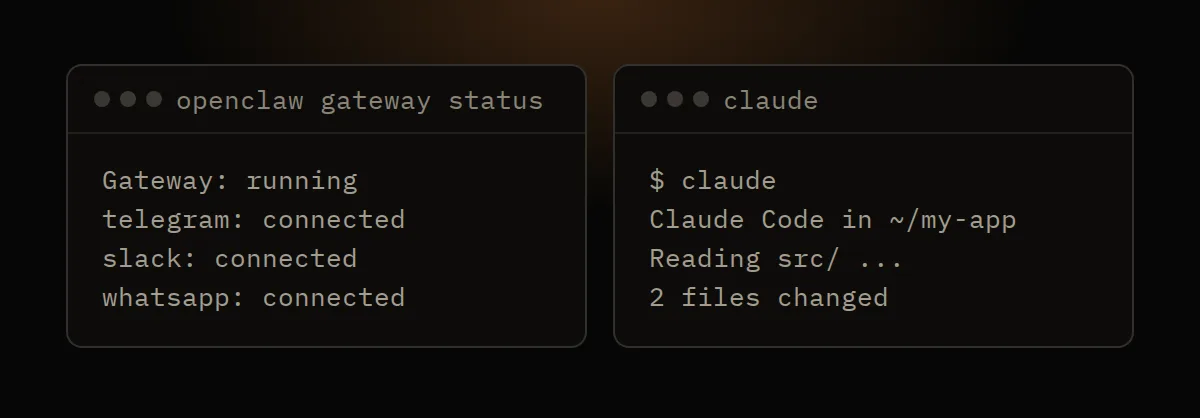
Source: openclaw/openclaw README, GitHub
OpenClaw and Claude Code at a glance
| OpenClaw | Claude Code | |
|---|---|---|
| What it is | A self-hosted personal AI assistant and agent gateway | An agentic coding tool |
| Made by | The OpenClaw Foundation, open source under MIT | Anthropic |
| Where you talk to it | WhatsApp, Telegram, Slack, Discord, Teams, iMessage, Signal and 20+ more, plus a Control UI, CLI, TUI and native apps | Terminal, VS Code and JetBrains extensions, desktop app, web |
| Models | Hosted and local providers as plugins; Claude, Codex and Copilot harnesses as plugins | Claude models; third-party providers in the CLI, VS Code and JetBrains |
| Where it runs | One Gateway on your laptop or server, with optional sandboxes, nodes and cloud workers | On your machine, or in the cloud for Claude Code on the web |
| Memory | Gateway memory with search, active memory and background consolidation | CLAUDE.md files and auto memory |
| Automation | Scheduled jobs, inbound webhooks and Gmail triggers | Hooks, /loop, scheduled tasks and routines |
| Sandbox | Off by default; Docker, Podman, SSH, OpenShell or Crabbox backends | Sandboxed Bash tool, turned on with /sandbox |
| Cost | No paid tier; you pay your model providers | A Claude subscription or Anthropic Console account |
What OpenClaw is
OpenClaw calls itself an extensible, proactive, open source AI agent that works everywhere you work. Its core is the Gateway, a local control plane for sessions, tools, events and channel connections. The Control UI, the CLI and a terminal UI connect to the Gateway; channels bring the assistant into messaging services; and companion apps and nodes add voice, Canvas, camera, screen and device-local actions on macOS, iOS, Android, Windows and Linux. State, memory and credentials live on your own hardware, and your prompts go only to the model providers and chat platforms you configure.
Source: openclaw/openclaw README, GitHub
The project is run by the OpenClaw Foundation, an independent non-profit whose donors and partners include Amazon, Atlassian, GitHub, Microsoft, NVIDIA, OpenAI, Red Hat and Tencent. The whole product is MIT licensed with no enterprise edition, the Foundation sells no paid tier, hosted service or token, and releases are signed under its own identity. By default the only request an install makes to the Foundation is a version check, which update.checkOnStart: false turns off.
Source: Why OpenClaw, OpenClaw docs
Install OpenClaw
The installer supports macOS, Linux and Windows and sets up a supported Node.js runtime if needed: curl -fsSL https://openclaw.ai/install.sh | bash on macOS, Linux and WSL2, or iwr -useb https://openclaw.ai/install.ps1 | iex in Windows PowerShell. If you manage Node.js yourself, install the package with npm install -g openclaw@latest --allow-scripts=openclaw on Node 24.16 or later. The installer starts onboarding, which checks model access, creates the workspace and configures the Gateway; after an npm install run openclaw onboard --install-daemon. Then openclaw gateway status checks it and openclaw dashboard opens the Control UI, where a test message confirms the assistant works.
Source: openclaw/openclaw README, GitHub
Install Claude Code
Claude Code installs with curl -fsSL https://claude.ai/install.sh | bash on macOS, Linux and WSL, or irm https://claude.ai/install.ps1 | iex in Windows PowerShell, with Homebrew and WinGet as alternatives. Run claude in a project folder and sign in with a Claude subscription or Anthropic Console account. The VS Code and JetBrains extensions, the desktop app and Claude Code on the web are other ways in.
Source: Claude Code overview, Anthropic
Where you use each one
OpenClaw is built to meet you in chat. You message it on WhatsApp, Telegram, Slack, Discord, Google Chat, Signal, iMessage, Microsoft Teams, Matrix and other services, or in its own Control UI and apps, and the same Gateway-owned session can be open in several clients at once without copying the transcript. openclaw tui continues a conversation in the terminal.
Source: Session synchronization and attachment, OpenClaw docs
One Gateway, many clients
The Gateway owns the session rows, transcript history, routing metadata and active runs. The Control UI, mobile clients, ACP editors, openclaw tui <target> and openclaw attach <target> all read and update that same Gateway-owned state rather than keeping their own copies, and a phone connected as a node stays a peripheral, not a second owner. Most session keys take the shape agent:<agentId>:<rest>, such as agent:main:telegram:123 for a Telegram chat. A separate embedded local mode, openclaw tui --local, openclaw chat or openclaw terminal, uses the local agent runtime and cannot attach to a Gateway session.
Source: Session synchronization and attachment, OpenClaw docs
Claude Code is built around a code project. You start it in a repository from the terminal, the VS Code or JetBrains extension, or the desktop app's Code tab, and on the web you can run long tasks against repositories you do not have locally and check back later.
Source: Claude Code overview, Anthropic
Models and agent harnesses
OpenClaw works with hosted and local model providers, configured in Settings, Models or through custom providers and local inference servers. It also treats the model labs' own agent harnesses as first-class runtimes rather than plain API endpoints. Its Codex plugin drives Codex's app-server loop, its Copilot plugin runs the GitHub Copilot SDK session loop, and its Anthropic plugin drives an installed Claude Code executable through Claude Code's structured stdio protocol, while OpenClaw keeps ownership of channels, sessions, policy and state. No lab's model is privileged; providers and harnesses are plugins you can swap.
Source: Why OpenClaw, OpenClaw docs
Claude Code runs Anthropic's Claude models. Its terminal CLI, VS Code and JetBrains versions can also run through third-party providers. Anthropic's Agent SDK is the same harness that powers Claude Code, for building your own agents.
Source: Claude Code overview, Anthropic
Using OpenClaw and Claude Code together
openclaw attach launches Claude Code with a strict, temporary MCP configuration bound to one Gateway session, so Claude Code can use that session's OpenClaw tools:
openclaw attach
openclaw attach movies-a1166b81
openclaw attach --session agent:main:telegram:123 --ttl 600000
openclaw attach --print-config- A target can be a Control UI session URL, a short reference or a full agent: session key; with none it binds to the main session.
- --ttl sets how long the grant lasts in milliseconds, within the Gateway's own ceiling.
- --bin picks the Claude Code binary; the default is claude.
- OpenClaw starts Claude Code with --strict-mcp-config --mcp-config <path>, so your other Claude MCP servers do not join the attached session.
- The bearer token goes through environment variables, not the command line, and the grant is revoked when Claude Code exits.
- --print-config writes the temporary .mcp.json and prints the launch command instead of starting Claude Code.
OpenClaw's docs put it simply: use openclaw tui to continue a conversation in a terminal, and openclaw attach when you want a coding harness beside the session.
Source: Attach CLI, OpenClaw docs
Source: Session synchronization and attachment, OpenClaw docs
Security and sandboxing
OpenClaw treats inbound messages as untrusted input. Channels that accept direct messages pair unknown senders by default, and you approve a request with openclaw pairing approve <channel> <code>. Tools run on the host for the main session unless you configure sandboxing, and the project says to read its security, exposure and sandboxing guides before connecting other people or exposing the Gateway remotely. Sandboxing and exec approvals are off by default, because default OpenClaw is tuned as a trusted single-operator assistant; openclaw security audit tells you when you have drifted from a hardened setup.
Source: openclaw/openclaw README, GitHub
When you turn it on, OpenClaw runs tool execution inside a sandbox backend while the Gateway stays on the host. Backends include Docker, the default local one, Podman, SSH to a remote machine, OpenShell and Crabbox cloud boxes, set globally in agents.defaults.sandbox or per agent. OpenClaw says this is not a perfect security boundary but materially limits filesystem and process access. Its design separates a trusted Gateway from untrusted execution in sandboxes, nodes or cloud workers, and enforces configured policy in code rather than by asking the model.
Source: Sandboxing, OpenClaw docs
Source: Why OpenClaw, OpenClaw docs
Claude Code asks before edits and commands in its default Manual mode, with acceptEdits, plan, auto, dontAsk and bypassPermissions modes cycled by Shift+Tab, and allow, ask and deny rules in settings.json. Its sandboxed Bash tool uses Seatbelt on macOS and bubblewrap on Linux and WSL2, limiting which folders commands can write and which domains they can reach.
Source: Choose a permission mode, Anthropic
Source: Configure the sandboxed Bash tool, Anthropic
Memory
OpenClaw remembers across sessions through its Gateway memory: a default SQLite engine with keyword, vector and hybrid search, active memory that recalls deeper conversation history only when simpler recall is not enough, and dreaming, a background consolidation process with light, deep and REM phases. Memories carry provenance, so attributable ones can be traced and purged.
Source: OpenClaw documentation index
Claude Code reads CLAUDE.md files at the start of every session, or a repository's AGENTS.md, and keeps auto memory, notes it saves as it learns how a project works.
Source: How Claude remembers your project, Anthropic
Automation and extending each one
OpenClaw's automations run scheduled jobs from cron expressions and other schedule kinds, accept inbound webhooks so an outside service can wake an agent, and wire Gmail inbox events in through Google Pub/Sub, with delivery back to your channels. Skills follow the AgentSkills spec and plugins install from ClawHub, OpenClaw's registry, which shows scan results for each release. OpenClaw is both an MCP client and an MCP server, speaks the A2A protocol to other agents, and can serve an OpenAI-compatible API, off by default.
Source: OpenClaw documentation index
Source: Why OpenClaw, OpenClaw docs
Claude Code extends through MCP servers, skills, plugins, subagents that run side tasks in their own context, and hooks: shell commands, HTTP calls or model checks that run at set points such as before a tool or when Claude finishes.
Source: Connect Claude Code to tools via MCP, Anthropic
Source: Automate actions with hooks, Anthropic
Working with other people
A shared OpenClaw Gateway makes work visible to a team: sessions record their creator, an assignable owner and everyone who prompted, the Control UI shows who is viewing and typing, and the Gateway adds Co-authored-by trailers to its commits for verified participants. Claude Code is mostly one person in one terminal or editor, sharing through the repository and pull requests.
Source: Why OpenClaw, OpenClaw docs
Which should you use?
- You want an assistant you can message from your phone's chat apps, that runs on your own hardware and can schedule jobs and act on your accounts: OpenClaw.
- You want an agent working inside a code project, reading, editing and testing in your terminal or editor: Claude Code.
- You want both: run OpenClaw as the assistant and let it drive Claude Code through its Anthropic plugin, or use openclaw attach to give Claude Code a session's tools.
- You need a hard isolation boundary from day one: configure OpenClaw's sandbox and approvals deliberately, since both are off by default.
Keeping an eye on the coding sessions
Once an assistant is starting coding sessions for you, there are more of them to watch. 10u is an AI coding agent dashboard that shows every Claude Code and Codex session side by side, each in its real terminal, marked Needs you, Working, Waiting or Parked. They do the building. You decide what gets built.

Questions people ask
- Is OpenClaw a replacement for Claude Code?
- Not really. OpenClaw is a personal assistant and agent gateway you talk to in chat apps; Claude Code is a coding agent that works in a code project. OpenClaw can even drive Claude Code as one of its runtimes.
- Can OpenClaw use Claude Code?
- Yes. Its Anthropic plugin drives an installed Claude Code executable, and openclaw attach launches Claude Code with a temporary, session-scoped MCP grant to the Gateway's tools.
- Is OpenClaw free?
- OpenClaw is MIT licensed and its Foundation sells no paid tier or hosted service. You pay the model providers you connect.
- Is OpenClaw sandboxed by default?
- No. Sandboxing and exec approvals are off by default; you configure a backend such as Docker, Podman or SSH to turn it on.
- Which chat apps does OpenClaw support?
- WhatsApp, Telegram, Slack, Discord, Microsoft Teams, iMessage, Signal, Google Chat, Matrix and more than 20 others, plus its own Control UI and native apps.