
Codex vs Antigravity: OpenAI's coding agent or Google's agent-first platform?
Codex is OpenAI's coding agent, included with ChatGPT plans: it runs in the ChatGPT desktop app, a terminal CLI, an editor extension, the cloud and your phone, using OpenAI models. Google Antigravity is Google's agent-first development platform: a desktop app, a standalone IDE, extensions for other editors, an SDK and a terminal tool, Antigravity CLI, run as agy, using Gemini models first and some Claude models on paid plans. Choose Codex if you already pay for ChatGPT and want one agent across desktop, terminal, editor and cloud; choose Antigravity if you want Gemini 4 models, a Google IDE and multi-agent tools such as swarms. Antigravity also became the home for Gemini CLI users in June 2026.
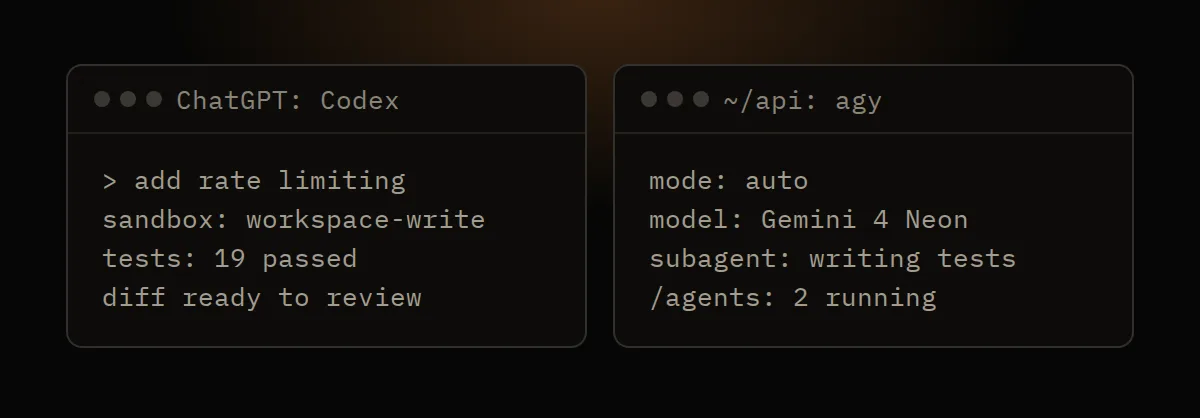
Facts come from OpenAI's and Google's documentation, read on 23 November 2026.
Codex and Antigravity at a glance
| OpenAI Codex | Google Antigravity | |
|---|---|---|
| Made by | OpenAI | |
| Surfaces | ChatGPT desktop app, Codex CLI, IDE extension, Codex cloud, ChatGPT mobile | Antigravity App, Antigravity IDE, editor extensions, Antigravity CLI (agy), Antigravity SDK |
| Models | OpenAI models such as GPT-6.1 Sol and GPT-6 Luna | Gemini 4 models, Gemini 4 Neon by default, plus Claude models on some paid plans |
| Account | A ChatGPT plan, or an OpenAI API key for the CLI and IDE | A personal Google Account, or Gemini Enterprise for teams |
| Terminal command | codex | agy |
| Safety controls | Sandbox modes plus approval policies | Execution modes plus a terminal sandbox |
| Project instructions | AGENTS.md | GEMINI.md and AGENTS.md |
| Multi-agent | Subagents and cloud tasks | Background subagents, /swarm, /teamwork |
| Scripting | codex exec | agy -p with text, json or stream-json output |
| Open source CLI | Yes, Apache 2.0 | No |
What Codex is
Codex is OpenAI's coding agent. You describe an outcome and it reads what it needs, edits files, runs your build and tests, reads the errors and keeps going until it's done or needs you. Most people use it in the ChatGPT desktop app on macOS, Windows or Linux, choosing Codex and opening a project folder. It also runs as the open-source Codex CLI, written in Rust, as an extension for VS Code and VS Code-based editors, in Codex cloud where tasks keep going after you close the laptop, and in the ChatGPT phone app.
Source: Codex app, OpenAI
Source: openai/codex, GitHub
What Google Antigravity is
Google describes Antigravity as its agent-first development platform, built around a server-side agent harness shared by every surface, so improvements to the core agent appear wherever you use it. The Antigravity App is the desktop app, the Antigravity IDE is a standalone editor, and extensions bring the agent into VS Code, Visual Studio, JetBrains IDEs, Android Studio, Xcode, Zed and Eclipse. Antigravity CLI is the terminal tool, and the SDK lets developers build on the same harness.
Source: Getting started, Google Antigravity docs
Antigravity CLI is also where Google moved Gemini CLI users. On 18 June 2026 Gemini CLI stopped serving free users and Google AI Pro and Ultra subscribers, and Google pointed them to agy, which imports Gemini CLI settings, converts extensions into plugins and keeps GEMINI.md and AGENTS.md working unchanged.
Source: Transitioning Gemini CLI to Antigravity CLI, Google for Developers
The main differences
Models
Codex runs OpenAI's models, such as GPT-6.1 Sol and GPT-6 Luna on Plus, with more on Pro. Antigravity defaults to Gemini 4 Neon for new conversations, lists Gemini 4 Carbon, Argon and Hydrogen and Gemini Flash models, an Orchestrator that pairs a planner model with an executor, and Claude Sonnet and Opus models on paid Google AI Pro and Ultra plans. You can switch models at any time and choose a thinking level from Low to Extra on models that support it.
Source: Models, Google Antigravity docs
Modes and permissions
Antigravity CLI has four execution modes, cycled with Shift+Tab: default, which shows a diff before every file write and asks before commands; accept-edits; auto, which approves workspace edits, runs commands in the sandbox and lets safe, reversible commands outside it run without asking; and plan. Since version 1.5.7 agy starts in auto where your account and platform support it.
Source: Antigravity CLI modes, Google Antigravity docs
Codex separates the sandbox, which decides what is technically possible, from the approval policy, which decides when it must ask. Its sandbox modes are read-only, workspace-write and danger-full-access, and approvals can be on-request, never or granular. In a folder under git it starts in the Auto preset: workspace-write with on-request approvals, network off by default.
Source: Sandboxing, OpenAI Codex docs
Sandboxing
Both isolate the agent's commands with operating system features. Antigravity's terminal sandbox uses kernel namespaces on Linux, Seatbelt profiles on macOS and an AppContainer on recent Windows 11, and is on by default in the app. Codex's sandbox covers every command it starts, including git, package managers and test runners, so they get the same limits as Codex's own edits.
Source: Sandbox, Google Antigravity docs
Multi-agent work
Antigravity leans hard into running several agents. In the CLI, /agents opens the Agent Manager to watch background subagents, /swarm runs named workers and a verifier that coordinate on a shared message board, and /teamwork starts multi-agent teams for long projects on paid plans. Codex splits large investigations across subagents and sends longer work to Codex cloud, where several tasks can run while you do something else.
Where your code runs
Codex works on your machine or in Codex cloud environments. Antigravity's agent harness runs on Google's servers for every surface, while commands run on your machine inside its sandbox. Both send code to their provider's models, so read the data terms for the plan you use before working on sensitive code.
Extending each one
Both connect to MCP servers and support reusable skills. Antigravity reads hooks from .agents/hooks.json in a project or ~/.gemini/config/hooks.json globally, with events for a session starting, before and after a tool, before and after each model call, and the loop ending; workspace skills live in .agents/skills/ and plugins package skills, hooks and MCP servers together. Codex has skills that load only when a task needs them, plugins and plugin marketplaces managed with codex plugin, and MCP servers managed with codex mcp. If you already wrote Gemini CLI extensions, agy plugin import gemini converts them; moving them to Codex means rewriting them as skills or plugins.
Everyday use in the terminal
Day to day, the two CLIs feel similar. In agy you type @ for file suggestions, start a line with ! to run a command directly, /rewind or /undo to roll back the conversation, /fork to branch it and /resume to list earlier sessions. In Codex you use /diff to review edits, including new untracked files, /review to have Codex check its own work, /permissions to switch profile, codex resume to continue a session and codex fork to branch one.
Pricing: Codex vs Antigravity
| Codex (ChatGPT plans) | Antigravity (Google plans) | |
|---|---|---|
| No paid plan | ChatGPT Free and Go: Codex in the desktop app, subject to rollout | A quota refreshed weekly |
| Individual | Plus: US$20 a month, including the CLI and cloud | Google AI Pro: a higher quota refreshed every five hours, up to a weekly limit |
| Heavy use | Pro: US$100, US$200 or US$500 a month | Google AI Ultra: the highest quota and limits, and third-party models |
| Organisations | Business: US$20 per user a month billed yearly, or US$25 monthly | Gemini Enterprise |
| Beyond the allowance | Buy credits, or use an API key | AI credits on Pro and Ultra; no bring-your-own-key |
Source: Pricing, OpenAI ChatGPT and Codex docs
Source: Plans, Google Antigravity docs
Google says Antigravity's limits track how much work the agent does, so simple tasks stretch further than complex ones, and Google Workspace accounts don't get Antigravity through a personal plan. OpenAI says the same of Codex: how far an allowance goes depends on the model, the task and whether it runs locally or in the cloud. On both, test your own real tasks before deciding which plan you need.
Scripting and automation
Both run non-interactively for scripts and CI. Codex uses codex exec with the same sandbox and approval flags as an interactive session, and codex review checks a branch or commit without editing. Antigravity CLI uses agy -p, with --output-format text, json or stream-json, so a script can read a single JSON object or follow newline-delimited events.
Source: Headless mode, Google Antigravity docs
Security and data
Both agents run commands on your machine and send code to their provider's models. Keep each one's sandbox on for everyday work, use read-only or plan modes on code you don't trust, and save full access or bypass settings for throwaway machines. Keep secrets out of prompts, instruction files and repositories, and review every diff before committing. For company use, compare ChatGPT Business or Enterprise with Gemini Enterprise on admin controls, single sign-on and data terms before connecting production code.
Which should you choose?
- You already pay for ChatGPT Plus, Pro or Business: Codex, at no extra cost.
- You already pay for Google AI Pro or Ultra: Antigravity, at no extra cost.
- You want Gemini 4 models, or Claude models through a Google plan: Antigravity.
- You want an open-source terminal agent you can inspect and script: the Codex CLI.
- You want built-in swarms and multi-agent teams: Antigravity.
- You want work that keeps running in the cloud and can be checked from your phone: Codex.
- You were on Gemini CLI with a personal account: Antigravity CLI is Google's successor; Codex is the main alternative.
Moving between them
- Keep standing rules in AGENTS.md. Codex reads it, and Antigravity reads both AGENTS.md and GEMINI.md.
- Re-add MCP servers in each tool: codex mcp add for Codex, .agents/mcp_config.json for Antigravity.
- Move reusable procedures into skills: Codex skills, or .agents/skills/ for Antigravity.
- Run the same three real tasks in each and compare the diffs, the time taken and how much of your allowance each used.
A day with each
With Codex, you open the ChatGPT desktop app, choose Codex and ask for a plan to add rate limiting to an API. It reads the code, proposes the change, runs the tests and shows the diff. You send a database migration to Codex cloud before a meeting and review it from your phone afterwards.
With Antigravity, you start agy in the project and it opens in auto mode. You ask for the same rate limiting and it hands a background subagent the job of writing tests while it changes the code, and you watch both in the Agent Manager. For a bigger project you try /swarm, letting several workers and a verifier split the job on a shared board.
Watching several agents at once
Antigravity's Agent Manager shows Antigravity's own subagents. Codex runs in ChatGPT, terminals and the cloud. When you use more than one tool, the hard part is knowing which agent is waiting for you. 10u shows every Codex and Claude Code session side by side under the goal it's working toward, marks the ones waiting on you, and lets you answer from one screen on your laptop or phone. You keep using the agents you already pay for; 10u shows you where each one is up to.

Questions people ask
- What is the difference between Codex and Antigravity?
- Codex is OpenAI's coding agent, included with ChatGPT plans and running in a desktop app, terminal, editor, cloud and phone with OpenAI models. Antigravity is Google's agent-first platform with an app, IDE, editor extensions, SDK and the agy CLI, using Gemini models first.
- Is Antigravity free?
- Google lists a weekly-refreshed quota without a Google AI plan, with higher quotas on Google AI Pro and Ultra. Google Workspace accounts don't get Antigravity through a personal plan.
- Can Antigravity use Claude or OpenAI models?
- Antigravity lists Claude Sonnet and Opus models on paid Google AI Pro and Ultra plans. Codex uses OpenAI models.
- Is Antigravity CLI the same as Gemini CLI?
- No. Antigravity CLI, run as agy, is the tool Google moved Gemini CLI's personal users to on 18 June 2026. It imports Gemini CLI settings and keeps GEMINI.md and AGENTS.md working.
- Is the Codex CLI open source?
- Yes. The Codex CLI is open source on GitHub under the Apache 2.0 licence. Antigravity CLI is not open source.
- Can I use Codex and Antigravity together?
- Yes. Keep shared rules in AGENTS.md, which both read, give each agent its own git worktree, and review every diff before committing.