
Codex Mac guide: the desktop app and the Codex CLI on macOS
There are two ways to run OpenAI Codex on a Mac. The ChatGPT desktop app for macOS now combines Chat, Work and Codex in one app, which you download from chatgpt.com/download. The Codex CLI runs in Terminal and installs with brew install --cask codex or OpenAI's one-line installer. The app needs macOS 14 or later, on Apple Silicon (M1 or better) or an Intel Mac.
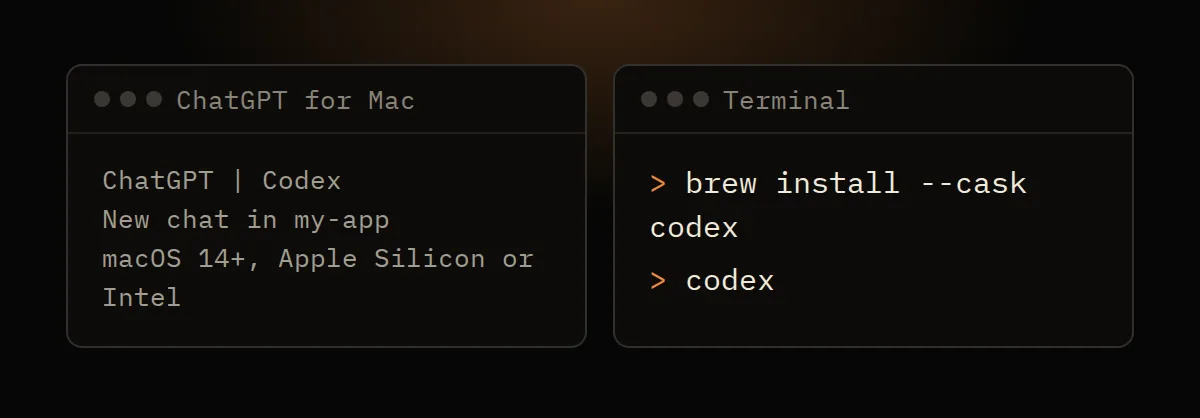
Source: Downloading the ChatGPT macOS app, OpenAI Help Center
Codex app or Codex CLI on Mac?
| ChatGPT desktop app (Codex) | Codex CLI | |
|---|---|---|
| Where it runs | A Mac app window | Terminal, iTerm2 or any shell |
| Install | Download from chatgpt.com/download | Homebrew, npm or the install script |
| Best for | Several projects in view, files, Computer Use, Appshots | Scripts, SSH, editors and terminal habits |
| Computer Use and Appshots | Yes | No |
| Updates | Automatic, built-in updater | brew upgrade or re-run the installer |
Source: ChatGPT desktop app, OpenAI
Download the Codex app for Mac
Since 9 July, the new ChatGPT desktop app combines Chat, Work and Codex. The older Mac app is now called ChatGPT Classic and is still supported, but OpenAI says to use the new app for agent features and Codex.
- Go to chatgpt.com/download. The page detects whether your Mac has Apple Silicon or an Intel processor and offers the right installer.
- Install the app, open it, and sign in with your ChatGPT account.
- Choose where to work: start a chat, create a project, or open a folder. The app can use the files in the place you choose.
- Select Codex, start a New chat, and describe what you want built, adding any files or context.
OpenAI will not release a version for macOS older than 14. Managed fleets can deploy the same app from OpenAI's ChatGPT.dmg installer link on its Manage app updates page.
Source: Downloading the ChatGPT macOS app, OpenAI Help Center
Install the Codex CLI on Mac
The CLI is the terminal version of Codex. Pick one method:
| Method | Install | Update |
|---|---|---|
| Homebrew | brew install --cask codex | brew upgrade --cask codex |
| Install script | curl -fsSL https://chatgpt.com/codex/install.sh | sh | Run the same command again |
| npm | npm install -g @openai/codex | Install again with npm |
brew install --cask codexcd ~/code/my-appcodex
The first run asks you to sign in with ChatGPT or an OpenAI API key. Codex is included with ChatGPT Plus and higher plans; with an API key you pay API rates.
Source: Codex CLI, OpenAI
The Codex sandbox on macOS
Codex keeps the commands it runs inside a sandbox, so it can read files, make edits and run routine project commands without asking you each time, while staying inside the limits you approved. On macOS this works out of the box using Apple's built-in Seatbelt framework, so there is nothing to install, unlike Linux, which needs bubblewrap. The sandbox applies to every command Codex starts, including git, package managers and test runners.
Source: Sandboxing, OpenAI Codex docs
Computer Use on Mac
Computer Use lets Codex see and operate apps on your Mac: checking a desktop app, using a browser, changing settings, or reproducing a bug that only shows up on screen. It is available in supported regions with ChatGPT Work and Codex. To set it up, open Settings, Computer use, find Any App under Control and turn it on. Codex asks before it uses each app, and apps you always allow are listed in the same settings.
macOS asks for two permissions: Screen Recording, so Codex can see the app, and Accessibility, so it can click, type and navigate. If Codex cannot see or control an app, open System Settings, Privacy and Security, and check both for Codex Computer Use. File edits and shell commands still follow the sandbox and approval settings.
Locked use: Computer Use after your Mac locks
Locked use is a Mac-only option that lets a task you start from another device use Computer Use after your Mac has locked. When you turn it on in Settings, Computer Use, ChatGPT installs an Apple authorization plug-in. It unlocks only for an active Computer Use turn, covers every display while unlocked, and relocks and pauses if it detects your keyboard or mouse. OpenAI says it is not a general remote-unlock path for your Mac.
Source: Computer Use, OpenAI
Appshots on Mac
Appshots give Codex context from another app. Press both Command keys on your Mac to capture the frontmost window, and ChatGPT receives an image of it plus its available text. macOS may ask for Screen and System Audio Recording, to capture the window, and Accessibility, to read its text. For some web apps, such as Google Docs and Gmail, it may only get the visible screenshot. A chat with an appshot can be resumed in the CLI, but the CLI cannot take new appshots.
Source: Appshots, OpenAI
Updating Codex on Mac
The desktop app checks for and installs updates itself. Companies that need to review releases first can turn off the built-in updater with in_app_updates = false in a managed requirements.toml and push approved versions through their device management tool, but they then have to deploy security fixes promptly, because older versions get no separate patches. That setting does not touch the Codex CLI, which you update with brew upgrade --cask codex or by re-running the installer.
Source: Manage app updates, OpenAI
Codex for Mac problems and fixes
| Problem | Fix |
|---|---|
| The app will not install | Check you are on macOS 14 or later |
| Codex cannot see or click an app | Allow Screen Recording and Accessibility for Codex Computer Use in Privacy and Security |
| No Any App row in Computer Use settings | Your workspace may limit it; ask your administrator |
| Appshots do nothing | Update the app, check the hotkey and the macOS permissions |
| codex: command not found | Open a new Terminal window, or reinstall with brew install --cask codex |
Source: Computer Use, OpenAI
Run Codex next to Claude Code on your Mac
Many Mac developers keep Codex and Claude Code running side by side in different projects. 10u is an AI coding agent dashboard that shows every Codex and Claude Code session at once, each in its real terminal, marked Needs you, Working, Waiting or Parked. They do the building. You decide what gets built.

Questions people ask
- Is there a Codex app for Mac?
- Yes. The ChatGPT desktop app for macOS includes Codex. Download it from chatgpt.com/download; it needs macOS 14 or later.
- Does Codex work on Intel Macs?
- Yes. The app supports Apple Silicon (M1 or better) and Intel processors, and the download page picks the right installer.
- How do I install the Codex CLI on a Mac?
- Run brew install --cask codex, or curl -fsSL https://chatgpt.com/codex/install.sh | sh, then run codex in a project folder.
- What happened to the old ChatGPT Mac app?
- It is now called ChatGPT Classic and is still supported. The new desktop app is the one with Work and Codex.