
OpenCode vs Claude Code: which coding agent should you use?
OpenCode is an open source coding agent that connects to many model providers, from Anthropic and OpenAI to GitHub Copilot and its own subscription. Claude Code is Anthropic's own coding agent and runs on Claude models. Both run in the terminal, have desktop and web options, use subagents, and read project instructions files. Pick OpenCode if you want open source and the freedom to switch providers; pick Claude Code if you want the agent built by the company that makes the model, with features such as agent teams and plugins.
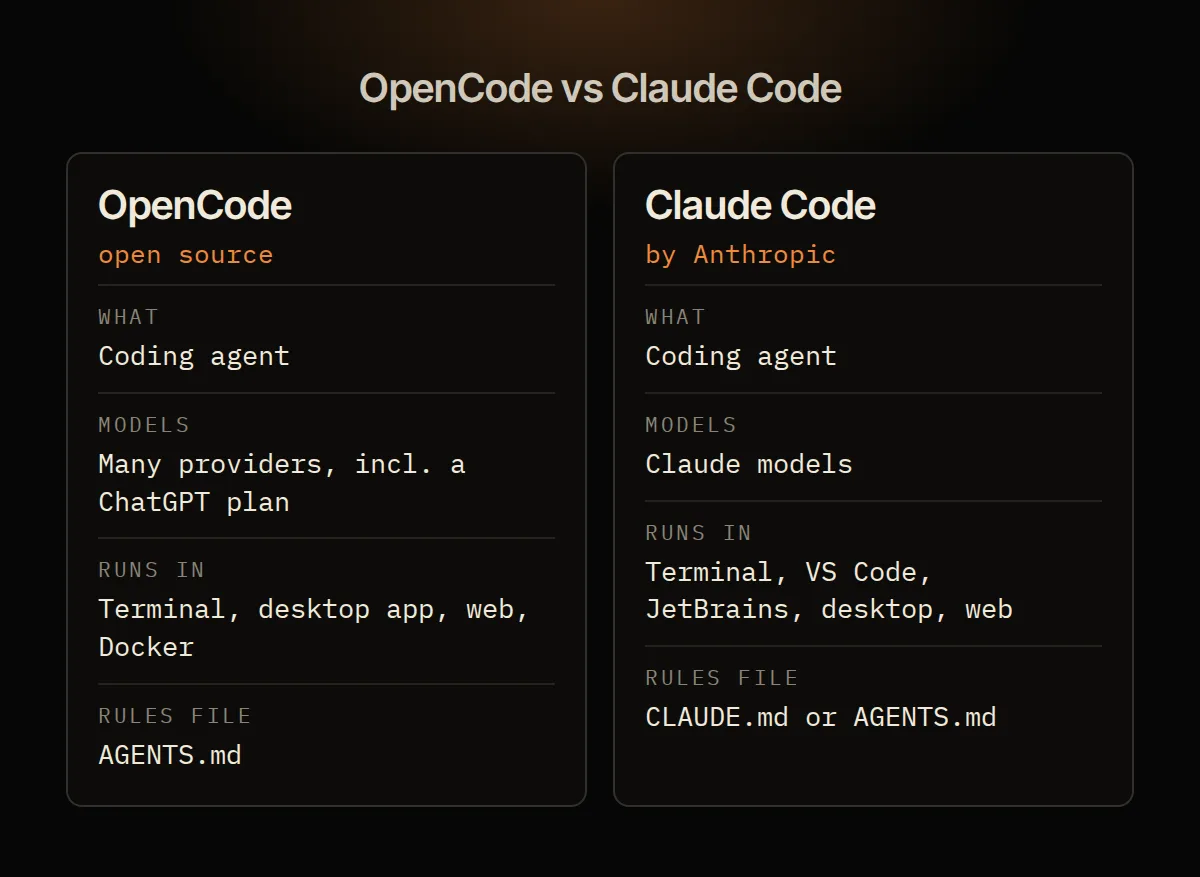
OpenCode and Claude Code at a glance
| OpenCode | Claude Code | |
|---|---|---|
| Made by | The OpenCode team, open source | Anthropic |
| Models | Many providers: Anthropic, OpenAI (including ChatGPT plan sign-in), GitHub Copilot, OpenCode Go and more | Claude models |
| Where it runs | Terminal, desktop app, web interface, Docker | Terminal, VS Code and JetBrains extensions, desktop app, web |
| Built-in agents | Build and Plan, plus General and Explore subagents | Explore, Plan and general-purpose subagents |
| Custom agents | Markdown files in .opencode/agents/ | Markdown files in .claude/agents/ |
| Instructions file | AGENTS.md | CLAUDE.md, or AGENTS.md when there is no CLAUDE.md |
| Extending it | Config, plugins, MCP servers, custom commands | Skills, hooks, plugins, MCP servers, subagents, agent teams |
What OpenCode is
OpenCode describes itself as an open source coding agent, available as a terminal interface, a desktop app or a web app. You install the CLI with a script, Homebrew, npm, Bun, pnpm, Yarn or mise, or download a standalone binary for macOS, Windows or Linux. Desktop builds cover macOS, Windows and Linux. The web interface opens with the opencode pair command, which prints a one-time link that expires after five minutes, and there are Docker images too.
Source: OpenCode docs
Bring your own model provider
OpenCode has built-in support for many model providers. In the terminal interface you run /connect, choose a provider and enter its credentials, then /models to pick a model. Some options worth knowing:
- OpenAI: you can sign in with a ChatGPT Plus or Pro plan instead of an API key. Usage counts against your plan, and OpenCode caps the context window to match Codex's defaults so your plan is used at a similar rate.
- GitHub Copilot: sign in through GitHub's device flow; the account needs Copilot Chat access.
- OpenCode Go: an optional subscription for coding models tested by the OpenCode team.
- Anthropic models are available as a provider too, and you can add custom providers in the config.
Source: OpenCode providers, OpenCode docs
Context limits when you use a ChatGPT plan
When you sign in with a ChatGPT plan, OpenCode caps the context window below each model's real limit, matching the defaults in Codex, so your plan is used at about the same rate as in OpenAI's own products. You can turn the cap off by disabling its built-in plugin in your config.
| Model | Input limit in OpenCode with a ChatGPT sign-in |
|---|---|
| GPT-6.1 Sol and newer | 500,000 tokens |
| Older models | 272,000 tokens |
For GitHub Enterprise, OpenCode asks for your deployment URL or domain during sign-in and uses the Copilot endpoint GitHub returns.
Agents in OpenCode
An OpenCode agent combines a system prompt, a model preference, permissions and display details into a named profile. It ships with primary agents you work with directly, such as Plan, which explores and plans without editing normal project files, and subagents the main agent can launch: General, for research and multi-step work, and Explore, which searches and reads code or the web without editing. You can override a built-in by reusing its ID, for example to make git push ask first.
Custom agents are Markdown files in ~/.config/opencode/agents/ or a project's .opencode/agents/. OpenCode's own example is a read-only reviewer:
---
description: Reviews changes for correctness and regressions
mode: subagent
model: anthropic/claude-sonnet-5-5#high
permissions:
  - action: edit
    resource: "*"
    effect: deny
  - action: shell
    resource: "*"
    effect: deny
---
Review the current changes. List findings in severity order with file and line references.
Source: OpenCode agents, OpenCode docs
Project instructions
OpenCode reads AGENTS.md files for build commands, architecture notes, conventions and checks. It loads a global file from ~/.config/opencode/AGENTS.md, then every AGENTS.md from your current folder up towards your home folder, stopping at the project root for projects outside it. It combines them but does not resolve conflicts between them, so keep global rules general and specific rules close to the code they cover.
Source: OpenCode rules and AGENTS.md, OpenCode docs
Permissions
OpenCode controls what an agent may do with ordered permission rules in opencode.jsonc. Each rule names an action, a resource and an effect: allow, ask or deny. OpenCode's own example asks before any shell command, allows git status and git diff, and always blocks git push. The last matching rule wins, so specific exceptions go after the broad rule.
{
  "permissions": [
    { "action": "shell", "resource": "*", "effect": "ask" },
    { "action": "shell", "resource": "git status *", "effect": "allow" },
    { "action": "shell", "resource": "git push *", "effect": "deny" }
  ]
}
Custom commands, MCP servers and plugins
- Commands: a Markdown file such as .opencode/commands/review.md turns a prompt into /review, with $ARGUMENTS filled from what you type after it. Global commands live in ~/.config/opencode/commands/.
- MCP servers: opencode mcp add connects a server to the project, or to every project with --global, and opencode mcp list checks the connection. Remote servers sign in with OAuth. OpenCode notes that MCP tools use model context, so add only the servers you need.
- Plugins: published packages, versioned packages or local folders listed in opencode.jsonc, applied from global to project settings.
- Config: opencode.jsonc in the project, with machine-wide managed settings in a system folder for organisations.
One thing to watch if you follow older guides: OpenCode V2 renamed some settings. V1 used permission, bash and task where V2 uses permissions, shell and subagent, so copy examples from the V2 docs.
Source: Permissions, OpenCode docs
Source: Commands, OpenCode docs
Source: MCP servers, OpenCode docs
What Claude Code is
Claude Code is Anthropic's agentic coding tool. It reads your codebase, edits files, runs commands and works with your development tools. It runs in your terminal, in VS Code and JetBrains, in a desktop app that runs several sessions side by side, and on the web. Most of these need a Claude subscription or an Anthropic Console account.
Source: Claude Code overview, Anthropic
Agents in Claude Code
Claude Code has built-in subagents it uses by itself: Explore searches a codebase without changing it, Plan does research while you are in plan mode, and general-purpose handles jobs that need both exploring and editing. Custom subagents are Markdown files in .claude/agents/ or ~/.claude/agents/, with frontmatter for tools, model, permissions, MCP servers, hooks and skills. Beyond subagents, Claude Code has agent teams, where a lead session coordinates teammates through a shared task list, and agent view for watching many background sessions.
Source: Create custom subagents, Anthropic
Project instructions
Claude Code reads CLAUDE.md files. If your repository has an AGENTS.md and no CLAUDE.md, Claude Code reads the AGENTS.md instead, from v2.1.277. If you have both, a CLAUDE.md can import the other with a single @AGENTS.md line, so one file can serve OpenCode, Codex and Claude Code.
Source: How Claude remembers your project, Anthropic
The main differences
Open source and provider choice
OpenCode is open source and provider-agnostic: you can point it at Anthropic, OpenAI, GitHub Copilot, its own Go subscription or a custom provider, and switch with /models. Claude Code is Anthropic's product and runs Claude models. If you want to try several models in the same agent, or use a plan you already have with another provider, OpenCode gives you that.
How you pay
With OpenCode, you pay whichever provider you connect, whether that is an API key, a ChatGPT plan or a Copilot seat. With Claude Code, you use a Claude plan or an Anthropic Console account. Each counts against its own allowance, so running both spreads your work across two.
Depth of the built-in features
Both have subagents, custom agents, MCP servers and instructions files. Claude Code adds agent teams, hooks at many points in a session, skills that load only when needed, plugins and a plugin marketplace, plus first-party extensions for VS Code and JetBrains. OpenCode focuses on a flexible core you configure yourself, with plugins and custom commands.
Where they run
Both have a terminal interface, a desktop app and a web option. OpenCode also ships Docker images. Claude Code adds editor extensions and cloud sessions you can start from the desktop app and the web.
OpenCode and Claude Code feature by feature
| Feature | OpenCode | Claude Code |
|---|---|---|
| Settings file | opencode.jsonc | settings.json |
| Permission rules | Ordered allow, ask and deny rules per action | Allow, ask and deny rules for tools |
| Custom slash commands | Markdown in .opencode/commands/ | Skills and commands in .claude/ |
| Custom agents | Markdown in .opencode/agents/ | Markdown in .claude/agents/ |
| Agent teams | Not covered in its docs | Yes, experimental |
| Hooks | Not covered here | Hooks at many points in a session |
| MCP | opencode mcp add | claude mcp add |
| Open source | Yes | No |
Setting up OpenCode beside Claude Code
- Install OpenCode with your package manager of choice and run it in your project.
- Run /connect and choose a provider. To try a different model family from Claude, connect OpenAI with your ChatGPT plan, or GitHub Copilot.
- Make sure your project rules are in AGENTS.md, which OpenCode reads; Claude Code reads it when there is no CLAUDE.md, or through @AGENTS.md.
- Add the same MCP servers to both with opencode mcp add and claude mcp add.
- Copy the permission habits you use in Claude Code, such as asking before shell commands and blocking git push, into opencode.jsonc.
- Give each agent its own Git worktree when both work at once.
How to choose
- You want open source, or to read and change the agent itself: OpenCode.
- You want to switch between model providers inside one agent: OpenCode.
- You already pay for a ChatGPT or Copilot plan and want to use it in a terminal agent: OpenCode can sign in with either.
- You want Anthropic's own agent for Claude models, with agent teams, hooks, skills and plugins: Claude Code.
- You work mostly in VS Code or JetBrains and want a first-party extension: Claude Code.
A day with each
With OpenCode, the model is a choice you make per task. You might run the Plan agent on a design question with one provider, switch with /models to a cheaper model for a batch of small fixes, and call your read-only reviewer subagent before committing. A /review command you wrote once runs the same checklist every time, and your permission rules make it ask before shell commands and refuse to push.
With Claude Code, the model family is fixed and the depth is in the agent. You ask for a plan, approve it, and let Claude build, with a hook running your tests whenever it edits a file. For a larger job you might start an agent team, with a lead handing tasks to teammates through a shared list, and watch your background sessions in agent view.
Using OpenCode and Claude Code together
Plenty of developers run more than one agent. If you do, keep a single AGENTS.md at the repository root so both follow the same rules; Claude Code reads it when there is no CLAUDE.md, or through an @AGENTS.md import. Give each agent its own Git worktree when they work at the same time, so they never edit the same files, and use one to review the other's work before you merge. A reviewer subagent in OpenCode, set to deny edits and shell commands, is a cheap way to get that second opinion on Claude Code's changes.
Keeping track of several agents
With two or more agents running, the slow part is noticing which one has stopped to ask you something. 10u is an AI coding agent dashboard that runs every Claude Code and Codex session side by side, each in its real terminal, marked Needs you, Working, Waiting or Parked, so the agent waiting on you is always on top. They do the building. You decide what gets built.

Questions people ask
- Does OpenCode work with GitHub Copilot?
- Yes. Connect GitHub Copilot with /connect and finish GitHub's device sign-in; the account needs Copilot Chat access, and GitHub Enterprise works with your deployment domain.
- Is there a desktop app for OpenCode?
- Yes. OpenCode Desktop has builds for macOS, Windows and Linux, alongside the terminal interface and a web interface opened with opencode pair.
- Can OpenCode block dangerous commands like Claude Code?
- Yes. Ordered permission rules in opencode.jsonc can allow, ask or deny each action, for example asking before shell commands and denying git push.
- Does OpenCode have custom slash commands?
- Yes. A Markdown file in .opencode/commands/ becomes a slash command, with $ARGUMENTS replaced by what you type after it.
- Is OpenCode better than Claude Code?
- It depends on what you value. OpenCode is open source and connects to many model providers; Claude Code is Anthropic's own agent for Claude models, with agent teams, hooks, skills and plugins.
- Can OpenCode use Claude models?
- Yes. Anthropic is one of the providers OpenCode can connect to, and its own docs use a Claude model in a custom agent example.
- Can OpenCode use my ChatGPT plan?
- Yes. Connect OpenAI and choose Sign in with ChatGPT to use a Plus or Pro plan instead of an API key.
- Do OpenCode and Claude Code read the same instructions file?
- They can. OpenCode reads AGENTS.md, and Claude Code reads AGENTS.md when there is no CLAUDE.md, or through an @AGENTS.md import.
- Is OpenCode free?
- OpenCode is open source. You pay for the model provider you connect, such as an API key, a ChatGPT plan, a Copilot seat or OpenCode Go.