
Claude Code vs Jules: an agent beside you or a Google agent that works while you're away?
Claude Code is Anthropic's coding agent: it works with you in your own codebase, reading files, editing code and running commands from the terminal, VS Code and JetBrains, a desktop app or the browser, using Claude models. Jules is Google's autonomous coding agent: you give it a task on a GitHub repository, it clones the code into a fresh cloud virtual machine, proposes a plan, makes the change and hands back a diff to publish as a branch or pull request, using Gemini models. Choose Claude Code to work hands-on with an agent beside you; choose Jules to hand off well-scoped tasks and come back when they're done, starting free.
Facts come from Anthropic's and Google's Jules documentation, read on 23 November 2026.
Claude Code and Jules at a glance
| Claude Code | Jules | |
|---|---|---|
| Made by | Anthropic | |
| How you work | Interactive, beside you, or in cloud sessions | Asynchronous: hand off a task, review later |
| Where code runs | Your computer, or Anthropic's cloud sessions | A fresh cloud virtual machine per task |
| Where you use it | Terminal, VS Code and JetBrains, desktop app, web | jules.google.com, the Jules Tools CLI, a REST API |
| Repositories | Any folder, any Git host | GitHub |
| Models | Claude models | Gemini models |
| Project instructions | CLAUDE.md | AGENTS.md |
| Free option | No | Yes: 15 tasks a day, 3 at a time |
What Jules is
Google describes Jules as a coding agent that fixes bugs, adds documentation, updates your app and builds features. It connects to GitHub, understands your codebase and works on its own, so you can submit a task, do something else and return when it's finished. Jules is in public beta.
Source: Getting started, Jules docs
Each task runs in a fresh virtual machine where Jules clones your repository, installs dependencies and changes files; you can add setup scripts so your project builds and tests correctly. You pick a repository and branch, write a specific prompt, and click Give me a plan. Jules proposes a plan you review and approve before it touches any code, then shows a live activity feed with each step, small diffs as it goes and a full diff editor. You can chat with it mid-task to change names, add tests or correct logic, and it reads an AGENTS.md file in your repository for conventions.
Source: Running tasks, Jules docs
Source: Reviewing code changes, Jules docs
You can attach screenshots or mockups when you start a task, as PNG or JPEG under 5MB in total. Jules can also suggest tasks for a repository and run scheduled tasks, daily or weekly, for maintenance such as performance passes or accessibility checks.
Source: Scheduled tasks, Jules docs
Jules Tools and the API
Jules Tools is a lightweight command-line interface for starting and checking Jules sessions running in the cloud, without opening a browser. There's also a REST API for building Jules into your own scripts and services.
npm install -g @google/jules
jules login
jules remote list
Source: Jules Tools reference, Jules docs
What Claude Code is
Claude Code is Anthropic's agentic coding tool. It reads your codebase, edits files, runs commands and works with your development tools, in any terminal, in VS Code and JetBrains, in a desktop app that runs several sessions side by side, and on the web with cloud sessions.
- Plan mode has Claude research and propose a plan before editing.
- Permission modes run from Manual to Auto, where a classifier blocks risky actions instead of asking.
- Subagents handle side jobs in their own context; agent teams coordinate several sessions through a shared task list.
- Hooks, skills, plugins and MCP servers add your own checks, know-how and tools.
- CLAUDE.md files hold project instructions that load every session.
Source: Claude Code overview, Anthropic
The main differences
Working style
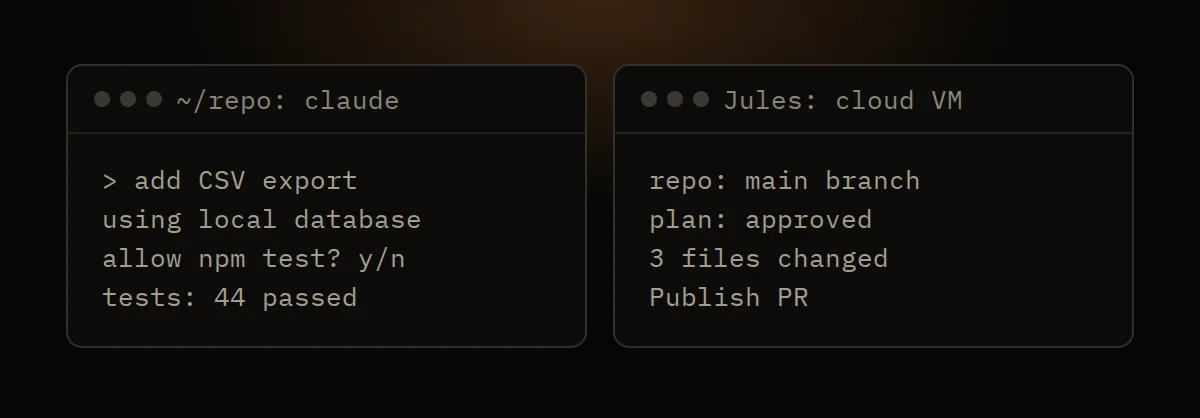
Claude Code is built for working together: you watch it plan, approve steps, answer its questions and steer it as it goes, and it can use everything on your machine, from your local database to internal tools. Jules is built for handing off: it works in its own cloud machine, and you check in when it's done or needs something. Claude Code can also run in the cloud from the web, and Jules lets you chat mid-task, but their defaults are opposite.
Where your code runs
Claude Code usually runs on your computer with your user's permissions, so its permission modes and sandbox are your guardrails. Jules runs each task in a fresh cloud virtual machine with internet access, so nothing touches your computer, but Google reminds you that you're responsible for what runs: don't commit secrets, and review dependencies and scripts.
Source: Choose a permission mode, Anthropic
Source: FAQ, Jules docs
Repositories and tools
Jules works on GitHub repositories you connect. Claude Code works on any folder, whichever Git host you use or none at all, and connects to your own tools through MCP servers, hooks and plugins.
Models
Claude Code runs Anthropic's Claude models. Jules runs Google's Gemini models, and its paid tiers get higher or priority access to the latest Gemini model.
Pricing: Claude Code vs Jules
| Claude Code | Jules | |
|---|---|---|
| Free | No free plan | Jules: 15 tasks in a rolling 24 hours, 3 at a time |
| Individual | Pro: US$17 a month billed annually or US$20 monthly | Jules in Pro, part of Google AI Pro: 100 tasks a day, 15 at a time |
| Heavy use | Max: US$100 a month; Ultra: US$200 a month | Jules in Ultra, part of Google AI Ultra: 300 tasks a day, 60 at a time |
| Teams | Team: US$20 per seat a month billed annually, or US$25 monthly | Paid plans currently for personal Google accounts only; business users join a waitlist form |
Source: Plans and pricing, Claude
Source: Limits and plans, Jules docs
Jules counts tasks rather than tokens, which makes its limits easy to understand: a free account can run 15 tasks a day. Paid Jules comes bundled with Google AI subscriptions, which Google says currently serve individual Google accounts ending in @gmail.com, so companies on Google Workspace can't buy more Jules yet. Claude plans measure usage over five-hour sessions and the week.
Writing tasks that work
Both agents do best with specific, scoped requests, and Jules's own guide spells it out: ask for a loading spinner while one named function runs, or a fix for a 500 error on one form, not to fix everything or make the code better. For Claude Code, a bigger request is fine if you ask for a plan first and review it. For Jules, split big jobs into several tasks, since each runs in its own virtual machine and you can run three at once on the free plan.
| Task | Better fit | Why |
|---|---|---|
| Add tests for one function | Jules | Small, clear and easy to review as a pull request |
| Document a module | Jules | Self-contained, no local services needed |
| Weekly dependency or accessibility pass | Jules | Scheduled tasks run it automatically |
| A feature touching the database and UI | Claude Code | Needs your local environment and back-and-forth |
| Debugging a production issue | Claude Code | Needs logs, tools and quick iteration |
| A large refactor | Claude Code | Benefits from planning, subagents and close review |
Who each one suits
Claude Code suits developers who like to pair with an agent, use their own tools and environment, and want close control over what it runs. Jules suits developers who already keep their code on GitHub and want an extra pair of hands for routine tasks, especially people trying an agent for the first time without paying.
Which should you choose?
- You want an agent beside you, using your local tools and environment: Claude Code.
- You want to hand off small, clear tasks and review pull requests later: Jules.
- You want to try an agent for free on a GitHub repository: Jules.
- Your code isn't on GitHub, or the task needs your local services: Claude Code.
- You want hooks, plugins and agent teams to shape how the agent works: Claude Code.
Using Claude Code and Jules together
- Keep conventions in AGENTS.md, which Jules reads, and point CLAUDE.md at it.
- Give Jules the small, well-defined jobs: tests for one function, docs for one module, a dependency bump.
- Schedule Jules for weekly maintenance passes.
- Use Claude Code for the larger, interactive work on the same repository.
- Review every branch and pull request the same way, whichever agent made it.
Common problems and fixes
- Jules can't build or test your project: add an environment setup script so its virtual machine installs what your project needs.
- Jules goes in the wrong direction: write narrower prompts, and edit the plan before approving it.
- You need to change a scheduled Jules task: editing isn't supported yet, so delete it and create a new one.
- Claude Code keeps asking for approval: add allow rules for trusted commands, or use Accept edits for routine edits.
A day with each
With Claude Code, you open your project, ask for a plan to add CSV export, approve it, and work through it with Claude, testing against your local database and reviewing the diff before committing.
With Jules, before a meeting you queue three tasks on your GitHub repository: a test for the date parser, JSDoc for a hook and a fix for a 500 error. You approve each plan, and afterwards you review three diffs and publish them as pull requests.
Watching several agents at once
When Claude Code, Codex and other agents run on one project, the hard part is knowing which one is waiting for you. 10u shows every Claude Code and Codex session side by side under the goal it's working toward, marks the ones waiting on you, and lets you answer from one screen on your laptop or phone.

Questions people ask
- What is the difference between Claude Code and Jules?
- Claude Code is Anthropic's coding agent, usually working beside you on your own computer. Jules is Google's autonomous agent, working on GitHub repositories in a cloud virtual machine and handing back a diff.
- Is Jules free?
- Yes. The free Jules plan allows 15 tasks in a rolling 24 hours, 3 at a time. Higher limits come with Google AI Pro and Ultra.
- Which models does Jules use?
- Jules uses Google's Gemini models; paid tiers get higher or priority access to the latest one.
- Does Jules work with GitLab or local folders?
- Jules works with GitHub repositories you connect. Claude Code works on any folder or Git host.
- Can I use Claude Code and Jules on the same repository?
- Yes. Keep shared rules in AGENTS.md and review every pull request the same way.
- Can Jules run on a schedule?
- Yes. Any task can become a scheduled task that runs daily or weekly.