
Codex vs Warp: OpenAI's coding agent or an agentic terminal with its own agent?
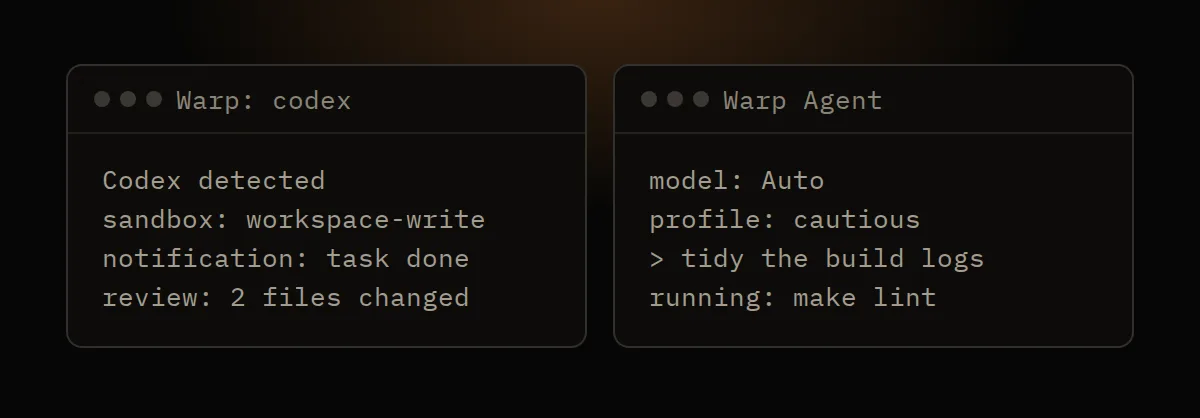
Codex is OpenAI's coding agent, included with ChatGPT plans, running in the ChatGPT desktop app, the open-source Codex CLI, editors, the cloud and your phone with OpenAI models. Warp is an agentic development environment: a modern terminal with its own Warp Agent, which can use models from OpenAI, Anthropic, Google and others, plus cloud agents. They overlap less than the names suggest. Warp supports the Codex CLI directly, adding notifications, a rich input editor, inline code review and remote control, so you can run Codex inside Warp. The choice is whether you want OpenAI's agent, Warp's agent, or both in one window.
Facts come from OpenAI's and Warp's documentation, read on 23 November 2026.
Codex and Warp at a glance
| OpenAI Codex | Warp | |
|---|---|---|
| What it is | A coding agent | A terminal and agentic development environment with the Warp Agent built in |
| Where it runs | ChatGPT desktop app, Codex CLI, IDE extension, Codex cloud, ChatGPT mobile | The Warp app, the Warp Agent CLI in any terminal, cloud agents |
| Models | OpenAI models | Models from OpenAI, Anthropic, Google, open providers, or Auto |
| How you pay | A ChatGPT plan, or an OpenAI API key | Free plan, or Build, Max and Business plans with included agent usage |
| Runs other agents | No | Yes: Codex, Claude Code, OpenCode and more |
| Open source | Codex CLI, Apache 2.0 | No |
What Codex is
Codex is OpenAI's coding agent. You describe an outcome and it reads the code, takes a step, checks the result and keeps going until it's done or needs you. Most people use it in the ChatGPT desktop app; it also runs as the Codex CLI in a terminal, as an extension for VS Code-based editors, as Codex cloud tasks and in the ChatGPT phone app. Its sandbox sets what it can touch, read-only, workspace-write or full access, and its approval policy sets when it asks first. It reads AGENTS.md files for your conventions.
Source: Codex app, OpenAI
Source: openai/codex, GitHub
Source: Sandboxing, OpenAI Codex docs
What Warp is
Warp started as a modern terminal and now calls itself an agentic development environment. Its Warp Agent works through multi-step tasks, running commands in a real terminal and reading the output, while you approve actions and review diffs. You can reach the same agent in the Warp app, in any terminal through the Warp Agent CLI with the warp command, or in the cloud as a cloud agent triggered by a schedule, CI or an integration. Agent profiles set autonomy, model and command permissions.
Source: Agents overview, Warp docs
Codex inside Warp
Warp gives third-party CLI agents first-class support. Run the Codex CLI in Warp and Warp detects it, adding a rich input editor with Ctrl-G, notifications when Codex finishes or needs your input, inline code review where you send comments to the agent, and Remote Control to steer the session from your phone. Notifications come from Warp's plugin for Codex; Warp shows an install chip in the terminal the first time, or you can add it yourself:
codex plugin marketplace add warpdotdev/codex-warp
codex plugin add warp@codex-warp
Source: Codex in Warp, Warp docs
Source: Third-party CLI agents, Warp docs
The main differences
Terminal versus agent
Warp is the window you work in; Codex is the agent doing the work. The Codex CLI runs in any terminal, and the ChatGPT desktop app needs no terminal at all. Warp is worth it if you want a terminal designed around agents, whichever agent you run.
Models
Codex runs OpenAI's models. The Warp Agent offers models from OpenAI, Anthropic, Google, z.ai and others, plus Auto, and lets you bring your own OpenAI, Anthropic or Google keys, so the Warp Agent can be your way to try other providers' models side by side with Codex.
Source: Models and usage in the Warp Agent CLI, Warp docs
Cloud
Codex cloud runs tasks in OpenAI's cloud and delivers changes you review, and you can start them from the ChatGPT phone app. Warp's Automation Platform runs cloud agents from triggers, schedules, CI and integrations, and lists Codex, Claude Code and the Warp Agent as harnesses in its cloud environments in beta.
Pricing: Codex vs Warp
| Codex (ChatGPT plans) | Warp | |
|---|---|---|
| Free | ChatGPT Free and Go: Codex in the desktop app, subject to rollout | Free: the terminal, Warp Agent CLI, pay-as-you-go agent usage, bring your own key |
| Individual | Plus: US$20 a month | Build: US$20 a month (US$18 billed annually), with US$20 of agent usage |
| Heavy use | Pro: US$100, US$200 or US$500 a month | Max: US$200 a month (US$180 annually), with US$200 of agent usage |
| Teams | Business: US$20 per user a month billed yearly, or US$25 monthly | Business: US$50 per user a month, or US$45 billed annually |
Source: Pricing, OpenAI ChatGPT and Codex docs
Source: Pricing, Warp
Running Codex inside Warp uses your ChatGPT plan, not Warp's agent usage, so a ChatGPT Plus user can use Warp's free plan as a terminal for Codex at no extra cost.
Which should you choose?
- You already pay for ChatGPT and want an agent across desktop, terminal, editor, cloud and phone: Codex.
- You want a terminal built around agents, with notifications and code review: Warp, with Codex inside it.
- You want one agent that switches between OpenAI, Anthropic and Google models: the Warp Agent.
- You want an open-source agent you can inspect and script: the Codex CLI.
Running Codex in Warp: a quick setup
- Install Warp and the Codex CLI, then open your project in Warp.
- Run codex and sign in with your ChatGPT account.
- Click Warp's install chip, or run the plugin commands above, then restart Codex.
- Keep Codex in workspace-write mode for everyday work, and review diffs in Warp's code review panel.
Watching every agent at once
Warp's notifications help inside Warp. When Codex and Claude Code sessions run across several machines and apps, 10u shows every session side by side under the goal it's working toward, marks the ones waiting on you, and lets you answer from one screen on your laptop or phone.

Questions people ask
- What is the difference between Codex and Warp?
- Codex is OpenAI's coding agent on ChatGPT plans. Warp is an agentic terminal with its own Warp Agent, which uses models from several providers, and it can run the Codex CLI with extra features.
- Can I use Codex in Warp?
- Yes. Warp detects the Codex CLI and adds a rich input editor, notifications, inline code review and Remote Control. Notifications need Warp's plugin for Codex.
- Does running Codex in Warp cost extra?
- No. Codex uses your ChatGPT plan, and Warp's free plan includes the terminal. Warp's included agent usage is for the Warp Agent.
- Does the Warp Agent use OpenAI models?
- Yes. It offers OpenAI models alongside Anthropic, Google and others, and you can bring your own OpenAI API key.
- Is Warp free?
- Warp has a free plan with the terminal, the Warp Agent CLI and pay-as-you-go agent usage. Build was US$20 a month on 23 November 2026.