
Claude Code MCP: how to add, manage and use MCP servers
MCP servers connect Claude Code to tools outside your code: GitHub, Figma, Jira, Sentry, your database and many more. Add one with a single command, claude mcp add --transport http <name> <url>, then run /mcp inside Claude Code to sign in and check it is connected. From then on you ask in plain English, such as "Review PR #456" or "What's our total revenue this month?", and Claude uses the server's tools to do it.
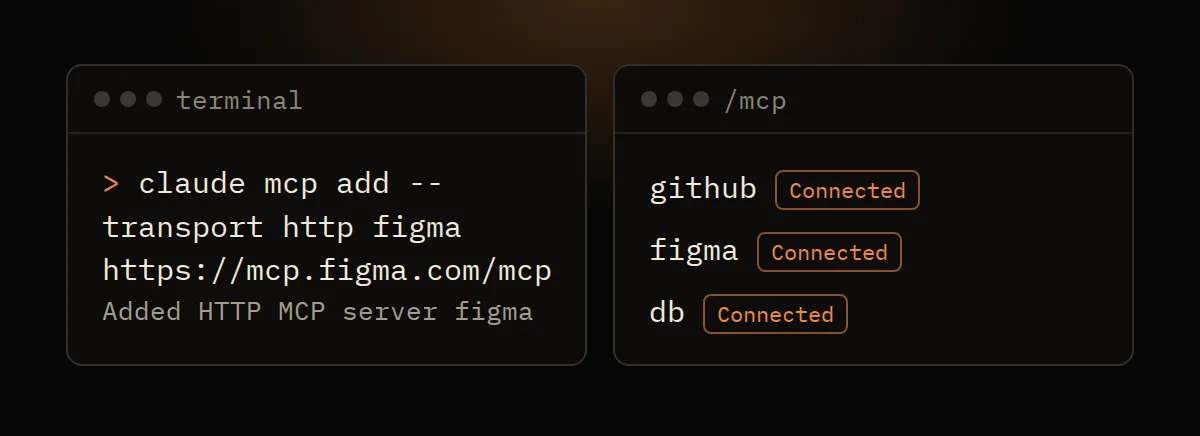
Source: Connect Claude Code to tools via MCP, Claude Code docs
What MCP does in Claude Code
MCP, the Model Context Protocol, is an open standard for connecting AI tools to outside data and services. Each MCP server offers Claude a set of tools. Anthropic's examples of what you can then ask:
- "Add the feature described in JIRA issue ENG-4521 and create a PR on GitHub."
- "Check Sentry and Statsig to check the usage of the feature described in ENG-4521."
- "Find emails of 10 random users who used feature ENG-4521, based on our PostgreSQL database."
- "Update our standard email template based on the new Figma designs that were posted in Slack."
- "Create Gmail drafts inviting these 10 users to a feedback session about the new feature."
An MCP server can also push messages into your session as a channel, so Claude reacts to Telegram messages, Discord chats or webhook events.
Source: Connect Claude Code to tools via MCP, Claude Code docs
Where to find Claude Code MCP servers
Browse reviewed connectors in the Anthropic Directory at claude.ai/directory; any remote server listed there can be added with claude mcp add. Many services also publish their own setup steps for Claude Code. Check you trust a server before connecting it: servers that fetch outside content can expose you to prompt injection, where text Claude reads tries to give it instructions.
Source: Connect Claude Code to tools via MCP, Claude Code docs
How to add an MCP server to Claude Code
Remote HTTP servers (recommended)
Most cloud services use HTTP, the recommended and most widely supported option:
claude mcp add --transport http notion https://mcp.notion.com/mcpIf the server needs a token, pass it as a header:
claude mcp add --transport http secure-api https://api.example.com/mcp --header "Authorization: Bearer your-token"Local stdio servers
Some servers run as a program on your own computer, which suits tools that need direct access to your system. Everything after the double dash is the command that starts the server; options for Claude Code, such as --env and --scope, go before it.
claude mcp add --env AIRTABLE_API_KEY=YOUR_KEY --transport stdio airtable -- npx -y airtable-mcp-serverOlder SSE servers
SSE is deprecated, but some services still only offer it. Recent versions of Claude Code try HTTP first and fall back by themselves, so the same http command usually works; otherwise pass --transport sse.
| Type | Runs | Use for |
|---|---|---|
| HTTP | On the service's servers | Most cloud services; supports sign-in with OAuth |
| stdio | On your computer | Local tools, scripts and databases |
| SSE | On the service's servers | Older services only; deprecated |
| WebSocket | On the service's servers | Servers that push events to Claude unprompted |
Source: Connect Claude Code to tools via MCP, Claude Code docs
Sign in to an MCP server
Many remote servers need you to sign in. Add the server, then type /mcp inside Claude Code, pick the server, choose Authenticate and finish in your browser. Claude Code stores the token securely and refreshes it automatically. Use Clear authentication in the /mcp menu to revoke access. If the browser does not open, copy the address it shows; if the redirect fails after signing in, paste the full address from your browser's address bar into Claude Code.
claude mcp add --transport http sentry https://mcp.sentry.dev/mcpClaude Code also shows a notice at startup when a server needs signing in. Scripted runs with claude -p cannot open a browser, so sign in once from an interactive session first.
Source: Connect Claude Code to tools via MCP, Claude Code docs
Manage your MCP servers
| Command | What it does |
|---|---|
| claude mcp list | List every server with its status: Connected, Needs authentication or Failed to connect |
| claude mcp get notion | Show details for one server |
| claude mcp remove notion | Remove a server and the sign-in it stored |
| /mcp | Inside Claude Code: see status and tool counts, sign in, reconnect, or turn a server off |
| claude mcp add-from-claude-desktop | Import servers you set up in the Claude desktop app |
| claude mcp add-json | Add a server from a JSON configuration |
To stop using a server without losing its settings, toggle it off in /mcp; it stays listed as disabled. Turning off servers you do not need is worth doing, because every connected server adds its tool names and instructions to Claude's context, even when you are not using it.
Source: Connect Claude Code to tools via MCP, Claude Code docs
MCP scopes: who gets the server
| Scope | Loads in | Shared with team | Stored in |
|---|---|---|---|
| Local (default) | This project only | No | ~/.claude.json |
| Project | This project only | Yes, through Git | .mcp.json in the project root |
| User | All your projects | No | ~/.claude.json |
Add --scope project to share a server with everyone on the repository through a .mcp.json file, or --scope user to have it in every project on your computer. For safety, Claude Code asks you to approve project servers from a .mcp.json before using them. If the same server is defined in more than one place, local wins over project, which wins over user.
claude mcp add --transport http hubspot --scope user https://mcp.hubspot.com/anthropicSource: Connect Claude Code to tools via MCP, Claude Code docs
Popular Claude Code MCP setups
GitHub
GitHub's remote server signs in with a personal access token, made in your GitHub token settings:
claude mcp add --transport http github https://api.githubcopilot.com/mcp/ --header "Authorization: Bearer YOUR_GITHUB_PAT"The command saves the settings without checking the token, so a wrong one only shows up later as a failed connection. Then ask: "Review PR #456 and suggest improvements", "Create a new issue for the bug we just found" or "Show me all open PRs assigned to me".
Source: Connect Claude Code to tools via MCP, Claude Code docs
Figma MCP in Claude Code
Figma's MCP server lets Claude Code read your designs, including components, variables and layout, generate code from selected frames, and write back to the canvas. Figma recommends installing its Claude Code plugin, which includes the server and Figma's skills:
claude plugin install figma@claude-plugins-officialRestart Claude Code, open /plugin, go to the Installed tab, select figma and sign in. If you cannot install plugins, add the remote server yourself and authenticate it through /mcp:
claude mcp add --transport http figma https://mcp.figma.com/mcpAdd --scope user to have it in all your projects. Figma also offers a desktop server for some organisations, which needs the Figma desktop app and a Dev or Full seat.
Source: Claude Code and Figma: set up the MCP server, Figma Help Center
PostgreSQL and other databases
DBHub is an MCP server that connects Claude to a database through a connection string. Anthropic recommends a read-only database user:
claude mcp add --transport stdio db -- npx -y @bytebase/dbhub --dsn "postgresql://readonly:[email protected]:5432/analytics"Check the db row in /mcp shows a tick, then ask: "Show me the schema for the orders table" or "Find customers who haven't made a purchase in 90 days".
Source: Connect Claude Code to tools via MCP, Claude Code docs
Use your claude.ai connectors
If you sign in to Claude Code with a claude.ai account, the connectors you added at claude.ai are available in Claude Code automatically. Add them at claude.ai under Customize, Connectors and sign in there; on Team and Enterprise plans only admins can add them. They then appear in /mcp.
Source: Connect Claude Code to tools via MCP, Claude Code docs
Build your own MCP server
Anthropic's official mcp-server-dev plugin has Claude build one for you. Install it, run its build skill, and Claude asks about your use case and sets up a remote HTTP or local stdio server.
/plugin install mcp-server-dev@claude-plugins-official/mcp-server-dev:build-mcp-server
Claude Code can also act as an MCP server itself, offering its own tools to other applications.
Source: Connect Claude Code to tools via MCP, Claude Code docs
Many agents, many tools
Once each project has its own MCP servers, it is common to have several Claude Code sessions going, each wired to different tools. 10u is an AI coding agent dashboard that shows every Claude Code and Codex session side by side, each in its real terminal, marked Needs you, Working, Waiting or Parked, so you see which one is stuck on a sign-in or waiting for your answer. They do the building. You decide what gets built.

Questions people ask
- How do I add an MCP server to Claude Code?
- Run claude mcp add --transport http <name> <url> in your terminal, for example claude mcp add --transport http notion https://mcp.notion.com/mcp. Then type /mcp in Claude Code to sign in and check it is connected.
- Where are Claude Code MCP servers stored?
- Local and user scope servers are saved in ~/.claude.json. Project scope servers go in a .mcp.json file in the project root, which you can commit to share with your team.
- How do I use the Figma MCP server with Claude Code?
- Figma recommends claude plugin install figma@claude-plugins-official, then signing in through /plugin. Or add it directly with claude mcp add --transport http figma https://mcp.figma.com/mcp and authenticate in /mcp.
- Why does my MCP server say Failed to connect?
- Claude Code could not reach or sign in to it. claude mcp list shows the error code after the status. Check the address and token, then reconnect or re-authenticate in /mcp.
- Do MCP servers use up context?
- Yes, a little. Each connected server adds its tool names and instructions to Claude's context even when unused, so turn off the ones you do not need in /mcp.