
Claude Code security: how it keeps your code safe, and how to scan for vulnerabilities
Claude Code security has two sides. The first is how Claude Code protects your machine while it works: permission modes decide what it may do without asking, a sandbox can fence in its shell commands, and several checks guard against prompt injection. The second is using Claude Code to find security holes in your own code, with /security-review, the security-guidance plugin and the Claude Security plugin. This guide covers both.
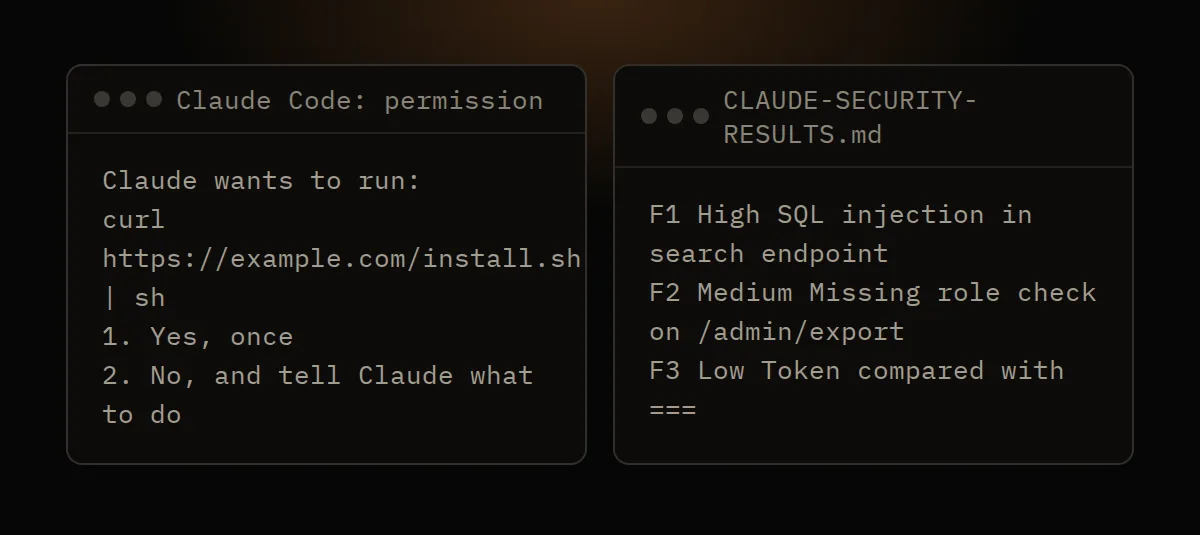
How Claude Code protects your machine
Claude Code is built under Anthropic's security program. Anthropic publishes its SOC 2 Type 2 report and ISO 27001 certificate on the Anthropic Trust Center. Inside a session, the protections start with permissions.
Permission modes
A permission mode sets which actions Claude can take without asking you first. Auto mode is the built-in starting mode for interactive terminal and VS Code sessions: a separate classifier model reviews actions in place of you and blocks the ones it judges unsafe. In Manual mode, Claude Code starts with read-only permissions and asks before it edits files, runs tests or executes commands, and you choose whether to allow an action once or from then on. Accept Edits mode approves file edits and a fixed set of file commands, such as mkdir, mv and cp, inside the working folder, and still asks for everything else.
The working folder boundary
In Manual mode, Claude Code asks before its file tools read or write outside the folder it was started in. That boundary is a permission prompt, not a wall: a shell command you approve can still write anywhere your user account can. To enforce the limit at the operating system level, turn on the sandbox.
The sandbox
The sandboxed Bash tool runs shell commands with filesystem and network isolation, so a command can only touch the folders and network addresses you allow. Configure it with /sandbox. For even more isolation, run the whole Claude Code process inside a dev container or a virtual machine.
Source: Claude Code security, Anthropic
Prompt injection protections in Claude Code
Prompt injection is when someone hides instructions in text Claude reads, such as a web page, an issue or a file, hoping Claude follows them instead of you. Claude Code has several defences:
- Network commands such as curl and wget ask for approval by default in Manual mode, and you can block them outright with a deny rule.
- Commands Claude Code cannot fully analyse prompt you, even when a broader allow rule such as Bash(git *) would otherwise match. Commands that match no rule need approval: matching fails closed.
- For most web fetches, a separate model call reads the page and Claude receives that call's answer, not the raw page.
- Starting Claude Code in a folder you have not trusted shows a workspace trust dialog, and MCP servers in a project's .mcp.json have their own approval prompt.
{"permissions": {"deny": ["Bash(curl *)", "Bash(wget *)"]}}
Anthropic's advice for untrusted content: review suggested commands before approving them, avoid piping untrusted content straight into Claude, check changes to critical files, use a virtual machine when scripts touch outside web services, and report anything suspicious with /feedback. No system is completely immune, so keep your own good habits too.
Source: Claude Code security, Anthropic
How Claude Code stores your credentials
API keys and login tokens are kept in the macOS Keychain when it is available. On Linux they are stored in a file only your user can read, with mode 0600, and on Windows in a file that inherits your user profile's access controls. On Windows, Anthropic also recommends against enabling WebDAV or letting Claude Code reach paths that may contain WebDAV folders, because Microsoft has deprecated WebDAV over security risks, and it can let Claude Code trigger network requests to remote hosts that bypass the permission system.
Source: Claude Code security, Anthropic
MCP servers and plugins
MCP servers give Claude new tools, and plugins can bundle hooks, MCP servers and other code. Both run with your permissions. Anthropic's advice is to write your own MCP servers or use ones from providers you trust, and to review a plugin before installing it. A plugin's hooks and background monitors run as shell commands with your full user permissions, and permission rules and the sandbox cover Claude's tool calls, not code a plugin runs by itself.
Source: Plugin security and trust, Anthropic
Cloud sessions and Remote Control
Cloud sessions, including Claude Code in the browser at claude.ai/code, run in an isolated virtual machine that Anthropic manages. Network access is limited by default. GitHub credentials are stored encrypted on Anthropic servers and never enter the session machine: the machine holds a short-lived credential scoped to that session, and GitHub traffic goes through an Anthropic proxy that rejects branch deletions and pushes of tags. Every operation is logged, and idle machines are reclaimed.
Remote Control works differently. The web page connects to a Claude Code process on your own computer, so code runs and files stay on your machine, and the session traffic travels over TLS through the Anthropic API.
Source: Claude Code security, Anthropic
Use Claude Code to find security issues in your code
Claude Code also includes tools that look for vulnerabilities in your code. They work at different stages, and Anthropic describes them as layers that sit alongside your existing scanners rather than replacing them.
| Stage | Tool | What it covers |
|---|---|---|
| While Claude writes code | security-guidance plugin | Common vulnerabilities in code Claude writes, fixed in the same session |
| On demand, one pass | /security-review | A one-time security pass over the changes on your current branch |
| On demand, deep scan | Claude Security plugin | A multi-agent scan of a repository or a diff, with independently reviewed findings and patches |
| On each pull request | Code Review (Team and Enterprise) | Multi-agent correctness and security review with full codebase context |
| Managed service | Claude Security (Enterprise) | Hosted scanning that watches connected repositories |
| In CI | Your static analysis and dependency scanners | Language rules, supply-chain checks and policy enforcement |
Source: Scan your codebase with the Claude Security plugin, Anthropic
The security-guidance plugin: catch issues as Claude writes
/plugin install security-guidance@claude-plugins-officialOnce installed, the plugin runs by itself, with nothing to invoke. It checks Claude's work at three points:
- On every file edit: a fast pattern match for risky calls such as eval(, os.system, pickle, dangerouslySetInnerHTML and .innerHTML =, and for edits to GitHub workflow files. There is no model call, so it adds no usage.
- At the end of each turn: a separate Claude review of the git diff of everything that turn changed, looking for problems a pattern cannot catch, such as authorisation bypass, insecure direct object references, injection, server-side request forgery and weak cryptography. It covers up to 30 changed files per turn.
- On each commit or push Claude makes: a deeper review that reads the surrounding code, callers and sanitisers to decide whether a finding is real. It is capped at 20 reviews an hour.
The reviews run as a separate Claude call with a fresh context, so Claude is not grading its own work. None of the layers block a write or a commit: findings go back to Claude as instructions to fix. You can add your own rules in plain language in .claude/claude-security-guidance.md, or as patterns in .claude/security-patterns.yaml:
# Security guidance for this repo- Do not log customer_id or account_number at INFO level or above.- All routes under /admin must call require_role("admin") before any database read.
The plugin needs Python 3.7 or later, and 3.10 or later for the deeper commit review. It is available on all plans. The model reviews count toward your usage and run on a Claude Opus model by default.
Source: Security guidance plugin, Anthropic
The Claude Security plugin: scan a whole codebase
/plugin install claude-security@claude-plugins-officialThe Claude Security plugin runs a multi-agent vulnerability scan inside your session. Agents map your architecture, build a threat model, hunt for vulnerabilities and independently check every finding before it reaches the report. Run /claude-security and pick Scan codebase, or scan just your branch, an open pull request or one commit, such as /claude-security scan my branch.
- Run /claude-security and choose Scan codebase.
- Pick the whole repository or a focused area, such as your API layer or your login code. On a large repository, scan one area at a time.
- Confirm. A scan can take a while and use a lot of tokens, and Claude Code must stay open while it runs.
- Read the report in the new CLAUDE-SECURITY folder: each finding has an ID, impact, exploit scenario, severity, confidence and a recommendation, with JSON and SARIF copies for other tools.
- Run /claude-security again and choose Suggest patches for the findings you want fixed. An independent agent reviews each patch, running your tests where they exist.
- Apply the patches you accept yourself, each in its own pull request.
git apply CLAUDE-SECURITY-<timestamp>/patches/F1.patchPatches are never applied automatically. Scan effort can be low, medium, the default, or high, which hunts harder in the same code. Scans are not deterministic, so two scans of the same code can find different things: run them regularly. The plugin needs a paid plan, Anthropic API access or a supported cloud provider, plus Python 3.9 or later, and git for change scans and patches.
Source: Scan your codebase with the Claude Security plugin, Anthropic
Claude Code security checklist
- Start sessions from a project folder you trust, not your home folder.
- Keep the default permission prompts for anything that touches the network or files outside the project, and add deny rules for commands you never want run.
- Turn on the sandbox, or use a dev container, for repositories you did not write.
- Review every plugin and MCP server before you install it.
- Audit your permission settings now and then with /permissions.
- For teams, enforce settings with managed settings, share approved permission files through version control, and monitor usage with OpenTelemetry metrics.
- Run the security-guidance plugin while you build, and a Claude Security scan before a big release.
If you find a security vulnerability in Claude Code itself, do not disclose it publicly. Report it through Anthropic's HackerOne program with clear steps to reproduce it, and give Anthropic time to fix it.
Source: Claude Code security, Anthropic
Security across many sessions
Permission prompts only protect you if someone answers them. When several sessions run at once, a prompt can sit unseen in a terminal you are not looking at. 10u is an AI coding agent dashboard that shows every Claude Code and Codex session side by side, each in its real terminal, marked Needs you, Working, Waiting or Parked, so a waiting prompt is never missed. They do the building. You decide what gets built.

Questions people ask
- Is Claude Code secure?
- Claude Code asks permission before risky actions by default, can sandbox its shell commands, stores credentials in the Keychain or a protected file, and is built under Anthropic's SOC 2 and ISO 27001 security program. You still review what it proposes.
- What is Claude Code Security?
- Claude Security is a Claude Code plugin, and a managed service for Enterprise plans, that scans a codebase for vulnerabilities with several agents and turns findings into patches you review.
- How do I run a security review in Claude Code?
- Run /security-review for a one-time pass over your branch, or install the Claude Security plugin and run /claude-security for a deeper scan.
- Does Claude Code protect against prompt injection?
- It has several defences, including permission prompts for network commands, fail-closed command matching, trust prompts for new folders and MCP servers, and summarised web pages. No system is completely immune.
- Where does Claude Code store my API key?
- In the macOS Keychain when available, in a file readable only by your user on Linux, and in a file protected by your user profile on Windows.