
Codex vs Gemini CLI: OpenAI's and Google's terminal coding agents compared
Codex and Gemini CLI are both open-source coding agents for the terminal, both under the Apache 2.0 licence: Codex from OpenAI, Gemini CLI from Google. The biggest difference in late 2026 is who can still use them. Codex comes with every paid ChatGPT plan and runs in a terminal, the ChatGPT desktop app, editors and the cloud. Gemini CLI stopped serving free users and Google AI Pro and Ultra subscribers on 18 June 2026, when Google moved personal accounts to a new tool, Antigravity CLI. Gemini CLI still works for organisations with Gemini Code Assist Standard or Enterprise and for paid Gemini API keys. So for most individuals the real choice today is Codex or Antigravity CLI; for a Google Cloud organisation it is still Codex or Gemini CLI.
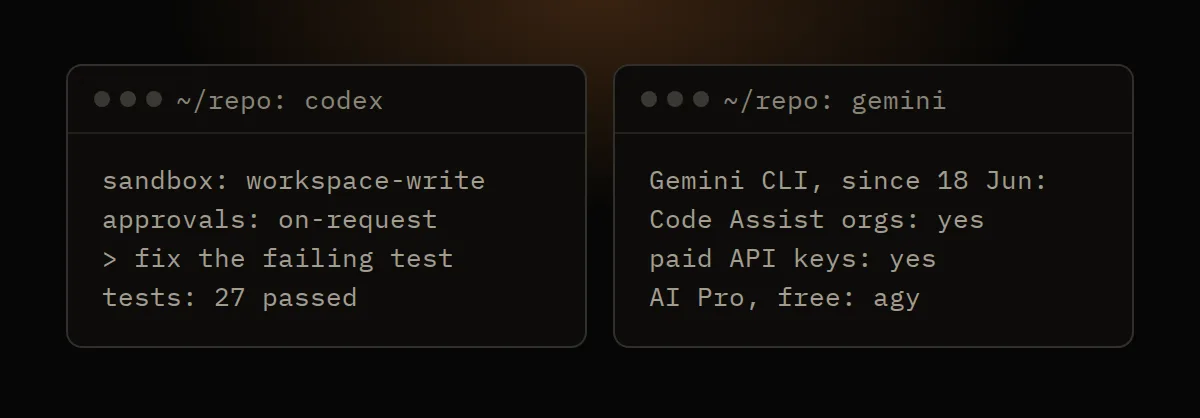
This page compares the two head to head: access, install, models, project instructions, tools, the sandbox, scripting, cloud work, updates and price, then covers moving from Gemini CLI to Codex. Facts come from OpenAI's and Google's own documentation and announcements, read on 23 November 2026.
Codex and Gemini CLI at a glance
| Codex | Gemini CLI | |
|---|---|---|
| Made by | OpenAI | |
| Licence | Open source, Apache 2.0, written in Rust | Open source, Apache 2.0 |
| Command | codex | gemini |
| Who can use it | Any ChatGPT plan with Codex, or an OpenAI API key | Gemini Code Assist Standard or Enterprise, Code Assist for GitHub on Google Cloud, paid Gemini API or Vertex keys |
| Where else it runs | ChatGPT desktop app, IDE extension, Codex cloud, ChatGPT mobile | A VS Code companion; personal accounts moved to Antigravity CLI |
| Models | OpenAI models such as GPT-6.1 Sol and GPT-6 Luna | Gemini models, chosen with -m |
| Project instructions | AGENTS.md | GEMINI.md |
| Safety controls | Sandbox modes plus approval policies | Sandboxing and trusted folders |
| Scripting | codex exec | gemini -p with JSON output |
| Cloud tasks | Codex cloud | No; local only |
What happened to Gemini CLI
Google announced the change on 19 May 2026. Its product team wrote that developers' needs had shifted toward several agents working together, and that it would focus on one product, Google Antigravity, with a new terminal tool called Antigravity CLI. Google said Antigravity CLI keeps Gemini CLI's most important features, including agent skills, hooks, subagents and extensions, which become Antigravity plugins, while warning that there would not be a one-to-one match for everything.
- From 19 May 2026, Antigravity CLI was available to everyone.
- On 18 June 2026, Gemini CLI and the Gemini Code Assist IDE extensions stopped serving requests for Google AI Pro and Ultra, and for free use through Gemini Code Assist for individuals.
- Gemini Code Assist for GitHub stopped taking new installations from that date.
- Organisations on Gemini Code Assist Standard or Enterprise, or Code Assist for GitHub through Google Cloud, keep their access.
- Gemini CLI still works with paid Gemini and Gemini Enterprise Agent Platform API keys.
Source: An important update: transitioning Gemini CLI to Antigravity CLI, Google for Developers
The Gemini CLI README now says the tool is not tuned for the Gemini 4 series, such as Gemini 4 Argon, and asks people not to use it to benchmark Gemini models because its harness produces unrepresentative scores. For Gemini 4 models and personal accounts, Google points to Antigravity CLI, run as agy.
Source: google-gemini/gemini-cli, GitHub
What Codex is
Codex is OpenAI's coding agent, included with ChatGPT plans. In the terminal you start it with codex in a project folder, describe what you want, and it reads your files, makes edits and runs the tools already on your computer, asking before it does anything outside the limits you set. The same agent, with the same ChatGPT sign-in, runs in the ChatGPT desktop app on macOS, Windows and Linux, in an extension for VS Code and VS Code-based editors, in Codex cloud and in the ChatGPT phone app.
Source: openai/codex, GitHub
Source: Codex app, OpenAI
- codex exec runs a task without the interactive screen, for scripts and CI.
- codex review checks uncommitted changes, a branch or a commit and reports findings without editing anything.
- codex resume and codex fork continue a session or branch it to try another approach.
- codex cloud sends a task to a cloud environment, and codex apply brings the result back to your files.
- codex mcp and codex plugin manage MCP servers, plugins and plugin marketplaces.
- codex doctor writes a diagnostic report on installation, sign-in, git and terminal health.
What Gemini CLI is
Gemini CLI is Google's open-source terminal agent for Gemini models. It comes with file system, shell, web fetch and web search tools, connects to MCP servers declared in ~/.gemini/settings.json, and supports custom commands and extensions. It has checkpointing to save and resume conversations, token caching, sandboxing, and trusted folders that control what can run in each folder. It reads GEMINI.md context files for standing instructions, and a VS Code companion connects it to the editor.
For organisations that pay for Gemini Code Assist through Google Cloud, it remains a supported, actively released tool. For everyone else, it is a capable open-source agent that now needs a paid API key to run.
Install and sign in
# Codex CLI
curl -fsSL https://chatgpt.com/codex/install.sh | sh      # macOS and Linux
npm install -g @openai/codex                             # any system
brew install --cask codex                                # Homebrew

# Gemini CLI
npx @google/gemini-cli                                   # run without installing
npm install -g @google/gemini-cli                        # any system
brew install gemini-cli                                  # macOS and Linux
Codex also has a Windows installer for PowerShell. On first run you choose Sign in with ChatGPT, an API key or another method; running the install command again updates it, and codex update applies updates where your install supports it. Gemini CLI can also be installed with MacPorts, or inside an Anaconda environment on locked-down machines. Its sign-in options are Sign in with Google, which for a paid Code Assist licence needs your Google Cloud project set, a Gemini API key or Vertex AI credentials.
In practice the sign-in decides the choice for many people. If you have a personal Google account or Google AI Pro, Gemini CLI will no longer serve your requests; Codex works with any ChatGPT plan that includes it, from Plus upward for the CLI.
Models
Codex runs OpenAI's models. On ChatGPT Plus that includes GPT-6.1 Sol and GPT-6 Luna, with more models and higher limits on Pro. You choose the model and how hard it reasons for each task, and OpenAI publishes estimates of how many local messages each model allows per five-hour window on each plan.
Gemini CLI runs Gemini models, chosen with -m, for example gemini -m gemini-2.5-flash, and a Gemini API key gives precise control over which model is used. Google's own guidance is to use Antigravity CLI rather than Gemini CLI for the Gemini 4 series. If the newest Gemini models are what you want, Gemini CLI is no longer the route Google recommends.
Project instructions: AGENTS.md and GEMINI.md
Both tools read markdown files of standing instructions from your project. Codex reads AGENTS.md files, in your home folder and in your repository, layered so that more specific folders can add or override rules. Gemini CLI reads GEMINI.md context files, with a global ~/.gemini/GEMINI.md and per-project files. The contents are the same kind of thing: conventions, test commands, folders to avoid and how to describe changes.
Source: AGENTS.md, OpenAI Codex docs
If you use more than one agent, AGENTS.md is the more portable choice. Codex reads it, Antigravity CLI reads both GEMINI.md and AGENTS.md unchanged after a migration, and Claude Code can import it. Keeping one AGENTS.md as the source of truth saves maintaining the same rules in several files.
Tools, MCP and extending each one
| Codex | Gemini CLI | |
|---|---|---|
| Built-in tools | Files, shell commands, web search, images | Files, shell, web fetch, web search |
| MCP servers | codex mcp add, list and sign in | Declared in ~/.gemini/settings.json |
| Reusable procedures | Skills, loaded only when a task needs them | Custom commands |
| Packaging | Plugins and plugin marketplaces | Extensions |
| Parallel work | Subagents, cloud tasks | Single session |
| Resume | codex resume, codex fork | Checkpointing |
Both connect to the same MCP servers, so a GitHub, database or documentation server you use with one will usually work with the other. Codex leans further toward packaged, shareable setups: skills that load on demand, plugins your team can distribute through a marketplace, and subagents for splitting a large investigation. Gemini CLI's extension system fills a similar role, and those extensions convert into Antigravity plugins if you move to Antigravity CLI.
Sandbox and approvals
Codex separates two questions. The sandbox decides what is technically possible: which files commands can change and whether they can reach the network. The approval policy decides when Codex must stop and ask. The sandbox covers every command Codex starts, not just its own edits, so git, your package manager and your test runner get the same limits.
| Codex sandbox mode | What it allows | When to use it |
|---|---|---|
| read-only | Read files and run read-only commands; no edits without approval | Exploring, reviewing, untrusted repositories |
| workspace-write | Edit inside the project and run local commands there; network off by default | Everyday work, and the default in a git folder |
| danger-full-access | No sandbox at all | Only in a container or machine you can throw away |
Source: Sandboxing, OpenAI Codex docs
Gemini CLI offers sandboxing and trusted folders, which control whether the agent can execute in a given folder. Both tools let you loosen controls for trusted work and tighten them for untrusted code. Codex's split between sandbox and approval policy, with on-request, never and granular approvals, gives finer control for unattended runs in CI.
Scripting and automation
Both are built to run from scripts as well as interactively. Codex uses codex exec, with the same sandbox and approval flags as an interactive session. Gemini CLI uses gemini -p, returns structured output with --output-format json, and streams newline-delimited JSON events with --output-format stream-json for long-running jobs.
# Codex: one task, no interactive screen, read-only and never asking
codex exec --sandbox read-only --ask-for-approval never \
  "Summarize the failing tests in this repository"

# Gemini CLI: one prompt, structured output for a script to read
gemini -p "Summarize the failing tests in this repository" \
  --output-format json
For CI, the safest pattern on either is read-only and non-interactive: let the agent read the repository and report, and keep any write step behind a human review. Codex's codex review is also useful here, because it checks a branch or commit and reports findings by priority without changing files.
Cloud work
Codex has a cloud side; Gemini CLI does not. Codex cloud runs tasks in a cloud environment that keeps going after you close the laptop. You can start one from the ChatGPT desktop app, the web, the IDE extension, your phone or the CLI with codex cloud, and pull the result into your local repository with codex apply. Gemini CLI is a local tool: it works while your terminal session is open on your machine. Google's multi-agent and cloud direction now sits in Antigravity rather than Gemini CLI.
Updates and release channels
Gemini CLI ships on three npm tags. Preview releases come out every Tuesday at 23:59 UTC and may contain regressions; stable releases come out every Tuesday at 20:00 UTC and promote the previous week's preview plus fixes; nightly builds come out daily from the main branch. Codex updates when you rerun its installer or run codex update, and Homebrew and npm installs update through those package managers.
Codex beyond the terminal
A practical difference that gets overlooked in a terminal-to-terminal comparison is everything around the CLI. Codex is one agent with several front doors, all on the same ChatGPT sign-in. The ChatGPT desktop app is where most people now use it: choose Codex, open a project folder and work in a window rather than a terminal, with several projects side by side. The IDE extension puts Codex beside your code in VS Code, Cursor, Windsurf and other VS Code-based editors. The ChatGPT phone app lets you start tasks, approve actions and review work away from your desk. And a cloud task started from any of these can be picked up from the others.
Gemini CLI is deliberately a terminal tool, with a VS Code companion that connects it to the editor. Google's broader desktop, multi-agent and cloud work now lives in Antigravity, so if you want a Google agent outside the terminal, that is where to look.
Gemini CLI on Google Cloud: who it still suits
For an organisation that already runs on Google Cloud and pays for Gemini Code Assist Standard or Enterprise, Gemini CLI remains a sensible tool. It is supported, released every week, open source, and billed through a licence the company already holds. Teams that prefer Gemini models for their codebase, rely on Vertex AI for data residency or governance, or have built scripts around gemini -p have no reason to rush off it. The case for switching is strongest for individuals, who lost access in June, and for teams that want desktop, cloud and mobile access from one agent.
Security and data
Both agents run commands on your machine with your permissions, so the controls matter. Codex's sandbox applies to every command it starts, and its approval policy decides when it must ask; run it read-only on code you don't trust, and keep danger-full-access for throwaway machines. Gemini CLI's sandboxing and trusted folders do a similar job by folder. On either, keep secrets out of prompts and instruction files, review diffs before committing, and treat web pages and documents the agent reads as untrusted input. For company use, ChatGPT Business and Enterprise and Gemini Code Assist Standard and Enterprise each publish their own admin controls and data terms, which are worth reading before connecting production repositories.
Pricing: Codex vs Gemini CLI
Neither tool charges for the software itself; both are open source. What you pay for is access to the models behind them.
| Codex | Gemini CLI | |
|---|---|---|
| Free route | ChatGPT Free and Go include Codex in the desktop app only, subject to rollout | None for individuals since 18 June 2026 |
| Individual | ChatGPT Plus, US$20 a month, includes the CLI | A paid Gemini API key, billed per token |
| Heavy use | ChatGPT Pro at US$100, US$200 or US$500 a month | Higher API spend |
| Organisations | ChatGPT Business, US$20 per user a month billed yearly or US$25 monthly; Enterprise by quote | Gemini Code Assist Standard or Enterprise licences |
| Pay per token | An OpenAI API key, for the CLI and IDE extension only | Gemini API or Vertex AI keys |
Source: Pricing, OpenAI ChatGPT and Codex docs
For an individual, the comparison is now simple: Codex on a ChatGPT plan gives a predictable monthly price with an allowance, while Gemini CLI means paying per token through an API key. For an organisation already on Gemini Code Assist, Gemini CLI comes with the licence it already pays for.
Codex vs Gemini CLI feature by feature
| Feature | Codex | Gemini CLI |
|---|---|---|
| Open source | Yes | Yes |
| Personal Google or ChatGPT account | Yes, with a ChatGPT plan | No, since 18 June 2026 |
| Desktop app | ChatGPT desktop app | No |
| Editor | VS Code and VS Code-based editors | VS Code companion |
| Cloud tasks | Codex cloud | No |
| Mobile | ChatGPT phone app | No |
| Instructions file | AGENTS.md | GEMINI.md |
| MCP | Yes | Yes |
| Skills and plugins | Yes | Custom commands and extensions |
| Subagents | Yes | No |
| Non-interactive runs | codex exec | gemini -p |
| Code review command | codex review | No dedicated command |
Which should you choose?
- You're an individual with a personal Google account or Google AI Pro or Ultra: Gemini CLI no longer serves you. Choose Codex, or compare Antigravity CLI.
- You already pay for ChatGPT Plus, Pro or Business: Codex, at no extra cost.
- Your organisation pays for Gemini Code Assist Standard or Enterprise: Gemini CLI still works and is supported, so choose on model preference and workflow.
- You want one agent across terminal, desktop app, editor, cloud and phone: Codex.
- You want to pay strictly per token with no subscription: either, with an API key; Gemini CLI if you prefer Gemini models.
- You want the newest Gemini 4 models: Google points to Antigravity CLI rather than Gemini CLI.
Questions to settle before you decide
- Which account will you sign in with? A personal Google account rules out Gemini CLI; a ChatGPT plan below Plus rules out the Codex CLI.
- Do you need the agent outside the terminal, in a desktop app, an editor panel, the cloud or on your phone? That points to Codex.
- Does your company already pay for Gemini Code Assist or ChatGPT Business? Use what is already licensed before adding a second bill.
- Which models do you prefer for your codebase? Try the same three real tasks on each and compare the diffs, not the marketing.
- Will you run it unattended in CI? Check how each tool's sandbox and approval settings behave with no human present.
- Do you want monthly pricing with an allowance, or pay per token? Plans suit steady daily use; API keys suit occasional or scripted use.
Moving from Gemini CLI to Codex
If Gemini CLI stopped working for you in June, moving to Codex takes about ten minutes for a typical project. The main work is carrying over your instructions and MCP servers.
- Install Codex and sign in with your ChatGPT plan.
- Copy the useful parts of GEMINI.md into AGENTS.md at the repository root, and do the same for your global instructions.
- Re-add each MCP server from ~/.gemini/settings.json with codex mcp add.
- Turn frequently used custom commands into Codex skills.
- Start Codex in the project, ask it to describe the project and the rules it has read, and fix anything it misread.
- Run one small, real task in the default workspace-write mode and review the diff before committing.
# Move standing instructions to the shared file both tools read
git mv GEMINI.md AGENTS.md        # or copy the useful parts across

# Re-add MCP servers in Codex
codex mcp add <name> -- <command>

# Check the new setup
codex
> Tell me about this project and the rules in AGENTS.md
Moving to Antigravity CLI instead
If you'd rather stay with Google, Antigravity CLI is the official successor. The first time you run agy on a machine with Gemini CLI settings, it detects them, offers a checklist of what to bring across, and moves session tokens into the system keyring. Extensions convert to plugins with agy plugin import gemini, MCP servers move into a separate mcp_config.json, workspace skills move from .gemini/skills to .agents/skills by hand, and GEMINI.md and AGENTS.md keep working unchanged. Some custom terminal themes and experimental visual overlays may not carry over.
Source: Migrate from Gemini CLI, Google Antigravity docs
Source: Getting started, Google Antigravity docs
One instruction file for both
Whichever you choose, a short instruction file does more for result quality than any setting. Here is an AGENTS.md that works for Codex directly and for Gemini CLI if you copy it into GEMINI.md or reference it from there.
# AGENTS.md

## Project
A Node.js API with a Postgres database. Code in src/, tests in test/.

## Commands
- Install: npm ci
- Test: npm test (must pass before you finish)
- Lint: npm run lint

## Rules
- Never edit migrations that have already run; add a new one.
- Do not touch .env files or anything in secrets/.
- Keep changes small and explain them in plain words.
Common problems and fixes
| Problem | Likely cause | Fix |
|---|---|---|
| Gemini CLI returns errors for a personal account | Personal and Google AI Pro access ended on 18 June 2026 | Use Antigravity CLI, a paid API key, or switch to Codex |
| Codex asks for approval on every command | The folder isn't under git, so it started read-only | Run git init, or start with --sandbox workspace-write |
| Codex can't install a package | Network is off in workspace-write by default | Approve the request when it asks |
| Instructions are ignored | Wrong file name or location | AGENTS.md for Codex, GEMINI.md for Gemini CLI, at the repository root |
| MCP server missing after switching | Servers are configured per tool | Re-add it with codex mcp add, or in Gemini's settings.json |
| Something broke after an update | A preview or nightly build, or a stale install | Gemini: install @latest; Codex: run codex doctor, then codex update |
A day with each
With Codex, you start in the terminal with codex in a git folder, so it opens in workspace-write mode with on-request approvals. You ask it to fix a failing test, watch it run the suite, read the diff with /diff and ask for /review before committing. After lunch you send a larger refactor to Codex cloud from the desktop app, and check the result from your phone between meetings. A nightly CI job runs codex exec read-only to summarise new failures.
With Gemini CLI on a Code Assist licence, you start gemini in the project, ask it about an unfamiliar module and let it read the code and search the docs. It proposes a fix, you approve the shell commands it wants to run in a trusted folder, and checkpointing lets you return to the conversation tomorrow. A CI job runs gemini -p with JSON output so a script can post the summary to your chat.
Using both
Teams on Google Cloud often keep Gemini CLI for work that benefits from Gemini models and Codex for everything else. Keep shared rules in AGENTS.md, point GEMINI.md at it or copy the essentials, use the same MCP servers in both, and give each agent its own git worktree when they work at the same time.
Watching several agents at once
Once Codex, Gemini CLI or Antigravity and Claude Code are all running on the same project, the terminals pile up and it's easy to miss the one waiting for approval. 10u shows every Codex and Claude Code session side by side under the goal it's working toward, marks the ones waiting on you, and lets you answer from one screen on your laptop or phone.

Questions people ask
- What is the difference between Codex and Gemini CLI?
- Both are open-source terminal coding agents under Apache 2.0. Codex is OpenAI's, comes with ChatGPT plans and also runs in a desktop app, editors and the cloud. Gemini CLI is Google's, runs Gemini models, and since 18 June 2026 serves only Gemini Code Assist organisations and paid API keys.
- Can I still use Gemini CLI for free?
- No. On 18 June 2026 Gemini CLI stopped serving free users and Google AI Pro and Ultra subscribers. Google moved personal accounts to Antigravity CLI. Gemini CLI still works with Code Assist Standard or Enterprise and paid API keys.
- Is Codex free?
- Partly. ChatGPT Free and Go include Codex in the desktop app, subject to rollout. The Codex CLI needs ChatGPT Plus or above, or an OpenAI API key.
- Is Codex better than Gemini CLI?
- For most individuals Codex is now the practical choice, because Gemini CLI no longer serves personal accounts. For a Google Cloud organisation on Code Assist, both are capable and the choice comes down to models and workflow.
- How do I move from Gemini CLI to Codex?
- Install Codex, copy GEMINI.md into AGENTS.md, re-add your MCP servers with codex mcp add, turn custom commands into skills, then test with one small task.
- What replaced Gemini CLI?
- Google's Antigravity CLI, run as agy. It imports Gemini CLI settings, converts extensions into plugins and keeps GEMINI.md and AGENTS.md working unchanged.