
Cursor vs Claude Code: an AI editor or a terminal agent?
Cursor is an AI code editor: you work in its editor and hand tasks to its agent in a side panel, choosing from models by several companies. Claude Code is Anthropic's coding agent: it started in the terminal, also runs in your editor, a desktop app and the browser, and uses Claude models. Pick Cursor if you want AI built into the editor you work in all day; pick Claude Code if you want an agent that works on its own while you use whatever editor you like. Many developers use both, and Claude Code even has an extension that runs inside Cursor.
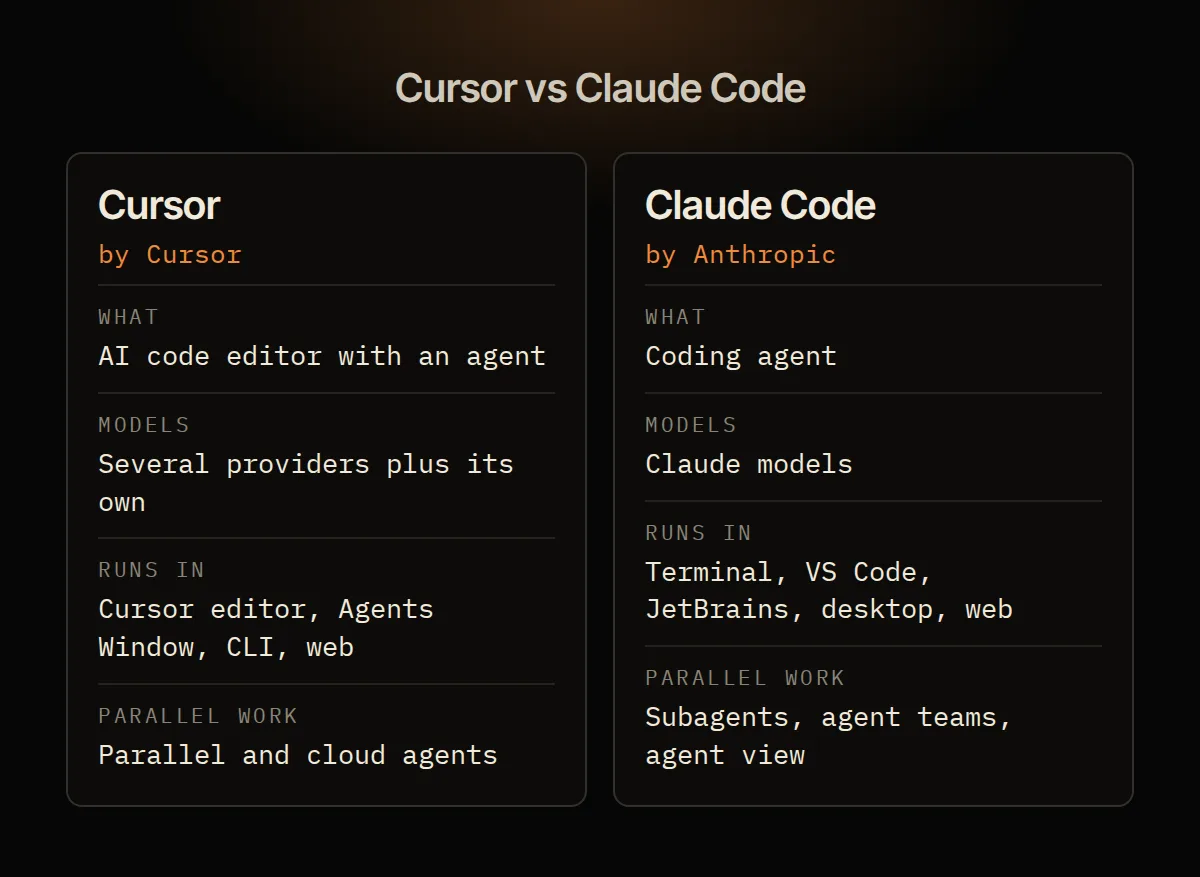
Cursor and Claude Code at a glance
| Cursor | Claude Code | |
|---|---|---|
| Made by | Cursor | Anthropic |
| What it is | An AI code editor with a built-in agent | A coding agent that reads your code, edits files and runs commands |
| Where you use it | The Cursor editor, the Agents Window, a CLI, the web and iOS | Terminal, VS Code and JetBrains extensions, a desktop app and the web |
| Models | Models from Anthropic, OpenAI, Google, xAI and Cursor's own | Claude models |
| Parallel agents | Parallel agents in the Agents Window, with worktrees and cloud agents | Subagents, agent teams and background sessions in agent view |
| Cloud | Cloud agents in their own VMs | Cloud sessions from the desktop app and the web |
| Customising | Rules, skills, hooks and MCP | CLAUDE.md, skills, hooks, plugins, subagents and MCP |
What Cursor is
Cursor is a code editor with AI throughout. Its Agent, opened in the side pane with Cmd+I, can complete complex tasks on its own, run terminal commands and edit code. Cursor describes an agent as three parts: instructions (its system prompt plus your rules), tools such as file editing, codebase search and the terminal, and the model you pick. Cursor tunes the instructions and tools for each model it supports, and there is no limit on the number of tool calls Agent can make in a task.
For larger work, such as a feature or a migration, a Cursor Project has a coordinator agent plan the work and hand pieces to other agents.
Source: Cursor Agent, Cursor docs
The Agents Window
Cursor's Agents Window is its agent-first view, separate from the classic editor, and you can have both open at once. It brings together work across several projects, a diffs view for reviewing, committing and managing pull requests, parallel agents in the cloud, handoff between local and cloud agents, cloud subagents you start with /in-cloud, and worktrees so each task has its own Git checkout.
Source: Agents Window, Cursor docs
Cloud agents and the CLI
Cursor's cloud agents run in isolated virtual machines with full development environments. You can run as many as you want in parallel, they do not need your computer to be online, and they can build, test and use a desktop and browser to check their work. You can start them from the Cursor desktop app, cursor.com/agents, the iOS app, Slack, Linear, or an @cursor comment on a GitHub or Bitbucket pull request or issue.
Cursor also has a CLI. You install it with one command and run agent in a terminal for an interactive session, or use its print mode in scripts and CI.
Source: Cloud Agents, Cursor docs
Source: Cursor CLI, Cursor docs
What Claude Code is
Claude Code is Anthropic's agentic coding tool. It reads your codebase, edits files, runs commands and works with your development tools. It runs in several places: the full-featured CLI in your terminal, extensions for VS Code and JetBrains, a desktop app for macOS, Windows and Linux (in beta on Ubuntu and Debian) that runs several sessions side by side and starts cloud sessions, and the web. Most of these need a Claude subscription or an Anthropic Console account.
Claude Code's VS Code extension also installs in Cursor, so you can run Claude Code inside Cursor's editor.
Source: Claude Code overview, Anthropic
Source: Claude Code for VS Code, Anthropic
How Claude Code handles bigger jobs
- Subagents: helpers with their own context and tools that do side jobs and report back, so the main conversation stays focused.
- Agent teams: an experimental mode where a lead session spawns teammates that share a task list and message each other.
- Agent view: one screen, opened with claude agents, for every background session and what each one needs from you.
- Plan mode: Claude researches and proposes a plan before it edits anything.
- Hooks, skills and plugins: your own checks, reusable know-how and shareable bundles of commands and agents.
Source: Orchestrate teams of Claude Code sessions, Anthropic
The main differences
Editor first or agent first
Cursor is built around the editor. You see your code, the AI suggests and edits in place, and the agent works in a panel beside you. Claude Code is built around the agent. You describe the job, it works through it, and you review the result in your own editor, a diff view or a pull request. If you like to stay hands-on with every line, Cursor's shape may suit you better; if you like to hand off whole tasks and check back, Claude Code's may.
Choice of models
Cursor lets you choose models from several companies, including Anthropic's Claude models, OpenAI's GPT models, Google's Gemini models, xAI's Grok and Cursor's own Composer. Claude Code uses Anthropic's Claude models. If you want to switch between providers inside one tool, Cursor does that; if you want the tool built by the company that makes the model, Claude Code is Anthropic's own.
Running many agents
Both now run agents in parallel. Cursor does it in the Agents Window, with worktrees for local agents and cloud agents in their own VMs. Claude Code does it with subagents inside a session, agent teams, worktrees from claude --worktree, and agent view for background sessions. Both can hand work to the cloud.
Where your work lives
Cursor is your editor, so moving to it means moving your editing setup. Claude Code works alongside whatever editor you already use, including Cursor itself, Vim or JetBrains, because its home is the terminal.
Customising
Both support MCP servers for outside tools, hooks for your own checks, and skills. Cursor has four kinds of rules: project rules as .mdc files in .cursor/rules, user rules, team rules managed from a dashboard on Team and Enterprise plans, and AGENTS.md as a simpler alternative. Claude Code uses CLAUDE.md files, and reads AGENTS.md if your repository has one and no CLAUDE.md, so one AGENTS.md can serve both. Claude Code also has plugins, so a team can share commands, agents and hooks as one install.
Planning before building
Both plan before they code if you ask. Cursor's Plan Mode, which you reach with Shift+Tab from the chat input, asks clarifying questions, researches your codebase and writes a plan you can edit in chat or as Markdown before you click to build it; Cursor also suggests it when a request looks complex. Claude Code's plan mode has Claude research and propose a plan before it edits anything, using its built-in Plan subagent for the research.
Code review
Cursor has two review tools. Agent Review runs a dedicated review of your local changes inside Cursor. Bugbot reviews pull requests for bugs, security issues and code quality problems, automatically on every pull request update or when someone comments cursor review or bugbot run, and reads earlier comments so it does not repeat itself. Both read repository rules from BUGBOT.md files. With Claude Code, you ask it to review a branch, or run automated pull request reviews through Claude Code in GitHub Actions.
Worktrees for parallel agents
In Cursor's Agents Window, starting or moving an agent into a worktree gives it a separate checkout, so several agents can work on one repository without conflicts. A .cursor/worktrees.json file can run setup commands for each new worktree, with separate scripts for macOS and Linux if needed. Claude Code's claude --worktree does the same job from the terminal, creating a folder under .claude/worktrees on its own branch.
Source: Plan Mode, Cursor docs
Source: Bugbot, Cursor docs
Source: Worktrees, Cursor docs
Cursor and Claude Code feature by feature
| Feature | Cursor | Claude Code |
|---|---|---|
| Plan before building | Plan Mode (Shift+Tab) | Plan mode |
| Review local changes | Agent Review | Ask Claude Code for a review |
| Pull request review | Bugbot | Claude Code in GitHub Actions |
| Parallel agents | Agents Window with worktrees | Subagents, agent teams, claude --worktree, agent view |
| Runs while your computer is off | Cloud agents | Cloud sessions |
| Project instructions | .cursor/rules and AGENTS.md | CLAUDE.md and AGENTS.md |
| Scripts and CI | CLI print mode | claude -p |
How to choose
- You want AI inside the editor you work in all day, with tab-style help and an agent beside your code: Cursor.
- You want to hand whole tasks to an agent and keep your current editor: Claude Code.
- You want to pick models from several companies in one tool: Cursor.
- You already pay for a Claude plan and want Anthropic's own tool: Claude Code.
- You want agents running in the cloud while your computer is off: both can; Cursor's cloud agents start from Slack, Linear and GitHub as well.
A day with each
In Cursor, you spend the day in the editor. You press Shift+Tab to have the agent plan a new settings page, edit the plan, and let it build while you read the diff as it lands. Two smaller fixes go to agents in their own worktrees from the Agents Window, a longer migration goes to a cloud agent, and Bugbot comments on the pull request before a teammate looks at it.
With Claude Code, you spend more of the day directing. You start a session in the terminal, ask for a plan, approve it, and Claude works through the change and runs the tests. A second session in its own worktree takes the migration, a subagent explores an unfamiliar module, and agent view tells you which session is waiting for an answer. You review each diff in whatever editor you like, Cursor included.
Using Cursor and Claude Code together
They are not either-or. A common setup is Cursor as the editor, with Claude Code running in Cursor's terminal or through the Claude Code extension, which installs in Cursor. You edit and review in Cursor and hand bigger tasks to Claude Code. Each tool counts against its own plan, so running both also spreads your work over two allowances.
If you do this, keep one set of project instructions. Claude Code can read AGENTS.md, so shared conventions can live there, with a short CLAUDE.md for anything Claude-only. And give each agent its own worktree when two of them work at the same time, so they never edit the same files.
Keeping track of every agent
Once you run Claude Code alongside other agents, the hard part is knowing which one has stopped to ask you something. 10u is an AI coding agent dashboard that runs every Claude Code and Codex session side by side, each in its real terminal, marked Needs you, Working, Waiting or Parked, so the agent waiting on you is always on top. They do the building. You decide what gets built.

Questions people ask
- Can Cursor review pull requests like Claude Code?
- Cursor's Bugbot reviews pull requests automatically on every update or when you comment cursor review. Claude Code reviews pull requests through Claude Code in GitHub Actions or when you ask it in a session.
- Does Cursor read AGENTS.md?
- Yes. Cursor supports AGENTS.md as a simpler alternative to its .cursor/rules files, and Claude Code reads AGENTS.md when there is no CLAUDE.md, so one file can guide both.
- Is Cursor better than Claude Code?
- They suit different ways of working. Cursor is an AI code editor with an agent beside your code; Claude Code is an agent that works through tasks on its own in the terminal, your editor, a desktop app or the web.
- Can I use Claude Code in Cursor?
- Yes. Claude Code's VS Code extension installs in Cursor, and you can also run claude in Cursor's terminal.
- Does Cursor use Claude?
- Cursor offers Anthropic's Claude models among others, including OpenAI, Google and xAI models and its own.
- Do Cursor and Claude Code both run agents in parallel?
- Yes. Cursor has parallel and cloud agents in its Agents Window; Claude Code has subagents, agent teams and background sessions in agent view.
- Do I need both?
- No, but many developers use Cursor as their editor and Claude Code for bigger tasks, since each counts against its own plan.