
Claude Code memory: how Claude remembers your project
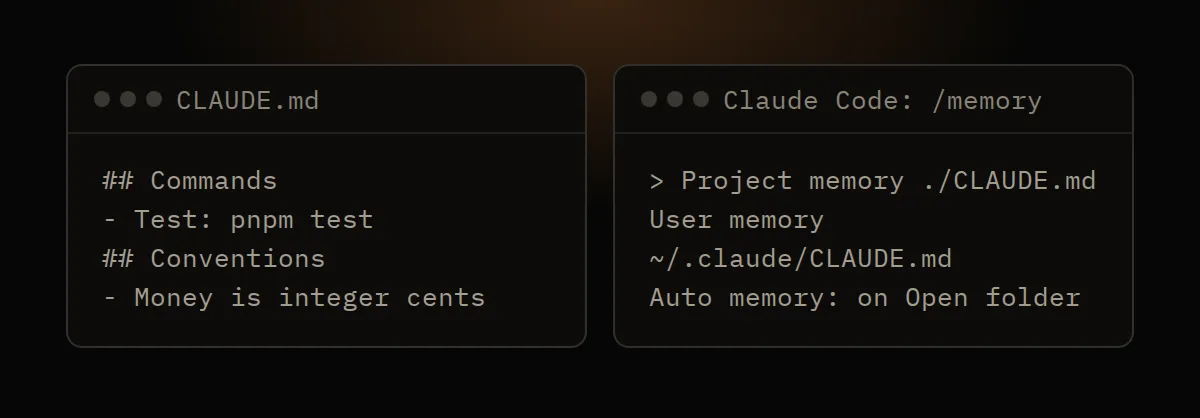
Claude Code memory is how Claude carries knowledge from one session to the next, because every session starts with a fresh context window. There are two kinds. CLAUDE.md files are instructions you write, loaded at the start of every session. Auto memory is notes Claude writes for itself in ~/.claude/projects/<project>/memory/, based on your corrections and preferences, with an index file called MEMORY.md. Run /memory in a session to see and edit both.
The two kinds of Claude Code memory
| CLAUDE.md files | Auto memory | |
|---|---|---|
| Who writes it | You | Claude |
| What it holds | Instructions and rules | Learnings and patterns |
| Scope | Project, user or organisation | One repository, shared across its worktrees |
| When it loads | Every session | Sessions with auto memory on: the first 200 lines or 25KB of MEMORY.md |
| Use it for | Coding standards, workflows, project architecture | Your preferences, corrections you give Claude, context Claude cannot work out from the code |
Both are context, not enforced configuration. Claude reads them and tries to follow them, but nothing forces it to. If something must never happen whatever Claude decides, such as editing a protected folder, block it with a PreToolUse hook or a permission rule instead. The more specific and concise your instructions, the more consistently Claude follows them.
Source: How Claude remembers your project, Anthropic
CLAUDE.md files
A CLAUDE.md is a plain markdown file of instructions. Anthropic's advice is to treat it as the place you write down what you would otherwise re-explain. Add to it when Claude makes the same mistake a second time, when a code review catches something Claude should have known about the codebase, when you type the same correction you typed last session, or when a new teammate would need the same context to be productive.
Keep it to facts Claude should hold in every session: build commands, conventions, project layout and "always do X" rules. A multi-step procedure belongs in a skill, and a rule that only matters for one part of the codebase belongs in a path-scoped rule, both covered below.
Where CLAUDE.md files go
| Scope | Location | Shared with |
|---|---|---|
| Managed policy | macOS: /Library/Application Support/ClaudeCode/CLAUDE.md. Linux and WSL: /etc/claude-code/CLAUDE.md. Windows: C:\Program Files\ClaudeCode\CLAUDE.md | Everyone in the organisation |
| User | ~/.claude/CLAUDE.md | Only you, in every project |
| Project | ./CLAUDE.md or ./.claude/CLAUDE.md | Your team, through source control |
| Local | ./CLAUDE.local.md, added to .gitignore | Only you, in this project |
The table runs from broadest to most specific, which is also the order they load: a project instruction appears in context after a user instruction. Use the project file for architecture, standards and team workflows, the user file for your own style and tooling shortcuts, and the local file for things like your sandbox URLs or preferred test data.
Source: How Claude remembers your project, Anthropic
Create one with /init
Run /init in a session to generate a starting CLAUDE.md. Claude analyses the codebase and writes build commands, test instructions and the conventions it finds. If a CLAUDE.md already exists, /init suggests improvements instead of overwriting it. Set CLAUDE_CODE_NEW_INIT=1 first for an interactive version that asks which files to set up, including skills and hooks, explores with a subagent, asks follow-up questions and shows you a proposal before writing anything.
/init also reads other tools' instruction files and folds in the useful parts: Cursor rules in .cursor/rules/ or .cursorrules, and Copilot rules in .github/copilot-instructions.md. With the interactive version it also reads AGENTS.md, Devin, Windsurf and Cline rules.
Source: How Claude remembers your project, Anthropic
A CLAUDE.md that works
# Project: billing service

## Commands
- Install: pnpm install
- Test one file: pnpm test path/to/file.test.ts
- Run npm test before committing

## Conventions
- Use 2-space indentation.
- API handlers live in src/api/handlers/.
- Money is always integer cents, never floats.

## Gotchas
- The API tests need a local Redis on port 6379.

See @README for the overview and @package.json for scripts.
Write instructions concrete enough to check. "Use 2-space indentation" beats "format code properly", "run npm test before committing" beats "test your changes", and "API handlers live in src/api/handlers/" beats "keep files organised". Group related lines under headings, because organised sections are easier for Claude to follow than dense paragraphs.
Keep each file under about 200 lines. Longer files use more context and are followed less reliably. And keep the files consistent: if two instructions contradict each other, Claude may pick one arbitrarily. Run /doctor prompt-audit to have Claude look for outdated instructions, references to files that no longer exist, and contradictions across your instruction files. It reports proposed edits and changes nothing until you ask.
Block-level HTML comments such as <!-- maintainer notes --> are stripped before Claude sees the file, so you can leave notes for people without spending context on them.
Source: How Claude remembers your project, Anthropic
Import other files with @
A CLAUDE.md can pull in other files with @path, such as @README or @docs/git-instructions.md. Relative paths resolve from the file doing the importing, and imports can nest up to four levels deep. Imports help you organise a long file, but they do not save context: imported files load together with the CLAUDE.md that imports them. To mention a path without importing it, wrap it in backticks.
The first time a project imports a file from outside its folder, Claude Code shows an approval dialog listing those files, so a file someone commits to a shared repository cannot quietly pull in something from elsewhere on your machine. If you work across several git worktrees, note that a gitignored CLAUDE.local.md only exists in the worktree where you made it. To share personal notes across worktrees, import a file from your home folder instead.
Source: How Claude remembers your project, Anthropic
How CLAUDE.md files load
Claude Code loads CLAUDE.md and CLAUDE.local.md from the folder where you start it and every folder above it. The files are joined together rather than overriding each other, ordered from the top of the file system down, so the instructions closest to where you started are read last.
Run Claude Code in foo/bar/ and it loads, in this order:
  ~/.claude/CLAUDE.md        your personal instructions
  foo/CLAUDE.md              the folder above
  foo/CLAUDE.local.md
  foo/bar/CLAUDE.md          where you started, read last
  foo/bar/CLAUDE.local.md
Subfolders such as foo/bar/api/CLAUDE.md load later, when Claude works with a file there.
CLAUDE.md files in subfolders below where you started do not load at launch. Each one loads the first time Claude reads, writes or edits a file in that subfolder. That keeps a large repository's instructions out of context until they matter. To confirm what loaded at launch, run /context all and look at the list under Memory files.
In a big monorepo where other teams' CLAUDE.md files get picked up, skip them with the claudeMdExcludes setting. Put it in .claude/settings.local.json so the exclusion stays on your machine:
{
  "claudeMdExcludes": [
    "**/monorepo/CLAUDE.md",
    "/home/user/monorepo/other-team/.claude/rules/**"
  ]
}
Patterns match absolute file paths. You cannot exclude a managed policy CLAUDE.md this way. Directories you add with --add-dir do not load their CLAUDE.md files unless you set CLAUDE_CODE_ADDITIONAL_DIRECTORIES_CLAUDE_MD=1.
Source: How Claude remembers your project, Anthropic
Rules: .claude/rules/ and path-scoped instructions
For larger projects, split instructions into topic files in .claude/rules/, one topic per file with a clear name. Every .md file in the folder is found, including in subfolders such as frontend/ or backend/.
your-project/
  .claude/
    CLAUDE.md           main project instructions
    rules/
      code-style.md     code style guidelines
      testing.md        testing conventions
      security.md       security requirements
A rule with no paths line loads at launch, like the project CLAUDE.md. A rule with paths only loads when Claude works with a matching file, which keeps it out of context the rest of the time:
---
paths:
  - "src/api/**/*.ts"
---
# API Development Rules
- All API endpoints must include input validation
- Use the standard error response format
- Include OpenAPI documentation comments
Patterns use glob syntax: **/*.ts matches .ts files anywhere, src/**/* matches everything under src, and src/**/*.{ts,tsx} matches two extensions at once. paths is the only field Claude Code reads from a rule. If the frontmatter does not parse, the rule loads as if it had no paths, and claude --debug shows the error.
Personal rules in ~/.claude/rules/ apply to every project on your machine and load before project rules. Neither set overrides the other, so if a personal rule and a project rule conflict, Claude may follow either: keep them consistent. The rules folder also supports symbolic links, so a team can keep one shared set and link it into several projects.
Source: How Claude remembers your project, Anthropic
Organisation-wide CLAUDE.md for teams
Companies can give every developer the same baseline instructions with a managed CLAUDE.md at the managed policy location, distributed with MDM, Group Policy, Ansible or a similar tool. It applies to all users on the machine in every repository, loads before user and project files, and developers cannot exclude it with claudeMdExcludes. The same content can sit directly in managed-settings.json under the claudeMd key:
{
  "claudeMd": "Always run `make lint` before committing.\nNever push directly to main."
}
Anthropic draws a clear line between the two. A managed CLAUDE.md is behavioural guidance that Claude reads. Managed settings are technical enforcement: use permissions.deny to block tools, commands or paths, sandbox.enabled to force sandboxing, and env for environment variables and API routing. If a rule must hold even when someone turns CLAUDE.md loading off, it belongs in managed settings, not in a CLAUDE.md.
Source: How Claude remembers your project, Anthropic
What belongs in CLAUDE.md, rules, skills or auto memory
| Put it in | When | Example |
|---|---|---|
| Project CLAUDE.md | Every session in this repository needs it | The test command, naming conventions, folders never to touch |
| ~/.claude/CLAUDE.md | You want it in every project, and only for you | Your preferred package manager, how you like summaries written |
| CLAUDE.local.md | It is private and only for this project | Your sandbox URL, local test accounts |
| .claude/rules/ with paths | It only matters for some files | API conventions for src/api, testing rules for tests/ |
| A skill | It is a multi-step procedure you need sometimes | Releasing, migrating a database, writing release notes |
| A hook | It must happen every time, whatever Claude decides | Formatting after each edit, blocking pushes to main |
| Auto memory | Claude should learn it from working with you | Corrections, preferences, where the issue tracker lives |
The test for CLAUDE.md is whether a line earns its place in every single session. If it does not, it costs context every time and makes the rest of the file a little less likely to be followed.
Source: How Claude remembers your project, Anthropic
Auto memory: notes Claude writes itself
Auto memory lets Claude build up knowledge across sessions without you writing anything. As it works, it saves four kinds of notes, recorded as a type in each memory file:
- user: your role, expertise and working preferences.
- feedback: corrections you give Claude and approaches you confirm.
- project: ongoing work, deadlines and decisions Claude cannot work out from the code or git history.
- reference: where to find information outside the project, such as an issue tracker or a dashboard.
Claude skips anything it can work out from the codebase, such as architecture, file paths or debugging fixes, and anything your CLAUDE.md already says. It does not save something every session; it keeps what would be useful in a future conversation. When you see "Saved 2 memories" or "Recalled 2 memories" in the interface, it is writing to or reading from the memory folder.
Source: How Claude remembers your project, Anthropic
Where auto memory is stored
~/.claude/projects/<project>/memory/
  MEMORY.md             index, one line per memory, loaded at session start
  user_role.md          one memory
  feedback_testing.md   one memory
  ...                   any other topic files Claude creates
Each project gets its own folder at ~/.claude/projects/<project>/memory/. The project name comes from the git repository, so every worktree and subfolder of one repository shares the same memory. Auto memory is local to your machine: it is not shared across computers or cloud environments. Memory files are kept when Claude Code cleans up old session transcripts, so they stay until you or Claude change or delete them.
To keep memory somewhere else, set autoMemoryDirectory in a settings file. The value must be an absolute path or start with ~/:
{
  "autoMemoryDirectory": "~/my-custom-memory-dir"
}
Source: How Claude remembers your project, Anthropic
How MEMORY.md works
MEMORY.md is the index: one line per memory, pointing at a topic file. At the start of each session, Claude Code loads the first 200 lines or 25KB of MEMORY.md, whichever comes first. Anything past that does not load. Topic files such as feedback_testing.md do not load at startup either; Claude reads them on demand when it needs them.
Claude Code checks MEMORY.md against those limits after every write. Near a limit, it reminds Claude to shorten the index: one line per entry, detail moved into topic files, stale entries merged or dropped. That limit applies only to MEMORY.md. Each CLAUDE.md that loads at launch is read in full, as long as it is 4 MiB or smaller.
When Claude writes a memory file with frontmatter, Claude Code stamps it with a modified time, so both you and Claude can see how current a fact is.
Source: How Claude remembers your project, Anthropic
Turn auto memory on or off
Auto memory is on by default in local sessions. Toggle it in /memory, which saves autoMemoryEnabled to ~/.claude/settings.json. To turn it off for one project, put this in that project's settings:
{
  "autoMemoryEnabled": false
}
Or set CLAUDE_CODE_DISABLE_AUTO_MEMORY=1 in the environment. A background session, or a session started by another Claude Code session, can turn auto memory off but not back on; start claude directly in a terminal to switch it back on.
Source: How Claude remembers your project, Anthropic
View and edit memory with /memory
The /memory command lists your CLAUDE.md, CLAUDE.local.md and other memory locations across user and project scopes, including entries for files that do not exist yet. Select one to open it in your editor; selecting a missing file creates it. The same menu toggles auto memory and opens the auto memory folder, where everything is plain markdown you can read, edit or delete.
Asking works too. Say "remember that the API tests need a local Redis" or "always use pnpm, not npm", and Claude saves it to auto memory. To put it in CLAUDE.md instead, say so: "add this to CLAUDE.md".
Source: How Claude remembers your project, Anthropic
Claude Code memory and AGENTS.md
Claude Code can read AGENTS.md, the instruction file other coding agents use, as your project instructions. By default it reads AGENTS.md only when there is no CLAUDE.md, .claude/CLAUDE.md or CLAUDE.local.md in the folder where you start or above it. Your personal ~/.claude/CLAUDE.md, a managed CLAUDE.md and .claude/rules/ files do not count for that check and keep loading alongside AGENTS.md. Reading AGENTS.md directly needs Claude Code v2.1.277 or later.
To change the default, open /config and set Project instructions: claude-md-or-agents-md is the default, claude-md-and-agents-md reads both, claude-md reads only CLAUDE.md, and managed-only reads only your organisation's managed file. To keep one shared file for every tool and still add Claude-only lines, import it from a CLAUDE.md next to it:
@AGENTS.md

## Claude Code
Use plan mode for changes under src/billing/.
Note that adding a CLAUDE.local.md to a project that relies on AGENTS.md stops Claude reading AGENTS.md for you, because CLAUDE.local.md counts. Set Project instructions to claude-md-and-agents-md if you want both.
Source: How Claude remembers your project, Anthropic
Memory for subagents
Subagents start without the main conversation's auto memory. The exception is a fork, which inherits the parent conversation. To give a subagent persistent memory of its own, set the memory field in its definition to user, project or local; it then keeps a separate memory folder and learns across sessions. A subagent can also start without your CLAUDE.md files at all, with omitClaudeMd: true, when it gets everything it needs from the task you hand it.
Source: Claude Code subagents, Anthropic
When Claude ignores your CLAUDE.md
CLAUDE.md is delivered as a user message after the system prompt, not as part of the system prompt, so there is no guarantee of strict compliance, especially for vague or conflicting instructions. Work through these checks:
- Run /context all and confirm the file appears under Memory files. If it is missing there, Claude cannot see it.
- Check the file is in a location that loads for this session, and remember subfolder files only load once Claude works in that subfolder.
- Make the instruction more specific. "Use 2-space indentation" works better than "format code nicely".
- Look for a conflicting instruction in another CLAUDE.md or rule file.
- If your CLAUDE.md sets commit or pull request rules, turn off Claude Code's built-in ones with the includeGitInstructions setting so the two do not compete.
- If the instruction must run at a fixed point, such as before every commit or after each edit, make it a hook. Hooks run as shell commands whatever Claude decides.
The end of a subfolder CLAUDE.md is ignored
Files that load on demand, meaning subfolder CLAUDE.md files, rules in a subfolder and path-scoped rules, have a per-file size limit. Over it, Claude only receives the start of the file, with a note to read the rest. The limit is 40,000 characters with a 200K context window, and 150,000 characters on the latest models with a 1M window. Check a file with:
wc -m path/to/CLAUDE.mdIf it is over, trim it or split it into several rules files, which each count separately.
Instructions vanished after /compact
The project-root CLAUDE.md survives compaction: after /compact, Claude re-reads it from disk. Nested CLAUDE.md files and path-scoped rules load again when Claude next works with matching files. If an instruction disappeared, it was probably only ever given in the conversation. Put it in CLAUDE.md to make it stick.
Source: How Claude remembers your project, Anthropic
Other kinds of Claude memory
Two other things share the name. The memory tool in the Claude API lets an application give Claude a /memories folder to create, read, edit and delete files across conversations. It runs client-side, so your application stores the files wherever it chooses. It is for developers building their own agents, not a Claude Code setting.
There are also community add-ons. The most popular, claude-mem, is an open-source plugin under the Apache 2.0 licence that captures what an agent does during sessions, compresses it with AI and feeds relevant context back into later sessions. It works with Claude Code and several other agents. Like any plugin, read what it stores and where before installing, because session history can include code and secrets.
Source: Memory tool, Claude API docs
Source: thedotmack/claude-mem on GitHub
A simple Claude Code memory setup
- Run /init, then trim the result to the commands and rules that actually matter.
- Add a line to CLAUDE.md whenever you correct Claude twice about the same thing.
- Move topic-specific rules into .claude/rules/ with paths, so they only load when relevant.
- Keep personal preferences in ~/.claude/CLAUDE.md and private project notes in CLAUDE.local.md.
- Leave auto memory on, and open the memory folder with /memory now and then to delete anything stale.
Memory across many sessions
Good memory files mean every session starts knowing your project, which matters most when several run at once. 10u is an AI coding agent dashboard that shows every Claude Code and Codex session side by side, each in its real terminal, marked Needs you, Working, Waiting or Parked. They do the building. You decide what gets built.

Questions people ask
- Where is Claude Code memory stored?
- CLAUDE.md files live in your project and in ~/.claude/CLAUDE.md. Auto memory lives in ~/.claude/projects/<project>/memory/, with MEMORY.md as its index.
- Does Claude Code remember between sessions?
- Yes, through CLAUDE.md files, which load every session, and auto memory, where Claude keeps its own notes. Each session otherwise starts with a fresh context window.
- How do I make Claude Code remember something?
- Tell it to remember, and it saves the note to auto memory, or ask it to add the line to CLAUDE.md. You can also edit either through /memory.
- How do I turn off Claude Code auto memory?
- Use the toggle in /memory, set autoMemoryEnabled to false in settings, or set CLAUDE_CODE_DISABLE_AUTO_MEMORY=1.
- How long should CLAUDE.md be?
- Anthropic recommends under about 200 lines per file. Move rules for one part of the codebase into path-scoped rules and procedures into skills.