
Gemini CLI vs Claude Code: what changed and which to use
Gemini CLI is Google's open source terminal agent; Claude Code is Anthropic's coding agent. The biggest difference in 2026 is who can use Gemini CLI at all. On June 18, 2026, Google stopped serving Gemini CLI requests for free users and for Google AI Pro and Ultra subscribers, and moved them to a new tool, Antigravity CLI. Gemini CLI now serves organisations with Gemini Code Assist Standard or Enterprise licences, Code Assist for GitHub on Google Cloud, and paid Gemini API or Vertex keys. If you are an individual developer comparing the two, the real choice is usually Antigravity CLI or Claude Code. This page covers both readings.
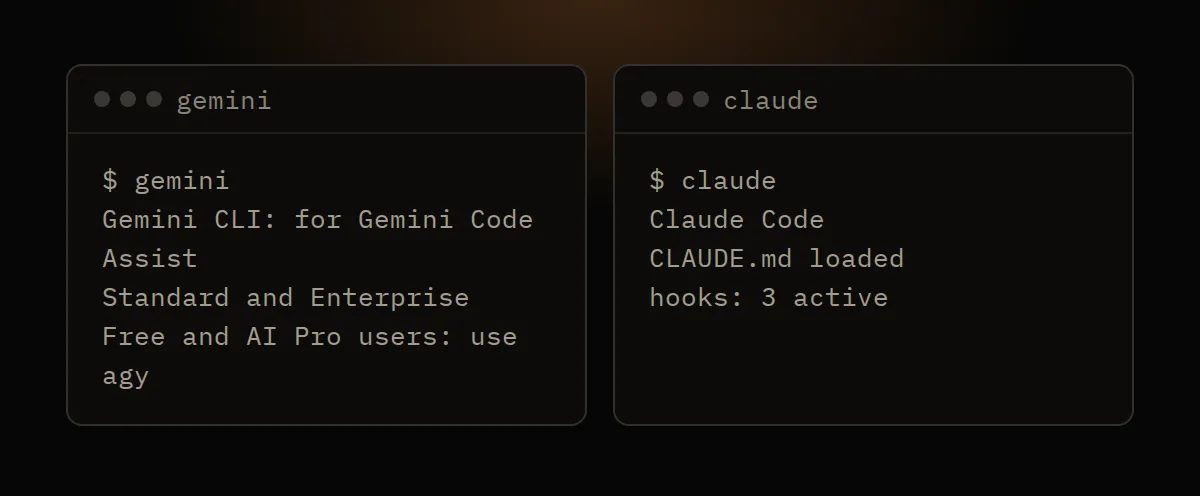
Source: google-gemini/gemini-cli README, GitHub
Gemini CLI and Claude Code at a glance
| Gemini CLI | Claude Code | |
|---|---|---|
| Made by | Google, open source under Apache 2.0 | Anthropic |
| Who can use it | Gemini Code Assist Standard or Enterprise, Code Assist for GitHub on Google Cloud, paid Gemini API or Vertex keys | A Claude subscription or Anthropic Console account on most surfaces; third-party providers in the CLI, VS Code and JetBrains |
| Command | gemini | claude |
| Install | npx, npm, Homebrew, MacPorts or Anaconda | Native installer, Homebrew or WinGet |
| Where it runs | Terminal, with a VS Code companion | Terminal, VS Code and JetBrains, desktop app, web |
| Context file | GEMINI.md | CLAUDE.md, or AGENTS.md |
| Tools and extending | Built-in file, shell, web fetch and search tools, MCP servers, custom commands, extensions | Built-in tools, MCP servers, skills, hooks, plugins, subagents |
| Scripting | gemini -p with --output-format json or stream-json | claude -p, plus the Agent SDK |
| Release channels | Nightly, weekly preview, weekly stable | Stable and latest channels |
Source: google-gemini/gemini-cli README, GitHub
What happened to Gemini CLI
Google announced the change on May 19, 2026. Its product team wrote that users' needs had shifted toward several agents working together, and that it would put its effort into one product: Google Antigravity, with a new terminal tool, Antigravity CLI. Google said Antigravity CLI keeps Gemini CLI's most important features, Agent Skills, Hooks, Subagents and Extensions, which become Antigravity plugins, while warning there would not be one-to-one feature parity at launch.
- From May 19, 2026, Antigravity CLI was available to everyone.
- On June 18, 2026, Gemini CLI and the Gemini Code Assist IDE extensions stopped serving requests for Google AI Pro and Ultra, and for free use through Gemini Code Assist for individuals.
- Gemini Code Assist for GitHub took no new installations from that date, with requests stopping in the following weeks.
- Organisations on Gemini Code Assist Standard or Enterprise, or Code Assist for GitHub through Google Cloud, keep their access, and Gemini CLI still works with paid Gemini and Gemini Enterprise Agent Platform API keys.
Source: An important update: transitioning Gemini CLI to Antigravity CLI, Google Developers Blog
The Gemini CLI README now says the tool is not tuned for the Gemini 4 series, such as Gemini 4 Argon, and asks people not to use it to benchmark Gemini models, because its harness produces unrepresentative scores. For Gemini 4 models and personal accounts, Google points to Antigravity CLI, run as agy.
Source: google-gemini/gemini-cli README, GitHub
Install and sign in
Gemini CLI
Gemini CLI can run without installing through npx @google/gemini-cli, or install globally with npm install -g @google/gemini-cli, brew install gemini-cli on macOS and Linux, or sudo port install gemini-cli with MacPorts. For locked-down machines, Google documents installing Node.js inside an Anaconda environment and running the npm install there. Sign-in options are Sign in with Google, which for a paid Code Assist licence needs GOOGLE_CLOUD_PROJECT set; a Gemini API key in GEMINI_API_KEY for model choice and usage-based billing; or Vertex AI with GOOGLE_API_KEY and GOOGLE_GENAI_USE_VERTEXAI=true for enterprise teams.
Source: google-gemini/gemini-cli README, GitHub
Claude Code
Claude Code installs with one command: curl -fsSL https://claude.ai/install.sh | bash on macOS, Linux and WSL, or irm https://claude.ai/install.ps1 | iex in Windows PowerShell. Homebrew (brew install --cask claude-code) and WinGet (winget install Anthropic.ClaudeCode) also work, though those installs do not auto-update. Run claude --version to check it, then claude in a project folder and sign in with a Claude subscription or an Anthropic Console account.
Source: Claude Code overview, Anthropic
Antigravity CLI
If you moved off Gemini CLI, Antigravity CLI installs with curl -fsSL https://antigravity.google/cli/install.sh | bash on macOS and Linux, or irm https://antigravity.google/cli/install.ps1 | iex in PowerShell, and puts the agy binary in ~/.local/bin on macOS and Linux. Check it with agy --version.
Source: Getting started, Google Antigravity docs
Models
Gemini CLI runs Gemini models, chosen with -m, for example gemini -m gemini-2.5-flash, and a Gemini API key gives you specific model control. Claude Code runs Claude models, and its terminal CLI, VS Code and JetBrains versions can also run through third-party providers. Antigravity CLI uses Antigravity's model list, which includes Gemini 4 models such as Gemini 4 Neon, its default for new conversations, and Claude models on some paid Google AI plans.
Source: google-gemini/gemini-cli README, GitHub
Source: Choose a model, Google Antigravity docs
Project instructions: GEMINI.md and CLAUDE.md
Both tools read a markdown file of standing instructions from your project. Gemini CLI uses GEMINI.md context files to give the agent persistent context. Claude Code reads CLAUDE.md at the start of every session, and can read a repository's AGENTS.md in place of CLAUDE.md. If you move from Gemini CLI to Antigravity CLI, Google says your GEMINI.md and AGENTS.md files keep working unchanged, and the global ~/.gemini/GEMINI.md still applies.
Source: How Claude remembers your project, Anthropic
Source: Migrating from Gemini CLI, Google Antigravity docs
Tools, MCP and extending each one
Gemini CLI comes with file system, shell, web fetch and web search tools, and connects to MCP servers you declare in ~/.gemini/settings.json, so you can type prompts such as @github List my open pull requests. You can write custom commands and build extensions, and it has checkpointing to save and resume conversations, token caching, sandboxing and trusted folders that control execution by folder.
Source: google-gemini/gemini-cli README, GitHub
Claude Code connects to MCP servers too, and adds skills, plugins, subagents for side tasks, and hooks: shell commands that run at set points such as before a tool runs or after a file is edited, so formatting, notifications or blocked commands happen every time rather than when the model remembers.
Source: Automate actions with hooks, Anthropic
Scripting and automation
Gemini CLI runs non-interactively with gemini -p "your prompt", returns structured output with --output-format json, and streams newline-delimited JSON events with --output-format stream-json for long-running jobs. Claude Code has the same pattern with claude -p, and Anthropic's Agent SDK lets you build your own agents on the same loop.
Source: google-gemini/gemini-cli README, GitHub
Updates and release channels
Gemini CLI ships on three npm tags. Preview releases come out every Tuesday at 23:59 UTC and may contain regressions; install them with npm install -g @google/gemini-cli@preview. Stable releases come out every Tuesday at 20:00 UTC and promote the previous week's preview plus fixes; install with @latest. Nightly builds come out daily at 00:00 UTC from the main branch, with @nightly. Claude Code's native installs update themselves; its Homebrew casks split into claude-code, about a week behind on the stable channel, and claude-code@latest, which gets new versions as soon as they ship.
Source: google-gemini/gemini-cli README, GitHub
Source: Claude Code overview, Anthropic
Moving from Gemini CLI to Antigravity CLI
The first time you run agy on a machine with Gemini CLI settings, it detects them and offers a checklist of what to bring across, moves your session tokens into the system keyring, and maps your display settings. A few things change:
| What | Gemini CLI | Antigravity CLI |
|---|---|---|
| Extensions | Gemini extensions | Plugins: convert with agy plugin import gemini |
| Workspace skills | .gemini/skills/ | .agents/skills/, which you must move by hand |
| Global skills | ~/.gemini/skills/ | ~/.gemini/skills/ and ~/.gemini/antigravity-cli/skills/ |
| MCP servers | Inline in ~/.gemini/settings.json | ~/.gemini/config/mcp_config.json, or .agents/mcp_config.json per project |
| Remote MCP URL key | url or httpUrl | serverUrl |
| Context files | GEMINI.md, AGENTS.md | The same files, unchanged |
The import converts legacy commands into skills and moves MCP server definitions into mcp_config.json. Google notes that some custom terminal themes and experimental visual overlays from Gemini CLI may not carry over.
Source: Migrating from Gemini CLI, Google Antigravity docs
Which should you use?
- Your organisation pays for Gemini Code Assist Standard or Enterprise, or you use paid Gemini or Vertex keys: Gemini CLI still works and is supported, so the choice is about which models and workflow you prefer.
- You are an individual on a free Google account or Google AI Pro or Ultra: Gemini CLI no longer serves you; compare Antigravity CLI with Claude Code instead.
- You want Claude models, hooks that always run, and the same agent in the terminal, VS Code, JetBrains, a desktop app and the web: Claude Code.
- You want the latest Gemini 4 models: Google points to Antigravity CLI, not Gemini CLI.
Running both
Plenty of developers keep a Google agent and Claude Code open on the same project, and the terminals pile up. 10u is an AI coding agent dashboard that shows every Claude Code and Codex session side by side, each in its real terminal, marked Needs you, Working, Waiting or Parked. They do the building. You decide what gets built.

Questions people ask
- Is Gemini CLI still free?
- No. Since June 18, 2026, Gemini CLI no longer serves free users or Google AI Pro and Ultra subscribers; Google moved them to Antigravity CLI. Gemini CLI serves Gemini Code Assist Standard and Enterprise, and paid API keys.
- What replaced Gemini CLI?
- Antigravity CLI, run as agy, part of Google Antigravity. It keeps Agent Skills, Hooks, Subagents and Extensions, which become plugins.
- Does Claude Code read GEMINI.md?
- Claude Code reads CLAUDE.md, and can read AGENTS.md in its place. Copy any GEMINI.md instructions into one of those.
- Can Gemini CLI run Gemini 4 models?
- Google says Gemini CLI is not tuned for the Gemini 4 series and points to Antigravity CLI for them.
- Do both work in scripts?
- Yes. Gemini CLI uses gemini -p with JSON or streaming JSON output; Claude Code uses claude -p and the Agent SDK.