
Claude Code alternatives: 17 coding agents compared
The main Claude Code alternatives are OpenAI Codex, Cursor, GitHub Copilot, OpenCode, Google's Antigravity CLI and Gemini CLI, and Aider. Codex is the closest match: another company's full coding agent, in the terminal, an app and the cloud. Cursor and Copilot suit people who want AI inside their editor. OpenCode and Aider are open source and work with many model providers. Many people do not replace Claude Code at all; they add a second agent beside it.
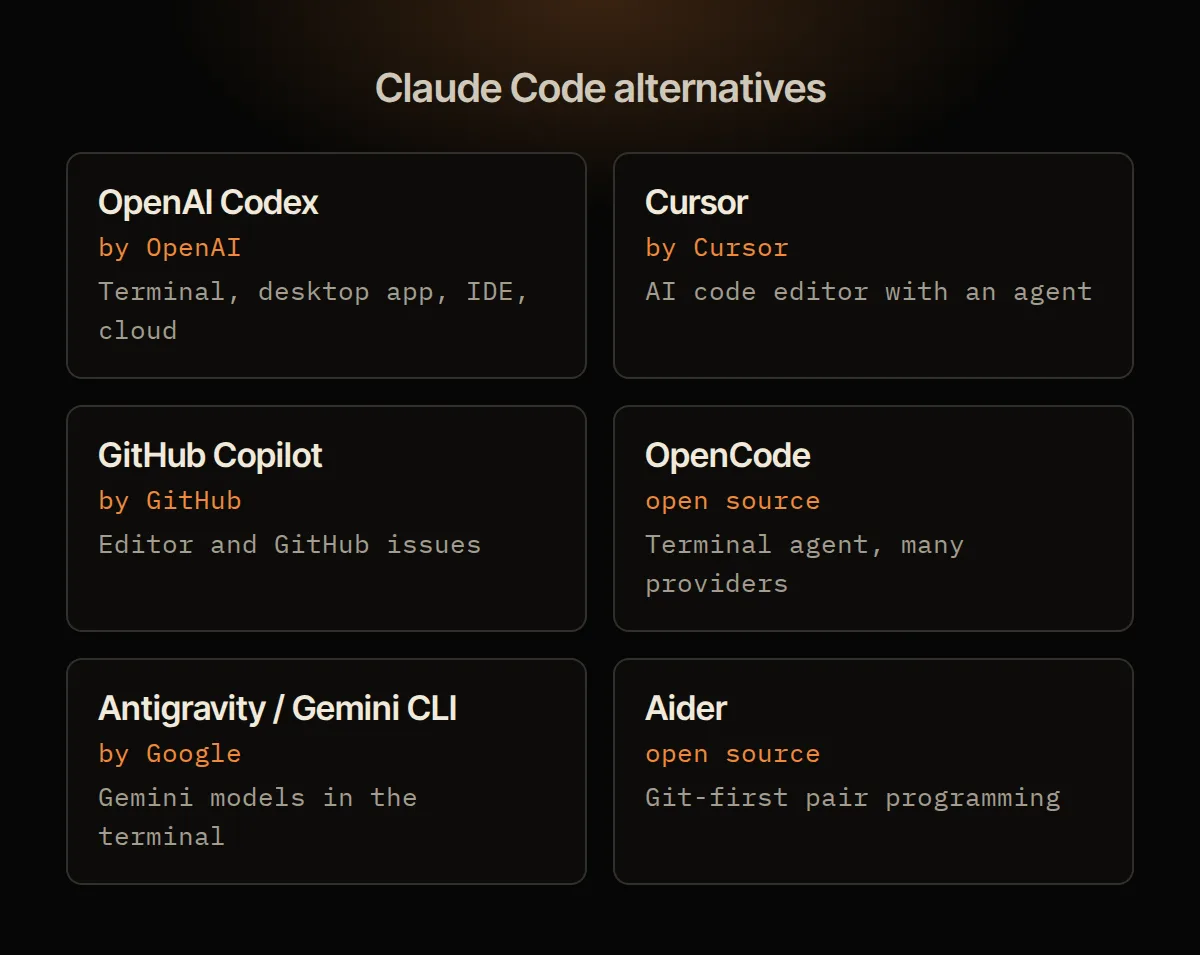
Claude Code alternatives at a glance
| Tool | Made by | What it is | Models | Open source |
|---|---|---|---|---|
| OpenAI Codex | OpenAI | Coding agent in the terminal, ChatGPT desktop app, IDE and cloud | OpenAI models | The CLI is (Apache 2.0) |
| Cursor | Cursor | AI code editor with an agent, a CLI and cloud agents | Several providers plus its own | No |
| GitHub Copilot | GitHub | Assistant in your editor and on GitHub, with a coding agent | Several providers | No |
| OpenCode | OpenCode team | Terminal agent, desktop app and web | Many providers you connect | Yes |
| Antigravity CLI | Google's multi-agent coding terminal | Gemini models | Not stated | |
| Gemini CLI | Terminal agent for Gemini Code Assist on Google Cloud | Gemini models | Yes | |
| Aider | Aider project | Pair programming in your terminal, with Git commits | Almost any, including local | Yes |
| Amp | Amp | Coding agent that runs threads on its own machines | Several, picked per job | Not stated |
| Kiro | Kiro | Spec-driven agent in an IDE, VS Code, CLI, web and mobile | Not covered here | Not stated |
| Cline | Cline | Agent in VS Code, JetBrains, a desktop app and a CLI | Many providers | Yes |
| Roo Code | Roo Code | Editor agent with Code, Architect, Ask and Debug modes | Many providers | Yes |
| goose | Agentic AI Foundation | General agent: desktop app and CLI | 85+ providers and local models | Yes |
| Zed | Zed | Editor that hosts its own agent and others | Hosted, your keys, local | Yes |
| Warp | Warp | Agentic terminal with cloud agents | Not covered here | Yes |
| Jules | Experimental agent that works on GitHub repositories | Gemini models | Not stated | |
| Devin Desktop | Devin | AI IDE with a local agent shared with Devin CLI | Not covered here | Not stated |
| Augment Code | Augment | Agent platform: Auggie CLI, VS Code, JetBrains, automations | Not covered here | Not stated |
| Tabnine | Tabnine | Private agent that runs in your own environment | Not covered here | Not stated |
Every fact on this page comes from each tool's own documentation or README, read on 22 November 2026, and each section links to its source. We left out prices because they change often; check each tool's own pricing page before you choose.
Why people look for a Claude Code alternative
- Usage limits. Heavy users reach the limit of their Claude plan and want a second plan to carry on with.
- A different model. Some tasks go better with OpenAI, Google or an open model.
- A different shape. Some people want AI inside their editor rather than an agent in a terminal.
- Open source. Some teams want an agent they can read, change or run against their own models.
- Company rules. An organisation may already pay for GitHub Copilot or Google Cloud and want to use that.
Which alternative fits depends on which of these is the real reason. If it is usage limits, the answer is often a second agent beside Claude Code rather than a replacement.
1. OpenAI Codex
Codex is OpenAI's coding agent and the most direct alternative to Claude Code. The Codex CLI runs in your terminal, reads your code, edits files and runs commands, and /permissions sets when it may edit files or run commands without asking. The same agent runs in the ChatGPT desktop app, in IDE extensions and in Codex Cloud, where tasks keep going while your computer sleeps. It can spawn subagents to split a task, and it reads AGENTS.md files for project instructions. You sign in with a ChatGPT plan or use an API key.
Choose Codex if you want a full agent like Claude Code from another company, or a second plan to use when your Claude limit runs out. See our full comparison of Claude Code vs Codex.
- Subagents: ask Codex to spawn agents for parts of a job, such as one for security, one for tests and one for maintainability, and it collects their findings.
- Custom agents: TOML files in ~/.codex/agents/ or .codex/agents/, each with its own instructions and model.
- Usage: /status in the CLI shows what you have left; usage is counted per five-hour period on Plus and Business, with weekly limits that may apply.
- Scripts: codex exec runs a task without the interactive screen, for pipelines and CI.
Source: Codex CLI, OpenAI
Source: Codex CLI repository, OpenAI
2. Cursor
Cursor is an AI code editor. Its Agent works in a side panel beside your code and can complete complex tasks on its own, run terminal commands and edit files. You pick from models by several companies, including Anthropic, OpenAI, Google and xAI, plus Cursor's own. The Agents Window runs agents in parallel with worktrees, cloud agents run in their own virtual machines, and a CLI covers the terminal and scripts.
Choose Cursor if you want AI built into the editor you work in all day and the freedom to switch models. Claude Code also runs inside Cursor through its extension, so some people use both.
- Projects: for a feature or a migration, a coordinator agent plans the work and hands parts to other agents.
- Cloud agents start from the desktop app, the web, iOS, Slack, Linear, or an @cursor comment on GitHub or Bitbucket.
- Rules, skills, hooks and MCP servers customise the agent.
Source: Cursor Agent, Cursor docs
3. GitHub Copilot
GitHub Copilot suggests code as you type, answers questions about a codebase, reviews pull requests and takes on tasks you assign it. Because it is built into GitHub, its agent can pick up an issue and come back with a pull request, running in a cloud sandbox or on GitHub Actions. It can also run Anthropic's Claude coding agent and OpenAI's Codex agent as third-party agents, in public preview. There is a free plan.
Choose Copilot if your team lives in GitHub issues and pull requests, you want inline suggestions in your editor, or your company already pays for it.
- Sessions started in the cloud carry on in the Copilot app, your editor, GitHub Mobile or the Copilot CLI.
- Agent work runs in a cloud sandbox, a GitHub Actions runner or a remote environment of your own.
- Administrators control access, features, excluded files and usage reports for an organisation.
Source: About GitHub Copilot, GitHub Docs
4. OpenCode
OpenCode is an open source coding agent, available as a terminal interface, a desktop app and a web app. It connects to many model providers: you can sign in with a ChatGPT Plus or Pro plan, use GitHub Copilot, connect Anthropic or another provider, or use its own OpenCode Go subscription. It has Build and Plan agents, General and Explore subagents, custom agents as Markdown files, and reads AGENTS.md for project instructions.
Choose OpenCode if you want an open source agent that feels like Claude Code but lets you switch model providers.
- Install with a script, Homebrew, npm, Bun, pnpm, Yarn or mise, or download a binary; Docker images are available too.
- opencode pair opens the web interface through a one-time link that expires after five minutes.
- It loads a global AGENTS.md plus every AGENTS.md from your folder up to the project root, so rules can be layered.
Source: OpenCode docs
5. Google's Antigravity CLI and Gemini CLI
Google now has two command-line agents, and it matters which one you install. Google's Gemini CLI README says that free individual access and Google AI Pro and Ultra plans moved to the Antigravity CLI on 18 June 2026, and describes Antigravity CLI as an interactive multi-agent coding terminal for newer Gemini models. Gemini CLI itself is an open source terminal agent now maintained for organisations with Gemini Code Assist Standard or Enterprise, or Code Assist for GitHub, on Google Cloud.
Choose Antigravity CLI if you want Google's models in a terminal agent on a personal account, and Gemini CLI if your organisation runs Gemini Code Assist on Google Cloud.
Google describes the Antigravity CLI as the terminal-first way to work with Antigravity agents. It can delegate background tasks to subagents running at the same time; type /agents to watch their status, and approve tools quickly with Ctrl+K. Plugins, MCP, skills and hooks are set up through slash commands, and /config and /keybindings adjust permissions and shortcuts.
Source: Antigravity CLI, Google
Source: Gemini CLI README, Google
6. Aider
Aider is open source AI pair programming in your terminal. It connects to almost any model, including local ones, and makes a map of your whole codebase so it works well in larger projects. It commits each change to Git with a sensible message, so you can diff and undo with tools you already know. It can lint and test after every change and fix what fails, take voice input, and watch your editor for comments asking for changes.
Choose Aider if you want a lightweight, open source, Git-first pair programmer and the option to run local models.
- Works with more than 100 programming languages.
- Add images and web pages to the chat for visual context and reference docs.
- Can work with a model through its web chat by streamlining the copying back and forth.
Source: Aider README
7. Amp
Amp describes itself as a coding agent and development environment built for the frontier. It uses several models, each for what it does best, rather than one. Each thread can run in an orb, a machine Amp sets up with your code, tools and plugins, so you can send a prompt, close your laptop and let it keep working. You can start an orb from an iPhone, check it from a Mac and follow up in the terminal, and the apps tell you when a thread is ready for your next message. Threads can be saved and shared, and you can sign in with a ChatGPT Plus or Pro plan to use OpenAI models in Amp.
Choose Amp if you want an agent that picks the model for you and runs work on its own machines.
Source: Amp manual
8. Kiro
Kiro is an AI development environment with one agent behind every surface: a desktop IDE, a VS Code extension, a CLI with a headless mode for CI, a web agent that plans, implements and opens pull requests across repositories, and a mobile app for checking tasks and reviewing pull requests. Its configuration lives in a .kiro folder shared by all of them. It is built around specs, steering files, hooks, custom agents, skills and MCP, with checkpoints so you can rewind.
Choose Kiro if you like to plan from a written spec before the agent builds, and want the same setup in the editor, terminal and browser.
Source: Kiro docs
9. Cline
Cline is an open source coding agent that runs in several places: a CLI with interactive chat or fully headless runs for CI and scripts, a desktop app for macOS and Windows that can schedule routines, a VS Code extension and a JetBrains plugin. In the editor it creates files, runs commands, browses the web and uses tools, with your approval at each step. An SDK lets you build your own agents on the same engine.
Choose Cline if you want an open source agent inside VS Code or JetBrains that asks before it acts.
Source: Cline README
10. Roo Code
Roo Code is an open source AI assistant for your editor built around modes: Code for everyday edits, Architect for planning systems and migrations, Ask for quick answers, Debug for tracing problems, and custom modes you define for your team. It generates code from descriptions, refactors, writes documentation, answers questions about your codebase and uses MCP servers.
Choose Roo Code if you want to switch the agent between planning, building and debugging roles in your editor.
Source: Roo Code README
11. goose
goose is an open source, general-purpose agent for coding, research, writing, automation and data analysis, now part of the Agentic AI Foundation at the Linux Foundation. It has a desktop app for macOS, Linux and Windows and a CLI. It connects tools and data through MCP, can load local models directly without a separate model server, and connects to over 85 providers, including Anthropic, OpenAI, Gemini, OpenRouter and Amazon Bedrock.
Choose goose if you want an open source agent that is not only for code and works with local models.
Source: goose README
12. Zed
Zed is a code editor with three ways to run agents: its own Zed Agent, which can use hosted models, your provider API keys, supported subscriptions or local models; external agents connected through the Agent Client Protocol; and terminal threads that run an agent CLI right inside the editor. The threads sidebar runs several agent threads at once, each with a different agent and project, so Claude Code or Codex can run inside Zed beside its own agent.
Choose Zed if you want a fast editor that can host several agents, including the ones you already use.
Source: AI in Zed, Zed docs
13. Warp
Warp calls itself an open source agentic development environment. Its desktop terminal runs commands, edits code and starts and steers coding agents in a local checkout, and the Warp Agent can investigate issues, edit code, run commands and do multi-step work, in Warp or from its CLI in any terminal. Its automation platform runs cloud agents from triggers, schedules, integrations and APIs for jobs such as issue triage and pull request review.
Choose Warp if you want a modern terminal with an agent built in and cloud agents for background jobs.
Source: Warp overview, Warp docs
14. Jules
Jules is Google's experimental coding agent for fixing bugs, adding documentation and building features. You sign in with a Google account, connect GitHub and choose the repositories it may use. It works through a task on its own, so you can move on while it runs, and it supports scheduled and suggested tasks, planning and code review.
Choose Jules if you want a Google agent that works on GitHub repositories without anything installed on your computer.
Source: Getting started, Jules docs
15. Devin Desktop
Devin Desktop is an AI IDE for Mac, Windows and Linux that can import your VS Code or Cursor settings. Its local agent, Devin Local, shares its harness with Devin CLI and runs on your machine. It reads rules and AGENTS.md files, connects MCP servers and has workflows for automating repeated tasks. The Windsurf docs address now opens Devin Desktop's documentation.
Choose Devin Desktop if you want an AI-first editor and an agent you can also run from the terminal.
Source: Welcome to Devin Desktop, Devin docs
16. Augment Code
Augment Code describes itself as an AI-native coding platform for enterprise software engineering, with coding agents, deep codebase intelligence and automations. Auggie CLI brings its agent, context engine and tools to the terminal, there are extensions for VS Code and JetBrains, and Cosmos combines custom triggers with specialised agents to automate building, reviewing and shipping code.
Choose Augment Code if you work in a large codebase and want automations around review and delivery as well as an agent.
Source: Introduction, Augment docs
17. Tabnine
Tabnine describes itself as a fully private, organisation-aware AI coding agent designed to run entirely within your own environment. Tabnine Agent works from a CLI or your IDE, Tabnine Chat answers questions about your codebase, and administrators get controls to understand and govern how the organisation uses it.
Choose Tabnine if your company needs the agent to run inside its own environment.
Source: What is Tabnine, Tabnine docs
How Claude Code compares
For reference, Claude Code is Anthropic's agentic coding tool. It runs in the terminal, VS Code and JetBrains, a desktop app and the web. It has subagents, agent teams where a lead session coordinates teammates, agent view for many background sessions, hooks, skills, plugins and MCP servers. It runs Claude models and needs a Claude plan or an Anthropic Console account.
Source: Claude Code overview, Anthropic
| If you want... | Look at |
|---|---|
| A full agent from another company | OpenAI Codex |
| AI built into your editor | Cursor or GitHub Copilot |
| A free plan to start | GitHub Copilot |
| Open source with many model providers | OpenCode or Aider |
| Local models | Aider or OpenCode |
| Google's models in a terminal | Antigravity CLI or Gemini CLI |
| Agents that pick up GitHub issues | GitHub Copilot |
Tools we left out
Continue was a popular open source agent for VS Code, JetBrains and the terminal, but its repository now says it is no longer actively maintained and is read-only, so we have not listed it. Qodo is a code quality and review platform that works alongside coding agents rather than replacing one. Gemini Code Assist organisations are covered by the Gemini CLI entry above.
Claude Code alternatives by situation
You keep hitting your Claude usage limit
Add OpenAI Codex rather than replacing Claude Code. It is the closest in shape, reads the same AGENTS.md, and its usage counts against a separate ChatGPT plan, so one agent carries on when the other is paused. Amp and OpenCode can also sign in with a ChatGPT Plus or Pro plan.
You want AI inside your editor
Cursor, GitHub Copilot, Zed and Devin Desktop are editors or editor extensions with agents built in. Cline and Roo Code add an agent to VS Code, and Cline also to JetBrains. Zed can run Claude Code or Codex in a terminal thread beside its own agent, so you do not have to give either up.
Your team works in GitHub issues and pull requests
GitHub Copilot's agent picks up an issue and comes back with a pull request, and can run Anthropic's Claude agent or OpenAI's Codex agent as third-party agents. Jules also works directly on connected GitHub repositories, and Cursor's cloud agents start from an @cursor comment on a pull request or issue.
You need open source or local models
OpenCode, Aider, Cline, Roo Code, goose, Zed and Warp are open source. Aider and goose can run local models, goose without a separate model server, and Zed's agent can use local models too. With an open source agent you still pay for the hosted models you connect, unless you run them yourself.
Your company runs on Google Cloud
Gemini CLI is now maintained for organisations with Gemini Code Assist Standard or Enterprise, or Code Assist for GitHub. For personal accounts, Google points people to the Antigravity CLI, which has subagents you watch from an /agents panel.
You want agents working while your computer is off
Codex Cloud, Cursor's cloud agents, Amp's orbs, Kiro's web agent, Warp's automation platform and Jules all run work away from your computer. Claude Code can do this too, with cloud sessions from the desktop app and the web.
You like to plan before anything is built
Kiro is built around written specs and steering files. Roo Code has an Architect mode for planning, and OpenCode a Plan agent that explores without editing. Claude Code's own plan mode does the same job.
Free and open source Claude Code alternatives
If cost is the reason you are looking, there are two kinds of free. GitHub Copilot has a free plan with core features. Open source agents such as OpenCode, Aider, Cline, Roo Code and goose cost nothing to install, but you still pay for the models you connect: an API key billed per token, a plan the tool can sign in with, or nothing at all if you run a local model on your own hardware. Local models keep your code on your machine, though they are usually slower and less capable than the largest hosted models.
Feature by feature: Claude Code and the main five
The six tools people compare most often, side by side on the features that decide day-to-day use. Each cell reflects the tool's own documentation.
| Feature | Claude Code | Codex | Cursor | Copilot | OpenCode | Aider |
|---|---|---|---|---|---|---|
| Terminal agent | Yes | Yes, Codex CLI | Yes, Cursor CLI | Yes, Copilot CLI | Yes | Yes |
| Editor | VS Code, JetBrains extensions | IDE extension | Is the editor | Built into editors | No, desktop and web apps | Watches your editor for comments |
| Desktop app | Yes | In the ChatGPT desktop app | Yes | Copilot app | Yes | No |
| Runs in the cloud | Cloud sessions | Codex Cloud | Cloud agents | Cloud sandbox or Actions | No | No |
| Helper agents | Subagents, agent teams | Subagents, custom agents | Projects, cloud subagents | Custom agents | Subagents, custom agents | No |
| Reads AGENTS.md | When there is no CLAUDE.md | Yes | Yes, beside rules files | Uses instructions files | Yes | Not stated |
| MCP servers | Yes | Yes | Yes | Yes | Yes | Not stated |
| Models | Claude | OpenAI | Several providers | Several providers | Many providers | Almost any, local too |
Two things stand out. Every one of these tools now has a terminal agent, so the old split between editor tools and terminal tools has mostly gone. And the real differences are in where work can run on its own, how helper agents are organised, and which models you can use.
What to look for in a Claude Code alternative
- Where it runs. A terminal agent, an editor, a desktop app or the cloud each suit a different way of working. Several tools now cover more than one.
- Which models it can use. Some tools run one company's models, others connect to many providers or local models. If you want Claude models without Claude Code, check that the tool offers them.
- How you pay. A subscription with usage limits, your own API key billed per token, or a plan you already have, such as ChatGPT or Copilot, that the tool can sign in with.
- Parallel work. Can it run several agents at once, in worktrees or in the cloud, and does it show you which one is waiting?
- Project instructions. Most tools now read AGENTS.md, so your rules can follow you between them.
- Extensions. MCP support means your existing tool servers carry across; hooks and custom agents vary much more.
- Approvals and safety. How it asks before running commands or editing files, and whether you can set rules for what it may do alone.
Moving your Claude Code setup to another tool
Most of what you have built around Claude Code has an equivalent elsewhere, though the names differ:
| In Claude Code | What to look for elsewhere |
|---|---|
| CLAUDE.md | AGENTS.md, which Codex, OpenCode, Devin Desktop and others read |
| Subagents in .claude/agents/ | Custom agents: TOML files in Codex, Markdown files in OpenCode, custom agents in Kiro |
| Hooks | Hooks in Kiro, a notify program in Codex; others vary |
| Skills | Agent skills in Kiro, Copilot and others |
| MCP servers | MCP is supported by nearly every tool on this page |
| claude --worktree | Plain git worktree add works with any agent |
| claude -p in scripts | codex exec, Cursor's print mode, Kiro and Cline headless modes |
The safest order is to move your instructions first, then your MCP servers, then try custom agents and hooks once the basics work.
How to switch, or try one, without breaking your setup
- Put your project rules in AGENTS.md. Codex, OpenCode and others read it, and Claude Code reads it when there is no CLAUDE.md, or through an @AGENTS.md line in your CLAUDE.md.
- Try the new agent on one real task in its own Git worktree, so it cannot clash with work in progress.
- Compare the results on the same task: did it pass the tests, how much did you have to correct, how fast did it use its allowance.
- Keep both for a week before cancelling anything. Most people find each is better at different jobs.
Pick a test task that is real but contained: a bug with a failing test, a small feature behind a flag, or a refactor of one module. Give each agent the same prompt and the same starting branch, then compare the diffs side by side. Look at whether it ran the tests without being told, whether it stayed inside the files that mattered, how often it stopped to ask you something, and how much of its allowance or token budget the task used. One task will not settle it, so repeat with two or three different kinds of work before deciding which agent gets which jobs.
Using an alternative alongside Claude Code
The most common answer to "what should I use instead of Claude Code" is "both". Running Codex beside Claude Code gives you two plans, so one carries on when the other's limit is reached, two models with different strengths, and a second agent to review the first one's work. The catch is keeping track of them: each lives in its own terminal or app, and an agent waiting on you can sit unnoticed. A simple split many people use is Claude Code for the hard reasoning and Codex for the many routine tasks, or the other way round, depending on which plan has more room that week.
10u is an AI coding agent dashboard built for exactly this. It runs every Claude Code and Codex session side by side, each in its real terminal, marked Needs you, Working, Waiting or Parked, with the one waiting on you on top. It uses the subscriptions you already have. They do the building. You decide what gets built.

Questions people ask
- Which Claude Code alternative is best for teams on GitHub?
- GitHub Copilot, because its agent takes issues and returns pull requests inside GitHub. Jules and Cursor's cloud agents also work from GitHub repositories.
- Do Claude Code alternatives read CLAUDE.md?
- Most read AGENTS.md instead. Keep shared rules in AGENTS.md and have CLAUDE.md import it with an @AGENTS.md line, so every agent follows the same rules.
- Can I use Claude models without Claude Code?
- Yes. Cursor, GitHub Copilot, OpenCode, Cline, goose and others connect to Anthropic's models, and Copilot can run an Anthropic Claude coding agent in public preview.
- What is the closest alternative to Claude Code?
- OpenAI Codex. It is a full coding agent in the terminal, the ChatGPT desktop app, IDEs and the cloud, it reads AGENTS.md, and it can split work across subagents.
- Which Claude Code alternatives can run local models?
- Aider, goose and Zed's agent can use local models, and OpenCode can connect to custom providers.
- Which alternatives work inside VS Code?
- GitHub Copilot, Cline, Roo Code, Kiro for VS Code and the Codex IDE extension. Claude Code also has its own VS Code extension.
- What is the best alternative to Claude Code?
- OpenAI Codex is the closest match: a full coding agent in the terminal, an app and the cloud. Cursor and GitHub Copilot suit people who want AI in their editor, and OpenCode and Aider are open source.
- Is there a free alternative to Claude Code?
- GitHub Copilot has a free plan. OpenCode and Aider are open source, though you still pay for the models you connect unless you run local ones.
- What is the open source alternative to Claude Code?
- OpenCode and Aider are open source coding agents for the terminal, and both connect to many model providers.
- Can I use Codex and Claude Code together?
- Yes. Many developers run both, giving each its own Git worktree and sharing project rules in AGENTS.md.
- Is Gemini CLI still free?
- According to Google's Gemini CLI README, free individual access moved to the Antigravity CLI on 18 June 2026; Gemini CLI is now for Gemini Code Assist organisations on Google Cloud.