
Claude Code review guide: /code-review, ultrareview and PR reviews
Claude Code can review code three ways. Type /code-review in any Claude Code session and Claude checks your branch for bugs, on any plan. Type /code-review ultra and a fleet of reviewer agents runs a deeper, verified review in Anthropic's cloud. Or, on a Team or Enterprise plan, turn on Code Review and Claude reviews every GitHub pull request automatically, posting inline comments ranked by severity. This guide covers all three, plus how to tune what Claude flags, what each costs, and how to fix a review that does not run.
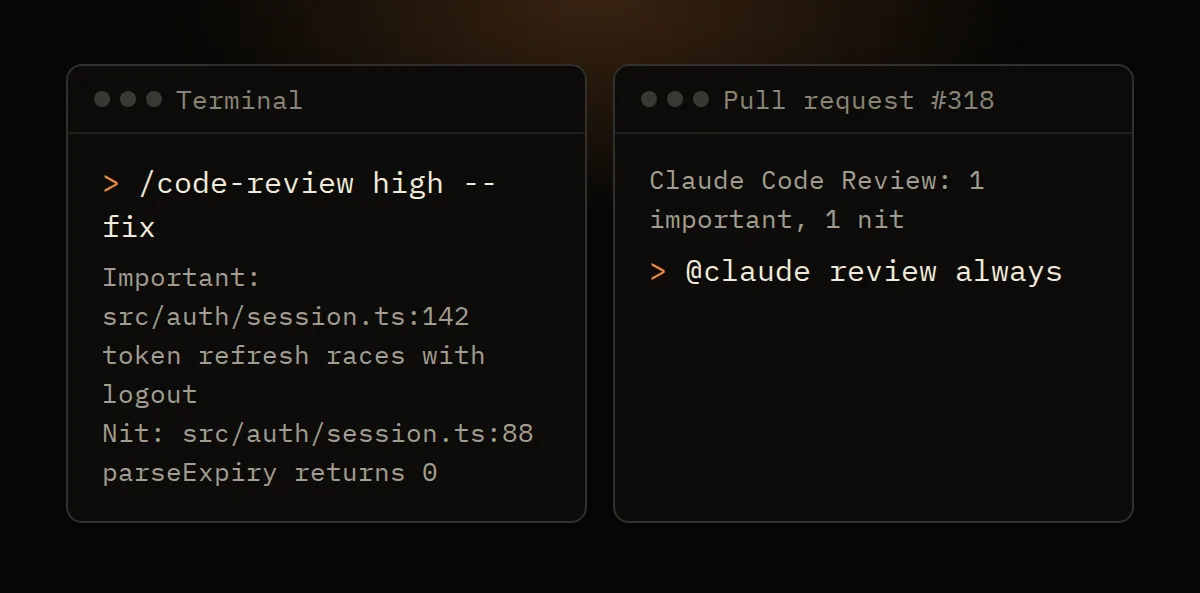
Source: Code Review, Claude Code docs
Searching for reviews of Claude Code itself, rather than its review feature? Our what is Claude Code guide covers what it does, its plans and how it compares with Cursor, Codex and Copilot.
Ways to get a Claude Code review
| Option | What starts it | Where it runs | Who can use it |
|---|---|---|---|
| /code-review | You type it on your branch | Your own Claude Code session | Anyone, on any plan |
| /code-review ultra (ultrareview) | You start it from Claude Code | A cloud sandbox | Anyone signed in with a claude.ai account |
| Code Review | Pull request activity, or an @claude review comment | Anthropic's infrastructure | Team and Enterprise organisations on GitHub, once an Owner turns it on |
| Claude in your own CI | Pipeline events such as every pull request | Your CI runners, via GitHub Actions or GitLab CI/CD | Anyone with a Claude API key or cloud provider access |
| Your own reviewer | You or Claude invoke it in a session | Wherever you run Claude Code | Anyone who writes a reviewer subagent or skill |
Source: Code Review, Claude Code docs
Review your code locally with /code-review
/code-review is a command you type at the Claude Code prompt. Claude reviews the changes on your branch, looks for correctness bugs, and reports what it found in your conversation. Depending on your model and effort level, it also looks at reuse, simplification and efficiency. It works on every plan and counts toward your normal usage or API bill, like the rest of the session. /review is another name for the same command.
/code-reviewIn a terminal session, the review runs in the background as a subagent with its own context window, so it does not fill your conversation, and you can keep working. The findings arrive in your conversation when it finishes. Then ask Claude to fix them, or add a flag so it does that as part of the review:
| Flag | What it does |
|---|---|
| --fix | Applies the findings to your working tree after the review; the edits go through your permission mode |
| --comment | Posts the findings on a GitHub pull request as inline comments, or on a GitLab merge request as a single note |
| --max-findings 10, all or default | Reports up to that many findings, or every finding with all, instead of the usual limit |
| --post | On an ultra review of a github.com pull request, preselects posting the findings to the pull request |
Source: Review locally with /code-review, Claude Code docs
Choose what to review
With no target, /code-review covers your branch's commits ahead of its upstream branch plus your uncommitted changes. If the branch has no upstream, it compares against main or the previous commit. Type a target to review something else:
| To review | Type |
|---|---|
| Your current branch and uncommitted changes | /code-review |
| Your last 15 commits | /code-review HEAD~15..HEAD |
| One branch against another | /code-review main...my-feature |
| A single commit | /code-review abc1234^..abc1234 |
| A pull request by number | /code-review 1234 |
| A file or folder | /code-review src/auth |
Source: Review locally with /code-review, Claude Code docs
Effort levels: fewer false positives or wider coverage
Put an effort level first, such as /code-review high. At low, the review reports only the findings it is most confident in, so you see fewer false positives. From medium through max it broadens coverage and reports more. When you do not type a level, the review reuses the last one you typed, even from an earlier session, and says so with a notice such as "Reusing high effort, the level you typed last time". If you have never typed one, it uses the session's current effort.
/code-review low/code-review high 1234/code-review max --fix
Source: Review locally with /code-review, Claude Code docs
What /code-review reads and changes
Without --fix, Claude is asked only for a report. With --fix, it also edits your files, and every edit still goes through your permission mode. One catch: a background review applies its --fix edits outside your session's checkpoints, so /rewind will not undo them; use git to revert those. The review follows your CLAUDE.md, including in a non-interactive claude -p run. It does not read REVIEW.md, which only configures the managed Code Review service.
In the Claude desktop app, findings show as a list, and when Claude later fixes them, each one is marked fixed, skipped or no change needed. To make the review run in the foreground, run it with claude -p, set CLAUDE_CODE_DISABLE_BACKGROUND_TASKS to 1, or run /code-review again while one is still going.
Source: Review locally with /code-review, Claude Code docs
Post /code-review findings to GitLab
From Claude Code v2.1.257, --comment also works for GitLab merge requests, posting the findings through GitLab's glab command-line tool as a single note; without glab, Claude prints the findings in the terminal instead. Pass the merge request as its link or a !123 reference. A bare number or branch name counts as a merge request only when your checkout's origin is on gitlab.com, so on a self-managed GitLab use the link or the !123 form.
Source: Review locally with /code-review, Claude Code docs
Let Claude start a review for you
Claude can run /code-review itself when you ask in plain words, such as "review my changes", and a session-scoped scheduled task can run it on a timer. To keep the command for yourself only, add this to a settings file such as ~/.claude/settings.json:
{
  "skillOverrides": {
    "code-review": "user-invocable-only"
  }
}
/code-review is a bundled skill, so there is no file on disk to edit. To give every review your project's rules, put them in CLAUDE.md. To replace it entirely, create your own skill named code-review; the /review alias keeps running the built-in one. Its neighbours are /simplify, which reviews for cleanup only and applies fixes, /verify, which runs your app to confirm a change works, and /security-review, which checks your branch for vulnerabilities such as injection, auth problems and data exposure.
Source: Commands, Claude Code docs
Ultrareview: a deeper review in the cloud
Ultrareview is a research preview. When you run /code-review ultra, Claude Code launches a fleet of reviewer agents in a cloud sandbox on Anthropic's infrastructure to find bugs in your branch or pull request. Compared with a local review, Anthropic says it gives higher signal (every reported finding is independently reproduced and verified), broader coverage (more agents explore the change in parallel), and no load on your machine. Where it is available to your account, /ultrareview is another name for it.
/code-review ultra/code-review ultra develop/code-review ultra 1234/code-review ultra check my auth changes
With no argument it reviews your branch against the default branch, including uncommitted and staged changes. Pass a branch name, commit or tag to compare against a different base, or a pull request number (or #1234, PR 1234, or a pasted pull request link) to review a github.com pull request, which the sandbox clones using the GitHub account connected to Claude. More than one word that is not a branch or pull request becomes a note: the review still covers your branch and relates its findings to your note.
Before launching, Claude Code shows the scope, your remaining free runs and the estimated cost. A review typically takes 5 to 15 minutes and runs in the background; watch or stop it with /tasks. If you stop it, you get no partial findings. When it finishes, the verified findings arrive as a notification, each with a file location and an explanation, ready for you to ask Claude to fix them. /code-review ultra --fix applies them automatically when they arrive.
Source: Find bugs with ultrareview, Claude Code docs
Ultrareview pricing and free runs
| Plan | Free runs | After the free runs |
|---|---|---|
| Pro | 3, one time | Usage credits, typically 5 to 25 US dollars a review |
| Max | 3, one time | Usage credits, typically 5 to 25 US dollars a review |
| Ultra | 3, one time | Usage credits, typically 5 to 25 US dollars a review |
Ultrareview bills usage credits, not your plan's included usage. The three free runs do not refresh. A run counts once the cloud session starts, so a review you stop early still uses a free run, while a paid review bills only for the part that ran. Usage credits must be turned on before a paid review can launch; check with /usage-credits. Ultrareview needs a claude.ai sign-in and is not available on Amazon Bedrock, Google Cloud or Microsoft Foundry, or for organisations with Zero Data Retention or the HIPAA configuration.
Source: Find bugs with ultrareview, Claude Code docs
If an ultrareview goes missing
If the review's cloud session is stopped or archived on claude.ai before it finishes, Claude tells you it was stopped. If the session was deleted, or you have since signed in to a different Claude account or organisation, Claude says the session was not found. A review started under one account may still finish there: sign back in as that account and run claude --resume to reattach it.
Ultrareview limits
A branch review can include up to 500 changed files and 8,000 changed lines by default; if your diff is bigger, Claude Code tells you the limits in effect and the largest files. If the repository is too big to upload, push your branch, open a draft pull request and run /code-review ultra with its number. An empty diff is refused with an explanation, and a repository's first commit is reviewed whole only after you confirm.
Post ultrareview findings to the pull request
From Claude Code v2.1.227, for a github.com pull request, you can have the findings posted as one plain comment from your own GitHub account; it is not an approval and ends with a "Generated by Claude Code" note. Nothing posts unless you choose Run and post the findings to the PR as me in the launch dialog, or add --post. Keep the session open until the review finishes, because Claude Code posts nothing if the session ends first.
Run ultrareview from CI or a script
claude -p '/code-review ultra' launches the review and exits without the findings, so scripts should use the claude ultrareview subcommand instead. It waits for the review (45 minutes by default, change with --timeout), prints the findings to standard output, and exits 0 when the review completed, 1 when it failed, stopped or timed out, and 130 if you pressed Ctrl-C.
claude ultrareviewclaude ultrareview 1234claude ultrareview origin/mainclaude ultrareview 1234 --json --trust-workspace
--json prints the raw findings file, --post posts to the pull request, and --trust-workspace (v2.1.309 and later) trusts the folder for that run so a CI job does not stop at the trust question. Running the subcommand again starts a new, billable review rather than resuming one.
Source: Find bugs with ultrareview, Claude Code docs
/code-review or ultrareview?
| /code-review | /code-review ultra | |
|---|---|---|
| Reviews | Your diff, a pull request, a branch or a path | Your diff or a pull request |
| Runs | Locally in your session | In a cloud sandbox |
| Depth | Scales with the effort level | Many agents, each finding independently verified |
| Time | Seconds to a few minutes | About 5 to 15 minutes |
| Cost | Normal usage | Free runs, then about 5 to 25 US dollars in usage credits |
| Best for | Quick feedback while you work | Confidence before merging a big change |
Source: Find bugs with ultrareview, Claude Code docs
Code Review: automatic reviews on every GitHub pull request
Code Review is Anthropic's managed service for Team and Enterprise plans. Several agents read each pull request alongside the surrounding code, looking for logic errors, security vulnerabilities and broken edge cases. A verification step checks each candidate against the code and drops false positives, the rest are deduplicated and ranked by severity, and the review posts inline comments, a summary and a check run named Claude Code Review. It never approves or blocks a pull request, so merging stays your team's call. By default it focuses on correctness, meaning bugs that would break production, not formatting or missing tests.
Reviews run on Anthropic's infrastructure with read-only access to your repository and never push commits. They read the diff and surrounding code without building or running it. Anthropic notes that a review can miss bugs, and a review with no findings does not mean your code is error-free or secure.
Source: Code Review, Claude Code docs
What a Code Review leaves on your pull request
- Findings: inline comments on the lines concerned, with a summary in the review body.
- A check run named Claude Code Review, listing the findings in its details. It never concludes as a failure.
- A note instead of findings when the check run reads Code review found no issues.
Code Review picks the Claude models itself; admins cannot choose one, and change thoroughness through the review level instead. For safety, it takes its instructions from REVIEW.md on the base or default branch, never from the pull request's own changes, so a pull request cannot rewrite the rules it is reviewed against.
Source: Code Review, Claude Code docs
Who can use Code Review
- Plans: Team and Enterprise.
- Code hosts: GitHub, including GitHub Enterprise Server and GitHub Enterprise Cloud with data residency.
- Not available with Zero Data Retention, the HIPAA configuration or customer-managed encryption keys.
- Teams using Claude Code through Bedrock, Google Cloud or Foundry still need a Claude organisation on one of these plans.
On any other plan, you can still review a branch or pull request yourself with /code-review.
Source: Code Review, Claude Code docs
Set up Code Review
An Owner of your Claude organisation turns it on in Admin settings, Claude Code, on claude.ai. There are no workflow files to add. You need the Owner role, a GitHub organisation owner to install the Claude GitHub App, and write access to each repository you add.
- Click the Allow code review switch in the Code review section.
- Connect your GitHub account when asked.
- Install the Claude GitHub App on the GitHub organisation and choose which repositories it can access.
- Select the repositories to review and add them.
- Click Finish to turn Code Review on.
- Open a non-draft test pull request; a Claude Code Review check run should appear within a few minutes.
Source: Set up Code Review, Claude Code docs
Review levels and when reviews run
| Review level | What it trades |
|---|---|
| Quick | A lighter pass: fastest and cheapest |
| Standard | Balanced depth, speed and cost; the default |
| Deep | The most thorough pass: slowest and most expensive |
The Owner sets one level for the organisation and can override it per repository, such as Quick for a routine codebase and Deep for a critical one. Each repository also has a Review runs setting: Once after PR creation, After every push (the default for new repositories, and the one that runs the most reviews), or Manual, where reviews run only when someone comments @claude review. Automatic reviews skip drafts and pull requests from forks. A whole GitHub organisation can be covered at once, but that needs a monthly spend limit set first.
Source: Set up Code Review, Claude Code docs
Tip comments, and turning Code Review off
When no review starts, Claude can post a short tip on the pull request saying why: the repository is set to Manual, the pull request is from a fork, the person who commented @claude review lacks write access, or the GitHub organisation is not linked. Owners can turn tips off with Show tips on pull requests. To stop reviews, an Owner can turn off one repository and keep it listed, remove it, set a whole GitHub organisation to Off, or turn off Allow code review, which stops every new review but keeps the repository list for later.
Source: Set up Code Review, Claude Code docs
Reading a review: severity levels
| Marker | Severity | Meaning |
|---|---|---|
| Red | Important | A bug that should be fixed before merging |
| Yellow | Nit | A minor issue, worth fixing but not blocking |
| Purple | Pre-existing | A bug already in the codebase that this pull request did not introduce |
Many findings include a collapsed Why this was flagged section explaining the reasoning and how Claude verified it. To clear a finding, push a fix (the next review resolves the thread when it judges the issue fixed) or resolve the thread yourself; replying alone does not dismiss it. The check run never concludes as a failure, so it will not block a required check. Its Details link lists every finding in one table by file and line.
Source: Read and request reviews on a pull request, Claude Code docs
@claude review comment commands
| Comment | What it does |
|---|---|
| @claude review | Starts one review now, without subscribing to future pushes |
| @claude review always | Starts a review and reviews every later push to that pull request |
| @claude review once | Same as @claude review |
| @claude review stop (or off, or pause) | Ends the push subscription without starting or cancelling a review |
Post the command as a new top-level pull request comment, at the start of the comment, on an open pull request. You need write, maintain or admin permission, and comments from bots never start reviews. A review that runs after a push focuses on what changed and posts fewer nits; comment @claude review to have the whole pull request reviewed again. If the repository also runs the Claude Code GitHub Action with its default @claude trigger, an @claude review comment starts that too, so change the Action's trigger phrase to keep them apart.
Source: Read and request reviews on a pull request, Claude Code docs
Gate a merge on the review from CI
The last line of the check run's Details text holds the severity counts as JSON, such as {"nit": 1, "normal": 2, "pre_existing": 0}, where normal is the number of Important findings. Read it with the GitHub CLI and jq: find the Claude Code Review check run on the pull request's head commit, then read its output text.
gh api repos/OWNER/REPO/commits/<commit-sha>/check-runs --jq '.check_runs[] | {id, name}'Fail the job when normal is above zero if you want to block merges on Important findings. Treat a missing severity line as no verdict, not as zero findings.
Source: Read and request reviews on a pull request, Claude Code docs
Tune what Claude flags with REVIEW.md and CLAUDE.md
The Code Review service reads two files. CLAUDE.md holds project instructions Claude follows for every task; a change that breaks one of its rules becomes a finding. REVIEW.md, at your repository root, holds instructions for reviews only: what to flag, at what severity, and what to skip. Code Review reads REVIEW.md from the base or default branch, never from the pull request's own changes, so merge changes to it first, and protect your default branch so it honours exclusions, lower severities and nit caps.
# Review instructions

## What Important means here
Reserve Important for findings that would break behavior, leak data,
or block a rollback. Style, naming, and refactoring suggestions are Nit at
most.

## Cap the nits
Report at most five Nits per review.

## Do not report
- Anything CI already enforces: lint, formatting, type errors
- Generated files under `src/gen/` and any `*.lock` file

## Always check
- New API routes have an integration test
- Log lines don't include email addresses, user IDs, or request bodies
- Database queries are scoped to the caller's tenant
That example, adapted from Anthropic's docs, redefines Important for a backend service, caps nits, skips generated files and adds checks. Other useful instructions: require a file and line citation before a class of finding is posted, to cut false positives. You can pull other files into REVIEW.md with a line holding @ and a file name (up to eight files and 150,000 bytes), include a skill's SKILL.md with @.claude/skills/<folder>/SKILL.md, and add REVIEW.md files in subfolders for checks on those paths, except folders such as tests, examples, generated and vendor.
Source: Customize Code Review, Claude Code docs
What Code Review costs
There is no flat price per review. Code Review bills token usage through usage credits, separately from your plan, to the organisation rather than the developer. Each review costs more at a higher review level, on a bigger change, around more complex code, and when more candidate issues need checking; After every push multiplies that by the number of pushes. To estimate spend, run a pilot on a few repositories set to Once after PR creation or Manual, read the Average cost column in the admin settings, and multiply by your monthly pull requests.
Set a monthly spend limit for the Claude Code Review service at claude.ai/admin-settings/usage. Reviews are skipped when that limit, the organisation's overall limit or the usage credits balance runs out, and developers see a comment starting "Code review skipped". Activity, cost and findings by severity are at claude.ai/analytics/code-review.
Source: Code Review costs and usage, Claude Code docs
How good is Claude Code review? Anthropic's own numbers
Anthropic runs Code Review on nearly every internal pull request and published its results at launch. Before, 16% of its pull requests got substantive review comments; with Code Review, 54% did. On large pull requests of over 1,000 changed lines, 84% got findings, averaging 7.5 issues each. On small ones under 50 lines, 31% got findings, averaging 0.5 issues. Engineers marked fewer than 1% of findings as incorrect. Reviews scale with the change, so large or complex pull requests get more agents and a deeper read, and in Anthropic's testing the average review took around 20 minutes and cost 15 to 25 US dollars in tokens.
Two examples from the launch: a one-line change to a production service that looked routine was flagged as critical because it would have broken the service's authentication, and was fixed before merge. In another pull request, the review found a pre-existing type mismatch in nearby code that was silently wiping an encryption key cache on every sync, the kind of latent bug a person scanning the diff would not go looking for. These are Anthropic's own figures for its own code, so treat them as a guide, not a promise for yours.
Source: Introducing Code Review, Claude
How the Claude Code team reviews its own code
In a later post, the Claude Code team described its review flow. From June to September, merged pull requests to Claude Code more than doubled while the share that had to be reverted fell by more than 40%. Most review now happens before a pull request exists: Claude is given something it can run, such as tests, a build or a screenshot to compare against the design, and asked to show the output rather than say it is done. A subagent then reviews the diff with fresh context, with separate passes that hunt for bugs, simplify the diff and check behaviour end to end.
When the automated reviewer keeps flagging the same thing, the team fixes it at the source: in a skill, a lint rule, CLAUDE.md or REVIEW.md. Their advice on a good REVIEW.md: keep it short, say what failure looks like in that repository (for docs it is "it lies", for config it is "it misroutes"), cap the nits, list paths to skip, and ask for a file and line as evidence instead of a guess from a name. They also learned to limit review rounds: one pull request went through more than fifty rounds of review and fixes overnight, and about 59% of what the reviewer kept flagging was code that had been there since its first pass. Now, after three rounds the reviewer asks the author to step back and reconsider the approach.
Security gets its own automated review on the team, and a pull request cannot merge while any finding from the bug review or the security review is still open: you fix it, or close the thread with a short reason, which is how a false positive is cleared. Changes are also sorted by risk. Docs, copy and additive changes behind a flag need no human approval once automated review and security checks are green; ordinary product changes and sensitive areas such as caching, the auto-updater or system prompts need a person; the highest-risk paths always need two. A classifier picks each change's risk tier, and any CI workflow file always needs a person. Review agents also run nightly over existing code to catch old bugs, and the team scores every change to its reviewer against a growing set of past pull requests that caused incidents.
People stay responsible for direction, taste and scope, and a person is accountable for every change that ships, whoever typed it. An agent's approval never counts as a person's.
Source: Solving code review at Anthropic, Claude blog
Claude Code review in your own CI
Without a Team or Enterprise plan, you can still have Claude review every pull request in your own pipeline with the Claude Code GitHub Action. Running /install-github-app in Claude Code can set up a pull request review workflow, which posts each review as inline comments, or a single summary comment when it finds nothing. It runs on your GitHub Actions minutes and your API key or subscription token.
Source: Claude Code GitHub Actions, Claude Code docs
Troubleshooting Claude Code reviews
| Check run title or symptom | What to do |
|---|---|
| Code review queued or in progress | Wait for it to finish |
| Code review found no issues | On a later review, look in the review body for findings left out as outside the scope of this re-review |
| Code review skipped, no new changes | Your push changed no lines; comment @claude review to force a review |
| Code review not repeated, earlier findings still open | Push a fix for the open Important finding, or comment @claude review |
| Code review failed or timed out | Comment @claude review, or click Re-run on the check |
| Code review declined, or a "Code review skipped" comment | A spend limit or the usage credits balance ran out; an admin restores it, then comment @claude review |
| No check run after @claude review | Check the repository is added, the comment is a new top-level comment starting with the command, and you have write access |
| Findings counted but not on the diff | Look in the check run Details, the Files changed annotations, whole-file comments, and Additional findings in the review body |
Source: Troubleshoot Code Review, Claude Code docs
/code-review problems
If /code-review ultra will not start, check you are signed in with a claude.ai account rather than only an API key (run /login), that usage credits are on once your free runs are used, and that you are not on Bedrock, Google Cloud or Foundry. If --fix changed files you did not want, revert them with git, since /rewind does not cover a background review's edits. If you scripted /simplify to find bugs before v2.1.147, switch to /code-review --fix.
Source: Review locally with /code-review, Claude Code docs
Review what your agents build
Reviews matter more when several agents are writing code at once. 10u is an AI coding agent dashboard that shows every Claude Code and Codex session side by side, each in its real terminal, marked Needs you, Working, Waiting or Parked, so you can see which branch is ready for /code-review. They do the building. You decide what gets built.

Questions people ask
- How long does a Claude Code review take?
- A local /code-review takes seconds to a few minutes. Ultrareview typically takes 5 to 15 minutes in the cloud. In Anthropic's testing, a managed Code Review averaged around 20 minutes, scaling with the size of the pull request.
- How do I get Claude Code to review my code?
- Type /code-review at the Claude Code prompt. It reviews your branch and uncommitted changes for bugs and reports the findings in your conversation. Add --fix to have Claude apply them.
- Is /code-review free?
- It works on every plan and counts toward your normal usage like any other prompt. Ultrareview and the managed Code Review service bill usage credits instead.
- What is the difference between /code-review and /review?
- None. /review is another name for /code-review.
- How much does ultrareview cost?
- Pro, Max and Ultra accounts get three free runs, once. After that a review typically costs 5 to 25 US dollars in usage credits, shown before each run.
- Can Claude Code review pull requests automatically?
- Yes, with Code Review on a Team or Enterprise plan for GitHub repositories, or with the Claude Code GitHub Action in your own CI on any plan.
- Does Claude Code review block my pull request?
- No. The Claude Code Review check run never concludes as a failure, and reviews never approve or block a pull request.
- How do I stop Claude flagging nits?
- Add a REVIEW.md at the repository root with a line such as "Report at most five Nits per review", merge it, and protect your default branch.