
Codex vs Kilo Code: OpenAI's agent or an open-source agent for any model?
Codex is OpenAI's coding agent, included with ChatGPT plans, running in the ChatGPT desktop app, the open-source Codex CLI, editor extensions, the cloud and your phone with OpenAI models. Kilo Code is an open-source coding agent for VS Code, JetBrains, the terminal and a desktop app that works with more than 500 models from over 60 providers at the providers' own rates. The two overlap more than most: Kilo Code can run OpenAI models on your ChatGPT Go, Plus or Pro plan. So the choice is mostly about where you want to work and whether you want models from other providers too.
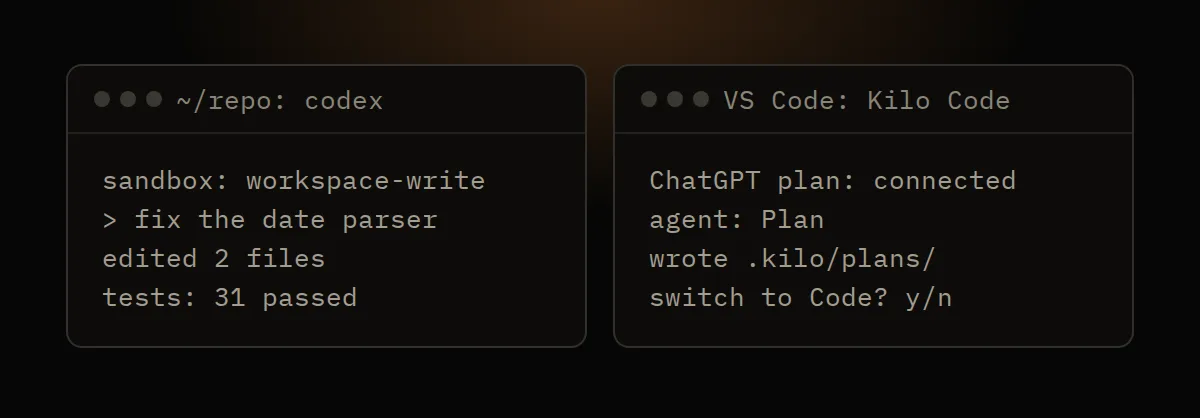
Facts come from OpenAI's and Kilo's documentation, read on 23 November 2026.
Codex and Kilo Code at a glance
| OpenAI Codex | Kilo Code | |
|---|---|---|
| Where it runs | ChatGPT desktop app, Codex CLI, IDE extension, Codex cloud, ChatGPT mobile | VS Code, JetBrains, the Kilo CLI, Kilo Desktop, cloud agents |
| Models | OpenAI models | 500+ models from 60+ providers, Auto Model, free and local models |
| How you pay | A ChatGPT plan, or an OpenAI API key | Free platform; inference at provider rates, your own keys, your ChatGPT plan, or Kilo Pass |
| Built-in agents | One agent; ask for a plan or a review | Code, Ask, Plan and Debug, plus custom agents |
| Safety | Sandbox modes plus approval policies | Allow, ask or deny per tool; optional sandbox on macOS and Linux |
| Open source | Codex CLI, Apache 2.0 | Yes |
What Codex is
Codex is OpenAI's coding agent. You describe an outcome and it reads the code, takes a step, checks the result and keeps going until it's done or needs you. Most people use it in the ChatGPT desktop app; it also runs as the Codex CLI, as an extension for VS Code-based editors, as Codex cloud tasks and in the ChatGPT phone app. It reads AGENTS.md files and uses skills, plugins and MCP servers.
Source: Codex app, OpenAI
Source: openai/codex, GitHub
What Kilo Code is
Kilo Code runs one agent runtime across its VS Code extension, JetBrains plugin, the Kilo CLI and Kilo Desktop. It switches between built-in agents: Code, with full tool access; Ask, read-only for questions; Plan, which writes plans only into .kilo/plans/; and Debug, for troubleshooting. You can add your own agents as Markdown files. Its Agent Manager runs several sessions at once in VS Code, each in its own git worktree, with a diff panel and a terminal per session.
Source: Using agents, Kilo Code docs
Source: Agent Manager, Kilo Code docs
Using your ChatGPT plan in Kilo Code
Kilo lets you connect a ChatGPT Go, Plus or Pro plan from its Bring Your Own Key page by choosing Sign in with ChatGPT under OpenAI (ChatGPT subscription). Requests to supported OpenAI models then use your plan's allowance, with no extra API charges and no Kilo credits. Don't paste an OpenAI API key in that section, which bills pay-as-you-go instead. Connecting the same plan in several places shares one allowance; it doesn't add a second quota, and Codex draws on that same allowance.
Source: Using ChatGPT subscriptions with Kilo Code, Kilo Code docs
The main differences
Where you work
Codex is strongest in the ChatGPT desktop app and Codex cloud, with tasks you can start from your phone. Kilo Code lives in your editor: VS Code and JetBrains, with the CLI and desktop app beside them. If you spend the day in JetBrains, Kilo Code is the more natural fit; if you want work to keep going in the cloud while you're away, Codex is.
Models
Codex runs OpenAI's models. Kilo Code can run OpenAI's models on your ChatGPT plan, and also Claude, Gemini and hundreds of others through the Kilo Gateway or your own keys, plus local models through Ollama or LM Studio. Its Auto Model picks a model within a tier, Frontier, Efficient or Free.
Safety
Codex's sandbox decides what is technically possible, read-only, workspace-write or full access, and its approval policy decides when it asks. Kilo Code sets each tool to allow, ask or deny, with glob patterns for commands, and asks when no rule matches. Its sandbox limits where tools write and blocks outbound network access, but it's off by default and not available on Windows.
Source: Sandboxing, OpenAI Codex docs
Source: Auto-approving actions, Kilo Code docs
Pricing: Codex vs Kilo Code
| Codex (ChatGPT plans) | Kilo Code | |
|---|---|---|
| Free | ChatGPT Free and Go: Codex in the desktop app, subject to rollout | Free and open source; free models, local models or your own keys |
| Individual | Plus: US$20 a month | Your ChatGPT plan, provider rates with no markup, or Kilo Pass from US$19 a month |
| Heavy use | Pro: US$100, US$200 or US$500 a month | Usage-based at provider rates |
| Teams | Business: US$20 per user a month billed yearly, or US$25 monthly | Teams: US$15 per user a month, plus usage |
Source: Pricing, OpenAI ChatGPT and Codex docs
Source: Pricing, Kilo Code
Which should you choose?
- You want OpenAI's own agent across desktop, terminal, cloud and phone: Codex.
- You work in JetBrains or want an agent inside VS Code with several built-in agents: Kilo Code.
- You want to switch between OpenAI, Anthropic, Google and local models: Kilo Code.
- You want to use one ChatGPT plan in both: connect it to Kilo Code and use Codex too, remembering they share one allowance.
Watching every agent at once
When Codex, Kilo Code and Claude Code run on one project, the hard part is knowing which agent is waiting for you. 10u shows every Codex and Claude Code session side by side under the goal it's working toward, marks the ones waiting on you, and lets you answer from one screen on your laptop or phone.

Questions people ask
- What is the difference between Codex and Kilo Code?
- Codex is OpenAI's coding agent on ChatGPT plans. Kilo Code is an open-source agent for VS Code, JetBrains, the terminal and desktop that works with hundreds of models from many providers.
- Can I use my ChatGPT plan in Kilo Code?
- Yes. Kilo supports ChatGPT Go, Plus and Pro plans for supported OpenAI models, at no extra charge. It shares the same allowance as Codex.
- Is Kilo Code free?
- Kilo Code is free and open source for individuals. You pay for model usage unless you use free models, local models or your ChatGPT plan.
- Does Kilo Code work in JetBrains?
- Yes. Kilo Code has a JetBrains plugin as well as a VS Code extension, a CLI and a desktop app.
- Which is better for cloud tasks?
- Codex cloud runs tasks in OpenAI's cloud and can be started from your phone. Kilo also offers cloud agents, charged for compute separately from inference.