
Claude Code plugins: how to find, install and manage them
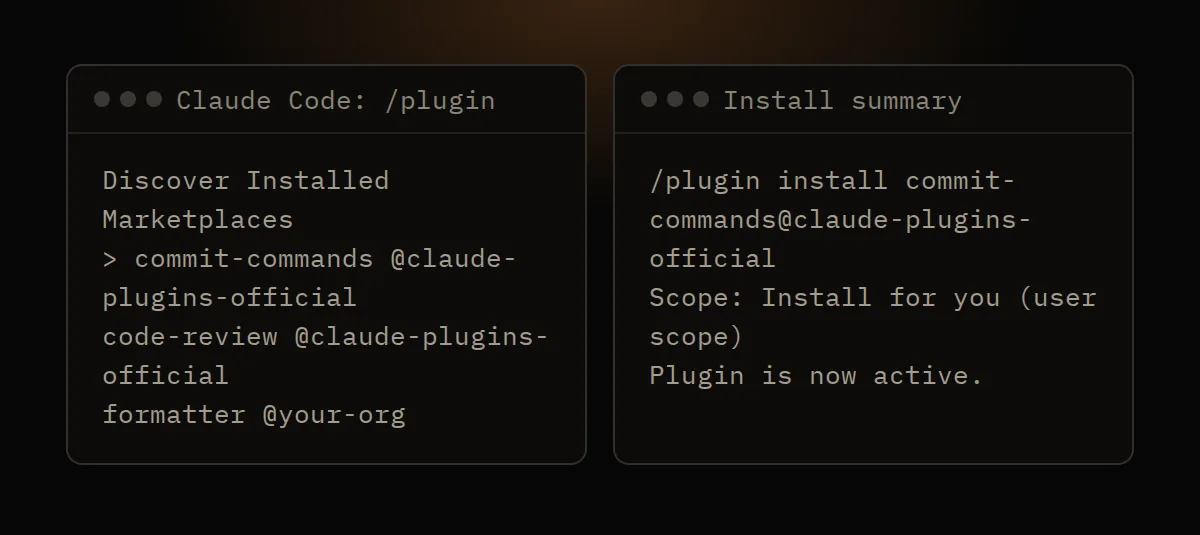
Claude Code plugins are packages of skills, subagents, hooks and MCP servers that install as one unit. To add one, run /plugin in a Claude Code session and pick a plugin from the Discover tab, or run /plugin install name@marketplace. Anthropic adds its official marketplace, claude-plugins-official, the first time you start an interactive session, so you can install from it straight away.
What a Claude Code plugin is
A plugin is a folder of components, usually with a small manifest file at .claude-plugin/plugin.json that gives it a name, a version and a description. Inside, it can hold any mix of these:
- Skills: SKILL.md instructions Claude loads when they are relevant, and that you can also run as a slash command.
- Agents: subagent definitions Claude can hand work to.
- Hooks: commands Claude Code runs at fixed points, such as after every edit.
- A hooks module, written in JavaScript, which can also draw panes and add commands. A plugin with one is called a mod.
- MCP servers: tool servers Claude Code connects to while the plugin is turned on.
my-plugin/.claude-plugin/plugin.jsonskills/review/SKILL.mdagents/reviewer.mdhooks/hooks.json.mcp.json
Every one of those parts also works on its own, without a plugin. A skill saved in ~/.claude/skills/ already works in every project on your machine. A plugin is worth it when you want several parts packaged together, installed with one command and updated from one place.
Do not confuse a Claude Code plugin with the Claude Code plugin for JetBrains or the VS Code extension. Those put Claude Code inside your editor. A Claude Code plugin adds abilities to Claude Code itself.
Source: Plugins overview, Anthropic
Claude Code plugin marketplaces
A marketplace is a catalog, not a store. It is a repository or folder with a .claude-plugin/marketplace.json file that lists plugins and where to fetch each one. You add a marketplace once, then install plugins from it by name, in the form plugin@marketplace.
| Marketplace | Name you type after @ | What's in it | How you get it |
|---|---|---|---|
| Official | claude-plugins-official | Plugins Anthropic maintains, plus plugins from partners and other authors | Added for you the first time you start an interactive session |
| Community | claude-community | Third-party plugins their authors submitted to Anthropic | Add it yourself |
| Third-party | Whatever its owner named it | A coworker's, your company's or anyone else's plugins | Add it yourself with /plugin marketplace add |
The old claude-code-plugins marketplace in the anthropics/claude-code repository is deprecated. If a tutorial tells you to run /plugin marketplace add anthropics/claude-code, skip that step and install from claude-plugins-official instead. To browse the official catalog on the web, with install counts and an Anthropic verified mark on some plugins, use Claude Marketplace at claude.com/marketplace. It is a website, not a marketplace you add to Claude Code.
Source: Anthropic's plugin marketplaces, Anthropic
How to install a Claude Code plugin
- Start Claude Code with claude in your project.
- Run /plugin install with the plugin and marketplace name. In a session this opens the plugin details rather than installing straight away.
- Read the details. They list what the plugin will install: commands, agents, skills, hooks, and MCP and LSP servers. Plugins in the official marketplace also show a context cost, in tokens, for every turn and for when you use it.
- Choose a scope: for you in every project, for everyone in this repository, or for you in this repository only.
- Read the summary. Plugin is now active means you can use it now. Run /reload-plugins to apply means it needs a reload, which Claude Code runs for you.
- Type / and look for the plugin skills under its name, such as /commit-commands:commit for the commit-commands plugin.
/plugin install commit-commands@claude-plugins-officialTo install from a script, or without opening a session, use the shell command. It installs at user scope unless you pass --scope:
claude plugin install formatter@your-org --scope projectIn the desktop app, click the + button next to the prompt box and choose Add plugins. In VS Code, type /plugins in the Claude Code panel. A plugin you install at user scope in the terminal, the desktop app or VS Code shows up in the other two on the same computer, because all three read the same settings files. Cloud sessions, including claude.ai/code in the browser, do not load the plugins from your own machine.
Source: Install and manage plugins, Anthropic
Choose a plugin scope
| Scope | Who gets it | Where it is recorded |
|---|---|---|
| User | You, in every project on this computer | ~/.claude/settings.json |
| Project | Everyone who works in this repository | .claude/settings.json, which you commit |
| Local | You, in this repository only | .claude/settings.local.json |
Project scope turns a plugin on for your collaborators, but it does not download it for them: each person still installs it on their own machine. When the same plugin is set at more than one scope, local beats project, and project beats user.
Source: Install and manage plugins, Anthropic
Add another plugin marketplace
To install a plugin that is not in the official marketplace, add its marketplace first. The source can be a GitHub repository in owner/repo form, a full git URL on any host, a local folder, or the https address of a hosted marketplace.json. Add #ref to pin a branch or tag, such as your-org/plugins#v1.2.0.
/plugin marketplace add your-org/pluginsOr add the marketplace and install a plugin in one step:
claude plugin install deploy-helper --marketplace your-org/pluginsPrivate marketplaces use the git credentials already on your machine, such as gh auth login or your SSH key, so a repository you can clone is a marketplace you can add. Your organisation can also allowlist or block marketplaces and force-install plugins through managed settings.
Source: Install and manage plugins, Anthropic
Update, turn off or remove plugins
Plugins update automatically when their marketplace has auto-update turned on: Claude Code refreshes the marketplace after a session starts and updates the copies on disk. When you see Plugin updated, run /reload-plugins, or wait for your next launch. You can switch auto-update on or off per marketplace in the Marketplaces tab of /plugin.
claude plugin listclaude plugin disable formatter@your-orgclaude plugin enable formatter@your-orgclaude plugin update formatter@your-orgclaude plugin uninstall formatter@your-org
The Installed tab in /plugin does the same with a keypress: Space turns a plugin on or off, and a Not used recently group lists plugins that still cost startup time and context but that you have stopped using.
Source: Install and manage plugins, Anthropic
Are Claude Code plugins safe?
Treat a plugin like any program you download. A plugin you install can run code on your machine with your own user permissions. Its hooks and monitors run as shell commands, its MCP servers run as processes, and its skills and agents enter Claude's context as instructions. Claude Code's permission rules and sandbox cover the tool calls Claude makes, not the code a plugin runs by itself.
- Read the Will install list before you choose a scope, and look for hooks and MCP servers you did not expect.
- Prefer the official marketplace, and check who publishes a third-party one. A marketplace name alone does not prove who is behind it.
- Remember that auto-update can change the files you reviewed. Turn auto-update off for a marketplace you want to review by hand.
- Disable or uninstall a plugin you no longer trust straight away.
Source: Plugin security and trust, Anthropic
Make your own plugin or marketplace
To share your own setup with your team, put your skills, agents and hooks in a plugin folder with a .claude-plugin/plugin.json manifest. While you work on it, load it for one session with claude --plugin-dir ./my-plugin instead of installing it. When it is ready, list it in a .claude-plugin/marketplace.json in a git repository your team can reach, and they add that repository as a marketplace.
Source: Create a plugin marketplace, Anthropic
Plugins across many sessions
Plugins load in every session where they are on, so a team that runs several Claude Code sessions at once gets the same skills and hooks in each. 10u is an AI coding agent dashboard that shows every Claude Code and Codex session side by side, each in its real terminal, marked Needs you, Working, Waiting or Parked. They do the building. You decide what gets built.

Questions people ask
- How do I install a Claude Code plugin?
- Run /plugin in a Claude Code session and pick one from the Discover tab, or run /plugin install name@marketplace, then choose a scope.
- What is the Claude Code plugin marketplace?
- A catalog of plugins in a git repository. The official one, claude-plugins-official, is added for you. Anthropic also runs claude-community, and anyone can host their own.
- Where are Claude Code plugins stored?
- Installed plugins are kept in ~/.claude/plugins/. Which ones are turned on is recorded in your settings files, at user, project or local scope.
- Do Claude Code plugins update automatically?
- Yes, when the marketplace they came from has auto-update on. You can turn it off per marketplace in /plugin, or update one with claude plugin update.
- Are Claude Code plugins safe to install?
- A plugin runs code with your permissions, so review what it installs first and prefer marketplaces you trust.