
Claude Code GitHub guide: Git, pull requests and GitHub Actions
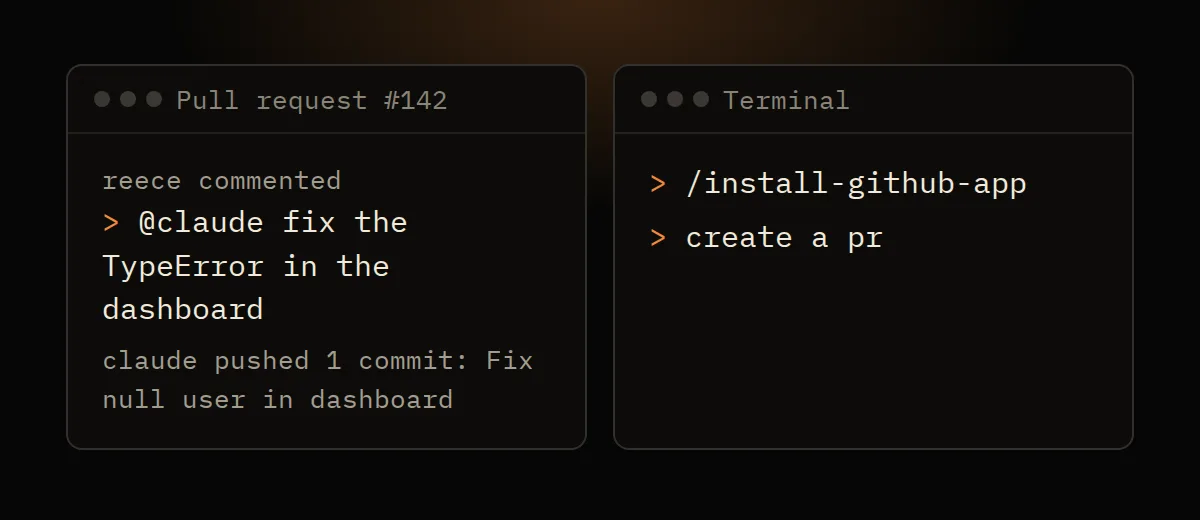
Claude Code works with Git and GitHub in two places. On your computer, it handles Git for you in plain English: "commit my changes with a descriptive message", "create a pr for this feature". On GitHub itself, the Claude Code GitHub Action runs Claude in your repository's workflows, so mentioning @claude in an issue or pull request comment gets you an answer, a fix or a whole pull request. Set the second one up by running /install-github-app inside Claude Code.
Source: Claude Code GitHub Actions, Claude Code docs
Use Git with Claude Code on your computer
Claude Code sees your current branch, uncommitted changes and recent commits, and runs Git like any other command. Ask in plain words:
what files have I changed?commit my changes with a descriptive messagecreate a new branch called feature/quickstartshow me the last 5 commitshelp me resolve merge conflicts
Claude writes commit messages from the actual changes. Run /diff to review everything in your working tree, including Claude's edits so far.
Source: Quickstart, Claude Code docs
Create pull requests
summarize the changes I've made to the authentication modulecreate a prenhance the PR description with more context about the security improvements
Claude writes the description from the code changes. Review it before you submit, and ask Claude to point out risks. Later, claude --from-pr with the pull request number reopens the session that made it.
Source: Common workflows, Claude Code docs
Give Claude the GitHub CLI
Anthropic's best-practice guide notes that if a system has a command-line tool, that is usually the easiest way in. With GitHub's gh installed and signed in (gh auth login), Claude can read issues, open pull requests and check CI from the terminal. The Claude desktop app needs gh for its pull request tracking, Auto-fix and Merge when ready.
Source: Best practices, Claude Code docs
Or connect GitHub's MCP server
GitHub's remote MCP server gives Claude GitHub tools directly. Make a fine-grained personal access token in your GitHub settings, then:
claude mcp add --transport http github https://api.githubcopilot.com/mcp/ --header "Authorization: Bearer YOUR_GITHUB_PAT"Then ask: "Review PR #456 and suggest improvements", "Create a new issue for the bug we just found" or "Show me all open PRs assigned to me".
Source: Connect Claude Code to tools via MCP, Claude Code docs
Parallel branches with worktrees
To work on two branches at once without the edits colliding, start each session in its own Git worktree with claude --worktree and a name. Each gets a separate checkout on its own branch. Our Claude Code worktrees guide covers this in depth.
Source: Common workflows, Claude Code docs
Claude Code GitHub Actions
The Claude Code GitHub Action (anthropics/claude-code-action) runs Claude Code inside your repository's workflows. It can answer questions, implement changes, turn issues into pull requests and run on a schedule. It works in two modes:
| Mode | When | What happens |
|---|---|---|
| Interactive | The workflow has no prompt input | Claude waits for @claude in an issue or pull request comment, a review, or a new issue, then replies there |
| Automation | The workflow has a prompt input | Claude runs on any GitHub event, including a schedule, without a mention |
Source: Claude Code GitHub Actions, Claude Code docs
Quick setup with /install-github-app
- Install the GitHub CLI and run gh auth login if you are not signed in.
- Run claude in the repository and type /install-github-app.
- Install the Claude GitHub App in the browser page that opens and give it access to the repository, then press Enter.
- Choose Set up GitHub Actions workflows, and keep the @claude mentions workflow, the pull request review workflow, or both.
- Choose a credential: a long-lived token from your Claude subscription, or an API key. It is saved as a repository secret.
- Confirm, then create and merge the pull request Claude Code opens with the workflow files.
You need admin access to the repository, and quick setup only works for github.com repositories. Press Esc to stop partway; Claude Code lists what it already changed.
Source: Claude Code GitHub Actions, Claude Code docs
Manual setup
Install the Claude GitHub App on the repository, add a secret (ANTHROPIC_API_KEY from the Claude Console, or CLAUDE_CODE_OAUTH_TOKEN from running claude setup-token locally on a Pro, Max, Ultra, Team or Enterprise plan), and copy the example claude.yml from the action's repository into .github/workflows. The core of a mentions workflow looks like this:
name: Claude Code
on:
  issue_comment:
    types: [created]
  pull_request_review_comment:
    types: [created]
jobs:
  claude:
    if: contains(github.event.comment.body, '@claude')
    runs-on: ubuntu-latest
    permissions:
      contents: write
      pull-requests: write
      issues: write
      id-token: write
      actions: read
    steps:
      - uses: actions/checkout@v6
        with:
          fetch-depth: 1
      - uses: anthropics/claude-code-action@v1
        with:
          anthropic_api_key: ${{ secrets.ANTHROPIC_API_KEY }}
The id-token permission is needed for the action's default GitHub App sign-in, actions: read lets Claude read CI results, and the if line stops runners starting on comments without @claude.
Source: Claude Code GitHub Actions, Claude Code docs
Using @claude
@claude implement this feature based on the issue description@claude how should I implement user authentication for this endpoint?@claude fix the TypeError in the user dashboard component
Claude replies in a comment on the same issue or pull request and updates it as it works. Only users with write access can trigger it by default, and bots are rejected unless listed in allowed_bots, which stops loops.
Run on a schedule
With a prompt input and a cron trigger, the action runs on its own, for example a daily summary of yesterday's commits and open issues at 09:00 UTC. In automation mode Claude has no shell or GitHub access until you allow the tools the prompt needs with --allowedTools in claude_args.
Source: Claude Code GitHub Actions, Claude Code docs
Costs and good habits
Each run uses GitHub Actions minutes on GitHub-hosted runners and Claude tokens, from your API key or subscription. Keep both down by writing specific @claude requests, using issue templates for context, keeping CLAUDE.md short (Claude reads it on every run), setting --max-turns in claude_args, and adding workflow timeouts and concurrency limits. Never commit an API key or token; store it as a GitHub secret.
For an organisation, install the app once at organisation level, store the secret as an organisation secret (an API key rather than a personal subscription token), and add the workflow to each repository. Workload identity federation avoids storing a long-lived secret at all. Amazon Bedrock, Google Cloud and Microsoft Foundry are supported with use_bedrock, use_vertex or use_foundry.
Source: Claude Code GitHub Actions, Claude Code docs
Troubleshooting Claude Code on GitHub
| Problem | Check |
|---|---|
| Claude does not respond to @claude | The app is installed, workflows are on, the secret is set, the comment says @claude as a whole word, and the commenter has write access |
| CI does not run on Claude's commits | Remove github_token: ${{ secrets.GITHUB_TOKEN }} so the action signs in as the Claude GitHub App; GitHub does not trigger workflows on commits made with the default token |
| /install-github-app exits straight away | The repository is on GitLab or Bitbucket; quick setup is github.com only |
Source: Claude Code GitHub Actions, Claude Code docs
Keep track of every agent
Between local sessions on different branches and @claude jobs on GitHub, Claude Code work spreads out fast. 10u is an AI coding agent dashboard that shows every local Claude Code and Codex session side by side, each in its real terminal, marked Needs you, Working, Waiting or Parked. They do the building. You decide what gets built.

Questions people ask
- How do I connect Claude Code to GitHub?
- Run /install-github-app inside Claude Code in your repository. It installs the Claude GitHub App, saves a credential as a repository secret and opens a pull request with the workflow files.
- Can Claude Code create pull requests?
- Yes. Locally, ask "create a pr" and Claude writes the description from your changes. On GitHub, mention @claude in an issue and the GitHub Action can open a pull request.
- Does Claude Code GitHub Actions work with a Claude subscription?
- Yes. Generate a token with claude setup-token on a Pro, Max, Ultra, Team or Enterprise plan and store it as CLAUDE_CODE_OAUTH_TOKEN. Or use an API key as ANTHROPIC_API_KEY.
- Why is Claude not answering my @claude comment?
- Check the Claude GitHub App is installed, workflows are enabled, the secret is set, you wrote @claude as a whole word, and you have write access to the repository.
- Does Claude Code work with GitLab?
- Quick setup with /install-github-app is for github.com only. Anthropic has a separate GitLab CI/CD integration.