
Claude Code agents: subagents, background agents and agent teams
"Claude Code agents" can mean three different things. Subagents are helpers that one Claude Code session spawns for a focused job and that report back to it. Background agents are whole Claude Code sessions you run side by side and watch in agent view. Agent teams are a group of sessions with a lead, a shared task list and messages between them. Here is what each one is, how to set it up and when to use it.
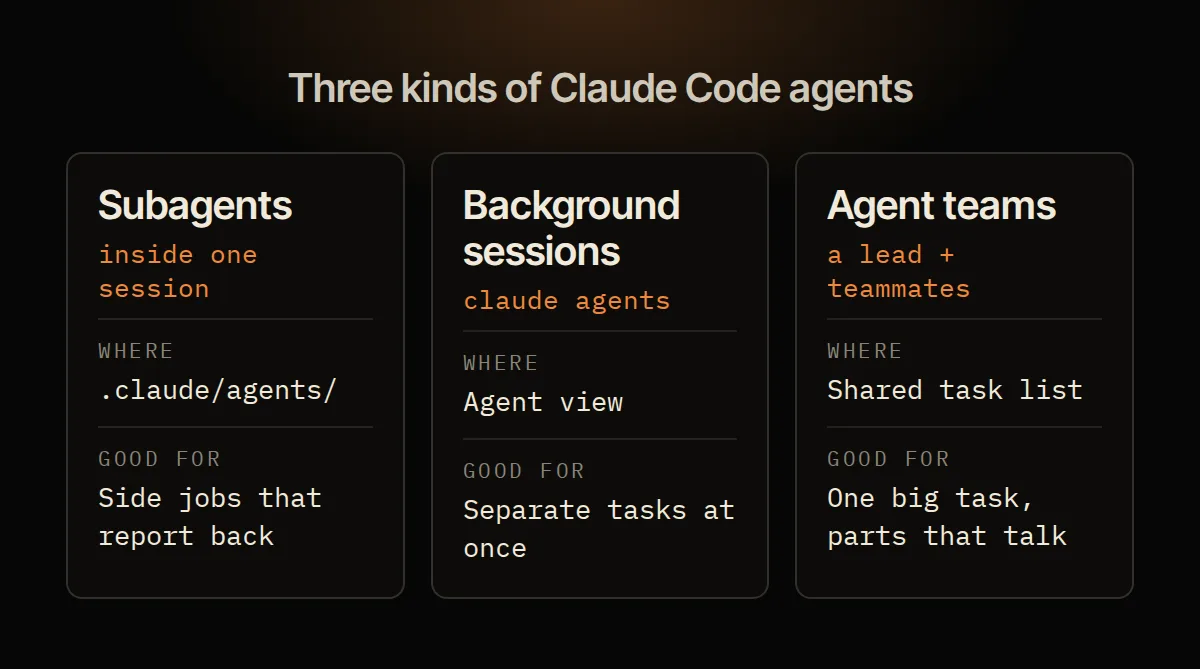
| Subagents | Background agents | Agent teams | |
|---|---|---|---|
| What it is | A helper inside one session | Separate sessions you run at once | Sessions led by one lead session |
| Who starts it | Claude, or you by asking | You | The lead, when you ask for teammates |
| Talks to | Reports back to the main session | You | The lead and other teammates |
| Where you watch it | The agent panel in your session | claude agents (agent view) | The agent panel or split panes |
| Good for | Research, reviews, focused jobs | Unrelated tasks at the same time | Big jobs that need discussion |
Subagents: helpers inside one session
A subagent is a specialised helper with its own context window, its own instructions and, if you want, its own limited set of tools. Claude hands it a job, it does the work away from your main conversation, and only the result comes back. Anthropic lists five reasons to use them:
- Keep the main conversation clean, because exploration and side work happen elsewhere.
- Limit what a helper can do by giving it only certain tools.
- Reuse a setup across projects with personal subagents.
- Give a helper a focused system prompt for one kind of job.
- Control cost by sending simple jobs to a faster, cheaper model such as Haiku.
Built-in subagents
Claude Code comes with subagents it uses by itself when they fit:
- Explore searches and reads a codebase without changing anything. Claude asks it for a quick, medium or very thorough search depending on the job.
- Plan does the research while you are in plan mode, so the main conversation stays read-only.
- general-purpose handles jobs that need both exploring and changing files, harder reasoning, or several dependent steps.
Explore and Plan start without your CLAUDE.md files and the git status snapshot, which keeps research fast and cheap. If you define your own subagent called Explore, it replaces the built-in one, so you can run exploration on Haiku by giving it model: haiku.
Source: Create custom subagents, Anthropic
Create your own subagent
A subagent is a Markdown file with YAML frontmatter at the top and its instructions below. The easiest way to make one is to ask Claude:
Create a personal code-improver subagent in ~/.claude/agents/ that scans
files and suggests improvements for readability, performance and best practices.
Or write the file yourself. Only name and description are required; the description tells Claude when to use it:
---
name: code-reviewer
description: Reviews code for quality and best practices
tools: Read, Glob, Grep
model: sonnet
---

You are a code reviewer. When invoked, analyse the code and give
specific, actionable feedback on quality, security and best practices.
Claude Code watches the agents folders, so a new or edited file is picked up within a few seconds without a restart.
Where subagent files live
| Folder | Who can use it |
|---|---|
| .claude/agents/ in a project | Everyone working in that project. Check it into git so your team shares it |
| ~/.claude/agents/ | You, in every project on your machine |
| A plugin's agents folder | Anyone who installs the plugin |
| The managed settings folder | Everyone in an organisation, set by an administrator |
Claude Code searches these folders and their subfolders, so you can sort definitions into folders such as agents/review/ or agents/research/. Keep each name unique; if two files share a name, only one loads.
Useful frontmatter fields
- tools and disallowedTools limit what the subagent can do. A reviewer that only needs Read, Glob and Grep cannot edit files.
- model picks the model, such as haiku, sonnet or opus, or inherit to use the main conversation's model.
- permissionMode sets how much it can do without asking.
- mcpServers, hooks and skills give it its own tools, checks and know-how.
- background: true keeps it running in the background even when Claude would otherwise wait for it.
Keep descriptions short. All your subagents' descriptions take up context, and Claude Code warns you at startup when your custom ones add up to more than 15,000 tokens.
Source: Create custom subagents, Anthropic
Foreground or background subagents
A foreground subagent blocks the main conversation until it finishes, and passes any permission prompts straight to you. A background subagent runs while you keep working; when it needs permission, Claude Code shows the prompt in your main session and names the subagent asking, so you approve it or press Escape to deny. With nothing configured, most subagents Claude spawns from your main conversation start in the background, so you can keep talking to Claude while they work.
Asking for a subagent yourself
Claude decides when to delegate based on each subagent's description, but you can also ask for one by name, such as "Use the code-reviewer subagent to check my last change." A clear description that says when to use the agent, for example "Use after any change to the payments code", makes Claude pick it at the right moment without being asked.
Background agents: several sessions at once
Subagents all live inside one session. To run several independent pieces of work at the same time, you run several Claude Code sessions. Anthropic's agent view, opened with claude agents, is one screen for all your background sessions: what is running, what needs you and what is done.
claude agentsTo move a session you already have open into agent view, type /bg inside it, or press the left arrow on an empty prompt. While background sessions are waiting on you, the footer of your current session counts them, such as "← 2 agents".
What each state means in agent view
| State | Meaning |
|---|---|
| Working | Claude is running tools or writing a reply |
| Needs input | Claude is waiting on something only you can give: an answer, a permission decision or another prompt |
| Idle | Nothing to do; ready for your next prompt |
| Completed | The task finished |
| Failed | The task ended with an error |
| Stopped | You stopped it, or its process ended |
Sessions that need you sit at the top. Agent view also shows each session's pull request status by colour, and claude agents --json gives the same state to a script.
Peek, reply and attach
Select a row and press Space to peek. For a session waiting on you, the peek panel shows the exact question it is asking, with a reply box underneath, so you can answer without leaving the list. For a finished session it shows the result. Press Enter or the right arrow to attach to the full session; Claude posts a short recap of what happened while you were away, and from there it works like any other Claude Code session.
Source: Manage multiple agents with agent view, Anthropic
Agent teams: sessions that work together
An agent team is the third kind. One session acts as the lead; it spawns teammates, splits the work into a shared task list, and the teammates message each other as they go. Teams are experimental and turned off by default; you switch them on by setting CLAUDE_CODE_EXPERIMENTAL_AGENT_TEAMS to 1. They suit research, reviews and features with separate parts, and they use far more tokens than one session. Our guide to Claude Code agent teams covers the setup step by step.
Source: Orchestrate teams of Claude Code sessions, Anthropic
Which kind of agent to use
- One task, and you want a side job done without cluttering the conversation: a subagent.
- A repeated job such as code review or test writing: a custom subagent you define once and reuse.
- Several unrelated tasks at once, such as a bug fix, a new page and a refactor: background sessions in agent view.
- One big task where the parts need to compare notes: an agent team.
Start with the simplest one that fits. Subagents cost the least, because only their results come back to the main conversation. Background sessions and teams each run as separate Claude sessions, so every extra one uses its own share of your plan.
Running Claude Code agents with Codex too
Agent view shows Claude Code sessions. Many people also run OpenAI's Codex, in its own terminals or app, and then the agents waiting on them are spread over two places. 10u is an AI coding agent dashboard that puts every Claude Code and Codex session side by side, marked Needs you, Working, Waiting or Parked, so the one waiting on you is always on top whichever agent it is. They do the building. You decide what gets built.

Questions people ask
- What are Claude Code agents?
- Usually one of three things: subagents, which are helpers inside one session; background sessions you run at once and watch in agent view; and agent teams, which are sessions led by one lead.
- How do I create a custom agent in Claude Code?
- Ask Claude to write one, or create a Markdown file with name and description in its frontmatter in .claude/agents/ for one project or ~/.claude/agents/ for all of them.
- Where are Claude Code agents stored?
- Project subagents in .claude/agents/, personal ones in ~/.claude/agents/. Plugins and organisation settings can add more.
- How do I see all my running Claude Code agents?
- Run claude agents to open agent view, which lists every background session by state with the ones that need you at the top.
- Can Claude Code agents run on a cheaper model?
- Yes. Set model: haiku or model: sonnet in a subagent's frontmatter, or name the model when you ask Claude to spawn it.