
Claude Code hooks: a complete guide with copy-paste examples
Claude Code hooks are your own shell commands, HTTP calls or model checks that Claude Code runs automatically at set points in a session: before a tool runs, after a file is edited, when Claude finishes a turn, when it needs your input, and about 30 other events. You add them to a hooks block in a settings file such as ~/.claude/settings.json or .claude/settings.json. Anthropic's point is that hooks give deterministic control: the action always happens, rather than relying on Claude to remember to do it. Use them to format code, block risky commands, send notifications, add context, or stop Claude finishing until the tests pass.
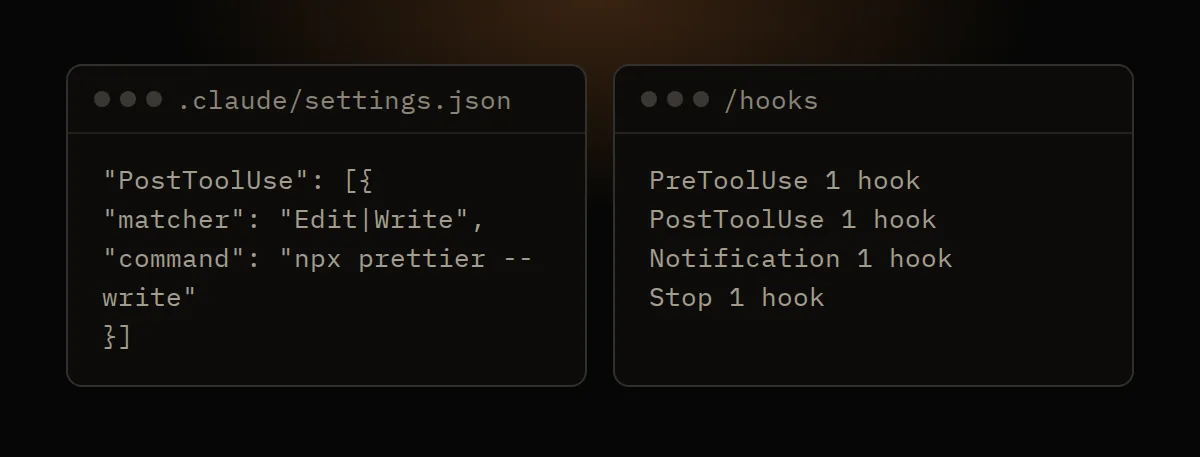
Source: Automate actions with hooks, Claude Code docs
Set up your first Claude Code hook
This walkthrough adds a desktop notification for whenever Claude is waiting on you, so you can stop watching the terminal.
- Open ~/.claude/settings.json (create it if it does not exist) and add a Notification hook, shown below for macOS.
- Type /hooks at the Claude Code prompt. Your hook appears under Notification.
- Press Esc, press Shift+Tab until the status bar shows manual mode on, ask Claude to do something that needs permission, then switch away from the terminal. A notification appears.
{
  "hooks": {
    "Notification": [
      {
        "matcher": "",
        "hooks": [
          {
            "type": "command",
            "command": "osascript -e 'display notification \"Claude Code needs your attention\" with title \"Claude Code\"'"
          }
        ]
      }
    ]
  }
}
If the file already has a hooks key, add Notification next to the existing event names rather than replacing the whole object; every event is a key inside one hooks object. You can also just describe the hook you want and ask Claude to write it.
Source: Automate actions with hooks, Claude Code docs
How Claude Code hooks are structured
A hook configuration has three levels: the event name, a list of matcher groups, and inside each group a list of handlers to run.
{
  "hooks": {
    "PostToolUse": [
      {
        "matcher": "Edit|Write",
        "hooks": [
          { "type": "command", "command": "f=$(jq -r '.tool_input.file_path') && npx prettier --write --ignore-unknown \"$f\"" }
        ]
      }
    ]
  }
}- The event, here PostToolUse, says when it runs.
- The matcher, here Edit|Write, narrows which occurrences count, such as which tool.
- Each handler has a type and what to run. When an event fires, every matching handler runs in parallel.
The five handler types
| Type | What it does | Default timeout |
|---|---|---|
| command | Runs a shell command; gets the event as JSON on stdin and answers with exit codes and stdout | 10 minutes |
| http | POSTs the event JSON to a URL; answers in the response body | 10 minutes |
| mcp_tool | Calls a tool on a configured MCP server | 10 minutes |
| prompt | Asks a Claude model for a yes or no decision in one turn | 30 seconds |
| agent | Starts a subagent that can read files and run tools before deciding (experimental) | 60 seconds |
UserPromptSubmit, PreModelSwitch and PostModelSwitch hooks default to 30 seconds and MessageDisplay to 10, because they block the conversation. SessionEnd hooks share a 1.5-second budget. Override any of these with a timeout field in seconds. If the same handler appears in more than one settings file, it runs once.
Source: Hooks reference, Claude Code docs
Every Claude Code hook event
| Event | When it fires |
|---|---|
| SessionStart | A session begins or resumes |
| Setup | Claude Code starts with --init-only, or --init or --maintenance in -p mode |
| UserPromptSubmit | A prompt is submitted, before Claude reads it |
| UserPromptExpansion | A typed command expands into a prompt; can block it |
| PreToolUse | Before a tool call runs; can block it |
| PermissionRequest | A tool call needs a permission decision |
| PermissionDenied | Auto mode denies a tool call |
| PostToolUse | After a tool call succeeds |
| PostToolUseFailure | After a tool call fails |
| PostToolBatch | After a batch of parallel tool calls, before the next model call |
| Notification | Claude Code sends a notification |
| MessageDisplay | While Claude's reply text is shown |
| SubagentStart, SubagentStop | A subagent starts or finishes |
| TaskCreated, TaskCompleted | A task is created or marked complete |
| Stop | Claude finishes responding |
| StopFailure | The turn ends because of an API error |
| TeammateIdle | An agent team teammate is about to go idle |
| InstructionsLoaded | A CLAUDE.md or .claude/rules file loads |
| ConfigChange | A settings or skills file changes during a session |
| CwdChanged | The working folder changes, for example after cd |
| DirectoryAdded | A folder is added with /add-dir |
| FileChanged | A watched file changes on disk |
| WorktreeCreate, WorktreeRemove | A worktree is created or removed; replaces the default git behaviour |
| PreCompact, PostCompact | Before and after compaction |
| PreModelSwitch, PostModelSwitch | Before and after the model changes; the first can block it |
| Elicitation, ElicitationResult | An MCP server asks for your input, and after you answer |
| SessionEnd | A session ends |
Source: Automate actions with hooks, Claude Code docs
Claude Code hook examples you can copy
Get notified when Claude needs input
The Notification event fires when Claude is waiting for input or permission. macOS uses osascript, as in the first example above. On Linux use notify-send; on Windows a PowerShell message box:
{
  "hooks": {
    "Notification": [
      {
        "matcher": "",
        "hooks": [
          {
            "type": "command",
            "command": "notify-send 'Claude Code' 'Claude Code needs your attention'"
          }
        ]
      }
    ]
  }
}
If nothing appears on macOS, osascript sends notifications through Script Editor, which may not have permission: run osascript -e 'display notification "test"' once, then turn on Allow Notifications for Script Editor in System Settings, Notifications. On Linux, notify-send needs a desktop notification daemon, which SSH sessions and containers usually lack; install libnotify-bin on Debian and Ubuntu. On Windows inside WSL, powershell.exe must be on your PATH.
An empty matcher fires on every notification type. Narrow it to one:
| Matcher | Fires when |
|---|---|
| permission_prompt | Claude needs you to approve something and the prompt has waited about six seconds |
| idle_prompt | Claude finished about 60 seconds ago and you have not typed since |
| auth_success | Sign-in completes |
| elicitation_dialog | An MCP server opens a form and you have not typed for about six seconds |
| agent_needs_input | A background session starts waiting on you while agent view is open |
| agent_completed | A background session finishes or fails, while agent view is open |
| quota_auto_resume_fired | Claude Code continues your task after a usage limit paused it |
Source: Automate actions with hooks, Claude Code docs
Auto-format code after every edit
This PostToolUse hook runs only after the Edit and Write tools, pulls the edited file path out of the JSON with jq, and passes it to Prettier. Put it in .claude/settings.json in your project:
{
  "hooks": {
    "PostToolUse": [
      {
        "matcher": "Edit|Write",
        "hooks": [
          {
            "type": "command",
            "command": "f=$(jq -r '.tool_input.file_path') && npx prettier --write --ignore-unknown \"$f\""
          }
        ]
      }
    ]
  }
}
To test it, ask Claude to add a line with single-quoted strings to a JavaScript file; Prettier's defaults rewrite them to double quotes. A successful hook shows nothing in the conversation, so check the file. The examples here use jq: install it with brew install jq on macOS or apt-get install jq on Debian and Ubuntu. To reformat a file however it changes, including when a Bash command rewrites it, use a FileChanged hook instead.
Source: Automate actions with hooks, Claude Code docs
Block edits to protected files
Stop the Edit and Write tools touching .env, package-lock.json or anything in .git/. Claude gets the reason back as feedback, so it can change approach. Save this as .claude/hooks/protect-files.sh:
#!/bin/bash
# protect-files.sh
INPUT=$(cat)
FILE_PATH=$(echo "$INPUT" | jq -r '.tool_input.file_path // empty')
FILE_PATH="${FILE_PATH//\\//}"

PROTECTED_PATTERNS=(".env" "package-lock.json" ".git/")

for pattern in "${PROTECTED_PATTERNS[@]}"; do
  if [[ "$FILE_PATH" == *"$pattern"* ]]; then
    echo "Blocked: $FILE_PATH matches protected pattern '$pattern'" >&2
    exit 2
  fi
done

exit 0
Make it executable with chmod +x .claude/hooks/protect-files.sh, then register it:
{
  "hooks": {
    "PreToolUse": [
      {
        "matcher": "Edit|Write",
        "hooks": [
          {
            "type": "command",
            "command": "\"$CLAUDE_PROJECT_DIR\"/.claude/hooks/protect-files.sh"
          }
        ]
      }
    ]
  }
}
Ask Claude to add a comment to .env and the edit is blocked before it runs. Claude could still change those files with shell commands, so Anthropic suggests also adding Edit deny rules such as Edit(/.env) and using the sandbox to limit what commands can write.
Source: Automate actions with hooks, Claude Code docs
Re-inject context after compaction
Compaction summarises the conversation to free space and can drop details. A SessionStart hook with a compact matcher puts critical context back each time; whatever the command prints is added to Claude's context:
{
  "hooks": {
    "SessionStart": [
      {
        "matcher": "compact",
        "hooks": [
          {
            "type": "command",
            "command": "echo 'Reminder: use Bun, not npm. Run bun test before committing. Current sprint: auth refactor.'"
          }
        ]
      }
    ]
  }
}
Swap the echo for something dynamic such as git log --oneline -5. For context you want in every session, CLAUDE.md is the better home.
Audit configuration changes
ConfigChange fires when a settings or skills file changes during a session. This appends each change to a log; matchers can narrow it to user_settings, project_settings, local_settings, policy_settings or skills, and exit 2 blocks the change:
{
  "hooks": {
    "ConfigChange": [
      {
        "matcher": "",
        "hooks": [
          {
            "type": "command",
            "command": "jq -c '{timestamp: now | todate, source: .source, file: .file_path}' >> ~/claude-config-audit.log"
          }
        ]
      }
    ]
  }
}
Reload environment variables when the folder changes
Claude's Bash tool does not pick up direnv changes on its own. Pair SessionStart and CwdChanged hooks that write to CLAUDE_ENV_FILE, which Claude Code runs before each Bash command:
{
  "hooks": {
    "SessionStart": [
      { "hooks": [ { "type": "command", "command": "direnv export bash > \"$CLAUDE_ENV_FILE\"" } ] }
    ],
    "CwdChanged": [
      { "hooks": [ { "type": "command", "command": "direnv export bash > \"$CLAUDE_ENV_FILE\"" } ] }
    ]
  }
}
Run direnv allow once in each folder with an .envrc. devbox shellenv works the same way. To react to particular files instead, use FileChanged with a matcher such as .envrc|.env; the value is split into literal filenames to watch.
Auto-approve one kind of permission prompt
PermissionRequest hooks run when Claude Code is about to ask you. This one approves ExitPlanMode, so you are not asked every time a plan is ready, by writing a JSON decision to stdout:
{
  "hooks": {
    "PermissionRequest": [
      {
        "matcher": "ExitPlanMode",
        "hooks": [
          {
            "type": "command",
            "command": "jq -c '{hookSpecificOutput: {hookEventName: \"PermissionRequest\", decision: {behavior: \"allow\", updatedInput: .tool_input}}}'"
          }
        ]
      }
    ]
  }
}
The transcript then shows Allowed by PermissionRequest hook. Adding an updatedPermissions entry with type setMode can switch the session to a mode such as acceptEdits at the same time. Keep the matcher narrow: an empty matcher or .* would approve every prompt, file writes and shell commands included.
Source: Automate actions with hooks, Claude Code docs
Hook input: what your script receives
Every event sends JSON on stdin with common fields such as session_id, transcript_path, cwd, permission_mode and hook_event_name, plus fields for that event. A PreToolUse hook for npm test receives:
{
  "session_id": "abc123",
  "cwd": "/Users/sarah/myproject",
  "hook_event_name": "PreToolUse",
  "tool_name": "Bash",
  "tool_input": {
    "command": "npm test"
  }
}
UserPromptSubmit hooks get the prompt text instead, SessionStart hooks a source of startup, resume, clear, compact or fork, and Stop hooks stop_hook_active, the last_assistant_message text and lists of background_tasks and session_crons still running. When a session is resumed, SessionStart also receives seconds_since_last_response, context_tokens, prompt_cache_likely_expired and estimated_cache_write_usd, so a hook can warn what resuming a stale conversation will cost.
Source: Hooks reference, Claude Code docs
Hook output: exit codes and JSON
| Exit code | Meaning |
|---|---|
| 0 | No objection. On PreToolUse the normal permission flow still applies; exit 0 does not approve. For UserPromptSubmit, SessionStart and a few others, stdout is added to Claude's context |
| 2 | Block. Write the reason to stderr; depending on the event Claude gets it as feedback, you see it, or nothing shows |
| Anything else | A non-blocking error: the action goes ahead on most events, unless the hook sets onFailure to "block" |
#!/bin/bash
INPUT=$(cat)
COMMAND=$(echo "$INPUT" | jq -r '.tool_input.command')

if echo "$COMMAND" | grep -q "drop table"; then
  echo "Blocked: dropping tables is not allowed" >&2
  exit 2
fi

exit 0
Structured JSON output
For more control, exit 0 and print a JSON object. Use either exit 2 or JSON in a hook, not both. A PreToolUse hook can deny a call and tell Claude why:
{
  "hookSpecificOutput": {
    "hookEventName": "PreToolUse",
    "permissionDecision": "deny",
    "permissionDecisionReason": "Use rg instead of grep for better performance"
  }
}
permissionDecision can also be "ask" to show the normal prompt, "allow" to skip it, or "defer" in -p mode to end the turn with the call saved so an Agent SDK wrapper can collect input and resume. allow never overrides deny or ask rules, managed deny lists included. Other events use other shapes: PostToolUse and Stop use a top-level decision: "block", and PermissionRequest uses hookSpecificOutput.decision.behavior. To add context on UserPromptSubmit, nest additionalContext inside hookSpecificOutput; at the top level it is silently ignored.
{
  "hookSpecificOutput": {
    "hookEventName": "UserPromptSubmit",
    "additionalContext": "Current branch: release-42. Deploy freeze until Friday."
  }
}
Source: Automate actions with hooks, Claude Code docs
When several hooks match
Every matching hook runs to completion before Claude Code merges the results, so one hook's deny does not stop a sibling running. For PreToolUse decisions the strictest answer wins, in the order deny, defer, ask, allow, and additionalContext text from every hook is passed on. If more than one hook rewrites a tool's input with updatedInput, there is no guarantee which rewrite the tool runs with, so avoid that.
Source: Automate actions with hooks, Claude Code docs
What exit code 2 does on each event
Exit code 2 is how a hook says stop, but what it stops depends on the event. Some events are actions that have not happened yet, such as a tool call, so they can be blocked. Others report something that already happened, such as a finished tool or a changed folder, so exit 2 can only show a message. This is the reference table:
| Hook event | Can block? | What exit 2 does |
|---|---|---|
| PreToolUse | Yes | Blocks the tool call |
| PermissionRequest | No | Ignored; deny through the decision object instead |
| UserPromptSubmit | Yes | Blocks the prompt |
| UserPromptExpansion | Yes | Blocks the expansion |
| Stop | Yes | Stops Claude stopping; the conversation continues |
| SubagentStop | Yes | Stops the subagent stopping |
| TeammateIdle | Yes | Keeps the teammate working |
| TaskCreated | Yes | Rolls back the task creation |
| TaskCompleted | Yes | Keeps the task from being marked complete |
| ConfigChange | Yes | Blocks the change, except policy_settings |
| PostToolBatch | Yes | Stops the agentic loop before the next model call |
| PreCompact | Yes | Blocks compaction |
| PreModelSwitch | Yes | Blocks the model switch and shows stderr to you |
| Elicitation | Yes | Declines the request; no dialog appears |
| ElicitationResult | Yes | Blocks the response, which becomes decline |
| WorktreeCreate | Yes | Any non-zero exit makes creation fail |
| WorktreeRemove | Yes | Any non-zero exit fails removal if the folder still exists |
| PostToolUse | No | Shows stderr to Claude; the tool already ran |
| PostToolUseFailure | No | Shows stderr to Claude; the tool already failed |
| PermissionDenied | No | Ignored; return retry: true to let Claude try again |
| Notification | No | Exit code and stderr are ignored |
| SessionStart, SubagentStart, SessionEnd | No | Shows stderr to you only |
| CwdChanged, FileChanged, PostCompact | No | Shows stderr to you only |
| PostModelSwitch | No | Shows stderr to you; the model already switched |
| DirectoryAdded | No | Stderr goes to the debug log |
| Setup, InstructionsLoaded | No | Exit code is ignored |
| StopFailure | No | Output and exit code are ignored, except terminalSequence |
| MessageDisplay | No | The original text is displayed |
A script that blocks rm commands by exiting 2 and leaves every other command to the normal permission flow looks like this. Registered as a PreToolUse hook on Bash, Claude receives the stderr line as the tool error, prefixed with the event and the hook path.
#!/bin/bash
# Reads JSON input from stdin, checks the command
input=$(cat)
command=$(jq -r '.tool_input.command' <<<"$input")

if [[ "$command" == rm* ]]; then
  echo "Blocked: rm commands are not allowed" >&2
  exit 2  # Blocking error: tool call is prevented
fi

exit 0  # No decision: the normal permission flow applies
Exit code 1 is not a block
Exit code 1 is the usual Unix failure code, but in Claude Code a hook that exits 1 without valid JSON is a non-blocking error: the action goes ahead and the transcript shows a hook error notice reading Failed with non-blocking status code, followed by your stderr. If that notice carries the shell's No such file or directory message, the hook never ran at all, usually because the script path in settings.json is wrong. Watch for that notice on the first run of any policy hook, because a mistyped path means the hook silently lets everything through.
When exit codes and JSON disagree
| What the hook prints | Exit 0 | Exit 2 | Any other exit |
|---|---|---|---|
| Valid JSON | Success; the fields apply | Blocking error; fields are read, but a PreToolUse call stays blocked even with allow | Non-blocking error, though valid JSON can still decide |
| JSON that fails to parse or validate | Non-blocking error with the parse message | Blocking error; stderr is the reason | Non-blocking error |
| Plain text or nothing | Success | Blocking error; stderr is the reason | Non-blocking error |
Claude Code decides what counts as JSON by shape: output that does not start with { and end with } is plain text, so a JSON array or a quoted string is plain text too. Output that starts with { and ends with } but is not valid JSON is a parse failure. On UserPromptSubmit, UserPromptExpansion, SessionStart and PostModelSwitch, plain-text stdout is added as context Claude can see; on PreCompact it becomes instructions for the compaction summary. Claude never sees stderr from a hook that exits 0.
Which events can make which decisions
| Events | How they decide | Key fields |
|---|---|---|
| UserPromptSubmit, UserPromptExpansion, PostToolUse, PostToolUseFailure, PostToolBatch, Stop, SubagentStop, ConfigChange, PreCompact | Top-level decision | decision: "block", reason |
| TeammateIdle, TaskCompleted | Exit code or top-level decision | Exit 2 or decision: "block" keeps the teammate working or the task open |
| TaskCreated | Exit code or top-level decision | Exit 2 or decision: "block" cancels the task |
| PreToolUse | hookSpecificOutput | permissionDecision (allow, deny, ask, defer), permissionDecisionReason |
| PreModelSwitch | hookSpecificOutput or decision | permissionDecision (allow, deny, ask) |
| PermissionRequest | hookSpecificOutput | decision.behavior (allow, deny) |
| PermissionDenied | hookSpecificOutput | retry: true |
| WorktreeCreate | Path return | The command hook prints the path on stdout |
| WorktreeRemove | Exit code | Non-zero fails removal |
| Elicitation, ElicitationResult | hookSpecificOutput or decision | action (accept, decline, cancel), content |
| MessageDisplay | hookSpecificOutput | displayContent replaces the text on screen only |
| SessionStart, SubagentStart, PostModelSwitch | Context only | hookSpecificOutput.additionalContext |
| Setup, Notification, SessionEnd, PostCompact, InstructionsLoaded, StopFailure, CwdChanged, DirectoryAdded, FileChanged | None | Side effects only, such as logging or cleanup |
A few events can rewrite content rather than only allow or block it. PreToolUse returns updatedInput to replace a tool's arguments before it runs, PermissionRequest puts updatedInput inside its decision object, and PostToolUse returns updatedToolOutput to replace what Claude sees from a tool. UserPromptSubmit cannot replace the prompt; it can only add context beside it. For redaction, intercept outbound inputs at PreToolUse and successful results at PostToolUse.
JSON fields every event accepts
| Field | Default | What it does |
|---|---|---|
| continue | true | false stops Claude entirely after the hook runs. It does not block a PreToolUse call on its own; also return a deny |
| stopReason | none | Message shown to you when continue is false; it stays in the conversation |
| suppressOutput | false | Has no effect |
| systemMessage | none | A warning shown to you |
| terminalSequence | none | An escape sequence Claude Code emits for you, such as a desktop notification, window title or bell |
A hook's additionalContext, systemMessage and initialUserMessage strings, and its plain stdout, are each capped at 10,000 characters. Anything longer is saved to a file in the session folder and replaced with the path and a preview of up to 2,000 characters. Claude Code does not ask Claude to open that file, so keep anything Claude must always see under the cap.
Where additionalContext lands
- SessionStart and SubagentStart: at the start of the conversation, before the first prompt.
- UserPromptSubmit and UserPromptExpansion: alongside the submitted prompt.
- PreToolUse, PostToolUse, PostToolUseFailure and PostToolBatch: next to the tool result.
- Stop and SubagentStop: at the end of the turn, and the conversation continues so Claude can act on it.
- PostModelSwitch: with the next request after the switch.
When several hooks return additionalContext for the same event, Claude receives all of them. Anthropic suggests writing it as plain facts, such as "The deployment target is production" or "This repo uses bun test", rather than as imperative system instructions, and using CLAUDE.md for anything that never changes. Good uses are environment state such as the current branch, conditional project rules such as which test command applies to the file just edited, and external data such as recent CI results. The injected text is saved in the transcript and replayed when you resume.
Make a failing hook block with onFailure
On most events, when a hook fails or times out, Claude Code still carries out the action, so a policy hook with a wrong path or a crashing script lets everything through. Set "onFailure": "block" on the hook to make a failure do what exit 2 does on that event instead; on PermissionRequest it denies the request. These all count as a failure:
- The command cannot start, for example because the script does not exist.
- A command hook exits with anything other than 0 or 2, even if it printed JSON that allows the action.
- An HTTP hook's connection fails or the status is not 2xx.
- An mcp_tool hook's server is not connected or its tool returns an error.
- The hook reaches its timeout.
- The JSON output cannot be parsed or fails schema validation.
onFailure has no effect on Stop, SubagentStop, TaskCompleted and TeammateIdle hooks, because exit 2 there sends Claude back to work and Claude cannot repair a hook that will not run, and none on background hooks that set async or asyncRewake. A missing check-command.js with onFailure set blocks the Bash call with failed; blocking because onFailure is "block"; without it, the same missing script is a non-blocking error and the command runs.
Hooks that start a background process
A hook can start a long-running program, such as a dev server, and leave it running. Run it in the background and redirect its output, for example npm run dev > dev-server.log 2>&1 &, because a program that keeps the hook's output open makes Claude Code wait for it. If your hook decides in a background process and exits, a deny printed after Claude Code stopped reading does not block anything. Print the decision first, end the check with || exit $? so its exit code becomes the hook's own, then start the background work with its output redirected to /dev/null.
Desktop notifications with terminalSequence
Hooks run without a controlling terminal, so writing escape sequences straight to /dev/tty fails. Return them in the terminalSequence field instead and Claude Code writes them for you, which works even on events that discard other output, such as Notification and StopFailure. The allowed sequences are OSC 0, 1 and 2 for window and icon titles, OSC 9 for iTerm2, ConEmu, Windows Terminal and WezTerm notifications, OSC 99 for Kitty, OSC 777 for urxvt, Ghostty and Warp, and a bare bell. This Notification hook pings the desktop:
#!/bin/bash
# Notification hook: ping the desktop when Claude Code needs attention.
input=$(cat)
title="Claude Code"
body=$(jq -r '.message // "Needs your attention"' <<<"$input")
seq=$(printf '\033]777;notify;%s;%s\007' "$title" "$body")
jq -nc --arg seq "$seq" '{terminalSequence: $seq}'
It only works in an interactive session while the interface is open, not with -p or the Agent SDK, and not from an async hook. Inside tmux 3.3 or later, add set -g allow-passthrough on to ~/.tmux.conf and reload it; inside GNU screen, keep Claude Code's window showing, because sequences from a background window do not reach your terminal.
Source: Hooks reference, Claude Code docs
Matchers: choose when a hook fires
Without a matcher a hook fires on every occurrence of its event. Each event matches on a different field:
| Event | Matcher filters | Example values |
|---|---|---|
| PreToolUse, PostToolUse, PostToolUseFailure, PermissionRequest, PermissionDenied | Tool name | Bash, Edit|Write, mcp__.* |
| SessionStart | How the session started | startup, resume, clear, compact, fork |
| SessionEnd | Why it ended | clear, resume, logout, prompt_input_exit, other |
| Notification | Notification type | permission_prompt, idle_prompt |
| SubagentStart, SubagentStop | Agent type | general-purpose, Explore, Plan, custom names |
| PreCompact, PostCompact | What triggered compaction | manual, auto |
| ConfigChange | Settings source | user_settings, project_settings, skills |
| StopFailure | Error type | rate_limit, authentication_failed, server_error |
| FileChanged | Literal filenames | .envrc|.env |
| UserPromptSubmit, Stop, PostToolBatch, CwdChanged and a few others | No matcher | Always fires |
Matchers are case-sensitive. A pipe or a comma separates alternatives, so Edit|Write and Edit, Write are the same. MCP tools are named mcp__<server>__<tool>, so mcp__github__.* matches every GitHub server tool. Claude can also change files with shell commands, so for complete coverage such as audit logging, Anthropic suggests a Stop hook that scans the working tree once per turn.
Filter by arguments with if
The if field uses permission rule syntax to filter by tool and arguments together, so a hook can run only for git commands rather than every Bash command:
{
  "hooks": {
    "PreToolUse": [
      {
        "matcher": "Bash",
        "hooks": [
          {
            "type": "command",
            "if": "Bash(git *)",
            "command": "\"$CLAUDE_PROJECT_DIR\"/.claude/hooks/check-git-policy.sh"
          }
        ]
      }
    ]
  }
}| if pattern | Bash command | Hook runs? |
|---|---|---|
| Bash(git *) | git push | Yes |
| Bash(git *) | npm test && git push | Yes, each part is checked |
| Bash(git *) | echo $(git log) | Yes, commands inside $() are checked |
| Bash(git *) | echo $(date) | No |
if takes exactly one rule and works only on tool events. The filter is best-effort, so use permission rules, not a hook, for a hard allow or deny.
Source: Automate actions with hooks, Claude Code docs
Where Claude Code hooks live
| Location | Scope | Shareable |
|---|---|---|
| ~/.claude/settings.json | All your projects | No |
| .claude/settings.json | One project | Yes, commit it |
| .claude/settings.local.json | One project | No, gitignored |
| Managed policy settings | Whole organisation | Yes, admin-controlled |
| A plugin's hooks/hooks.json | When the plugin is enabled | Yes |
| Skill frontmatter | Once the skill is invoked | Yes |
| Subagent frontmatter | While that subagent runs | Yes |
Run /hooks to browse every hook grouped by event, with where each comes from; choose All events to see events with nothing configured. Edits to settings files are normally picked up without a restart. To turn hooks off without deleting them, set "disableAllHooks": true; a project's settings can override yours, and hooks in managed settings keep running unless managed settings disable them.
Hooks in skills and subagents
---
name: secure-operations
description: Perform operations with security checks
hooks:
  PreToolUse:
    - matcher: "Bash"
      hooks:
        - type: command
          command: '"${CLAUDE_PROJECT_DIR}"/scripts/security-check.sh'
---
Skill hooks start when the skill is invoked and are removed when you /clear or /resume; set once: true to remove one after its first successful run. Subagent hooks run only while that subagent does, and a Stop hook there becomes SubagentStop.
Source: Hooks reference, Claude Code docs
Prompt-based and agent-based hooks
For decisions that need judgment rather than a fixed rule, a prompt hook sends your prompt and the hook input to a Claude model, which answers with JSON: "ok": true lets the action proceed, "ok": false with a reason does something that depends on the event. On Stop and SubagentStop, the reason goes back to Claude and it keeps working.
{
  "hooks": {
    "Stop": [
      {
        "hooks": [
          {
            "type": "prompt",
            "prompt": "Check if all tasks are complete. If not, respond with {\"ok\": false, \"reason\": \"what remains to be done\"}."
          }
        ]
      }
    ]
  }
}
On PreToolUse a false answer denies the call and by default ends the turn; set continueOnBlock: true to hand the reason back to Claude as a tool error instead. The built-in /goal command is a shortcut for exactly this kind of session-scoped prompt-based Stop hook.
Agent hooks, which Anthropic marks experimental, start a subagent that can read files and run commands before deciding, with up to 50 tool turns. This one checks the tests pass before Claude may stop:
{
  "hooks": {
    "Stop": [
      {
        "hooks": [
          {
            "type": "agent",
            "prompt": "Verify that all unit tests pass. Run the test suite and check the results. $ARGUMENTS",
            "timeout": 120
          }
        ]
      }
    ]
  }
}
Use a prompt hook when the hook input alone is enough to decide, and an agent hook when you need to check the real state of the code.
Source: Automate actions with hooks, Claude Code docs
HTTP hooks
An http hook POSTs the same JSON a command hook would get to an endpoint, such as a team audit service, and reads the answer from the response body:
{
  "hooks": {
    "PostToolUse": [
      {
        "hooks": [
          {
            "type": "http",
            "url": "http://localhost:8080/hooks/tool-use",
            "headers": {
              "Authorization": "Bearer $MY_TOKEN"
            },
            "allowedEnvVars": ["MY_TOKEN"]
          }
        ]
      }
    ]
  }
}
A 2xx response with hookSpecificOutput can block a call. Any other status, or a failed request, is a non-blocking error unless the hook sets onFailure: "block". Header values only resolve variables listed in allowedEnvVars.
Source: Automate actions with hooks, Claude Code docs
How HTTP responses are read
- 2xx with an empty body: success, the same as exit 0 with no output.
- 2xx with a JSON object body: parsed with the same JSON output schema as command hooks; a body that fails validation is a non-blocking error.
- 2xx with any other body, such as plain text: a non-blocking error, and the text is not added to Claude's context.
- A non-2xx status or a connection failure: a non-blocking error.
- A timeout: the hook is cancelled and its output discarded.
Source: Hooks reference, Claude Code docs
Run hooks in the background
Hooks block Claude until they finish. For slow work such as a test suite, add "async": true to a command hook and Claude keeps working; the result arrives on the next turn. This script runs the tests after edits to TypeScript or JavaScript files and reports back:
#!/bin/bash
# run-tests-async.sh
INPUT=$(cat)
FILE_PATH=$(echo "$INPUT" | jq -r '.tool_input.file_path // empty')

if [[ "$FILE_PATH" != *.ts && "$FILE_PATH" != *.js ]]; then
  exit 0
fi

RESULT=$(npm test 2>&1)
EXIT_CODE=$?

if [ $EXIT_CODE -eq 0 ]; then
  MSG="Tests passed after editing $FILE_PATH"
else
  MSG="Tests failed after editing $FILE_PATH: $RESULT"
fi

jq -nc --arg msg "$MSG" '{hookSpecificOutput: {hookEventName: "PostToolUse", additionalContext: $msg}}'
{
"hooks": {
"PostToolUse": [
{
"matcher": "Write|Edit",
"hooks": [
{
"type": "command",
"command": "${CLAUDE_PROJECT_DIR}/.claude/hooks/run-tests-async.sh",
"args": [],
"async": true
}
]
}
]
}
}timeout is not enforced on a running async hook. In claude -p, async hooks still running at the end are killed. asyncRewake: true runs in the background but wakes Claude straight away if the hook exits with code 2, showing it the hook's output so it can react to a background failure.
Source: Hooks reference, Claude Code docs
Hooks and permission modes
A hook cannot loosen anything past your permission rules. A hook returning allow does not override deny rules, and cannot skip the prompt for network-path reads or MCP tools that need your input. A hook's deny, though, holds in every mode, including bypassPermissions and --dangerously-skip-permissions, because PreToolUse hooks fire before any mode check. In plan mode, a hook's allow on a file edit has no effect until you approve the plan.
Source: Automate actions with hooks, Claude Code docs
Security: hooks run with your full access
Anthropic's warning: command hooks run with your full user permissions and can change, delete or read any file your account can. Review and test every hook before adding it.
- Validate and sanitise input; never trust it blindly.
- Always quote shell variables: "$VAR", not $VAR.
- Check file paths for .. to block path traversal.
- Use absolute paths for scripts, with ${CLAUDE_PROJECT_DIR}.
- Skip sensitive files such as .env, .git/ and keys.
In an interactive session, Claude Code holds back hooks from every settings file until you accept the workspace trust dialog for the folder. In claude -p and the SDK there is no dialog and the folder counts as trusted, so hooks committed to a repository's .claude/settings.json run straight away. Before scripting claude -p over a repository you did not write, review its .claude settings, start with --bare, or pass --settings '{"disableAllHooks": true}'.
Source: Hooks reference, Claude Code docs
Claude Code hooks troubleshooting
The hook never fires
- Run /hooks and check it is listed under the right event.
- Check the matcher matches the tool name exactly; matchers are case-sensitive.
- Check the event: PreToolUse fires before a tool, PostToolUse after.
- For a skill hook, invoke the skill first; /hooks only lists hooks from skills used in this session.
- If /hooks says Only hooks from managed settings run here, your organisation set allowManagedHooksOnly.
A hook error appears in the transcript
Test the script by hand with sample JSON and check the exit code:
echo '{"tool_name":"Bash","tool_input":{"command":"ls"}}' | ./my-hook.shecho $?
command not found usually means a relative path: use an absolute path or ${CLAUDE_PROJECT_DIR}, or add "args": [] to run the script directly without a shell. jq: command not found means installing jq. If the script does not run at all, make it executable with chmod +x.
The JSON has no effect
Two common causes. Something printed before the JSON, often an echo in your shell profile, so the output no longer starts with { and is read as plain text; wrap profile echoes in if [[ $- == *i* ]] so they only run in interactive shells. Or a field is at the wrong level, such as permissionDecision outside hookSpecificOutput, which Claude Code ignores silently. Build JSON with jq rather than by joining strings, so quotes are escaped.
A Stop hook will not let Claude stop
Claude Code overrides a Stop hook after it blocks eight times in a row with no tool call in between. Check stop_hook_active in the input and exit early when it is true:
#!/bin/bash
INPUT=$(cat)
if [ "$(echo "$INPUT" | jq -r '.stop_hook_active')" = "true" ]; then
  exit 0
fi
# ... rest of your hook logic
If a hook genuinely needs more rounds, raise the cap with CLAUDE_CODE_STOP_HOOK_BLOCK_CAP.
See what a hook did
Press Ctrl+O for the transcript view: success shows nothing unless the hook surfaces a message, a block shows its reason, and a non-blocking failure shows Failed with non-blocking status code. For detail, start with claude --debug-file /tmp/claude.log and tail -f that file, or run /debug mid-session. Set CLAUDE_CODE_DEBUG_LOG_LEVEL=verbose for matcher counts, and search for Hooks: lines with a duration to find a slow one.
Source: Automate actions with hooks, Claude Code docs
Claude Code hooks on Windows
Without Git Bash, a shell-form hook with no shell set runs in PowerShell, where a script written for Bash can fail. If a blocked tool call's error says blocking because Git Bash wasn't found, so only exit code 0 or 2 counts as this hook's verdict, a PreToolUse or PermissionRequest command hook failed or timed out and blocked the call: on Windows without Git Bash, any exit code other than 0 or 2 from those hooks counts as a failure, even when the hook printed JSON that does not deny. The fixes Anthropic lists:
- The call should go ahead when the hook fails: add "onFailure": "continue".
- The hook exits 1 to warn but must block when it crashes: add "onFailure": "block" and have the hook exit 0 when it only wants to warn.
- The hook is written for Bash: install Git for Windows, or rewrite it for PowerShell.
- The hook runs one .exe: put the program in command and its arguments in args to use exec form, and add "onFailure": "block".
- A PowerShell guard hook that must block on failure: add "onFailure": "block", because with it unset the hook stops blocking once Git for Windows is installed.
A related error, PowerShell started no program, means the command was only a quoted string, such as a quoted path to guard.exe, which PowerShell prints instead of running. To print text such as JSON, set "shell": "powershell". To run a .ps1, .cmd or .bat file, or a .exe whose path has a variable, set "shell": "powershell" and put & before the quoted path. To run one .exe at a fixed path, remove the inner quotes and use exec form with args.
Source: Hooks reference, Claude Code docs
Limits worth knowing
- Command hooks talk only through stdout, stderr and exit codes; they cannot trigger slash commands or tool calls.
- PostToolUse hooks cannot undo an action; the tool already ran.
- Stop hooks fire whenever Claude finishes responding, not only when a task is done, and not on interrupts. API errors fire StopFailure.
- PermissionRequest hooks still run in -p mode outside dontAsk.
- On Windows, set "shell": "powershell" to run a hook in PowerShell, and write $env:CLAUDE_PROJECT_DIR rather than the bare $CLAUDE_PROJECT_DIR.
Source: Automate actions with hooks, Claude Code docs
Claude Code hook events in detail
Every event below receives the common input fields: session_id, transcript_path, cwd, permission_mode, hook_event_name and, inside a subagent or with --agent, agent_id and agent_type. permission_mode is "default", "plan", "acceptEdits", "auto", "dontAsk" or "bypassPermissions"; the mode labelled Manual arrives as "default". There is no CLAUDE_MODEL environment variable; only SessionStart can receive a model field. Here is what each event adds and what it can do.
SessionStart
Runs when a session starts or resumes. It runs on every session, so keep it fast; only command and mcp_tool hooks are supported. At launch, after --continue or --resume, and after /clear, SessionStart hooks run in the background so you can type straight away, but a prompt you send does not reach Claude until they finish; press Esc to take it back. Switching conversations with /resume inside a session waits for the hooks.
| Field it can return | What it does |
|---|---|
| additionalContext | Text added to Claude's context before the first prompt |
| initialUserMessage | The first user message of the session in -p mode, even with no prompt passed |
| sessionTitle | Sets the session title, like /rename |
| watchPaths | Absolute paths to watch for FileChanged events this session |
| reloadSkills | true re-scans skill and command folders after the hooks finish, so skills a hook just installed work this session |
A hook that only adds context can just print it, because SessionStart's plain stdout goes into Claude's context. SessionStart hooks can also persist environment variables for every later Bash command by appending export lines to the file in CLAUDE_ENV_FILE; use >> so you keep variables other hooks set:
#!/bin/bash

if [ -n "$CLAUDE_ENV_FILE" ]; then
  echo 'export NODE_ENV=production' >> "$CLAUDE_ENV_FILE"
  echo 'export DEBUG_LOG=true' >> "$CLAUDE_ENV_FILE"
  echo 'export PATH="$PATH:./node_modules/.bin"' >> "$CLAUDE_ENV_FILE"
fi

exit 0
To capture everything a setup command changes, such as nvm use, compare the exported variables before and after:
#!/bin/bash

ENV_BEFORE=$(export -p | sort)

# Run your setup commands that modify the environment
source ~/.nvm/nvm.sh
nvm use 20

if [ -n "$CLAUDE_ENV_FILE" ]; then
  ENV_AFTER=$(export -p | sort)
  comm -13 <(echo "$ENV_BEFORE") <(echo "$ENV_AFTER") >> "$CLAUDE_ENV_FILE"
fi

exit 0
CLAUDE_ENV_FILE is available to SessionStart, Setup, CwdChanged and FileChanged hooks only, and not to hooks that run in PowerShell. PowerShell commands still receive the variables, but only when every line in the file is a plain assignment; a line such as export PATH="$PATH:..." with an unescaped variable, a source command, or the $'...' strings direnv prints means PowerShell commands get none of them.
Setup
Fires only when you launch with --init-only, or with --init or --maintenance in -p mode, never on a normal start. The matcher is init or maintenance and the input carries a trigger field with the same value. Use it for one-time dependency installs or scheduled clean-up you run on purpose. Setup cannot block, its JSON output is discarded, and only command hooks run. Because it does not fire every launch, a plugin that needs a dependency should check for it on first use rather than rely on Setup. On success --init-only prints nothing; start it with claude --debug-file <path> --init-only and check the log to confirm the hooks ran.
InstructionsLoaded
Fires when a CLAUDE.md or .claude/rules/*.md file loads, at session start and again when files load lazily, such as when Claude enters a subfolder with its own CLAUDE.md. The matcher runs against load_reason: session_start, nested_traversal, path_glob_match, include or compact. Input adds file_path, memory_type (User, Project, Local or Managed), globs, trigger_file_path and parent_file_path. It has no decision control and cannot block loading; use it for audit logging and compliance tracking.
UserPromptSubmit
Runs when a prompt is submitted, before Claude processes it. It fires on more than prompts you type: a session scheduled task or /loop iteration firing, a background subagent reporting back, and a message another session sends to yours. Its default timeout is 30 seconds because it blocks the model on every prompt, and a hook that times out has its output, including additionalContext, discarded while the prompt still goes through. The input adds the prompt text, with pasted text expanded, and session_title when one is set. A typed command such as /deploy staging arrives as typed, not expanded.
| Field | What it does |
|---|---|
| decision | "block" rejects the prompt; omit it to allow |
| reason | Shown to you when the prompt is blocked; not added to context |
| additionalContext | Text added to Claude's context alongside the prompt |
| sessionTitle | Names the session from the prompt content |
| suppressOriginalPrompt | true leaves the prompt text out of the block message |
By default a block message ends with Original prompt: and your text. Either way the prompt can still be saved in the transcript and your prompt history, so Anthropic warns that a blocking hook is not a way to keep a secret off disk. If you press Esc while hooks are still checking a prompt, the check stops and the text returns to your input.
UserPromptExpansion
Runs when a command you type expands into a prompt. It covers the path PreToolUse misses: a PreToolUse hook on the Skill tool fires only when Claude calls the tool, but typing /skillname directly bypasses it. The matcher runs against command_name, and the input adds expansion_type (slash_command or mcp_prompt), command_name, command_args, command_source and the prompt. It can block with decision: "block" or add additionalContext, so a hook matching deploy can stop that command being run directly.
MessageDisplay
Runs while Claude's reply streams to the screen, once per batch of completed lines, and can replace what you see with displayContent. Use it to strip markdown, reshape text for an Agent SDK app, or redact API keys and internal hostnames from what is displayed. It is display-only: the transcript and what Claude sees keep the original. The input adds turn_id, message_id, index, final and delta, the new lines. The default timeout is 10 seconds, and a failure shows the original text. This one strips bold markers and backticks:
#!/bin/bash
jq '{hookSpecificOutput: {hookEventName: "MessageDisplay", displayContent: (.delta | gsub("\\*\\*"; "") | gsub("`"; ""))}}'
PreToolUse
Runs after Claude creates a tool call's parameters and before it runs, for built-in tools such as Bash, PowerShell, Edit, Write, Read, Glob, Grep, Agent, WebFetch and WebSearch, and for MCP tools. Input adds tool_name, tool_input and tool_use_id, plus an mcp_server object for MCP tools. For Write, Edit and Read, tool_input.file_path is always absolute: Claude Code expands ~ and relative paths before hooks run, so a path rule cannot be dodged with another spelling. On Windows the path arrives with backslashes, so normalise them before comparing, as the protect-files script above does.
Files you reference with @ in a prompt are inserted without a tool call, so no PreToolUse hook fires for them. Block those paths with a Read deny rule, or set CLAUDE_CODE_DISABLE_FILE_MENTIONS=1 so Claude reads them with its tools and your hooks run. On Windows, where PowerShell is the primary shell, match Bash|PowerShell, because a hook that matches only Bash never fires there.
| Tool | tool_input fields |
|---|---|
| Bash | command, description, timeout in milliseconds, run_in_background |
| PowerShell | command, description, timeout, run_in_background |
| Write | file_path, content |
| Edit | file_path, old_string, new_string, replace_all |
| Read | file_path, offset, limit |
| Glob | pattern, path |
| Grep | pattern, path, glob, output_mode, -i, multiline |
| WebFetch | url, prompt, offset |
| WebSearch | query, allowed_domains, blocked_domains, mode |
| Agent | prompt, description, subagent_type, model |
| AskUserQuestion | questions, answers |
| ExitPlanMode | plan, planFilePath, injected from the plan file |
| Output field | What it does |
|---|---|
| permissionDecision | "allow" skips the prompt, "deny" cancels the call, "ask" shows the prompt, "defer" pauses a -p run |
| permissionDecisionReason | For ask, shown to you in the prompt; for deny, shown to Claude |
| updatedInput | Replaces the whole tool input before it runs, so include unchanged fields too |
| additionalContext | Text added beside the tool result; ignored with defer |
When a hook returns ask, the prompt is labelled with where the hook came from: [settings], [plugin:<name>] or [skill]. The old top-level decision and reason fields, with values approve and block, are deprecated for this event. AskUserQuestion and ExitPlanMode need a person: in -p mode a hook can answer them only by returning allow together with updatedInput holding the answer, such as the original questions plus an answers object; allow alone is not enough.
defer is for apps that run claude -p as a subprocess, and only works when Claude makes a single tool call in the turn:
- Claude calls a tool such as AskUserQuestion and the PreToolUse hook fires.
- The hook returns defer. The tool does not run, and the turn ends with stop_reason "tool_deferred".
- Your app reads deferred_tool_use, with the tool's id, name and input, and asks the question in its own UI.
- Your app runs claude -p --resume <session-id> with the same permission host, and PreToolUse fires again.
- The hook returns allow with the answer in updatedInput, the tool runs and Claude continues.
There is no timeout on a deferred call; the session stays on disk until the cleanupPeriodDays sweep, 30 days by default. In auto mode, a hook that returns updatedInput without a decision can see the changed call denied with the text a hook changed this call's input after auto mode reviewed it, because the server reviewed what Claude wrote, not what your hook returned.
PermissionRequest
Runs when Claude Code is about to ask you for permission. PreToolUse fires before every tool call; PermissionRequest fires only when a prompt is coming, or when a session that cannot prompt, such as a background subagent in -p mode, would otherwise deny the call. It is also the instant signal: a Notification hook on permission_prompt waits about six seconds. It does not fire for a sandboxed command's network request. Input carries tool_name, tool_input and an optional permission_suggestions array, but no tool_use_id. Exit 2 is ignored here; decide through the decision object.
| decision field | What it does |
|---|---|
| behavior | "allow" grants, "deny" refuses. It cannot approve what a deny rule refuses |
| updatedInput | For allow: replaces the tool input, re-checked against deny and ask rules |
| updatedPermissions | For allow: permission changes to apply, such as a new rule or mode |
| message | For deny: tells Claude why |
| interrupt | For deny: true also stops Claude |
| updatedPermissions type | Effect |
|---|---|
| addRules | Adds allow, deny or ask rules, each {toolName, ruleContent} |
| replaceRules | Replaces all rules of one behaviour at a destination |
| removeRules | Removes matching rules |
| setMode | Changes the mode: default, auto, acceptEdits, dontAsk, bypassPermissions or plan |
| addDirectories | Adds working folders |
| removeDirectories | Removes working folders |
Each entry has a destination: session keeps it in memory until the session ends, localSettings writes .claude/settings.local.json, projectSettings writes .claude/settings.json and userSettings writes ~/.claude/settings.json. Bash(npm test) becomes {"toolName": "Bash", "ruleContent": "npm test"}, and plain Bash is just {"toolName": "Bash"}. Leave ruleContent off an allow rule for an MCP tool or it matches nothing. setMode to bypassPermissions only works if the session was started with bypass available, and is never saved as the default mode.
PostToolUse
Runs straight after a tool succeeds. Input has tool_input, tool_response and duration_ms. To react to any tool, omit the matcher or use "*" and have the hook run git status --porcelain, which also lists untracked files git diff misses. For a foreground Agent call, tool_response carries the subagent's result and telemetry such as resolvedModel, totalTokens, totalDurationMs and totalToolUseCount. If you interrupt with Ctrl+Enter while a tool runs, its PostToolUse hooks get 10 seconds; Esc cancels them; a message queued with Enter keeps the usual timeout.
| Field | What it does |
|---|---|
| decision | "block" adds the reason next to the tool result; Claude still sees the original output |
| reason | The explanation Claude sees |
| additionalContext | Text added beside the tool result |
| updatedToolOutput | Replaces what Claude sees from the tool; it must match the tool's output shape |
| classifierContext | A short note for the auto mode classifier rather than for Claude, up to 2,000 characters per call |
updatedToolOutput only changes what Claude sees: files written, commands run and network requests sent have already happened. Built-in tools return structured objects, so a Bash replacement needs stdout, stderr, interrupted and isImage fields.
PostToolUseFailure and PostToolBatch
PostToolUseFailure runs when a tool that started executing fails: it threw an error, or an MCP tool returned an error result. It does not fire for calls rejected before running, such as a permission denial. Input adds error, is_interrupt and duration_ms; for Bash the error starts with an Exit code N line. It can only add additionalContext, which makes it a place for corrective feedback or alerts. PostToolBatch runs once after every call in a parallel batch has resolved, before the next model request, with a tool_calls array; returning decision: "block" or continue: false stops the agentic loop there.
PermissionDenied
Fires only in auto mode, when auto mode denies a tool call. Input adds tool_name, tool_input, tool_use_id and reason, which usually names the matched policy in square brackets, such as [Destructive or Unwanted Actions], starts with Auto mode could not evaluate this action when there was no verdict, or reads Classifier unavailable. Returning hookSpecificOutput.retry: true adds a message telling Claude it may retry; it does not reverse the denial, and it is ignored when the classifier gave no verdict.
Notification
Input adds message, an optional title, and notification_type. Hooks run even with desktop notifications turned off, because that setting changes only how you are alerted. Beyond the types listed earlier there are auth_storage_failure, elicitation_url_dialog, elicitation_complete, elicitation_response, quota_auto_resume_stale, quota_auto_resume_disabled and plugin_notification. In the terminal, permission_prompt and idle_prompt only fire when you seem to be away: each keystroke resets the six-second timer, and idle_prompt waits for no background agent to be running. In Claude Desktop and the VS Code extension, permission_prompt fires about six seconds after the request regardless of typing; set CLAUDE_CODE_DISABLE_PERMISSION_PROMPT_NOTIFY_HOOKS=1 to turn it off there. Notification hooks cannot block or change notifications.
SubagentStart and SubagentStop
SubagentStart runs when Claude spawns or resumes a subagent with the Agent tool, and matches on agent type: Explore, Plan, general-purpose or a custom name, with plugin subagents named like my-plugin:reviewer. It cannot block creation but can return additionalContext for the subagent's first prompt. SubagentStop runs when a subagent finishes; input adds stop_hook_active, agent_id, agent_type, agent_transcript_path and last_assistant_message, and it uses the same decision fields as Stop to keep the subagent working. It also fires for internal agents Claude Code runs for features such as /btw side questions.
TaskCreated and TaskCompleted
TaskCreated runs when a task is created with the TaskCreate tool, with task_id, task_subject, and optional task_description and teammate_name. Exit 2 or decision: "block" deletes the task and returns your message to Claude as the tool error. This enforces a ticket number in every task subject:
#!/bin/bash
INPUT=$(cat)
TASK_SUBJECT=$(echo "$INPUT" | jq -r '.task_subject')

if [[ ! "$TASK_SUBJECT" =~ ^\[TICKET-[0-9]+\] ]]; then
  echo "Task subject must start with a ticket number, e.g. '[TICKET-123] Add feature'" >&2
  exit 2
fi

exit 0
TaskCompleted runs when a task is marked complete, or when an agent team teammate finishes its turn with tasks in progress. Exit 2 keeps the task open and feeds your stderr back to Claude. This refuses completion until the tests pass:
#!/bin/bash
INPUT=$(cat)
TASK_SUBJECT=$(echo "$INPUT" | jq -r '.task_subject')

# Run the test suite
if ! npm test 2>&1; then
  echo "Tests not passing. Fix failing tests before completing: $TASK_SUBJECT" >&2
  exit 2
fi

exit 0
Stop
Runs when the main agent finishes responding, not after an interrupt; API errors fire StopFailure instead. Input adds stop_hook_active, true when Claude is already continuing because of a stop hook, last_assistant_message with the final reply text, and two arrays that tell a finished session from one waiting on background work: background_tasks, each with id, type such as shell, subagent, monitor or workflow, status, description and command, and session_crons, each with id, schedule, recurring and prompt, from CronCreate, ScheduleWakeup and /loop.
| Field | What it does |
|---|---|
| decision | "block" prevents Claude stopping |
| reason | Required with block; tells Claude why to continue |
| hookSpecificOutput.additionalContext | Non-error guidance; the conversation continues and it shows as hook feedback rather than a hook error |
Use additionalContext when the hook is working as designed and guiding Claude, such as run the test suite before finishing; it goes through the same loop protection as block, including the cap of eight continuations in a row.
StopFailure and TeammateIdle
StopFailure runs instead of Stop when a turn ends on an API error, with error set to rate_limit, authentication_failed, oauth_org_not_allowed, account_on_hold, billing_error, invalid_request, model_not_found, server_error, max_output_tokens, cloud_credential_error or unknown, plus error_details. Its output is ignored apart from terminalSequence, so use it for logging and alerts. TeammateIdle runs when an agent team teammate is about to go idle; exit 2 or decision: "block" keeps it working, and continue: false lets it go idle. This checks a build artifact exists first:
#!/bin/bash

if [ ! -f "./dist/output.js" ]; then
  echo "Build artifact missing. Run the build before stopping." >&2
  exit 2
fi

exit 0
ConfigChange
Runs when user, project or local settings, a managed policy file, or a skill file changes during a session. Input adds source and file_path. Exit 2 or decision: "block" keeps the new settings out of the running session, silently. policy_settings changes cannot be blocked, though hooks still fire so you can log them. Changes you save with Yes, and don't ask again, /permissions or /model take effect in that session without running the hooks.
CwdChanged, DirectoryAdded and FileChanged
CwdChanged runs when a command in the main conversation changes the working folder, with old_cwd and new_cwd. Variables it writes to CLAUDE_ENV_FILE last until the next change, and it can return watchPaths to replace the list of files FileChanged watches; an empty array clears it. DirectoryAdded runs after /add-dir, with directory and source, in the background with the 600-second default timeout; it does not fire for the --add-dir startup flag. FileChanged runs when a watched file changes on disk, whatever changed it: an Edit, a Bash script or an outside program. Its matcher both builds the watch list from literal filenames split on | and filters which hooks run, so regular expressions are not useful there.
Source: Hooks reference, Claude Code docs
Hooks across many sessions
Notification hooks are how most people find out a Claude Code session needs them, and they get noisy once several run at once. 10u is an AI coding agent dashboard that shows every Claude Code and Codex session side by side, each in its real terminal, marked Needs you, Working, Waiting or Parked, so you see which one is asking without a pile of pop-ups. They do the building. You decide what gets built.

Questions people ask
- What are hooks in Claude Code?
- Shell commands, HTTP calls or model checks that Claude Code runs automatically at set points, such as before a tool runs, after an edit or when Claude finishes. They are configured in a hooks block in settings.json.
- Where do I put Claude Code hooks?
- In ~/.claude/settings.json for all projects, .claude/settings.json to share with a project, or .claude/settings.local.json for yourself only. Plugins, skills and subagents can carry hooks too.
- How does a hook block an action?
- Exit with code 2 and write the reason to stderr, or exit 0 and print JSON such as a PreToolUse permissionDecision of deny.
- Can a hook stop Claude finishing until tests pass?
- Yes. Use a Stop hook: a command hook that exits 2 with a reason, a prompt hook that returns ok false, or an agent hook that runs the tests.
- Do hooks work in bypassPermissions mode?
- Yes. A PreToolUse hook that denies a call blocks it in every mode, including bypassPermissions.
- How do I see which hooks are configured?
- Type /hooks in Claude Code to browse every hook grouped by event, with the settings file or plugin each one comes from.