
Claude Code vs Warp: Anthropic's coding agent or an agentic terminal with its own agent?
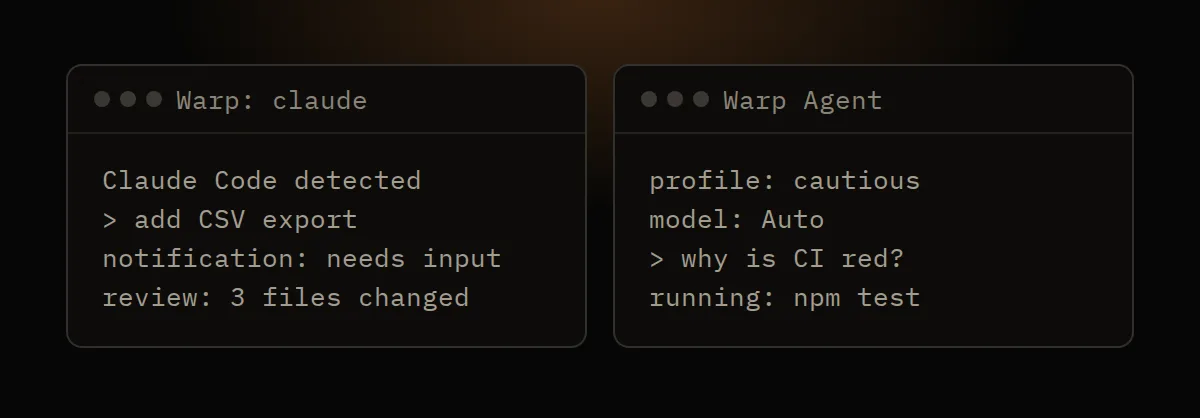
Claude Code is Anthropic's coding agent: it reads your code, edits files and runs commands, from the terminal, VS Code and JetBrains, a desktop app or the browser, using Claude models. Warp is an agentic development environment: a modern terminal with its own built-in Warp Agent, which can use models from OpenAI, Anthropic, Google and others, plus cloud agents on Warp's Automation Platform. The two aren't strictly rivals. Warp gives Claude Code first-class support, with notifications, a rich input editor, inline code review and remote control, so many developers run Claude Code inside Warp. The real choice is whether you want Anthropic's agent, Warp's agent, or both in one window.
Facts come from Anthropic's and Warp's documentation, read on 23 November 2026.
Claude Code and Warp at a glance
| Claude Code | Warp | |
|---|---|---|
| Made by | Anthropic | Warp |
| What it is | A coding agent | A terminal and agentic development environment with the Warp Agent built in |
| Where it runs | Terminal, VS Code and JetBrains, desktop app, web | The Warp app, the Warp Agent CLI in any terminal, cloud agents |
| Models | Claude models | Frontier and open models from OpenAI, Anthropic, Google, z.ai and more, or Auto |
| Bring your own key | Console API key or supported cloud providers | OpenAI, Anthropic and Google keys, SuperGrok, custom endpoints |
| Cloud agents | Cloud sessions from the web and desktop app | Automation Platform: triggers, schedules, CI and integrations |
| Runs other agents | No | Yes: Claude Code, Codex, OpenCode and more, with Warp features |
| Free option | No | Free plan with pay-as-you-go agent usage |
What Warp is
Warp started as a modern terminal and now describes itself as an agentic development environment. Its built-in Warp Agent works through multi-step tasks on its own, running commands in a real terminal and using the output to decide what to do next, while you approve actions and review diffs. Warp says you can reach the same agent three ways: in the Warp app, with code review and agent management beside the terminal; in any terminal with the Warp Agent CLI, started with the warp command, including over SSH; and in the cloud as a cloud agent, triggered by a schedule, CI or an integration.
Source: Agents overview, Warp docs
Source: Warp Agent CLI overview, Warp docs
Warp highlights that its agent works in a real terminal, driving interactive programs such as REPLs, database shells and full-screen apps, and that your rules, skills, MCP servers and codebase context follow it across the app, the CLI and the cloud. Agent profiles set autonomy, base model, tool access and command permissions, so you can keep a cautious profile and a more autonomous one.
Source: Profiles and permissions, Warp docs
Claude Code inside Warp
Separately from its own agent, Warp gives third-party CLI agents first-class support, which it calls universal agent support. Run Claude Code in Warp and Warp auto-detects it, adding a rich input editor for longer prompts, agent notifications when Claude needs you, inline code review where you send comments straight to the agent, and Remote Control to publish a running session to the cloud and steer it from your phone or another computer. Notifications need Warp's plugin for Claude Code.
# inside Claude Code
/plugin marketplace add warpdotdev/claude-code-warp
/plugin install warp@claude-code-warp

# or from your shell, outside Claude Code
claude plugin marketplace add warpdotdev/claude-code-warp
claude plugin install warp@claude-code-warp
Source: Claude Code in Warp, Warp docs
Source: Third-party CLI agents, Warp docs
Source: Remote Control, Warp docs
This means the question for many developers isn't Claude Code or Warp, but which terminal to run Claude Code in, and whether to also use the Warp Agent for some tasks.
What Claude Code is
Claude Code is Anthropic's agentic coding tool. It reads your codebase, edits files, runs commands and works with your development tools, in any terminal, in VS Code and JetBrains, in a desktop app that runs several sessions side by side, and on the web.
- Plan mode has Claude research and propose a plan before editing.
- Permission modes run from Manual to Auto, where a classifier blocks risky actions instead of asking.
- Subagents handle side jobs in their own context; agent teams, an experimental mode, coordinate several sessions through a shared task list.
- Hooks, skills, plugins and MCP servers add your own checks, know-how and tools.
- CLAUDE.md files hold project instructions that load every session.
Source: Claude Code overview, Anthropic
The main differences
Terminal versus agent
Warp is the window you work in: a terminal with blocks, an input editor, code review and agent management. Claude Code is the agent: it doesn't care which terminal or editor it runs in. If you like your current terminal, Claude Code runs there unchanged. If you want a terminal built around agents, Warp is that, and it will run Claude Code too.
Models
Claude Code runs Anthropic's Claude models and gets Anthropic's new features first. The Warp Agent offers frontier and open models from several providers, including Anthropic, OpenAI, Google, z.ai and others, plus Auto models that pick for you. Warp also lets you bring your own OpenAI, Anthropic or Google keys, or connect a SuperGrok subscription, so requests don't use Warp's included usage.
Source: Models and usage in the Warp Agent CLI, Warp docs
Cloud and automation
Warp's Automation Platform runs cloud agents from triggers, schedules, CI and integrations, and Warp lists using Claude Code, Codex and the Warp Agent as harnesses in its cloud environments in beta. Claude Code runs cloud sessions from the web and desktop app, works in GitHub Actions for automated reviews and issue triage, and responds to @Claude in Slack on Pro, Max and Ultra plans.
Permissions
Warp's agent profiles set autonomy, model, tools and command permissions per profile. Claude Code's permission modes are Manual, Accept edits, Plan and Auto, with allow, ask and deny rules in settings and a sandbox for shell commands. Both let you keep a cautious setup for unfamiliar code and a faster one for trusted work.
Source: Choose a permission mode, Anthropic
Project rules and context
Claude Code reads CLAUDE.md files for project instructions and can import other files into them. Warp keeps project rules in an AGENTS.md file, or WARP.md for older projects, at the root of the repository or in subfolders for more targeted guidance, and its /init command can link an existing CLAUDE.md, .cursorrules or GEMINI.md file so you don't maintain two sets of rules. Warp also indexes a Git repository you open, which it calls Codebase Context, so the Warp Agent can answer questions grounded in real files and functions. Claude Code searches your code as it works instead of keeping an index.
Security and data
Both run commands on your machine with your permissions, and both send code and prompts to a model provider. With Claude Code that is Anthropic, or Amazon Bedrock, Google Vertex AI or Microsoft Foundry if your company routes it there. With the Warp Agent it is whichever provider serves the model you pick; Warp says it does not let its contracted providers retain or train on your data, and that personal API keys stay in your device's secure storage, though requests using them still pass through Warp's servers to the provider. Personal keys work for local Warp Agent runs, not cloud runs, where teams use team-managed keys.
When Claude Code runs inside Warp, Claude Code's own permission modes and sandbox still apply; Warp adds the window and the notifications around it. Remote Control publishes a session to the cloud so you can reach it from another device, so treat it like any other remote access: turn it on for sessions you want to watch and off when you don't.
Common questions when switching
| Question | Claude Code | Warp Agent |
|---|---|---|
| Where do my rules go? | CLAUDE.md | AGENTS.md, or link CLAUDE.md with /init |
| How do I pick a model? | /model, among Claude models | The model picker, or Auto |
| How do I limit what it can run? | Permission modes and allow, ask and deny rules | Agent profiles with command permissions |
| How do I add tools? | MCP servers, skills and plugins | MCP servers and skills |
| How do I run it without the app? | claude in any terminal | The warp command in any terminal |
| How do I run it on a schedule? | GitHub Actions or a scheduled routine | Cloud agents on Warp's Automation Platform |
Pricing: Claude Code vs Warp
| Claude Code | Warp | |
|---|---|---|
| Free | No free plan | Free: the terminal, Warp Agent CLI, pay-as-you-go agent usage, bring your own key |
| Individual | Pro: US$17 a month billed annually or US$20 monthly | Build: US$20 a month (US$18 billed annually), with US$20 of agent usage at API rates |
| Heavy use | Max: US$100 a month; Ultra: US$200 a month | Max: US$200 a month (US$180 annually), with US$200 of agent usage |
| Teams | Team: US$20 per seat a month billed annually, or US$25 monthly | Business: US$50 per user a month, or US$45 billed annually, up to 25 seats |
| Enterprise | US$20 per seat a month plus usage at API rates | Contact sales |
Source: Plans and pricing, Claude
Source: Pricing, Warp
There's an important detail: running Claude Code inside Warp uses your Claude plan, not Warp's agent usage. Warp's included usage covers the Warp Agent. So a developer on Claude Pro can use Warp's free plan as their terminal and get Warp's notifications and code review around Claude Code at no extra cost.
Which should you choose?
- You want Anthropic's agent with Claude models, hooks, plugins and agent teams: Claude Code.
- You want a terminal built around agents, with notifications and code review for any CLI agent: Warp.
- You want one agent that can switch between OpenAI, Anthropic, Google and open models: the Warp Agent.
- You want cloud agents triggered by schedules, CI and integrations: Warp's Automation Platform, or Claude Code in GitHub Actions.
- You want both: run Claude Code inside Warp and use the Warp Agent for some tasks.
Running Claude Code in Warp: a quick setup
- Install Warp and open your project in it.
- Run claude as usual; Warp detects Claude Code automatically.
- Install Warp's plugin for Claude Code with the commands above, then restart Claude Code or run /reload-plugins.
- Use Ctrl-G for the rich input editor when writing longer prompts.
- Turn on Remote Control for a long task so you can check it from your phone.
Common problems and fixes
- No notification when Claude Code finishes: install Warp's plugin for Claude Code and reload plugins; the auto-detection alone doesn't add notifications.
- Prompts get messy in the terminal: open the rich input editor with Ctrl-G and paste longer prompts there.
- Two sets of rules drifting apart: keep one file and link it, for example use /init in Warp to link your CLAUDE.md.
- Unexpected Warp usage charges: check which model the Warp Agent used, since included usage is spent at API rates, and switch to Auto or your own key for routine tasks.
- Confusing which agent did what: name your tabs by agent and task, and give each agent its own git worktree.
Who each one suits
Claude Code suits developers who want Anthropic's agent and its newest features, already pay for a Claude plan, and are happy in their current terminal or editor. Warp suits developers who want a terminal designed around agents, like to try models from several providers, or want cloud agents triggered by their own tools. Plenty of people use both: Claude Code for the main work, inside Warp for the notifications and review, with the Warp Agent on hand for quick shell jobs.
A day with each
With Claude Code in your usual terminal, you start a session, ask for a plan, approve it and review the diff before committing. A second session in its own worktree writes tests, and agent view shows which session needs you.
With Warp, you run the same Claude Code sessions in Warp tabs. When one needs input, a Warp notification pops up; you review its diff in Warp's code review panel and send an inline comment back to it. For a quick shell task you ask the Warp Agent instead, on a different model, and a cloud agent on Warp's platform investigates a failed CI build on its own.
Watching every agent at once
Warp's notifications help inside Warp. When your agents run across several machines, terminals and apps, 10u shows every Claude Code and Codex session side by side under the goal it's working toward, marks the ones waiting on you, and lets you answer from one screen on your laptop or phone.

Questions people ask
- What is the difference between Claude Code and Warp?
- Claude Code is Anthropic's coding agent, which runs in any terminal, editor, desktop app or browser. Warp is an agentic terminal with its own Warp Agent, which uses models from several providers, and it can also run Claude Code with extra features.
- Can I use Claude Code in Warp?
- Yes. Warp auto-detects Claude Code and adds a rich input editor, notifications, inline code review and Remote Control. Notifications need Warp's plugin for Claude Code.
- Does running Claude Code in Warp cost extra?
- No. Claude Code uses your Claude plan. Warp's free plan includes the terminal, and Warp's included agent usage applies to the Warp Agent, not to Claude Code.
- Does the Warp Agent use Claude models?
- Yes. The Warp Agent offers models from Anthropic, OpenAI, Google and others, and you can bring your own Anthropic API key.
- Is Warp free?
- Warp has a free plan with the terminal, the Warp Agent CLI and pay-as-you-go agent usage. Build was US$20 a month on 23 November 2026.
- Which is better for cloud agents?
- Warp's Automation Platform runs cloud agents from schedules, CI and integrations. Claude Code runs cloud sessions from the web and desktop app, and works in GitHub Actions and Slack.