
Claude Code usage: how to check your limits and make them last
To check your Claude Code usage, type /usage at the Claude Code prompt. On a Pro, Max or Ultra plan it shows bars for how much of your plan you have used, and a breakdown of what used it. You can also see your current session and your next weekly reset under Settings, Usage on claude.ai.
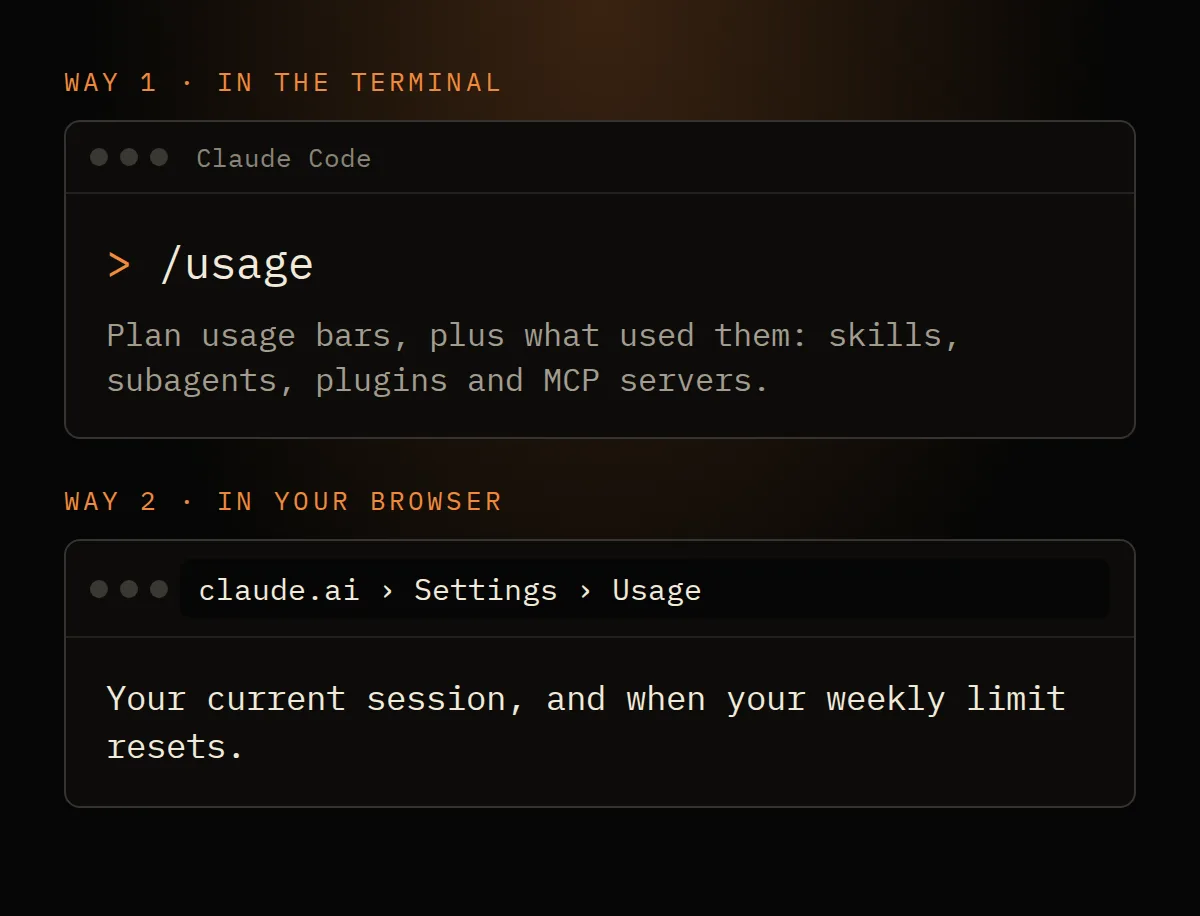
Check your usage inside Claude Code
At the Claude Code prompt, type:
/usageSubscribers see plan usage bars, activity stats and a usage breakdown on the same screen. Press d or w to switch between the last 24 hours and the last 7 days.
What used your plan
On a Pro, Max, Ultra, Team or Enterprise plan, /usage shows your recent usage split between skills, subagents, plugins and individual MCP servers, each as a share of the total. An MCP server only gets credit for the requests that used one of its tool results, so a server you called once does not look like it used everything after it.
Suggestions, one per row
Below the breakdown, each row suggests one change and starts with the share of your recent usage it applies to, at least 10%. A row such as "25% Trim ~/code/api/CLAUDE.md, 49k tokens per request" means a quarter of your recent usage carried that file. The share says how much usage the row touches, not how much the change saves, and one request can count toward several rows, so the shares can add up to more than 100%.
Let Claude Code apply them
When the footer shows a hint such as "f to fix 2 of 3", press f. Claude Code runs any /effort change a row suggests, then gives Claude one prompt covering the other rows it can act on, and Claude shows you each change before making it. Rows that end in "run" and a command, such as "run /compact", are yours to run at the prompt. The f shortcut needs Claude Code v2.1.305 or later.
Scheduled loops
If you use /loop or other scheduled tasks in a session, /usage lists the heaviest ones that ran recently, with how often each fires, how many times it ran, its total and per-run tokens, and when it last ran.
This machine only
The breakdown is approximate and built from session history on the computer you are using. Usage from other devices or from claude.ai is not included, so check Settings, Usage for the full picture. In the VS Code extension the same shares and suggestions sit in the Account and usage dialog.
Source: Track your Claude Code usage, Anthropic
Check your usage on claude.ai
Open Settings, Usage on claude.ai. Under Current session you can see how much you have used and the time left before the five-hour window resets. The same page shows your next weekly reset time, and your usage credits if you have turned them on.
If you use Claude Code with an API key
With an API key you pay per token, so the Session block in /usage is the part that matters. It shows your tokens and an estimated cost for the current session, worked out on your computer from token counts at list price. It looks like this:
Total cost:            $0.55
Total duration (API):  6m 20s
Total duration (wall): 6h 33m 10s
Total code changes:    0 lines added, 0 lines removed
These totals start again from zero when /clear starts a new session. The figure is an estimate; your bill in the Anthropic Console is the real number. Subscribers can ignore the cost line, because their usage is included in the plan.
If /usage cannot load your limits
When the request for your plan limits fails, most often because it is rate limited, /usage shows the last bars it loaded on this machine in the past 60 minutes, with a note saying how old they are. Press r to retry. A message such as "rate limited until 3:14am" means Claude Code cannot fetch your limits again until then. It does not mean your work with Claude is limited.
How Claude Code usage limits work
- Claude Code, claude.ai and Claude Desktop all count toward one shared allowance.
- Paid plans have two kinds of limit: a session limit that resets every five hours, and weekly limits.
- Bigger plans have bigger allowances. Verified Ultra accounts have no five-hour limit.
- Long conversations, the features you use, the model you choose and the effort level you set all change how fast you use it.
The five-hour session limit
The window starts when you send your first message and resets in full five hours later. If you reach the limit before then, you can use Claude again once it resets.
Weekly limits
Weekly limits apply across all models, and some plans also have a separate weekly limit for Fable. They reset at a fixed day and time assigned to your account, which stays the same no matter when you start using Claude or when your subscription began. You get your full weekly allowance each cycle.
Limits can change
Anthropic says it may adjust usage limits to manage capacity, for example with weekly or monthly caps, or limits on particular models or features.
Source: How usage and length limits work, Claude Help Center
What to do when you hit the limit
- Wait for the reset time shown under Settings, Usage.
- Upgrade your plan. The new limits apply straight away.
- Turn on usage credits on a paid plan, and your work carries on using credits instead of stopping. In Claude Code, /usage-credits opens Settings, Usage on claude.ai for Pro, Max and Ultra subscribers.
If you run out often, the /usage breakdown usually points at the cause, such as one large MCP server or a long CLAUDE.md read on every request.
How to make Claude Code usage last longer
The more context Claude works through, the more you use. These changes keep context small:
- Run /clear when you switch to unrelated work. Use /rename first so you can find the old session again with /resume.
- Use /compact with a note on what to keep, such as /compact Focus on code samples and API usage.
- Pick the model for the job. Sonnet handles most coding tasks and costs less than Opus. Switch with /model, and set model: haiku for simple subagent tasks.
- Lower the effort level with /effort for routine edits. Thinking tokens count as output tokens.
- Run /context to see what is taking up space, and /mcp to turn off servers you are not using. Command line tools such as gh are lighter than MCP servers.
- Move workflow instructions out of CLAUDE.md and into skills, which load only when used. Anthropic suggests keeping CLAUDE.md under 200 lines.
- Use a hook to trim long output, such as test logs, before Claude reads it.
- Write specific prompts. "Add input validation to the login function in auth.ts" costs less than "improve this codebase".
- Use plan mode (Shift+Tab) for complex work, and press Escape as soon as Claude heads the wrong way. /rewind takes you back to a checkpoint.
Agent teams use about 7 times more tokens than a standard session when teammates run in plan mode, because each teammate is a separate Claude with its own context. Keep their tasks small.
Usage while you are away
Session recap and idle compaction can use tokens while you are idle. When prompt suggestions are on, Claude Code also sends a short request after each reply to suggest your next prompt. It reuses the cache so it is small, and it is skipped when you are close to your limit. You can turn prompt suggestions off.
Source: Track your Claude Code usage, Anthropic
Keeping several agents in check
Running several Claude Code agents is the fastest way to use up a plan. 10u is an AI coding agent dashboard that shows every Claude Code and Codex agent side by side, marked Needs you, Working, Waiting or Parked, so you can see what is running and park what you do not need. They do the building. You decide what gets built.

Questions people ask
- How do I check my Claude Code usage?
- Type /usage at the Claude Code prompt, or open Settings, Usage on claude.ai to see your current session and next weekly reset.
- Does Claude Code share limits with claude.ai?
- Yes. Claude Code, claude.ai and Claude Desktop all count toward the same usage limits.
- When does my Claude Code limit reset?
- The session limit resets five hours after your first message. Weekly limits reset at a fixed time each week, shown under Settings, Usage.
- Why does /usage not match claude.ai?
- The breakdown in /usage counts sessions on the machine you are using only. Settings, Usage on claude.ai covers every device.
- What uses the most Claude Code usage?
- Long conversations, larger models, high effort, big CLAUDE.md files and many MCP servers. The /usage breakdown shows which of these applies to you.
- Can I keep working after I hit the limit?
- Yes, if you turn on usage credits on a paid plan, or upgrade. Otherwise wait for the reset.