
Claude Code sandbox: how to turn it on, set it up and fix it
The Claude Code sandbox is a boundary your operating system enforces around the shell commands Claude runs. You decide which files and network domains those commands can reach, and the limits apply to Bash, PowerShell and Monitor commands and every process they start. It is off by default: run /sandbox in a session, or set sandbox.enabled to true in a settings file. It runs on macOS, Linux and WSL2; on native Windows commands run unsandboxed, so use WSL2 there.
Source: Configure the sandboxed Bash tool, Claude Code docs
What the Claude Code sandbox restricts
| Access | Default | Change it with |
|---|---|---|
| Writes | The working directory, a per-user temp directory and folders you have added; protected paths stay blocked | filesystem.allowWrite, filesystem.denyWrite |
| Reads | Most of the machine, including credential files such as ~/.ssh and ~/.aws/credentials | filesystem.denyRead, credentials |
| Network | No direct route out; connections go through a local proxy that checks each host against your allowed domains, which start empty | network.allowedDomains, network.deniedDomains |
| Environment variables | Inherited from Claude Code, secrets included | credentials, CLAUDE_CODE_SUBPROCESS_ENV_SCRUB |
Claude Code builds the sandbox on Anthropic's open source @anthropic-ai/sandbox-runtime package. The read default matters: out of the box a sandboxed command can still read your SSH keys and cloud credentials, so protect them yourself, as shown below.
What runs outside the sandbox
- Claude's built-in file and web tools, such as Read, Edit, Write, WebFetch and WebSearch. They follow permission rules instead, so a denyRead entry does not stop the Read tool and allowedDomains does not limit WebFetch.
- Other processes Claude Code starts: command hooks, local MCP servers, plugin monitors, LSP servers, your status line command and apiKeyHelper all run with your full access.
- Commands you type yourself at the ! prompt, in most sessions.
- Commands that match excludedCommands, and commands Claude retries unsandboxed with your approval.
To put all of that behind one boundary, run the Claude Code process itself in a container, a virtual machine or the sandbox runtime.
Source: Configure the sandboxed Bash tool, Claude Code docs
Turn on the Claude Code sandbox
On macOS there is nothing to install: the sandbox uses Apple's built-in Seatbelt framework. On Linux and WSL2 it needs bubblewrap, which enforces the filesystem limits, and socat, which relays network traffic to the sandbox proxy:
| System | Install |
|---|---|
| Ubuntu or Debian | sudo apt-get install bubblewrap socat |
| Fedora | sudo dnf install bubblewrap socat |
Ripgrep comes bundled with the native Claude Code binary. An optional seccomp filter adds Unix domain socket blocking; install it with npm install -g @anthropic-ai/sandbox-runtime if /sandbox reports it missing. The dependency check runs at start-up, so restart Claude Code after installing packages.
- Run /sandbox. The panel has a Mode tab, an Overrides tab for whether failed commands may retry unsandboxed, and a Config tab with the resolved settings. On Linux a Dependencies tab appears when something is missing; if it is the only tab, the sandbox cannot start yet.
- Pick a mode: auto-allow runs sandboxed commands without prompting, regular permissions keeps every prompt.
- Ask Claude to run a build or the test suite. The first time a command needs a new domain, Claude Code asks you to approve it.
/sandboxThe mode you pick is saved to .claude/settings.local.json for the current project, a file Claude Code adds to your global gitignore. To sandbox every project, set it in ~/.claude/settings.json. For one session only:
claude --settings '{"sandbox": {"enabled": true, "allowUnsandboxedCommands": false}}'One warning from Anthropic: if the platform is unsupported or the dependency check fails, Claude Code quietly runs commands without the sandbox. Set sandbox.failIfUnavailable to true to make it refuse to start instead.
Source: Configure the sandboxed Bash tool, Claude Code docs
Check the sandbox is really on
Ask Claude to run these two lines. Typing them yourself at the ! prompt does not test anything, because those run outside the sandbox.
| Command | Result inside the sandbox |
|---|---|
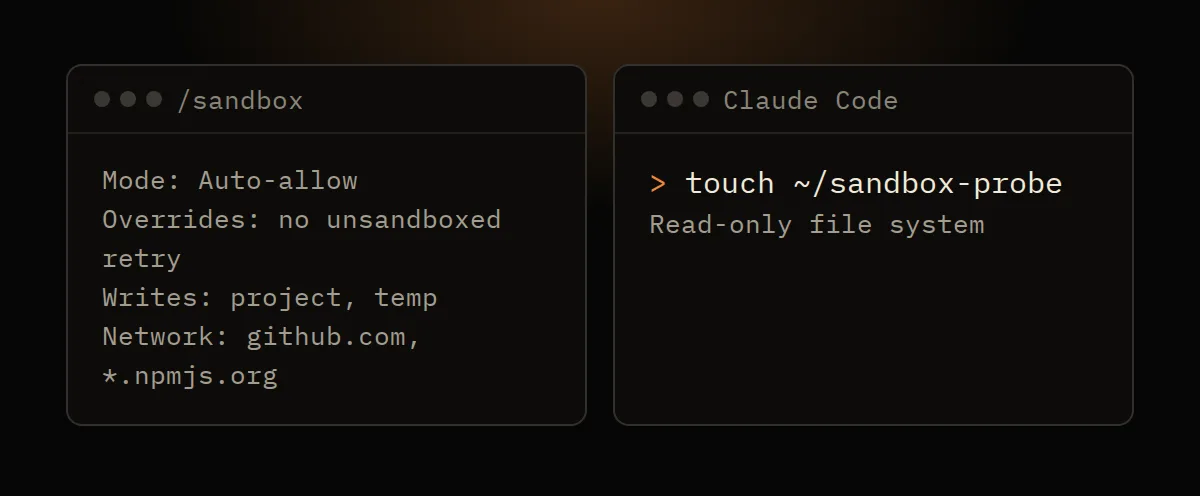
| touch ~/sandbox-probe | Operation not permitted on macOS, Read-only file system on Linux and WSL2 |
| curl --noproxy '*' https://example.com | Could not resolve host, because the command has no route around the proxy |
If Claude offers to retry outside the sandbox, decline. If touch succeeds, delete ~/sandbox-probe and run /sandbox to check it is on and nothing is missing.
Source: Configure the sandboxed Bash tool, Claude Code docs
Sandbox modes: auto-allow or regular permissions
Both modes enforce the same file and network limits. The only difference is whether sandboxed commands are approved automatically.
Auto-allow mode
A command that runs inside the sandbox is approved with no prompt, because the boundary contains it. Some things still apply:
- A Bash deny rule that matches still blocks the command.
- rm or rmdir aimed at a critical path still asks.
- Content-scoped ask rules such as Bash(git push *) still prompt.
- Monitor tool commands still prompt unless an allow rule matches, such as Bash(npm run *).
- Commands like FOO=bar npm test, make CC=clang and eval "ls" still ask, because a variable in front can change which program runs. An allow rule that matches the whole command, such as Bash(FOO=bar npm *), stops the repeat prompt.
Auto-allow is separate from auto mode. Auto-allow approves Bash commands because the sandbox contains them; auto mode uses a classifier to review every action. You can combine the two.
Regular permissions mode
Every Bash command goes through the normal permission prompt, even when sandboxed. More control, more approvals.
Source: Configure the sandboxed Bash tool, Claude Code docs
The unsandboxed retry, and strict sandbox mode
Some tools simply do not work inside the sandbox. When a command fails, Claude Code tells Claude which host was blocked, and Claude may ask to rerun the command outside the sandbox. Who approves that retry depends on your permission mode:
| Permission mode | Unsandboxed retry |
|---|---|
| Manual or acceptEdits | You get a prompt titled Bash command (unsandboxed) |
| Auto | A separate classifier model reviews the command |
| bypassPermissions | Runs without a prompt |
| dontAsk | Denied |
A matching allow rule such as Bash(curl *) also approves the retry, so the command runs outside the sandbox silently. Add an ask rule for Bash(dangerouslyDisableSandbox:true) to be asked about every retry, even in auto and bypass modes.
Strict sandbox mode turns the retry off: set "allowUnsandboxedCommands": false. Claude Code then ignores the escape hatch and only commands in excludedCommands leave the sandbox. A false in your user settings, --settings or managed settings beats a project that sets true. Commands you type at the ! prompt still run outside it, except in background sessions and Linux sessions with CLAUDE_CODE_SUBPROCESS_ENV_SCRUB set.
Source: Configure the sandboxed Bash tool, Claude Code docs
Let a tool write outside the project
If tools like kubectl, terraform or npm need to write somewhere else, add that path rather than taking the tool out of the sandbox:
{
  "sandbox": {
    "enabled": true,
    "filesystem": {
      "allowWrite": ["~/.kube", "/tmp/build"]
    }
  }
}
These paths are enforced by the operating system, so child processes respect them too. On Linux and WSL2 a path that does not exist yet has no effect, so create it first. Lists from different settings files are merged, and edits apply to the next command without a restart. Sandbox paths use normal conventions, /tmp/build absolute and ~/.kube from your home folder, unlike Read and Edit permission rules, which use //path for absolute.
Block reads, then reopen what you need
| Rules | Result |
|---|---|
| "denyRead": ["~/"] with "allowRead": ["~/projects"] | ~/projects is readable; the rest of home stays blocked |
| "allowRead": ["~/"] with "denyRead": ["~/.env"] | ~/.env stays blocked inside the wider allow |
| "allowRead": ["~/"] with "denyRead": ["~/**/.env"] | Every .env under home stays blocked |
The narrower path wins, so a broad allow cannot quietly re-expose a secret. This project-level example blocks the whole home folder but keeps the project readable; put it in .claude/settings.json, because . means the project root there and ~/.claude in user settings:
{
  "sandbox": {
    "enabled": true,
    "filesystem": {
      "denyRead": ["~/"],
      "allowRead": ["."]
    }
  }
}
Source: Configure the sandboxed Bash tool, Claude Code docs
Run a tool outside the sandbox with excludedCommands
For a tool that cannot work sandboxed and that you trust with full access, such as docker compose:
{
  "sandbox": {
    "enabled": true,
    "excludedCommands": ["docker compose *"]
  }
}- End patterns with a space and *: docker matches only docker with no arguments, docker * matches it with any.
- Every command in a chained call must match: npm ci && docker compose build stays sandboxed unless npm ci is also listed.
- Matching is on the text Claude sends, so a script or make target that calls docker inside does not match, and neither does /usr/local/bin/docker.
- A redirect to a file, a cd or a $(...) substitution keeps the whole call sandboxed.
Excluded commands go through the normal permission prompts. Anthropic warns that an entry like docker * hands over everything that tool can do, so keep patterns narrow. To check an entry matches, switch to Manual mode and run something that changes state, such as docker compose up -d; the prompt says Bash command (unsandboxed).
Source: Configure the sandboxed Bash tool, Claude Code docs
Keep the network limits, drop the file limits
The sandbox has two independent layers. Set sandbox.filesystem.disabled to true to turn the file layer off while keeping network isolation:
{
  "sandbox": {
    "enabled": true,
    "filesystem": {
      "disabled": true
    },
    "network": {
      "allowedDomains": ["github.com", "*.npmjs.org"]
    }
  }
}
Only user settings, managed settings and --settings can set it, never a project's .claude/settings.json. With the file layer off, denyRead and credential file deny entries stop applying, while environment variable deny and mask entries still work. Anthropic warns that with file limits off and commands auto-allowed, a command could write to shell start-up files, programs on your PATH or ~/.claude/settings.json and widen its own access next time.
Temporary folders
With file isolation on, Claude Code points $TMPDIR at a per-user temp folder that sandboxed commands can write to, so tools that write temporary files just work. Unsandboxed commands keep your shell's own $TMPDIR, so the two can resolve to different folders. Claude is told to make scratch folders with mktemp -d rather than rely on $TMPDIR.
Source: Configure the sandboxed Bash tool, Claude Code docs
Network access in the Claude Code sandbox
A sandboxed command has no direct network route. On Linux and WSL2 it runs in a separate network namespace; on macOS Seatbelt blocks everything except the connection to the sandbox proxy. Claude Code runs that proxy on your machine and points commands at it with HTTP_PROXY, HTTPS_PROXY and ALL_PROXY.
- Tools that read those variables, such as curl, npm and git over HTTPS, connect once their host is allowed.
- Tools that ignore them, such as plain ssh and most database drivers, cannot connect even to an allowed host.
- Anything that is not TCP, such as UDP, HTTP/3 over QUIC and ping, cannot leave at all.
When prompted for a new host, Yes allows it for the session; Yes, and don't ask again saves a WebFetch(domain:...) allow rule so it stays allowed. Pre-allow hosts with allowedDomains, and use deniedDomains to block one inside a wider wildcard. strictAllowlist: true refuses every host outside the list without asking. Even an allowed hostname is refused if it resolves only to local addresses such as 127.0.0.1 or the 169.254.169.254 cloud metadata address.
| Permission mode | A host not on your list |
|---|---|
| Manual, acceptEdits | You get a prompt |
| Auto | Refused unless the command named the host and the classifier approved it |
| bypassPermissions | Allowed without a prompt |
| dontAsk | Refused |
In auto mode, Claude lists the hosts a command needs on the command itself. An approved list opens those hosts for that one command only; nothing is added to your settings.
Source: Configure the sandboxed Bash tool, Claude Code docs
Protect credentials from sandboxed commands
There is no built-in credential deny list: only what you list is protected. The credentials block denies file reads and unsets environment variables before each sandboxed command:
{
  "sandbox": {
    "enabled": true,
    "credentials": {
      "files": [
        { "path": "~/.aws/credentials", "mode": "deny" },
        { "path": "~/.ssh", "mode": "deny" }
      ],
      "envVars": [
        { "name": "GITHUB_TOKEN", "mode": "deny" },
        { "name": "NPM_TOKEN", "mode": "deny" }
      ]
    }
  }
}
Deny entries from every settings file are merged and can only narrow access. Entries can also use "mode": "mask": the command sees a per-session placeholder, and the proxy swaps in the real value only on requests to the hosts you allow, so the command and its logs never hold the real token while its requests still authenticate. Masking needs network.tlsTerminate and is honoured only from user, managed or --settings settings. To strip credentials from every subprocess, sandboxed or not, set CLAUDE_CODE_SUBPROCESS_ENV_SCRUB.
Source: Configure the sandboxed Bash tool, Claude Code docs
Mask a token instead of hiding it
This example masks two tokens. GH_TOKEN is swapped for the real value only on requests to api.github.com, while NPM_TOKEN has no injectHosts and is swapped on requests to every allowed host:
{
  "sandbox": {
    "enabled": true,
    "network": {
      "tlsTerminate": {},
      "allowedDomains": ["*.github.com", "registry.npmjs.org"]
    },
    "credentials": {
      "envVars": [
        { "name": "GH_TOKEN", "mode": "mask", "injectHosts": ["api.github.com"] },
        { "name": "NPM_TOKEN", "mode": "mask" }
      ]
    }
  }
}
Files can be masked too, from v2.1.221. On Linux and WSL2 a sandboxed command reads a placeholder copy of the file; on macOS it cannot read the file at all, which works like deny. An extract pattern masks just the secret inside a file, such as the oauth_token line in the GitHub CLI's hosts.yml, so gh still reads the rest of its config. To confirm, ask Claude to print the file from a sandboxed command: you should see the placeholder, or a failed read on macOS. Anthropic warns that if the pattern matches nothing, the default onExtractNoMatch of warn skips the entry and the real file is readable, so check it. Directories, globs, files over 8 MiB and non-text files fall back to deny. AWS keys should be masked as a pair, because the proxy has to re-sign SigV4 requests with the real values.
Source: Configure the sandboxed Bash tool, Claude Code docs
Protected paths: what the sandbox never lets commands write
Even inside folders commands can write to, the sandbox blocks the files Claude Code loads settings and code from, because a command that could edit them could grant itself permissions or add a hook that runs outside the sandbox.
- In your working folder and the folders above it: .claude settings files, .claude/skills, .claude/agents, .claude/commands, .claude/hooks, .claude/workflows and .mcp.json.
- In your working folder: shell start-up files such as .bashrc and .zshrc, .gitconfig, .vscode, .idea, and hooks and config inside .git.
- Files that would turn your folder into a bare git repository: a top-level HEAD, objects and refs.
- Most of ~/.claude, plus ~/.claude.json and .credentials.json.
An allowWrite entry does not lift this protection. In a linked git worktree, the sandbox also lets commands write to the main repository's shared .git folder so git commit works, while its hooks and config stay blocked. The Config tab in /sandbox lists the protected paths for your machine.
Source: Configure the sandboxed Bash tool, Claude Code docs
Sandbox, permissions and permission modes
Permission rules decide which tools Claude can use, before a tool runs, across Bash, Read, Edit, WebFetch and MCP. The sandbox is enforced by the operating system on what shell commands can reach once they run. Paths and domains from both are merged: Edit allow rules grant sandbox writes the same way allowWrite does, and WebFetch(domain:...) allow rules pre-allow hosts.
| What it controls | What replaces the prompt | |
|---|---|---|
| /sandbox | What a Bash command can reach once it runs | The sandbox boundary, in auto-allow mode |
| Auto mode | Whether each tool call runs | A classifier reviewing actions |
| --dangerously-skip-permissions | Whether each tool call runs | Nothing; protected path checks are skipped too |
Source: Configure the sandboxed Bash tool, Claude Code docs
Require the sandbox across a team
Administrators deliver sandbox keys through managed settings, from an MDM-managed file or server-managed settings on claude.ai. This enables the sandbox, refuses to start when it cannot run, and blocks unsandboxed retries:
{
  "sandbox": {
    "enabled": true,
    "failIfUnavailable": true,
    "allowUnsandboxedCommands": false
  }
}
Add excludedCommands for approved tools that need full access, because an admin-required sandbox ignores repository settings that loosen it, and add credentials entries for ~/.aws, ~/.ssh and secret variables. Set allowManagedReadPathsOnly or allowManagedDomainsOnly to stop developers widening reads or domains. Because the sandbox does not run on native Windows, failIfUnavailable makes Claude Code exit there, so deploy this to macOS and Linux only or move Windows users into WSL2 or a container.
Source: Configure the sandboxed Bash tool, Claude Code docs
Settings that weaken the sandbox
Unless managed settings set them, a developer's user settings or --settings can turn on keys that each loosen the boundary: enableWeakerNestedSandbox, enableWeakerNetworkIsolation, network.allowAllUnixSockets, network.allowLocalBinding, allowAppleEvents and allowNestedUserNamespaces. A repository's .claude/settings.json can turn on the first four too, unless the sandbox is admin-required, but never allowAppleEvents or allowNestedUserNamespaces. For Boolean keys such as enabled, a managed value always wins; array keys such as allowRead are merged across scopes. A developer can still type a command at the ! prompt and run it outside the sandbox, with the same access they have in any other terminal.
Source: Configure the sandboxed Bash tool, Claude Code docs
Claude Code sandbox problems and fixes
| Problem | Fix |
|---|---|
| A host-not-allowed error | Approve the host when asked or add it to allowedDomains |
| jest hangs or fails | watchman does not work sandboxed; run jest --no-watchman |
| docker commands fail | docker is incompatible; add a pattern such as docker compose * to excludedCommands |
| gh, gcloud or terraform fail TLS checks on macOS | Add each tool, such as gh *, to excludedCommands |
| open, osascript or browser sign-in fail with error -600 on macOS | Set allowAppleEvents to true in user settings; this removes code-execution isolation |
| Chromium says No usable sandbox! on Linux | Start it with --no-sandbox, or set allowNestedUserNamespaces in ~/.claude/settings.json, which weakens the boundary |
| pbcopy, xclip or wl-copy do nothing | Ask Claude to print the text, then run /copy |
| git fails with unable to unlink old | The file is protected or outside writable folders; approve the unsandboxed retry or run git yourself |
| git fails to create index.lock | Start Claude Code from the repository root, not a subfolder |
| Can't mount proc in a container | Set enableWeakerNestedSandbox for unprivileged containers |
| Sandboxing needs WSL2 | Your distribution is on WSL1; check with wsl -l -v and upgrade it |
git over SSH fails
On Linux and WSL2, git fetch, pull and push over SSH work once the host is allowed on port 22; an allowedDomains entry with no port covers it. Check your key is readable as a file, because the sandbox can block the ssh-agent socket and a deny entry for your SSH folder hides your keys. On macOS SSH remotes can fail even when allowed: switch the remote to HTTPS with git remote set-url origin and an HTTPS address, or take git's network commands out of the sandbox:
{
  "sandbox": {
    "excludedCommands": ["git fetch *", "git pull *", "git push *"]
  }
}
Those excluded git commands can reach any host, not just your allowed domains.
A database client cannot reach an allowed host
Most database drivers ignore the proxy variables, so they fail with Network is unreachable or Temporary failure in name resolution on Linux, or Operation not permitted on macOS. A tool that uses the proxy fails differently: you get a network prompt or a 403 from the proxy. Run the script that needs the database outside the sandbox and approve each run:
{
  "sandbox": {
    "excludedCommands": ["python scripts/load_orders.py *"]
  },
  "permissions": {
    "ask": ["Bash(python scripts/load_orders.py *)"]
  }
}
Claude can edit a script inside your project, so read it when the prompt appears. A dev server on localhost is another common snag: on macOS set network.allowLocalBinding to true; on Linux a sandboxed command's localhost is private to it, so it cannot reach servers on the host directly.
A folder named objects or refs disappears
To stop a command turning your folder into a bare git repository, the sandbox removes a new top-level HEAD, objects or refs after a sandboxed command ends, unless it is a folder with contents. When a HEAD file was already there, a new objects or refs folder is renamed to objects.claude-sandbox-quarantine-<hex> with its contents intact. Close the sessions in that folder, move the top-level HEAD out, then rename the folder back. Before v2.1.315 a folder could be deleted with its contents, so update Claude Code.
0-byte files at .claude paths
On Linux and WSL2 the sandbox creates 0-byte read-only placeholders to block writes to files that do not exist yet, and removes them afterwards. If a session is killed mid-command they can stay behind, and then Yes, and don't ask again stops saving. Run claude doctor to list them and delete each with rm while no other session runs there.
Ubuntu's AppArmor restriction stops bubblewrap
On recent Ubuntu, a message that AppArmor's restriction on user namespaces stops bubblewrap, or errors like bwrap: setting up uid map: Permission denied, mean the sandbox cannot start. Check with sysctl kernel.apparmor_restrict_unprivileged_userns; a value of 1 means the restriction is on. If Claude Code runs /usr/bin/bwrap (check with which bwrap), add a profile for it:
sudo tee /etc/apparmor.d/bwrap > /dev/null <<'EOF'
abi <abi/4.0>,
include <tunables/global>

profile bwrap /usr/bin/bwrap flags=(unconfined) {
  userns,
  include if exists <local/bwrap>
}
EOF
sudo systemctl reload apparmor
Then restart Claude Code and run the two check commands again. The alternative, sudo sysctl -w kernel.apparmor_restrict_unprivileged_userns=0, lifts the restriction for every program until you reboot. Until it is fixed, commands run unsandboxed under normal prompts, or Claude Code refuses to start if failIfUnavailable is on.
Source: Configure the sandboxed Bash tool, Claude Code docs
Sandboxed agents, many at once
The sandbox is what makes auto-allow safe enough to leave Claude working without approving every command, which is how people end up running several sessions side by side. 10u is an AI coding agent dashboard that shows every Claude Code and Codex session at once, each in its real terminal, marked Needs you, Working, Waiting or Parked. They do the building. You decide what gets built.

Questions people ask
- How do I turn on the Claude Code sandbox?
- Run /sandbox in a session and pick a mode, or set sandbox.enabled to true in ~/.claude/settings.json. On Linux and WSL2 install bubblewrap and socat first.
- Does the Claude Code sandbox work on Windows?
- Not natively. On native Windows commands run unsandboxed; run Claude Code inside WSL2 to use the sandbox.
- Does the sandbox stop Claude reading my files?
- Only for shell commands, and only what you deny. Sandboxed commands can read most of the machine by default, and Claude's Read tool follows permission rules instead.
- What is the difference between auto-allow and auto mode?
- Auto-allow approves Bash commands because the sandbox contains them. Auto mode uses a classifier to review every action. They are separate and can be combined.
- How do I let docker run with the sandbox on?
- docker is incompatible with the sandbox. Add a narrow pattern such as docker compose * to sandbox.excludedCommands so those commands run outside it.