
Windsurf vs Claude Code: an AI editor with agents, or a coding agent you run anywhere?
Windsurf is an AI code editor, and since 2 June 2026 it has a new name: Devin Desktop. It is the same editor, now built around an Agent Command Center that manages local agents and Devin cloud agents in one place. Claude Code is Anthropic's coding agent: it started in the terminal and also runs in VS Code and JetBrains, a desktop app and the browser, using Claude models. Choose Windsurf if you want AI built into the editor you work in all day, with models from several companies; choose Claude Code if you want a strong agent you direct from the terminal or any editor. Many developers use both.
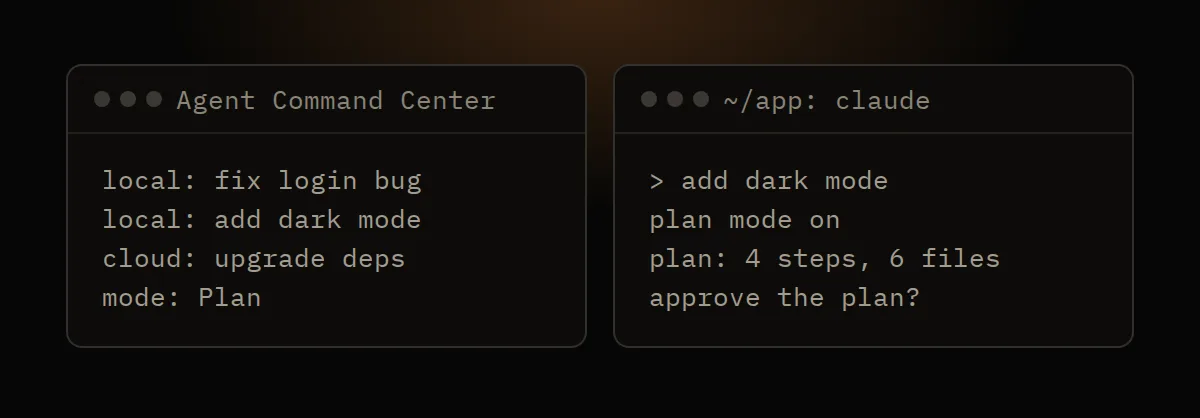
Details come from the Devin and Anthropic documentation, read on 23 November 2026. Both products change often, so check the linked pages before deciding on a plan.
Windsurf is now Devin Desktop
If you search for Windsurf today, you'll land on Devin Desktop. Cognition, the company behind Windsurf and the Devin cloud agent, is unifying its products under the Devin brand: Devin Cloud, Devin Desktop, Devin CLI and Devin Review. Its FAQ says Devin Desktop is the new name for Windsurf, with the same IDE, editor and features, delivered as a regular over-the-air update.
- Your Windsurf settings carry over automatically, and plans and pricing did not change with the rename.
- The Agent Command Center, for managing many agents, is now the main view; the classic editor, extensions, keybindings and workflows are still there.
- Devin Local is the new local agent inside the editor. Cognition says it is token-efficient, supports subagents and runs the same architecture as Devin CLI.
- Cascade, the agent Windsurf was known for, is now listed in the docs as legacy.
- Existing .windsurfrules files and .windsurf/rules folders are still read, alongside the new .devin/rules folder and AGENTS.md files.
- You don't need Devin Cloud to use Devin Desktop; local-only agents work on their own.
Source: Devin Desktop FAQ, Devin Docs
This page keeps the name Windsurf in places because that is what most people still search for and call it.
Windsurf and Claude Code at a glance
| Windsurf (Devin Desktop) | Claude Code | |
|---|---|---|
| Made by | Cognition | Anthropic |
| What it is | An AI code editor with local and cloud agents | A coding agent that reads your code, edits files and runs commands |
| Where you use it | Its own editor for Mac, Windows and Linux; plugins for JetBrains and others | Terminal, VS Code and JetBrains extensions, desktop app, web |
| Code as you type | Yes, Tab completions and inline edits | No; it works on tasks you give it |
| Local agent | Devin Local, with Code, Smart, Ask, Plan and Bypass Permissions modes | Claude Code, with Manual, Accept edits, Plan and Auto modes |
| Cloud agents | Devin Cloud sessions on their own virtual machines | Cloud sessions from the web or desktop app |
| Models | Cognition's SWE models plus OpenAI, Claude, Gemini and others | Claude models only |
| Project instructions | .devin/rules, .windsurf/rules, AGENTS.md | CLAUDE.md, or AGENTS.md through an import |
| Free option | Free plan with a light quota | No; needs a Claude plan or Console account |
What Windsurf (Devin Desktop) is
Devin Desktop is a full code editor built on the same foundations as VS Code, so it can import your VS Code or Cursor settings and use Open VSX extensions. Around the editor sits a set of AI features: Tab for completions as you type, Command for inline edits from a plain-language prompt, code lenses to explain or refactor a function, previews of your web app inside the editor, AI commit messages, DeepWiki explanations and Codemaps that chart how code flows.
Source: Welcome to Devin Desktop, Devin Docs
Devin Local and its modes
Devin Local is the agent you work with inside the editor. Each session runs in one of five modes, chosen from a selector under the input box or with a slash command.
| Mode | What the agent does |
|---|---|
| Code | Writes and edits code, auto-approving edits inside the workspace |
| Smart | Like Code, and a fast model auto-approves other actions it judges safe |
| Ask | Answers questions without changing code |
| Plan | Explores read-only and writes a plan for your approval |
| Bypass Permissions | Auto-approves all tool calls unless your organisation's policy requires approval |
Source: Devin Local modes, Devin Docs
The Agent Command Center
The Agent Command Center is a view inside Devin Desktop for managing every agent you have running: local sessions in the editor and Devin cloud sessions on their own virtual machines. A sidebar lists every session in the workspace, sessions are read-only while their agent is working, and you can duplicate a conversation to try another approach without losing the original. Spaces group the sessions, pull requests, files and context for one task.
Source: Agent Command Center, Devin Docs
What Claude Code is
Claude Code is Anthropic's agentic coding tool. It reads your codebase, edits files, runs commands and works with your development tools. It runs in the terminal, in VS Code and JetBrains, in a desktop app that runs several sessions side by side and starts cloud sessions, and on the web. It isn't an editor: you keep the editor you like and give Claude Code tasks.
- Plan mode has Claude research and propose a plan before editing anything.
- Subagents do focused side jobs in their own context and report back.
- Agent teams, an experimental mode, let a lead session coordinate teammates through a shared task list.
- Hooks, skills, plugins and MCP servers let you add your own checks, know-how and tools.
- CLAUDE.md files hold project instructions that load at the start of every session.
Source: Claude Code overview, Anthropic
The main differences
Editor or agent
The biggest difference is shape. Windsurf is a place you work all day: you type, it completes; you select code, it edits; you open an agent session beside your files. Claude Code is an agent you hand tasks to, and it works the same whether you're in a terminal, VS Code, JetBrains, its desktop app or a browser. If you like your current editor, Claude Code fits in without a switch. If you want one AI-first editor that does everything, Windsurf is built for that.
Inline completions
Windsurf includes Tab completions and inline edits, and its Free plan lists them as unlimited. Claude Code does not suggest code as you type. Developers who rely on completions while writing often keep an editor with completions and add Claude Code for bigger tasks.
Models
Windsurf lets you choose from many models: Cognition's own SWE models alongside frontier models from OpenAI, Anthropic, Google and others, plus an Adaptive router that picks a model for each task. Claude Code runs Anthropic's Claude models only, which means you get Anthropic's newest models and features as soon as they ship, but no other providers.
Permissions
Both let you choose how much the agent does without asking. Devin Local has Code, Smart, Ask, Plan and Bypass Permissions modes, with organisation rules that still apply in every mode. Claude Code has Manual, Accept edits, Plan and Auto modes; in Auto, a classifier reviews actions in the background and blocks risky ones instead of asking you. Both have a read-only planning mode, which is the safest way to start any big change.
Source: Choose a permission mode, Anthropic
Project instructions
Windsurf reads .devin/rules and the older .windsurf/rules folders, a legacy .windsurfrules file and AGENTS.md files, and can import Cursor rules. Rules can apply always, when the model decides they're relevant, for files matching a pattern or only when invoked. Claude Code reads CLAUDE.md files at several levels and can import AGENTS.md with an @AGENTS.md line. If you use both tools, AGENTS.md is the easiest shared home for your conventions.
Source: How Claude remembers your project, Anthropic
Cloud and parallel agents
Windsurf's Agent Command Center puts local and Devin cloud agents in one view, and worktrees let parallel sessions work on separate copies of the code. Claude Code runs cloud sessions from the web and desktop app, parallel sessions in their own git worktrees, subagents, and agent teams. Both are moving toward the same idea: you manage several agents rather than typing every change.
Pricing: Windsurf vs Claude Code
| Windsurf (Devin Desktop) | Claude Code | |
|---|---|---|
| Free | Free: light quota, limited models, unlimited Tab completions and inline edits | No free plan |
| Individual | Pro: US$20 a month, full model availability and cloud agents | Pro: US$17 a month billed annually or US$20 monthly |
| Heavy use | Max: US$200 a month, much higher quotas | Max: US$100 a month (5x Pro); Ultra: US$200 a month |
| Teams | Teams: US$80 a month, shared on-demand credits for up to 100 members | Team: US$20 per seat a month billed annually, or US$25 monthly |
| Enterprise | Contact sales | US$20 per seat a month plus usage at API rates |
Source: Plans and pricing, Devin
Source: Plans and pricing, Claude
Devin's pricing page also lists using your ChatGPT plan on its Pro, Max and Teams plans. Both products measure usage against quotas or allowances rather than unlimited use, so heavy agent work costs more on either.
Which should you choose?
- You want an AI-first editor with completions, inline edits and agents in one app: Windsurf.
- You want models from several companies, and to switch between them: Windsurf.
- You want a free plan to start: Windsurf.
- You want to keep your current editor, or work from the terminal: Claude Code.
- You want Anthropic's newest models and features first, including agent teams, hooks and plugins: Claude Code.
- You already pay for a Claude plan: Claude Code, at no extra cost.
Using Windsurf and Claude Code together
Plenty of developers run Claude Code inside Windsurf's built-in terminal, or use Windsurf for editing and completions and Claude Code for the larger tasks they hand off. A few habits make that smooth.
- Keep shared conventions in AGENTS.md, and add an @AGENTS.md line to CLAUDE.md so Claude Code reads it too.
- Give each agent its own git worktree when they work at the same time, so they never edit the same files.
- Use Windsurf's planning mode or Claude Code's plan mode before any big change, whichever agent does the work.
- Review every change in the editor's diff view before committing, regardless of which agent wrote it.
Watching every agent at once
Windsurf's Agent Command Center shows Windsurf's own agents. If you also run Claude Code and Codex, the sessions end up spread across terminals, editors and apps, each one stopping now and then to ask you something. 10u shows every Claude Code and Codex session side by side under the goal it's working toward, marks the ones waiting on you, and lets you answer from one screen on your laptop or phone.

Questions people ask
- Is Windsurf the same as Devin Desktop?
- Yes. On 2 June 2026 Windsurf became Devin Desktop, the same editor and features under the Devin brand, with the Agent Command Center as the main view. Settings, plans and pricing carried over.
- Is Windsurf better than Claude Code?
- They suit different people. Windsurf is an AI editor with completions, many models and local and cloud agents. Claude Code is Anthropic's coding agent that works in your terminal, editor, desktop app or browser with Claude models.
- Can I use Claude models in Windsurf?
- Yes. Windsurf offers models from several providers, including Anthropic's Claude, alongside its own SWE models and OpenAI and Google models.
- Does Windsurf have a free plan?
- Yes. The Free plan includes a light agent quota, limited models and unlimited Tab completions and inline edits. Claude Code has no free plan.
- Can I run Claude Code inside Windsurf?
- Yes. Claude Code runs in any terminal, including the one built into Windsurf, so you can use Windsurf for editing and Claude Code for tasks.
- What happened to Cascade in Windsurf?
- Cascade is now listed as legacy in the Devin Desktop docs. Devin Local is the new local agent, with Code, Smart, Ask, Plan and Bypass Permissions modes.