
Codex vs Zed: OpenAI's coding agent or a fast editor with agents built in?
Codex is OpenAI's coding agent, included with ChatGPT plans, running in the ChatGPT desktop app, the open-source Codex CLI, editor extensions, the cloud and your phone with OpenAI models. Zed is a fast, open-source code editor with AI built in: its own Zed Agent, which can use models from many providers, plus support for outside agents such as Codex, Claude and Gemini CLI through the Agent Client Protocol. You don't have to choose between them. Codex runs inside Zed, either as an agent thread in Zed's Agent Panel or as the Codex CLI in a terminal thread. The real decision is whether Zed is the editor you want, and which agent should do the work.
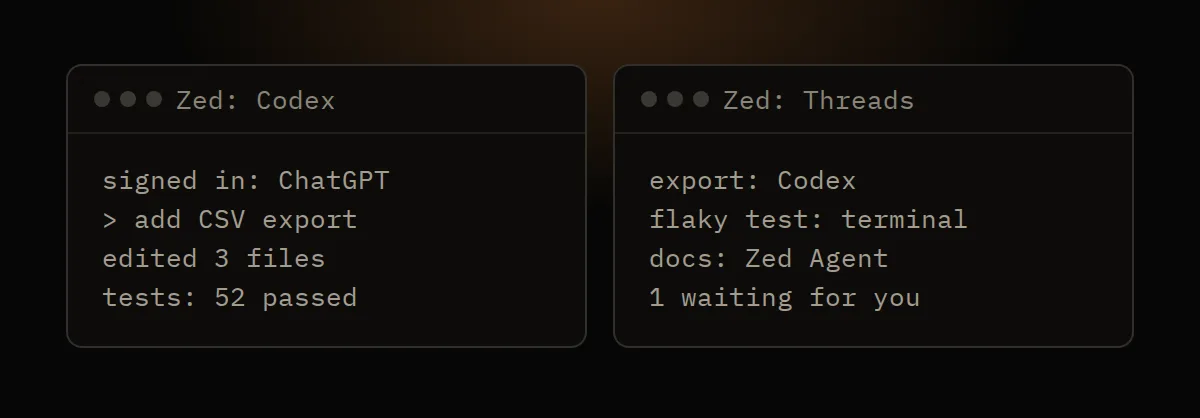
Facts come from OpenAI's and Zed's documentation, read on 23 November 2026.
Codex and Zed at a glance
| OpenAI Codex | Zed | |
|---|---|---|
| Made by | OpenAI | Zed Industries |
| What it is | A coding agent | A code editor with its own agent and support for outside agents |
| Where it runs | ChatGPT desktop app, Codex CLI, IDE extension, Codex cloud, ChatGPT mobile | macOS, Windows and Linux |
| Models | OpenAI models | Zed-hosted models, your own API keys, existing subscriptions, local models |
| Runs Codex | It is Codex | Yes: Codex through ACP, or the Codex CLI in a terminal thread |
| Open source | Codex CLI, Apache 2.0 | Yes |
| Free option | ChatGPT Free and Go, subject to rollout | Personal plan, free, with your own keys or outside agents |
What Codex is
Codex is OpenAI's coding agent. You describe an outcome and it reads the code, takes a step, checks the result and keeps going until it's done or needs you. Most people use it in the ChatGPT desktop app by choosing Codex and opening a project folder. It also runs as the open-source Codex CLI in a terminal, as an extension for VS Code-based editors, as Codex cloud tasks and in the ChatGPT phone app. It reads AGENTS.md files for your conventions and uses skills, plugins and MCP servers.
Source: Codex app, OpenAI
Source: openai/codex, GitHub
What Zed is
Zed is a code editor known for speed and real-time multiplayer collaboration, with weekly releases. It offers three ways of running an agent. The Zed Agent is Zed's own: it reads and searches your project, edits files, runs terminal commands, uses MCP tools, follows agent profiles, skills and instructions, and shows changes in Zed's review view. External Agents are outside agents that talk to Zed over the Agent Client Protocol, or ACP. Terminal Threads run any agent command-line tool in a terminal that Zed files as a thread.
Source: AI overview, Zed docs
Around the agents, Zed has an Inline Assistant that rewrites a selection in place, edit prediction that suggests code as you type, and generated commit messages. The Threads Sidebar groups every agent and terminal thread by project, so several agents can work at once, each in its own Git worktree when they might touch the same files.
Source: Parallel Agents, Zed docs
Codex inside Zed
Install Codex from Zed's ACP Registry, opened with zed: acp registry, and start a Codex thread from the Agent Panel or Threads Sidebar. Codex keeps its own sign-in and billing: depending on the version it supports ChatGPT sign-in, Codex or OpenAI API keys, or its own configuration, and you change accounts with the Codex thread's own login and logout. An OpenAI key set up for the Zed Agent doesn't carry over. Zed doesn't charge for External Agents.
Source: External Agents, Zed docs
If you prefer the full Codex CLI with all its own commands, open a Terminal Thread and run codex. Zed can start it automatically in every new terminal thread:
{
  "agent": {
    "terminal_init_command": "codex"
  }
}
Source: Terminal Threads, Zed docs
Zed notifies you when a terminal thread rings the bell while you're elsewhere, so you hear when Codex needs you even when Zed is in the background.
The main differences
Editor versus agent
Zed is where you read and write code; Codex is the agent doing the work. Codex doesn't need an editor, since the ChatGPT desktop app shows its changes and the CLI works in any terminal. If you want a fast editor for reviewing and finishing what Codex writes, Zed is a strong pick, and it will run Codex inside it.
Models
Codex runs OpenAI's models on your ChatGPT plan's allowance or your API key. The Zed Agent can use Zed-hosted models, your own keys for OpenAI, Anthropic, Google, Amazon Bedrock, OpenRouter, Mistral, DeepSeek and others, existing subscriptions such as GitHub Copilot, gateways, and local models through Ollama or LM Studio. That makes the Zed Agent a handy way to compare a non-OpenAI model with Codex on the same task.
Permissions and safety
Codex's sandbox decides what is technically possible, read-only, workspace-write or full access, and its approval policy decides when it asks. The Zed Agent uses tool permissions written as patterns: allow commands you trust, always confirm sensitive ones, and deny anything dangerous, with deny rules beating everything else. For example:
{
  "agent": {
    "tool_permissions": {
      "default": "confirm",
      "tools": {
        "terminal": {
          "always_allow": [{ "pattern": "^npm\\s+(test|run)" }],
          "always_deny": [{ "pattern": "git\\s+push" }]
        }
      }
    }
  }
}
With an External Agent such as Codex, Zed's own agent profiles don't apply and Codex's own sandbox and approvals stay in charge, while Zed's MCP servers may be passed through.
Source: Sandboxing, OpenAI Codex docs
Source: Tool Permissions, Zed docs
Project instructions
Codex reads AGENTS.md files in your repository for build commands, conventions and rules. The Zed Agent uses Zed's own instructions and skills. Keeping shared conventions in AGENTS.md means Codex follows them whether it runs in Zed, the ChatGPT app or a terminal.
Source: AGENTS.md, OpenAI Codex docs
Collaboration
Zed is built for working together live: shared projects, channels and calls inside the editor. Codex is one person's agent, though its cloud tasks hand back changes anyone on the team can review as a pull request.
Pricing: Codex vs Zed
| Codex (ChatGPT plans) | Zed | |
|---|---|---|
| Free | ChatGPT Free and Go: Codex in the desktop app, subject to rollout | Personal: free, unlimited use with your own keys or outside agents such as Codex |
| Individual | Plus: US$20 a month | Pro: US$10 a month, US$5 of tokens included, then API list price plus 10% |
| Heavy use | Pro: US$100, US$200 or US$500 a month | Pro with usage-based billing and a spending cap |
| Teams | Business: US$20 per user a month billed yearly, or US$25 monthly | Business: US$30 per seat a month, with org-wide AI policies |
Source: Pricing, OpenAI ChatGPT and Codex docs
Source: Pricing, Zed
The cheapest way to use both is Zed's free Personal plan with Codex on your ChatGPT plan: Zed charges nothing for outside agents. Zed Pro is worth it only if you want Zed's hosted models for the Zed Agent and unlimited edit predictions.
Which should you choose?
- You already pay for ChatGPT and want an agent across desktop, terminal, editor, cloud and phone: Codex.
- You want a very fast, open-source editor with live collaboration: Zed.
- You want one agent that switches between many providers' models, including local ones: the Zed Agent.
- You want an open-source agent you can inspect and script: the Codex CLI.
- You want both: use Zed as your editor and run Codex in an Agent Panel thread or a terminal thread.
Setting up Codex in Zed
- Install Zed and open your project.
- Open the ACP Registry and install Codex, or plan to use a terminal thread.
- Start a Codex thread from the Agent Panel and sign in with ChatGPT or an API key.
- For the full CLI, choose Terminal from the new-thread menu and run codex, or set terminal_init_command as above.
- Keep your conventions in AGENTS.md, and give each agent its own Git worktree from the title bar.
Common problems and fixes
- Codex asks you to sign in again in Zed: External Agents keep their own sign-in, so use the Codex thread's login, not Zed's provider settings.
- Some Agent Panel features are missing in a Codex thread: thread history and token counts depend on each agent's integration.
- Two agents edited the same file: start one of them in a new Git worktree with the worktree picker.
- Missing notifications for a terminal thread: check Zed's agent notification settings, which also cover terminal bells.
A day with each
With Codex on its own, you open the ChatGPT desktop app, choose Codex and ask it to add CSV export to the orders page. It proposes a short plan, edits three files, runs the tests and shows you the diff. A larger refactor goes to Codex cloud while you're in a meeting.
With Zed, the Threads Sidebar sits on the left: a Codex thread is adding the export, a terminal thread runs the Codex CLI on a flaky test, and a Zed Agent thread on a different provider's model tidies the docs. You follow each agent as it edits, review the changes in Zed and invite a teammate into the project to look at one together.
Watching every agent at once
Zed's sidebar covers the threads in one Zed window. When Codex and Claude Code sessions run across several machines and apps, 10u shows every session side by side under the goal it's working toward, marks the ones waiting on you, and lets you answer from one screen on your laptop or phone.

Questions people ask
- What is the difference between Codex and Zed?
- Codex is OpenAI's coding agent on ChatGPT plans. Zed is a fast, open-source code editor with its own Zed Agent and support for outside agents, including Codex.
- Can I use Codex in Zed?
- Yes. Install Codex from Zed's ACP Registry to run it in the Agent Panel, or run the codex command in a Zed terminal thread.
- Does Zed charge for Codex?
- No. Zed doesn't charge for outside agents. Codex uses your ChatGPT plan or OpenAI API usage.
- Does my OpenAI key in Zed work for Codex?
- No. A key set up for the Zed Agent doesn't configure Codex. Sign in from the Codex thread instead.
- Is Zed free?
- Zed's Personal plan is free, with unlimited use through your own keys or outside agents. Pro was US$10 a month on 23 November 2026.
- Which is better for beginners?
- The ChatGPT desktop app with Codex is the simplest start if you already use ChatGPT. Zed suits people who want a fast editor and are comfortable choosing models and agents.