
Codex vs Devin: OpenAI's coding agent or Cognition's AI software engineer?
Codex is OpenAI's coding agent, included with ChatGPT plans: you give it a task in the ChatGPT desktop app, the Codex CLI, your editor or Codex cloud, and it reads your code, edits files, runs tests and shows you the changes. Devin is Cognition's autonomous AI software engineer: you hand it a ticket, a Slack thread or a task, it works in its own cloud machine and returns a pull request. Choose Codex if you already pay for ChatGPT and want one agent for local and cloud work; choose Devin if your team wants to delegate tickets from Slack, Teams, Linear or Jira and review pull requests. Devin's plans can even use your ChatGPT plan.
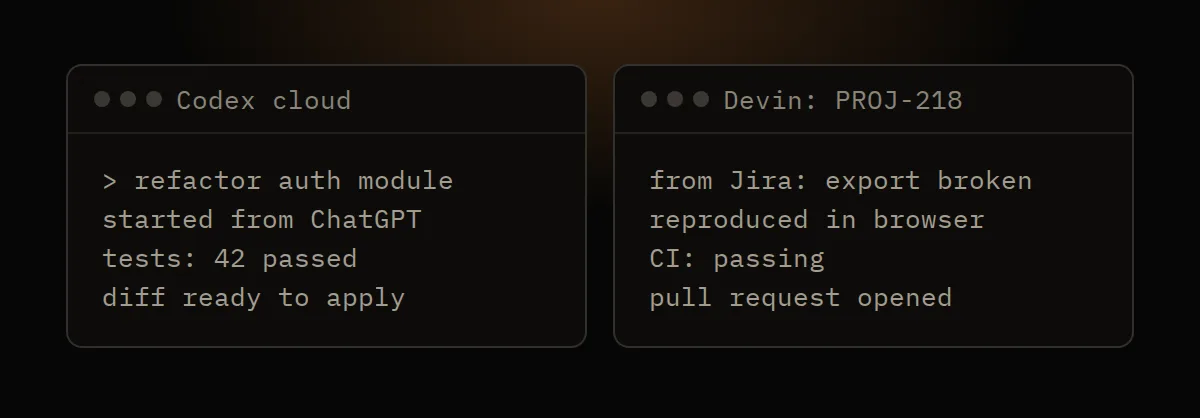
Facts come from OpenAI's and Cognition's documentation, read on 23 November 2026.
Codex and Devin at a glance
| OpenAI Codex | Devin | |
|---|---|---|
| Made by | OpenAI | Cognition |
| Pitched as | A coding agent in ChatGPT | An autonomous AI software engineer |
| Local | ChatGPT desktop app, Codex CLI, IDE extension | Devin CLI and Devin Desktop (formerly Windsurf) |
| Cloud | Codex cloud tasks | Devin Cloud sessions, each in its own virtual machine |
| Starting a task | App, CLI, IDE, web, ChatGPT mobile, GitHub, Slack | Web app, Slack, Microsoft Teams, Linear, Jira, API, CLI |
| Models | OpenAI models | Several providers, with Cognition's Adaptive router |
| Instructions | AGENTS.md | Rules, AGENTS.md, knowledge and playbooks |
| Open source | Codex CLI, Apache 2.0 | No |
| Free option | Codex in the desktop app on ChatGPT Free and Go, subject to rollout | A free plan with a light quota |
What Codex is
Codex is OpenAI's coding agent. You describe an outcome, and it reads what it needs, takes a step, checks the result and keeps going until the job is done or it needs a decision. Most people use it in the ChatGPT desktop app by choosing Codex and opening a project folder. It also runs as the open-source Codex CLI, as an extension for VS Code and VS Code-based editors, in Codex cloud, where tasks keep going after you close the laptop, and from the ChatGPT phone app.
Source: Codex app, OpenAI
Source: openai/codex, GitHub
Codex reads AGENTS.md files for your conventions and test commands, uses skills and MCP servers, and works inside a sandbox: by default it can edit inside your project and run routine commands there with network access off, asking before it goes further. It can also review changes and pull requests on GitHub, reporting findings by priority.
Source: Code review, OpenAI Codex docs
What Devin is
Cognition calls Devin an autonomous AI software engineer that can write, run and test code, with a rule of thumb that if you can do a task in three hours, Devin can most likely do it. Each session has its own shell, embedded editor and browser in the cloud, which you can watch or take over. Cognition says it does best on batches of tickets, migrations and refactors, repetitive engineering work such as tests, bug fixes and documentation, and customer engineering jobs like integrations and demos.
Source: Introducing Devin, Devin Docs
Devin now has local options too. Devin CLI is a command-line coding agent with subagents, skills, plugins, hooks and MCP servers, and a /handoff command that sends a task to a cloud Devin session and brings its pull request back. Devin Desktop is the editor formerly called Windsurf, renamed on 2 June 2026, with an Agent Command Center for local and cloud agents.
Source: Devin CLI quickstart, Devin Docs
Source: Hand off to cloud Devins, Devin Docs
Source: Devin Desktop FAQ, Devin Docs
The main differences
How you work with it
Codex suits both styles: interactive sessions in the desktop app or CLI where you steer and review as it goes, and cloud tasks you hand off and come back to. Devin leans further toward delegation: you write a task with clear completion criteria, Devin works in its own machine, and you review the pull request, taking over in its editor if it needs help.
Where tasks come from
Devin plugs into team tools: Slack and Microsoft Teams threads, Linear and Jira tickets, its web app and an API. Codex is mostly started by a person in ChatGPT, the CLI or an editor, with GitHub code review and Slack available on ChatGPT plans. If you want to assign tickets to an agent as you would to a teammate, Devin is built around that.
Models
Codex runs OpenAI's models, such as GPT-6.1 Sol and GPT-6 Luna on Plus, with more on Pro. Devin draws on several providers' frontier models, chosen by Cognition's Adaptive router, and Fusion in Devin CLI pairs a frontier lead model with a cheaper sidekick.
Open source and control
The Codex CLI is open source under Apache 2.0, so you can read exactly what it does and run it with an API key if you prefer per-token billing. Devin is a closed product, but its enterprise plans add admin controls, single sign-on and role-based access.
Pricing: Codex vs Devin
| Codex (ChatGPT plans) | Devin | |
|---|---|---|
| Free | Free and Go: Codex in the desktop app with GPT-6 Luna, subject to rollout | Free: light quota, limited models |
| Individual | Plus: US$20 a month | Pro: US$20 a month, with cloud agents |
| Heavy use | Pro: US$100, US$200 or US$500 a month | Max: US$200 a month |
| Teams | Business: US$20 per user a month billed yearly, or US$25 monthly | Teams: US$80 a month, shared credits for up to 100 members |
| Enterprise | Contact sales | Contact sales |
| Pay as you go | API key at per-token prices, CLI and IDE only | Extra usage at API pricing on Pro |
Source: Pricing, OpenAI ChatGPT and Codex docs
Source: Plans and pricing, Devin
Devin's pricing page lists using your ChatGPT plan on its Pro, Max and Teams plans, which matters if you already pay OpenAI. As with any agent, long autonomous cloud tasks use more of an allowance than short interactive ones, so compare on a handful of your own real tasks.
Codex vs Devin by task
| Task | Better fit | Why |
|---|---|---|
| Interactive work in your own environment | Codex | Desktop app and CLI work on your machine |
| A queue of well-defined tickets | Devin | Delegated from Linear or Jira, each returns a pull request |
| A bug discussed in Slack or Teams | Devin | Tag it in the thread |
| Long work while you're away | Either | Codex cloud or Devin Cloud |
| Pull request review | Either | Codex code review or Devin Review |
| An agent you can inspect and script | Codex | Open-source CLI and codex exec for scripts and CI |
Which should you choose?
- You already pay for ChatGPT Plus, Pro or Business: Codex, at no extra cost.
- You want one agent for local work and cloud tasks, started from a desktop app: Codex.
- Your team wants to assign Slack threads and tickets to an agent: Devin.
- You want an open-source agent for scripts and CI: the Codex CLI.
- You want models from several providers: Devin.
- You want to try for free first: either, with different limits.
A day with each
With Codex, you open the ChatGPT desktop app, choose Codex and ask for a plan to fix a flaky test. It finds a timing issue, fixes it and shows you the diff. Before lunch you send a larger refactor to Codex cloud, and review it from your phone between meetings.
With Devin, you start by assigning four Jira tickets with clear acceptance criteria and tagging Devin on a Slack thread about a broken export. Through the day draft pull requests arrive. You approve most, ask for changes on one, and step into Devin's editor to finish another.
The difference shows in where your time goes. With Codex you spend it in the loop, steering and reviewing as the work happens. With Devin you spend it up front writing good tickets, and later reviewing pull requests. Neither is free of effort; they move the effort to a different part of the day.
Using Codex and Devin together
- Keep conventions in AGENTS.md, which both read.
- Use Codex for interactive work and Devin for a queue of delegated tickets.
- Write every delegated task with a definition of done and a way to verify it, such as CI passing.
- Review every pull request the same way, whichever agent opened it.
Security and access
Both agents run commands and change code, so access needs thought. Codex on your machine works inside its sandbox, which covers every command it starts, not just its own edits, so git, your package manager and your test runner get the same limits; you can tighten it to read-only or loosen it for trusted work. Codex cloud and Devin Cloud both work in cloud machines that need access to your repositories and any services a task touches. Give each agent only what the task needs, keep secrets out of prompts and repositories, and make human review of the pull request the rule before anything reaches production. Business and enterprise plans from both companies add admin controls and published data-handling terms worth reading first.
Writing tasks either agent can finish
The quality of the task decides the quality of the result, whichever agent you use. Cognition's advice for Devin applies to Codex too: give explicit completion criteria, make the result easy to verify, for example by CI passing, and split harder work into well-scoped steps with context or examples. OpenAI makes the same point from the other side: review the output against what you asked for, and give closer attention to changes that affect other people or are hard to undo, because a confident summary is not proof the task succeeded.
- Name the goal in one sentence.
- Point to the files, service or screen involved.
- Say how to prove it works: a test, a command, a page that should load.
- Say what must not change.
- Say what to do if it gets stuck: stop and ask, rather than guess.
Keeping track of every agent
Devin shows its own sessions in its web app and Agent Command Center; Codex runs in ChatGPT, terminals and the cloud. 10u shows every Codex and Claude Code session side by side under the goal it's working toward, marks the ones waiting on you, and lets you answer from one screen on your laptop or phone.

Questions people ask
- What is the difference between Codex and Devin?
- Codex is OpenAI's coding agent in ChatGPT, working locally in the desktop app, CLI or editor and in Codex cloud. Devin is Cognition's autonomous AI software engineer that takes tasks from Slack, Teams, Linear, Jira or its web app, works in its own cloud machine and returns pull requests.
- Is Codex better than Devin?
- They suit different teams. Codex is a strong all-round agent for people who already use ChatGPT. Devin is built for teams that want to delegate tickets and review pull requests.
- Can Devin use my ChatGPT plan?
- Devin's pricing page lists using your ChatGPT plan on its Pro, Max and Teams plans.
- Is Codex free?
- Partly. ChatGPT Free and Go include Codex in the desktop app with GPT-6 Luna, subject to rollout. The CLI, IDE extension, cloud tasks and code review need Plus or above.
- Is Devin free?
- Devin has a Free plan with a light quota and limited models. Pro was US$20 a month on 23 November 2026.
- Does Devin have a CLI like Codex?
- Yes. Devin CLI is a local command-line agent with subagents, skills, plugins, hooks and MCP servers, and a /handoff command to send a task to Devin Cloud.