
Codex vs Windsurf: OpenAI's coding agent or an AI-first editor?
Codex is OpenAI's coding agent: you describe a task and it reads your code, edits files, runs commands and tests, from the ChatGPT desktop app, a terminal, your editor or the cloud. Windsurf is an AI code editor, renamed Devin Desktop on 2 June 2026, with completions as you type, inline edits, a local agent called Devin Local and an Agent Command Center for local and cloud agents. Choose Codex if you want an agent you hand whole tasks to and already pay for ChatGPT; choose Windsurf if you want one AI-first editor with models from several companies. They also connect: Devin's pricing page lists using your ChatGPT plan with its paid plans.
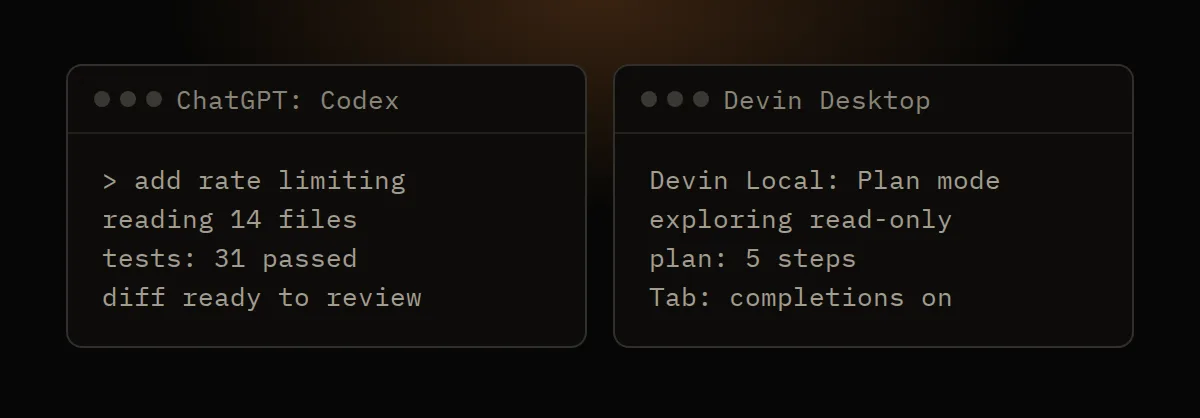
Facts come from OpenAI's and Devin's documentation, read on 23 November 2026.
Codex and Windsurf at a glance
| OpenAI Codex | Windsurf (Devin Desktop) | |
|---|---|---|
| Made by | OpenAI | Cognition |
| What it is | A coding agent | An AI code editor with agents |
| Where you use it | ChatGPT desktop app, Codex CLI, IDE extension, cloud, ChatGPT mobile | Its own editor for Mac, Windows and Linux, plus plugins for other editors |
| Code as you type | No | Yes, Tab completions and inline edits |
| Agent modes | Sandbox and approval settings, with read-only, workspace-write and full access | Code, Smart, Ask, Plan and Bypass Permissions |
| Cloud agents | Codex cloud | Devin Cloud sessions |
| Models | OpenAI models | Cognition's SWE models plus OpenAI, Claude, Gemini and others |
| Instructions | AGENTS.md | .devin/rules, .windsurf/rules, AGENTS.md |
| Open source | Codex CLI, Apache 2.0 | No |
What Codex is
Codex is OpenAI's coding agent, included with ChatGPT plans. You give it a goal and it reads what it needs, takes a step, checks the result and keeps going until the job is done or it needs you. Most people use it in the ChatGPT desktop app on macOS, Windows or Linux by choosing Codex and opening a project folder. It also runs as the open-source Codex CLI, as an extension for VS Code and VS Code-based editors, including Windsurf, and in Codex cloud, where tasks keep running after you close the laptop.
Source: Codex app, OpenAI
Source: openai/codex, GitHub
By default Codex runs in a workspace-write sandbox: it can read files, edit inside your project and run routine commands there, with network access off, and it asks before going further. It reads AGENTS.md files for your conventions and test commands, and can review a change and report findings by priority without editing your files.
Source: AGENTS.md, OpenAI Codex docs
What Windsurf is now
Windsurf is a full AI code editor that imports your VS Code or Cursor settings. On 2 June 2026 it became Devin Desktop as Cognition brought its products under the Devin brand. The editor, extensions, keybindings and workflows stayed, settings carried over and pricing did not change; the Agent Command Center became the main view. Cascade, the agent Windsurf was known for, is now listed as legacy, and Devin Local is the new local agent, which Cognition says supports subagents and shares its architecture with Devin CLI.
Source: Devin Desktop FAQ, Devin Docs
Devin Local has five modes. Code writes and edits, auto-approving edits inside the workspace. Smart does the same and lets a fast model approve other actions it judges safe. Ask answers questions without changing code. Plan explores read-only and writes a plan for approval. Bypass Permissions approves every tool call unless an organisation policy requires approval.
Source: Devin Local modes, Devin Docs
The main differences
Agent or editor
Codex is an agent that works wherever you call it, including inside Windsurf through its VS Code extension or in Windsurf's terminal through the Codex CLI. Windsurf is the place you work, with an agent built in. If you want to keep your editor, Codex fits around it. If you want the editor itself to be AI-first, Windsurf is built for that.
Completions
Windsurf includes Tab completions and inline edits, unlimited even on its Free plan. Codex does not suggest code as you type; it works on tasks.
Models
Codex runs OpenAI's models, such as GPT-6.1 Sol and GPT-6 Luna on Plus. Windsurf offers many providers' models, including OpenAI's, alongside Cognition's own SWE models and an Adaptive router that picks a model per task.
Cloud work
Codex cloud runs tasks in a cloud environment you can start from the app, the web, the IDE extension, the CLI or your phone. Windsurf's Agent Command Center manages Devin Cloud sessions, each on its own virtual machine, beside local sessions. Devin Cloud is sold separately from Devin Desktop for some plans.
Pricing: Codex vs Windsurf
| Codex (ChatGPT plans) | Windsurf (Devin plans) | |
|---|---|---|
| Free | Free and Go: Codex in the desktop app with GPT-6 Luna, subject to rollout | Free: light quota, limited models, unlimited Tab and inline edits |
| Individual | Plus: US$20 a month | Pro: US$20 a month |
| Heavy use | Pro: US$100, US$200 or US$500 a month | Max: US$200 a month |
| Teams | Business: US$20 per user a month billed yearly, or US$25 monthly | Teams: US$80 a month, shared credits for up to 100 members |
| Enterprise | Contact sales | Contact sales |
Source: Pricing, OpenAI ChatGPT and Codex docs
Source: Plans and pricing, Devin
Which should you choose?
- You want an AI-first editor with completions and agents in one app: Windsurf.
- You want to switch between models from several companies: Windsurf.
- You want an agent you hand whole tasks to from a desktop app or terminal: Codex.
- You already pay for ChatGPT: Codex, at no extra cost.
- You want an open-source agent you can inspect: the Codex CLI.
- You want both: run Codex inside Windsurf through its extension or terminal.
Using Codex and Windsurf together
- Install the Codex extension in Windsurf, or run the Codex CLI in Windsurf's terminal.
- Keep conventions in AGENTS.md, which both Codex and Windsurf read.
- Use Windsurf's completions while you write, and hand larger tasks to Codex.
- Give each agent its own git worktree when they work at the same time.
- Review every diff before committing, whichever agent wrote it.
Watching several agents at once
Windsurf's Agent Command Center shows Windsurf's agents. Codex runs in its own app, terminal and cloud. When agents are spread across tools, the hard part is knowing which one is waiting for you. 10u shows every Codex and Claude Code session side by side under the goal it's working toward, marks the ones waiting on you, and lets you answer from one screen on your laptop or phone.

Questions people ask
- What is the difference between Codex and Windsurf?
- Codex is OpenAI's coding agent that works through tasks from the ChatGPT desktop app, a terminal, your editor or the cloud. Windsurf, now Devin Desktop, is an AI code editor with completions, inline edits and local and cloud agents.
- Can I use Codex in Windsurf?
- Yes. Codex has an extension for VS Code-based editors, including Windsurf, and the Codex CLI runs in Windsurf's built-in terminal.
- Is Windsurf now called Devin Desktop?
- Yes. On 2 June 2026 Windsurf became Devin Desktop, with the same editor and features, settings carried over and pricing unchanged.
- Which is cheaper, Codex or Windsurf?
- Both start at US$20 a month for individuals: ChatGPT Plus for Codex and Devin Pro for Windsurf. Windsurf's Free plan includes unlimited completions; Codex on ChatGPT Free is limited to the desktop app.
- Does Windsurf use OpenAI models?
- Yes. Windsurf offers models from several providers, including OpenAI, alongside Cognition's own SWE models.
- Does Codex do code completion like Windsurf?
- No. Codex works on tasks you describe. Windsurf includes Tab completions and inline edits as you type.