
Codex vs Replit: OpenAI's coding agent or an all-in-one cloud app builder?
Codex is OpenAI's coding agent, included with ChatGPT plans: it works in your codebase from the ChatGPT desktop app, a terminal, your editor, Codex cloud or your phone, reading code, making changes and running tests. Replit is a cloud platform where Replit Agent builds apps, websites and native mobile apps from a description, then runs, hosts and publishes them with databases and storage built in, all in a browser. Choose Replit to go from idea to live app with nothing installed and nothing to host. Choose Codex if you already pay for ChatGPT and want an agent working in your own repository, with your own hosting and review.
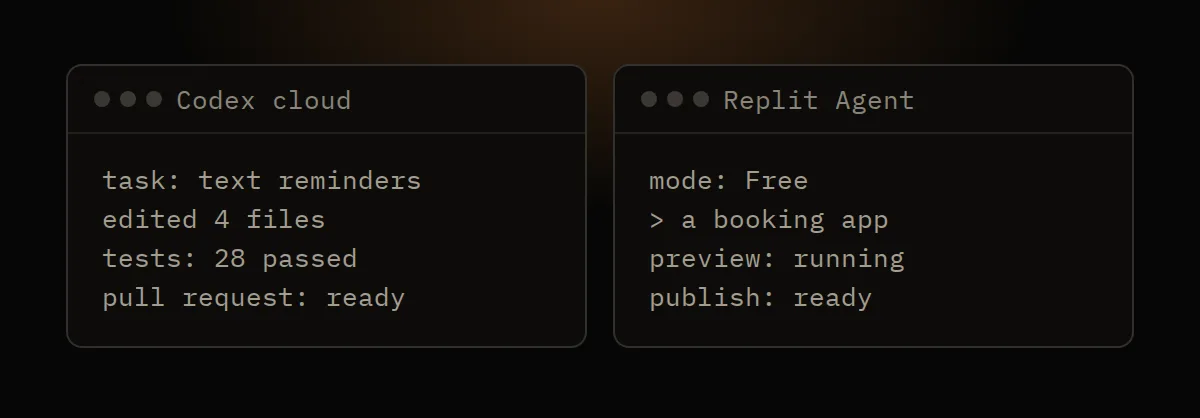
Facts come from OpenAI's and Replit's documentation, read on 23 November 2026.
Codex and Replit at a glance
| OpenAI Codex | Replit | |
|---|---|---|
| What it is | A coding agent | A cloud platform with Replit Agent, an editor, hosting and databases |
| Where it runs | ChatGPT desktop app, Codex CLI, IDE extension, Codex cloud, ChatGPT mobile | Browser, plus Replit's apps |
| What it builds | Anything in your repository | Web apps, websites, native iOS and Android apps |
| Hosting | Bring your own | Built in: publishing, databases and storage |
| Models | OpenAI models | Free, Power and Max modes; Replit routes the model |
| How you pay | A ChatGPT plan, or an OpenAI API key | Starter free, then Core or Pro plans plus usage |
What Codex is
Codex is OpenAI's coding agent. You describe an outcome and it reads the code, takes a step, checks the result and keeps going until it's done or needs you. Most people use it in the ChatGPT desktop app by choosing Codex and opening a project folder. It also runs as the open-source Codex CLI, as an extension for VS Code-based editors, as Codex cloud tasks that hand back pull requests, and in the ChatGPT phone app. Its sandbox decides what it can touch and its approval policy decides when it asks.
Source: Codex app, OpenAI
Source: openai/codex, GitHub
Source: Sandboxing, OpenAI Codex docs
What Replit is
Replit is an AI platform where you describe what you want and Replit Agent creates, runs and publishes it. You chat with Agent, test the app in a live preview and publish from the same place, with databases and storage billed as you use them. Agent has three modes: Free Mode for everyday building, with Replit choosing the model; Power Mode for most work; and Max Mode for complex work and larger codebases. Power and Max draw on monthly credits, and Replit warns you before a request moves into a paid mode.
Source: Select the right Agent Mode, Replit docs
Source: Publishing, Replit docs
Replit also works on existing GitHub and GitLab repositories: it explains code, fixes bugs, builds features, runs a preview in a cloud sandbox and opens a pull request, and it can split independent tasks into worker chats that run in parallel.
Source: Code with Replit, Replit docs
Source: Work with a team of agents, Replit docs
The main differences
Where the work happens
Replit keeps everything in its cloud: editor, app, preview, database and published site. Codex can work on your computer, using your installed tools and local services, or in Codex cloud when you'd rather hand a task off and review the pull request later.
Hosting
Replit hosts what it builds. Codex writes code and configuration and leaves deployment to the host you choose, which is more setup but keeps production where your team wants it.
Models
Codex uses OpenAI's models, and you can choose among them. Replit chooses the model for you and lets you pick capability through its modes instead.
Who it's for
Replit is built for founders, designers, product managers and operations teams as much as engineers. Codex suits people comfortable reviewing diffs, though the ChatGPT desktop app makes it approachable for anyone already using ChatGPT.
Automation
Replit's routines run Agent on a schedule in Power or Max Mode with a budget per run, for jobs like weekly release notes. Codex automates through codex exec in scripts and CI, and through Codex cloud tasks started from the web or your phone.
Security and access
Replit works in a cloud sandbox with the access you authorize and reaches GitHub and GitLab through its own proxy, keeping repository credentials out of the sandbox; it advises giving development access with the smallest scope that works. Codex on your computer runs inside its sandbox, read-only, workspace-write or full access, and its cloud tasks run in OpenAI's environment. On both, review every pull request before it merges.
Pricing: Codex vs Replit
| Codex (ChatGPT plans) | Replit | |
|---|---|---|
| Free | ChatGPT Free and Go: Codex in the desktop app, subject to rollout | Starter: free, with Free Mode limits |
| Individual | Plus: US$20 a month | Core: US$20 a month (US$18 billed annually), up to 30 hours of Free Mode chat and US$20 towards more powerful models |
| Heavy use | Pro: US$100, US$200 or US$500 a month | Pro: from US$100 a month (US$90 billed annually), with tiers up to US$2,000 a month |
| Hosting | Your own host, billed separately | Publishing, databases and storage billed by usage |
Source: Pricing, OpenAI ChatGPT and Codex docs
Source: Pricing, Replit
A ChatGPT plan covers the agent and everything else ChatGPT does. A Replit plan covers the agent and an allowance towards models, with hosting charged on top as your app runs.
Which should you choose?
- You want a live app with nothing installed and no hosting to set up: Replit.
- You want a native mobile app built in the cloud from a chat: Replit.
- You already pay for ChatGPT and work in your own repository: Codex.
- You want to hand off tasks and review pull requests from your phone: Codex cloud.
- Your non-engineers want to propose code changes: Replit's repository features.
Getting started with each
Replit: sign up, describe the app on the home screen and let Agent build it in Free Mode, then test it in the preview and publish. For existing code, connect GitHub or GitLab and open a chat on the repository. Codex: open the ChatGPT desktop app, choose Codex and pick a project folder, or install the Codex CLI and run codex in the folder, signing in with your ChatGPT account.
Using Codex and Replit together
- Keep the code in a GitHub or GitLab repository you control.
- Connect it to Replit for cloud previews and so teammates can propose changes.
- Use Codex for larger changes, locally or in Codex cloud.
- Review every pull request the same way, whichever agent opened it.
Common problems and fixes
- Replit credits run down quickly: stay in Free Mode for everyday work and save Power or Max for hard problems.
- A Replit preview works but the live app doesn't: test the published version, since a preview isn't production.
- Codex and Replit edited the same files: keep each on its own branch and merge through pull requests.
A day with each
With Replit, you describe a booking app for a dog groomer, test it in the preview, add payments in Power Mode and publish before lunch, all in a browser.
With Codex, you open the groomer's repository in the ChatGPT desktop app, ask for text reminders, review the plan and diff, and send a bigger refactor to Codex cloud to review from your phone later.
Watching several agents at once
When Codex and Claude Code sessions run across several machines and projects, the hard part is knowing which one is waiting for you. 10u shows every session side by side under the goal it's working toward, marks the ones waiting on you, and lets you answer from one screen on your laptop or phone.

Questions people ask
- What is the difference between Codex and Replit?
- Codex is OpenAI's coding agent on ChatGPT plans, working in your repository locally or in the cloud. Replit is a cloud platform where Replit Agent builds, runs, hosts and publishes apps.
- Is Replit easier than Codex?
- For a new app, yes: Replit needs only a browser and hosts the result. Codex suits people who already have a codebase and a host.
- Can Replit work on my GitHub repository?
- Yes. Connect GitHub or GitLab and Replit can explain code, make changes, run a cloud preview and open a pull request.
- Is Replit free?
- Replit's Starter plan is free with Free Mode limits. Core was US$20 a month on 23 November 2026.
- Which models does Replit use?
- Replit routes the model for you; Power and Max modes add capability and use monthly credits.