
Claude Code auto mode: what it allows, what it blocks, how to tune it
Claude Code auto mode lets Claude work without routine permission prompts. Before each action runs, a separate classifier model reviews it and blocks anything that goes beyond your request, targets infrastructure it does not recognise, or looks driven by hostile content Claude read. Turn it on with Shift+Tab until the status bar says auto mode on, or start with claude --permission-mode auto. From Claude Code v2.1.283 it is the built-in starting mode for terminal and VS Code sessions on every plan and provider.
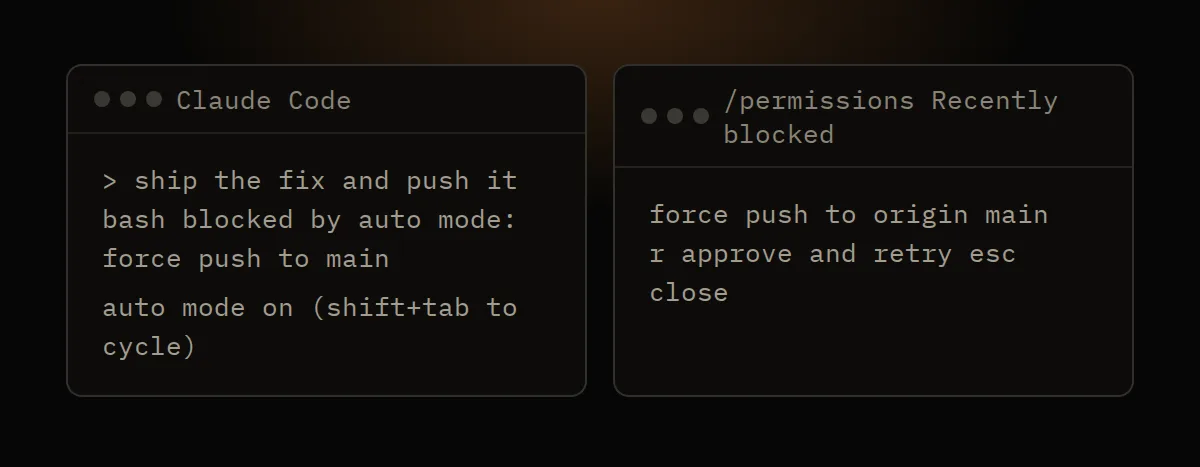
Anthropic's own warning: auto mode reduces prompts but does not guarantee safety. Use it for tasks where you trust the general direction, not as a replacement for review on sensitive operations.
Source: Choose a permission mode, Claude Code docs
Auto mode compared with the other permission modes
| Mode | What runs without asking | Best for |
|---|---|---|
| default (Manual) | Reads in your working folders and actions that need no approval | Sensitive work, unfamiliar code |
| acceptEdits | Reads, file edits and common file commands like mkdir, mv and cp | Iterating on code you are reviewing |
| plan | Reads, plus classifier-approved commands when auto mode is available | Exploring before changing anything |
| auto | Everything, with background safety checks | Long tasks, fewer prompts |
| dontAsk | Only pre-approved tools; anything that would prompt is denied | Locked-down CI and scripts |
| bypassPermissions | Everything, unchecked | Isolated containers and VMs only |
Deny rules block in every mode. Explicit ask rules, tools that need your input such as AskUserQuestion, and recognised rm or rmdir removals of critical paths such as rm -rf ~ are never auto-approved in any mode.
Source: Choose a permission mode, Claude Code docs
Who can use Claude Code auto mode
- Plans: all plans. On Team and Enterprise it is on by default, and administrators can turn it off with permissions.disableAutoMode set to "disable" in managed settings.
- Anthropic API, Claude Platform on AWS and Anthropic-managed Google Cloud: Claude Opus 4.6 or later, Sonnet 4.6 or later, Haiku 5.5, or a Fable model.
- Amazon Bedrock, Google Cloud's Agent Platform, Microsoft Foundry and Claude apps gateway sessions: Sonnet 5 or later, Opus 4.7 or later, Haiku 5.5 and the Fable models.
- Older models, including Sonnet 4.5, Opus 4.5, Haiku 4.5 and the claude-3 models, are not supported anywhere.
If you set defaultMode: "auto" and sessions still start in Manual with no error, the setting is probably in .claude/settings.json or .claude/settings.local.json. auto does not take effect from project files; move it to ~/.claude/settings.json.
Source: Choose a permission mode, Claude Code docs
Turn auto mode on and off
| Where | How |
|---|---|
| During a session | Press Shift+Tab to cycle modes; from auto the first press goes to Manual, then acceptEdits, then plan |
| From a Bash prompt | Pick Yes, and switch to auto mode to approve the command and switch |
| At start-up | claude --permission-mode auto |
| As your default | permissions.defaultMode: "auto" in ~/.claude/settings.json |
| In claude -p or the Agent SDK | --permission-mode auto, or permissionMode: "auto" in TypeScript and permission_mode="auto" in Python |
Auto mode also nudges Claude to keep working without stopping for clarifying questions, though it still asks when your prompt or a skill relies on it.
Source: Choose a permission mode, Claude Code docs
How auto mode decides on each action
Every action goes through a fixed order, and the first matching step wins:
- Your allow, ask and deny rules decide immediately, with exceptions: writes to protected paths still go to the classifier, critical-path removals are never approved by a rule, and content-scoped ask rules such as Bash(git push *) still prompt you.
- Read-only actions and file edits inside your working folder are approved, apart from protected paths.
- Everything else goes to the classifier.
In auto mode Claude Code drops broad allow rules such as Bash(*), but narrow ones such as Bash(npm test) still apply before the classifier. Set autoMode.classifyAllShell to true to send every shell command to the classifier instead, at the cost of a wait on each one.
The classifier reads the same CLAUDE.md content Claude does, so a line like never force push in your project CLAUDE.md steers both. A separate server-side probe also scans incoming tool results and flags suspicious content before Claude reads it.
Subagents in auto mode
The classifier checks a subagent three times: the task description before it starts, each action while it runs under the same rules as the parent, and its work and final report when it finishes. Any permissionMode in the subagent's frontmatter is ignored. A flagged report is still delivered, with a security warning on top.
Source: Choose a permission mode, Claude Code docs
What auto mode blocks by default
The classifier trusts your working folder and the git remotes configured when the session started. Everything else counts as external until you say otherwise. Blocked by default, among others:
- Downloading and running code, like curl | bash.
- Sending sensitive data to outside endpoints, or printing a live credential into the transcript or a file.
- Production deploys and migrations, terraform destroy and similar, and toggling production feature flags.
- Force push, git reset --hard, git checkout -- ., git clean -fd and git stash drop, which are presumed to throw away work.
- git commit --amend on a commit not made in this session, or one already pushed.
- Mass deletion in cloud storage, and deleting files that existed before the session.
- Granting IAM or repository permissions, writing to a secret manager, and changing DNS or TLS certificates.
- Merging a pull request no human approved, approving Claude's own pull request, or turning off CI checks.
- Commands with a flag that disarms a safety guard, such as --insecure.
- Starting another agent loop with --dangerously-skip-permissions or --no-sandbox.
- Opening a tunnel or reverse shell that exposes a local service to the internet.
- Changing where pushes go with git remote set-url or git remote add, unless you named the new remote.
- Weakening a test that guards security behaviour, such as auth or input validation.
Allowed by default
- Local file work in your working folder.
- Installing dependencies declared in your lock files or manifests.
- Reading .env and sending credentials to their matching API.
- Read-only HTTP requests.
- Pushing to any branch of the repository you are in, including the default branch, and opening a pull request that matches your request. Branches named like deploy targets, such as production or gh-pages, are judged on their own.
- Sending data to the domains, buckets and services you list as trusted.
Run claude auto-mode defaults to print every built-in rule as JSON, or add --label 'Git Destructive' to read one rule in full.
Source: Choose a permission mode, Claude Code docs
Tell the classifier what you trust
Out of the box, pushing to your company's other repositories or writing to a team bucket is blocked, because the classifier only trusts the current repository. For most teams, autoMode.environment is the only setting needed. Keep the defaults with the literal "$defaults" and add your own:
{
  "autoMode": {
    "environment": [
      "$defaults",
      "Source control: github.example.com/acme-corp and all repos under it",
      "Trusted cloud buckets: s3://acme-build-artifacts, gs://acme-ml-datasets",
      "Trusted internal domains: *.corp.example.com, api.internal.example.com",
      "Key internal services: Jenkins at ci.example.com, Artifactory at artifacts.example.com"
    ]
  }
}
Entries are plain sentences in slots: context slots describe your organisation, cloud providers and network posture; trust slots name your repositories, domains, buckets and internal package registry; sensitivity slots name sensitive data, remote targets and protected infrastructure code.
Where auto mode settings can live
| Scope | File | Use for |
|---|---|---|
| One developer | ~/.claude/settings.json | Personal trusted infrastructure |
| Whole organisation | Managed settings | Trusted infrastructure for everyone |
| One run | --settings flag or the Agent SDK | Overrides for automation |
The classifier never reads autoMode from a project's .claude/settings.json or .claude/settings.local.json, because a checked-in repository could otherwise slip in its own allow rules. Entries from each scope combine, and developers can add to managed entries but not remove them.
Source: Configure auto mode, Claude Code docs
Let Claude draft it: /auto-mode-setup
Run /auto-mode-setup and Claude Code drafts environment entries, sometimes with rules, from this project's CLAUDE.md, README, config files and git remotes, your existing autoMode and permissions.allow settings, and the hosts, buckets and command names from commands Claude ran in recent sessions here, never your messages. Two optional scans add the first word of each command in your shell history and the remotes of repositories in your home folder.
You accept or discard the draft as a whole, then edit ~/.claude/settings.json for single entries. Afterwards Claude Code offers to remove allow rules auto mode ignores, such as Bash(*). It is on Pro, Max, Ultra, Team and Enterprise plans and with a Console API key; on Pro, Max, Ultra or Team you need v2.1.228 or later. Once auto mode has blocked several actions and you have no environment entries, Claude Code offers to run it for you; turn that off with "skillOverrides": {"auto-mode-setup": "off"}.
Source: Configure auto mode, Claude Code docs
Write your own block and allow rules
Three more lists take plain-language rules. Inside the classifier they apply in this order:
| List | Effect |
|---|---|
| hard_deny | Blocks every time, even when you ask for it |
| soft_deny | Blocks destructive actions, but allow rules and your explicit intent can clear it |
| allow | Exceptions to soft_deny rules |
| Your explicit intent | Clears remaining soft blocks when your message names the exact action |
{
  "autoMode": {
    "allow": [
      "$defaults",
      "Deploying to the staging namespace is allowed: staging is isolated from production and resets nightly"
    ],
    "soft_deny": [
      "$defaults",
      "Never run database migrations outside the migrations CLI, even against dev databases"
    ],
    "hard_deny": [
      "$defaults",
      "Never send repository contents to third-party code-review APIs"
    ]
  }
}
Include "$defaults" in every list you set, or you lose the built-in rules in it. Each list is separate, so setting environment alone leaves the others intact. You can also edit rules on the Auto mode tab of /permissions in the CLI, from v2.1.246.
Check and reset your config
| Command | What it does |
|---|---|
| claude auto-mode defaults | Prints the built-in environment, allow, soft_deny and hard_deny rules |
| claude auto-mode config | Prints the four lists with your settings applied |
| claude auto-mode critique | AI review of your custom rules, flagging vague, redundant or over-blocking entries |
| claude auto-mode reset | Removes the autoMode section from your user settings, after asking |
Source: Configure auto mode, Claude Code docs
Boundaries and approvals you say in chat
The classifier treats boundaries you state, such as don't push or wait until I review before deploying, as a reason to block matching actions, even ones the default rules would allow. They are not stored: the classifier re-reads them from the transcript each time, so one can be lost if compaction drops the message. For a hard guarantee, add a deny rule.
Approvals work the other way. Name the action and the specific thing that makes it risky, such as the branch for a force push; you can force-push alone may not clear the block. An approval covers the one action you named, and some blocks, the hard_deny ones, never clear. General requests do not count: clean up the repo does not authorise a force push, but force-push this branch does.
Add a checkpoint before pushes
By default auto mode pushes to your repository and opens pull requests without asking. For a human checkpoint while keeping auto mode for everything else, add ask rules, which run before the classifier:
{
  "permissions": {
    "ask": [
      "Bash(git push *)",
      "Bash(gh pr create *)"
    ]
  }
}
These match commands that start with git push or gh pr create, so a push written as git -C <dir> push slips past. Use permissions.deny for anything that must never run: it blocks before the classifier and nothing overrides it.
Source: Configure auto mode, Claude Code docs
When auto mode blocks something
A blocked action shows a notice such as bash blocked by auto mode · /permissions · Auto mode: [Data Exfiltration]. To let Claude retry it, run /permissions, open the Recently blocked tab, read the actual command below the list rather than its description, press r, then Esc. Approving does not add a rule, so the retry is checked again. In the desktop app there is no Recently blocked tab, so name the action and its specifics in your next message instead.
| What was blocked | Fix |
|---|---|
| A destination needed all task long, such as a registry or internal domain | Add it to autoMode.environment |
| A command you always want allowed | Add an autoMode.allow rule |
| A one-off action you meant | Say so in your next message, naming the action and its target |
| The same destination again and again | Add it to environment, or run /auto-mode-setup |
If the classifier blocks 3 times in a row or 20 times in a session, auto mode pauses and Claude Code goes back to prompting; approving the prompted action resumes it. These thresholds are fixed. In claude -p with no prompt tool, the action is skipped and Claude keeps going. Broad reasons such as [Destructive or Unwanted Actions] or [Undermining Oversight] come from the server-side classifier; read the blocked call and use the same fixes. A Not run · auto mode's check had no usable answer line means the check failed, not that the action was judged unsafe.
Source: Configure auto mode, Claude Code docs
The classifier model, cost and speed
By default classifier requests go to Claude Sonnet 5, whatever your /model choice. With v2.1.302 or later you can set CLAUDE_CODE_AUTO_MODE_MODEL to a full model ID to use another one. On a direct Anthropic API connection and on cloud providers, newer Claude Code versions can ask the server to review actions as part of the normal model request instead; /status shows Auto mode server as Enabled when that happens. Set CLAUDE_CODE_AUTO_MODE_SERVER=0 to always use Claude Code's own classifier requests.
Classifier calls count toward token usage on Enterprise plans and on Claude API, Claude Platform on AWS, Bedrock, Agent Platform and Foundry accounts. Each check sends part of the transcript plus the pending action, adding a round trip before the action runs. Server-side review adds no separate calls, and sandboxed network access adds no per-connection checks.
Source: Choose a permission mode, Claude Code docs
Protected paths in auto mode
A small set of paths holds repository state and Claude's own configuration, so each mode treats writes to them differently. In auto mode they go to the classifier, which decides, even when an allow rule matches; Manual and acceptEdits prompt you, dontAsk denies, and bypassPermissions allows. An entry such as Edit(.claude/**) in your settings does not pre-approve these writes, because the safety check runs before allow rules.
| Kind | Examples |
|---|---|
| Folders | .git, .vscode, .idea, .husky, .cargo, .devcontainer, .yarn, .mvn and .claude, apart from Claude's own worktrees, plan files and memory folders |
| Shell start-up files | .bashrc, .bash_profile, .zshrc, .zprofile, .profile, .envrc |
| Package manager config | .npmrc, .yarnrc, .yarnrc.yml, bunfig.toml, .pnpmfile.cjs |
| Git and hook config | .gitconfig, .gitmodules, .pre-commit-config.yaml, lefthook.yml |
| Claude Code config | .mcp.json, .claude.json, and any file you passed with --settings, --mcp-config or --agents |
In a session started with --restricted, from v2.1.248, the classifier cannot approve protected-path writes at all.
Source: Choose a permission mode, Claude Code docs
Dangerous rm commands in auto mode
Critical paths are the folders Claude Code protects from rm and rmdir: the filesystem root, top-level folders such as /usr or /etc, your home folder, and your working folder and its parents. The classifier does not review these removals. No allow rule or hook approves one; in auto mode you get a prompt in the terminal and a denial everywhere else.
The terminal prompt has a two-minute countdown. If you do not answer, Claude Code denies the command and tells Claude what to do instead, so an unattended session keeps working; press any key to stop the countdown. After three unanswered prompts in a session, further critical-path removals are denied straight away until you send a new message. Claude Code also catches risky forms such as rm -rf "$DIR"/*, which deletes from the root if the variable is empty, rm -rf "$(pwd)", and removals hidden inside bash -c or a subshell.
Anthropic points out that a removal the check misses gets no special handling, so keep deny rules and the sandbox as further layers. A sandboxed command can still delete your working folder.
Source: Choose a permission mode, Claude Code docs
Reads outside your project
In auto mode, file reads outside your working folders run without a prompt unless you block them. The first time Claude uses Read, Grep or Glob outside them, Claude Code asks once in the terminal. Choose No, and block reads outside the working directories from now on to set permissions.blockReadsOutsideWorkingDirectories in your user settings, which makes the file tools refuse those reads in every later session; or allow them and the prompt does not return. The prompt does not appear in -p runs, Agent SDK sessions, background sessions, the VS Code chat panel or the desktop app, where the read just runs.
Plan mode with the classifier
When auto mode is available, plan mode can use the classifier too: Claude reads and researches freely, and commands the classifier approves can run while it plans, but it makes no edits until you approve the plan. That is a useful middle step before handing a long task to auto mode. Start it with claude --permission-mode plan or Shift+Tab until the status bar shows plan mode on.
Source: Choose a permission mode, Claude Code docs
Which permission setup for which job
| You want to | Start with | Isolation |
|---|---|---|
| Answer every prompt yourself | claude --permission-mode default | None |
| Fewer prompts without a classifier | Manual mode plus /sandbox in auto-allow mode | The built-in Bash sandbox |
| Explore before changing anything | claude --permission-mode plan | None |
| Work hands-off | claude --permission-mode auto | None needed; a sandbox or container adds defence in depth |
| CI with an exact allowlist | claude -p "run the test suite" --permission-mode dontAsk --allowedTools "Bash(npm test)" "Read" | Your CI runner |
| Fully unattended in a container | claude -p with --dangerously-skip-permissions | Required: a container, VM or the sandbox runtime, as a non-root user |
Source: Choose a permission mode, Claude Code docs
Check which model reviewed your actions
Start a session with a debug log, have Claude run a harmless command such as curl https://example.com, then search the log for classifier_request_started. The model after model= is the one that reviewed. If it is not the one you set, search for ignoring CLAUDE_CODE_AUTO_MODE_MODEL to see why; Claude Opus 5, Sonnet 5.5 and Opus 5.5 fall back to the default classifier, and a model your provider cannot serve makes every check fail, so each action is denied.
claude --permission-mode auto --debug-file classifier-debug.logAuto mode on Bedrock, Agent Platform and Foundry
On these providers auto mode is on by default: interactive sessions start in it, while claude -p and Agent SDK runs start in Manual unless you pass --permission-mode auto. Only Sonnet 5 or later, Opus 4.7 or later, Haiku 5.5 and the Fable models are supported there; on any other model the session starts in Manual. To stop developers using auto mode, set disableAutoMode to "disable" in managed settings, which removes it from the Shift+Tab cycle.
Log every denial
To capture denials in a script, add a PermissionDenied hook, which receives the blocked call as tool_input. A PostToolUse hook can also attach a classifierContext field to a result, which the classifier reads as context from your own application, from v2.1.236.
Source: Choose a permission mode, Claude Code docs
Auto mode with the sandbox
Auto mode decides whether an action runs; the Bash sandbox limits what a command can reach once it runs. They combine: in auto mode with the sandbox on, Claude names the hosts a command needs on the command itself, the classifier reviews them with it, and an approved list opens those hosts for that one command only. Anthropic lists auto mode as needing no extra isolation, with a sandbox or container adding defence in depth, while bypassPermissions should only ever run inside a container or VM as a non-root user.
Source: Choose a permission mode, Claude Code docs
Many auto mode sessions, one screen
Auto mode is what lets a Claude Code session run for an hour without you, which is how people end up with several going at once. 10u is an AI coding agent dashboard that shows every Claude Code and Codex session side by side, each in its real terminal, marked Needs you, Working, Waiting or Parked, so a blocked action never sits unnoticed. They do the building. You decide what gets built.

Questions people ask
- How do I see what auto mode blocked?
- Run /permissions and open the Recently blocked tab. Read the actual command under the list, press r to let Claude retry it, then Esc. Approving does not add a permanent rule.
- How do I turn on auto mode in Claude Code?
- Press Shift+Tab until the status bar shows auto mode on, start with claude --permission-mode auto, or set permissions.defaultMode to "auto" in ~/.claude/settings.json.
- Is Claude Code auto mode safe?
- Safer than skipping permissions, since a classifier reviews each action and blocks risky ones by default, but Anthropic says it does not guarantee safety. Keep deny rules for anything that must never run.
- Why does auto mode block pushes to my company repos?
- The classifier only trusts the current repository and its remotes. Add your source control and other trusted services to autoMode.environment, or run /auto-mode-setup.
- Does auto mode cost extra tokens?
- Classifier calls count toward usage on Enterprise plans and API or cloud-provider accounts. Server-side review, where available, adds no separate calls.
- What is the difference between auto mode and bypassPermissions?
- Auto mode has a classifier review each action and blocks risky ones. bypassPermissions skips all checks and is meant only for isolated containers and VMs.