
Claude Code commands: the complete list of slash commands and CLI flags
Claude Code commands come in two kinds. Slash commands, such as /clear, /model and /compact, are typed inside a session to control it. CLI commands and flags, such as claude -p, claude --resume and claude update, are typed in your shell to start or script Claude Code. Type / in a session to see every slash command available to you, or / plus a few letters to filter. This page lists all of them, grouped by what you would use them for, with Anthropic's own descriptions.
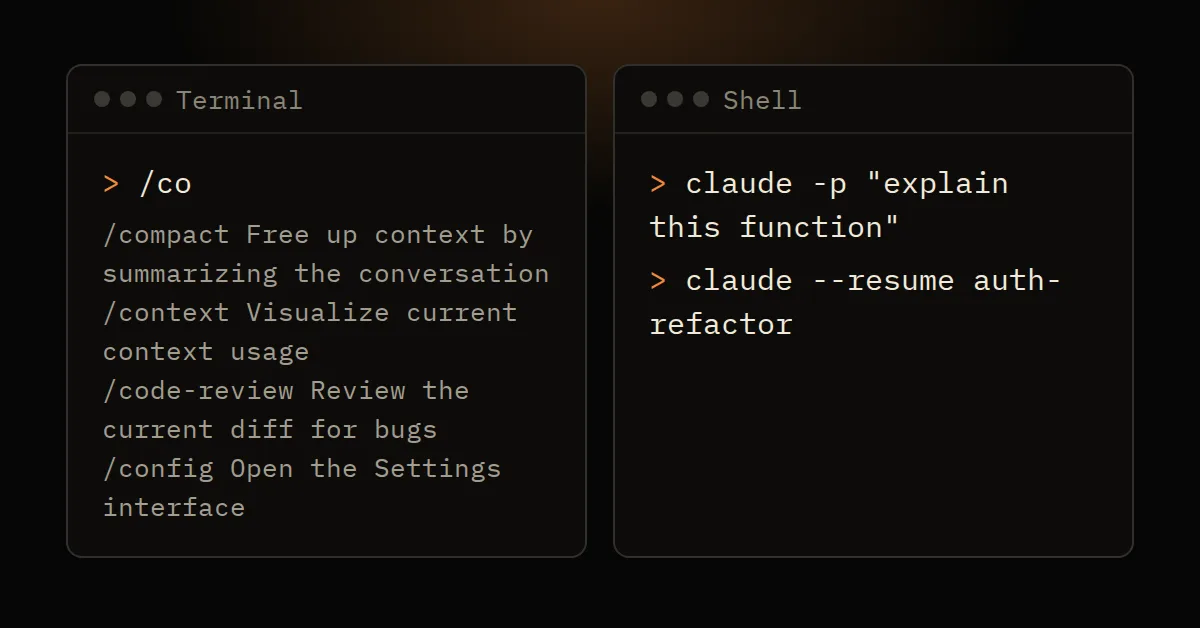
Source: Commands, Claude Code docs
How Claude Code slash commands work
- A command only counts at the start of your message; anything after its name becomes its arguments.
- In the tables, <arg> means a required argument and [arg] an optional one.
- Send a command while Claude is replying and it waits until the turn finishes, except a few such as /status, /tasks and /usage, which run straight away.
- Some entries are bundled skills (a prompt handed to Claude, like skills you write) or bundled workflows (which fan work out across many subagents in the background).
- Not every command appears for everyone: availability depends on your platform, plan and setup. /desktop, for example, only shows on macOS and x64 Windows with a Claude subscription.
Source: Commands, Claude Code docs
The Claude Code commands you will use most
| When | Commands |
|---|---|
| First session in a repository | /init to write a starter CLAUDE.md, /memory to refine it, /mcp to add servers, /permissions to set approval rules |
| During a task | /plan before a big change, /model and /effort to tune the model, /context and /compact when the conversation gets long, /btw for a side question |
| Running work in parallel | /tasks to see background work, /background to detach the session, /fork to copy it into a new background session |
| Before you ship | /diff to see changes, /code-review to check for bugs, /security-review for vulnerabilities |
| Between sessions | /clear for a fresh start, /resume to go back, /branch to try another direction |
| When something is wrong | /rewind to roll back, /doctor to check your setup, /debug for runtime problems, /feedback to report a bug |
Source: Commands, Claude Code docs
Every Claude Code slash command
Start, clear and resume sessions
These control the conversation itself: starting fresh, going back, and moving a session somewhere else.
| Command | What it does |
|---|---|
| /clear [name] | Start a new conversation with empty context. Pass a name to label the previous conversation in the /resume picker. |
| /resume [session] | Resume a conversation by ID or name, or open the session picker. Background sessions appear in the picker marked with bg. |
| /branch [name] | Create a branch of the current conversation at this point, so you can try a different direction without losing the conversation as it stands. |
| /fork [prompt] | Copy the current conversation into a new background session and keep working here. |
| /rename [name] | Rename the current session and show the name on the prompt bar. Without a name, auto-generates one from conversation history. |
| /exit | Exit the CLI. In an attached background session, this detaches and the session keeps running. |
| /export [filename] | Export the current conversation as plain text. With a filename, writes directly to that file. |
| /copy [N] | Copy the last assistant response to clipboard. Pass a number N to copy the Nth-latest response: /copy 2 copies the second-to-last. |
| /recap | Generate a one-line summary of the current session on demand. See Session recap for the automatic recap that appears after you've been away. |
| /rewind | Rewind the conversation and/or code to a previous point, or summarize from a selected message. |
| /restart | Restart Claude Code and resume this session, which applies an installed update. |
| /cd <path> | Move this session to a new working directory, keeping the conversation. |
| /add-dir <path> | Add a working directory for file access. Type a partial path to see matching directory suggestions; press Tab to accept one. |
| /desktop | Continue the current session in the Claude Code Desktop app. Requires macOS or x64 Windows and a Claude subscription. |
| /teleport | Pull a cloud session into this terminal. Opens a picker, then loads the conversation. |
| /remote-control | Make this session available for Remote Control from claude.ai. Running it while signed out prints that Remote Control requires a claude.ai subscription and tells you how to sign in. |
| /mobile | Show QR code to download the Claude mobile app. Aliases: /ios, /android. |
Context, models and modes
Use these mid-task to manage the context window, pick a model and effort level, and change how much Claude does without asking.
| Command | What it does |
|---|---|
| /compact [instructions] | Free up context by summarizing the conversation so far. Optionally pass focus instructions for the summary. |
| /context [all] | Visualize current context usage as a colored grid. Shows optimization suggestions for context-heavy tools, memory bloat, and capacity warnings. |
| /autocompact [auto|<tokens>] | Set the auto-compact window: how full the context window gets before Claude Code compacts automatically. |
| /model [model] | Switch the AI model and save it as your default for new sessions. For models that support it, use left/right arrows to adjust effort level. |
| /effort [level|auto|status] | Set the effort level: low to xhigh, max, or auto; status prints it. ultracode or ultracode on turns ultracode on for the session, and ultracode off turns it off; the ultracode key persists. |
| /fast [on|off] | Toggle fast mode on or off. Run it while Claude is responding and Claude Code toggles fast mode without waiting for the turn to end, though the running turn finishes at its original speed. |
| /plan [description] | Enter plan mode directly from the prompt. Pass an optional description to enter plan mode and immediately start with that task, for example /plan fix the auth bug. |
| /goal [condition|clear] | Set a goal: Claude keeps working across turns until the condition is met or the goal clears for another reason. |
| /advisor [model|off] | Enable or disable the advisor tool, which consults a second model for guidance at key moments during a task. |
| /output-style [style] | List output styles or switch to one, for example /output-style concise. |
| /btw [question] | Ask a side question about the current session without adding to the conversation. |
| /focus | Toggle the focus view, which shows only your last prompt, a one-line tool-call summary with edit diffstats, and the final response. |
| /sandbox | Toggle sandbox mode. Available on supported platforms only. |
| /permissions | Manage allow, ask, and deny rules for tool permissions. Opens an interactive dialog where you can view rules by scope, add or remove rules, manage working directories, and review recent auto mode denials. |
| /auto-mode-setup | Draft autoMode.environment entries from your project and recent sessions, then review the draft and save it to your user settings. |
Review, test and ship code
The commands to reach for before you commit or open a pull request.
| Command | What it does |
|---|---|
| /diff | Review the changes in your working tree, including the edits Claude has made so far. |
| /code-review [level] [--fix] [--comment] [target] | Bundled skill: review the current diff, or a PR number, branch, or path you pass, for correctness bugs. |
| /review [level] [flags] [target] | Alias of /code-review: reviews the current diff, or a PR number, branch, or path you pass, such as /review 1234, and takes the same effort levels and flags. |
| /ultrareview [PR or branch] | Run a deep, multi-agent code review in a cloud sandbox with ultrareview. |
| /security-review | Analyze the changes on your current branch for security vulnerabilities. |
| /simplify [target] | Bundled skill: review the changed code for cleanup opportunities and apply the fixes. |
| /verify | Bundled skill: confirm a code change does what it should by building your project's app, running it, and observing the result, rather than relying on tests or type checks. |
| /run | Bundled skill: launch and drive your project's app to see a change working, not only passing tests. |
| /run-skill-generator | Bundled skill: teach /run and /verify how to build, launch, and drive your project's app from a clean environment by writing a per-project skill. |
| /autofix-pr [prompt] | Spawn a cloud session that watches the current branch's PR and pushes fixes when CI fails or reviewers leave comments. |
| /install-github-app | Install the Claude GitHub App for a repository, with an optional step to set up GitHub Actions workflows and secrets. |
| /batch <instruction> | Bundled skill: orchestrate large-scale changes across a codebase in parallel. Researches the codebase, decomposes the work into 5 to 30 independent units, and presents a plan. |
Run work in parallel and in the background
Claude Code can hand work to subagents and background sessions while you keep going. These commands start and manage that work.
| Command | What it does |
|---|---|
| /tasks | View and manage background work in the current session, including subagents that have finished. |
| /background [prompt] | Detach the current session to run as a background agent and free this terminal. |
| /subtask <task> | Spawn a forked subagent: a background subagent that inherits the full conversation and works on the task while you keep working. |
| /stop | Stop the background session you're attached to, or the one you send it to as a peek reply; the transcript and any worktree are kept. |
| /loop [interval] [prompt] | Bundled skill: run a prompt repeatedly while the session stays open. Omit the interval and Claude self-paces between iterations. |
| /schedule [description] | Create, update, list, or run cloud scheduled tasks, formerly routines. |
| /workflows | Open the workflow progress view to watch, pause, resume, or save running and completed workflows. |
| /deep-research <question> | Bundled workflow: fan out web searches on a question, fetch and cross-check sources, and synthesize a cited report. |
| /list-agents | List the subagents, agent team teammates, and other Claude Code sessions Claude can message, with the name to use for each. |
| /agents | Print a reminder to ask Claude to create or manage subagents, or to edit .claude/agents/ or ~/.claude/agents/ directly. |
| /remote-env | Choose the default cloud environment for cloud sessions you start from the CLI. |
| /web-setup | Connect your GitHub account for cloud sessions using your local gh CLI credentials. |
Set up a project and customise Claude Code
Run these when you first open a repository, or when you want Claude Code to behave differently.
| Command | What it does |
|---|---|
| /init | Initialize project with a CLAUDE.md guide. Set CLAUDE_CODE_NEW_INIT=1 for an interactive flow that also walks through skills, hooks, and personal memory files. |
| /memory | Edit CLAUDE.md files, enable or disable auto memory, and view auto memory entries. |
| /config [key=value ...] | Open the Settings interface to adjust preferences. Pass key=value pairs to set a setting directly, for example /config verbose=true, /config theme=dark, or /config model=sonnet. |
| /hooks | View hook configurations. |
| /mcp [reconnect|enable|disable] | Manage MCP server connections and OAuth authentication. Run with no argument to open the interactive list, or pass reconnect, enable, or disable with a server name or all to change connection state without opening it. |
| /plugin [subcommand] | Manage Claude Code plugins. Run with no argument to open the plugin menu, or pass a subcommand such as list, install, enable, or disable to act directly. |
| /reload-plugins [--force] | Reload all active plugins to apply pending changes without restarting. |
| /skills | List available skills. Type to filter the list by name, description, or source. |
| /reload-skills | Re-scan skill and command directories so skills added or changed on disk during the session become available without restarting. |
| /skill-doctor | Show what each of your skills costs in context and how often it gets used, so you can find skills to turn off. |
| /update-config [request] | Bundled skill: describe a settings change, such as allowing a command, setting an environment variable, or adding a hook, and Claude edits the matching settings.json file. |
| /fewer-permission-prompts | Bundled skill: scan your transcripts for common read-only Bash and MCP tool calls, then add a prioritized allowlist to project .claude/settings.json to reduce permission prompts. |
| /keybindings | Open your keyboard shortcuts file. |
| /statusline | Configure Claude Code's status line. Describe what you want, or run without arguments to auto-configure from your shell prompt. |
| /theme | Change the color theme. Includes an auto option that matches your terminal's light or dark background, light and dark variants, colorblind-accessible (daltonized) themes, ANSI themes that use your terminal's color palette, and any custom themes from ~/.claude/themes/ or plugins. |
| /color [color|default] | Set the prompt bar color for the current session. Available colors: red, blue, green, yellow, purple, orange, pink, cyan. |
| /tui [classic|fullscreen] | Set the terminal UI renderer and relaunch into it. fullscreen enables the flicker-free alt-screen renderer. |
| /scroll-speed | Adjust mouse wheel scroll speed interactively. Available in fullscreen rendering only and not in the JetBrains IDE terminal. |
| /terminal-setup | Install a Shift+Enter keybinding for newlines in VS Code, Cursor, Devin Desktop, Alacritty, or Zed. |
| /import [codex|gemini|cursor] [--dry-run] [--yes] | Bring configuration from OpenAI Codex, Google Gemini CLI, or Cursor on your machine into Claude Code, including instruction files, MCP servers, commands, subagents, and skills. |
| /ide | Manage IDE integrations and show status. |
| /chrome | Configure Claude in Chrome settings. |
| /claude-in-chrome [task] | Bundled skill: have Claude carry out a task in your browser, such as testing a page, filling a form, or reading console logs, through Claude in Chrome. |
| /voice [hold|tap|off] | Toggle voice dictation, or enable it in a specific mode. Requires a Claude.ai account. |
| /setup-bedrock | Configure Amazon Bedrock authentication, region, and model pins through an interactive wizard. |
| /setup-vertex | Configure Google Cloud's Agent Platform authentication, project, region, and model pins through an interactive wizard. |
| /install-slack-app | Install the Claude Slack app. Opens a browser to complete the OAuth flow. |
| /team-onboarding | Generate a team onboarding guide from your Claude Code usage history. Claude analyzes your sessions, commands, and MCP server usage from the past 30 days. |
| /plugin-authoring | Load the reference Claude works from to write a mod. Claude can load it on its own when you ask for a mod. |
| /workflow-authoring | Bundled skill: load the reference for writing dynamic workflow scripts: the script API, resume behavior, quality patterns, and worked examples. |
Account, usage and limits
Check who you are signed in as, what you have used, and what to do at a limit.
| Command | What it does |
|---|---|
| /login | Sign in to your Anthropic account. |
| /logout | Sign out from your Anthropic account. |
| /status | Open the Settings interface on the Status tab, showing version, model, account, and connectivity. |
| /usage | Show session cost, plan usage limits, and activity stats. On a Pro, Max, Ultra, Team, or Enterprise plan, includes a breakdown of what counts against your plan limits. |
| /cost | Alias for /usage. |
| /stats | Alias for /usage. Opens on the Stats tab. |
| /usage-credits | Configure usage credits, or request them from your admin, when you hit a limit. |
| /rate-limit-options | Show ways to keep working when a claude.ai usage limit blocks a request: wait and continue automatically when the limit resets, add usage credits, or upgrade your plan. |
| /upgrade | Open the upgrade page in your browser to switch to a higher plan tier. |
| /privacy-settings | View and update your privacy settings. Only available for Pro, Max, and Ultra plan subscribers. |
| /passes | Share a free week of Claude Code with friends. Only visible if your account is eligible. |
| /insights | Generate an HTML report analyzing your recent sessions on this machine: which projects you work in, how you use Claude Code, where things go wrong, and features to try. |
Help, diagnostics and feedback
When something is wrong, start here.
| Command | What it does |
|---|---|
| /help | Show help and available commands. |
| /doctor [prompt-audit [path]] | Bundled skill: run a setup checkup that diagnoses installation, settings, extension, and CLAUDE.md problems and proposes fixes that Claude applies after you confirm. |
| /debug [description] | Bundled skill: enable debug logging for the current session and troubleshoot issues by reading the session debug log. |
| /bug [report] | Report a bug or share your conversation. You choose how much session history to include and confirm on a consent screen before anything is sent. |
| /feedback [report] | Send product feedback about Claude Code. Opens the same dialog as /bug, with the same consent step, sending rules, and mid-turn behavior. |
| /release-notes | View the changelog in an interactive version picker. Select a specific version to see its release notes, or choose to show all versions. |
| /heapdump | Write a JavaScript heap snapshot and a memory breakdown to ~/Desktop, or your home directory on Linux without a Desktop folder, for diagnosing high memory usage. |
| /powerup | Discover Claude Code features through quick interactive lessons with animated demos. |
Design, slides, charts and artifacts
Bundled skills that turn Claude into a designer, presenter or chart maker, plus artifact tools.
| Command | What it does |
|---|---|
| /design [brief] | Bundled skill: draft UI mockups, screen flows, landing pages, or posters as artboards on one canvas, published as a Claude Design artifact, for example /design a settings screen for a mobile banking app. |
| /design-sync [hint] | Bundled skill: convert your repo's React design system and upload it to Claude Design, so designs it produces use your real components. |
| /design-login | Authorize design-system access for /design-sync with your claude.ai account. |
| /slides [brief] | Bundled skill: make a new presentation as a Claude Slides artifact filled from your brief, for example /slides a quarterly review of the platform team. |
| /dataviz [request] | Bundled skill: design guidance for charts, graphs, and dashboards. Claude picks the chart form for the data, assigns color by role, validates the palette for colorblind safety and contrast with a bundled script, and applies mark, interaction, and accessibility rules. |
| /artifacts | List the artifacts you own or that are shared with you, then attach one to the session, open it in your browser, or copy its link. |
| /artifact-capabilities | Bundled skill: load the reference for the runtime capabilities a published artifact can use, such as calling your connectors or offering a file download, including which ones your account has. |
| /artifact-diagramming | Bundled skill: load diagramming guidance for Claude to follow in artifacts: when a diagram helps, what to draw, and how to write inline SVG that stays legible in light and dark themes. |
| /claude-api [task] | Bundled skill: load Claude API and Managed Agents reference material for your project's language. |
| /radio | Open Claude FM lo-fi radio in your browser. Prints the stream URL when no browser is available. |
| /stickers | Check Claude Code sticker availability. |
Three older commands are gone: /pr-comments was removed in v2.1.91 (ask Claude to read pull request comments instead), /vim in v2.1.92 (use /config, Editor mode), and /ultraplan (use plan mode).
Source: Commands, Claude Code docs
Claude Code CLI commands
These run in your shell rather than inside a session.
| Command | What it does |
|---|---|
| claude | Start an interactive session |
| claude "query" | Start a session with a first prompt |
| claude -p "query" | Answer once without the interactive screen, then exit |
| cat file | claude -p "query" | Process piped-in content |
| claude -c | Continue the most recent conversation in this folder |
| claude -r "name" "query" | Resume a session by ID or name |
| claude update | Update to the latest version |
| claude install stable | Install or reinstall the native binary, optionally a set version |
| claude auth login / logout / status | Sign in, sign out, or show sign-in status as JSON |
| claude doctor | Print read-only installation and settings checks without starting a session |
| claude mcp | Configure MCP servers |
| claude plugin install name@marketplace | Install and manage plugins |
| claude agents | Open agent view to watch and start parallel background sessions |
| claude attach, logs, stop, respawn, rm | Manage a background session by ID or name |
| claude setup-token | Make a long-lived subscription token for CI and scripts |
| claude ultrareview | Run a cloud code review from a script and print the findings |
| claude import | Bring settings over from Codex, Gemini CLI or Cursor |
| claude purge | Delete all local Claude Code state for a project |
| claude remote-control | Control Claude Code from claude.ai or the Claude app |
Source: CLI reference, Claude Code docs
Useful Claude Code CLI flags
| Flag | What it does |
|---|---|
| -p, --print | Print a response and exit, for scripts |
| -c, --continue | Load the most recent conversation in this folder |
| -r, --resume | Resume a session by ID or name, or pick from a list |
| --model | Choose the model, such as sonnet, opus, haiku or fable |
| --effort | Set effort: low, medium, high, xhigh or max |
| --permission-mode | Start in default, acceptEdits, plan, auto, dontAsk or bypassPermissions |
| --dangerously-skip-permissions | Skip permission prompts; same as bypassPermissions |
| --allowedTools, --disallowedTools | Allow tools without asking, or deny them |
| --add-dir | Give Claude access to extra folders |
| --output-format | text, json or stream-json in print mode |
| --max-turns | Cap the number of agent turns in print mode |
| --max-budget-usd | Stop a print-mode run at an estimated spend |
| --append-system-prompt | Add your own text to the system prompt |
| --mcp-config | Load MCP servers from a JSON file or string |
| -n, --name | Name the session so you can resume it by name |
| --bg | Start as a background agent and return straight away |
| --fork-session | Resume into a new session ID instead of the original |
| --from-pr | Pick from sessions linked to a pull request |
| --safe-mode | Start with every customisation off, to troubleshoot |
| --bare | Skip hooks, skills, plugins, MCP and CLAUDE.md for faster scripted runs |
| --debug | Turn on debug logging, optionally for categories such as mcp |
claude -p "explain this function" --output-format jsonclaude --resume auth-refactorclaude --model opus --effort high
Source: CLI reference, Claude Code docs
Make your own Claude Code slash commands
Custom slash commands are skills. Create a folder in .claude/skills/ for one project, or ~/.claude/skills/ for all of them, with a SKILL.md file inside. The folder name becomes the command, so .claude/skills/fix-issue/SKILL.md gives you /fix-issue. Claude can also run a skill on its own when your request matches its description, unless you turn that off.
---
name: fix-issue
description: Fix a GitHub issue by number
---

Fix GitHub issue $ARGUMENTS:
1. Read the issue with gh issue view
2. Find and fix the cause
3. Add a test, run the tests, and commit
Then type /fix-issue 123 and Claude runs it with 123 in place of $ARGUMENTS. Older .claude/commands/ files still work. Run /skills to list and manage your skills, and /reload-skills to pick up changes without restarting.
Source: Extend Claude with skills, Claude Code docs
Commands from MCP servers and plugins
MCP servers can offer prompts that appear as commands, named like /mcp__github__list_prs. Plugins can add commands too, installed with /plugin.
Source: Connect Claude Code to tools via MCP, Claude Code docs
Tips for the command menu
- The menu highlights a match from the start of a command's name or any word in it, ignoring dashes, so /adddir finds /add-dir.
- After a typo nothing is highlighted; pick a close match with Tab or the arrow keys, because Enter sends your text as typed and reports an unknown command.
- A few commands, such as /heapdump, stay hidden from the menu until you type the full name.
- At the terminal you can start one message with several skills, such as /skill-a /skill-b followed by your request.
Source: Commands, Claude Code docs
Keep track of sessions you start
Commands like /background, /fork and claude --bg make it easy to have several Claude Code sessions going at once. 10u is an AI coding agent dashboard that shows every Claude Code and Codex session side by side, each in its real terminal, marked Needs you, Working, Waiting or Parked. They do the building. You decide what gets built.

Questions people ask
- How do I see all Claude Code commands?
- Type / in a Claude Code session to open the command menu, or run /help. Keep typing to filter the list.
- What is the difference between /clear and /compact?
- /clear starts a new conversation with empty context. /compact summarises the conversation so far to free up space while you carry on.
- How do I make a custom slash command in Claude Code?
- Create .claude/skills/<name>/SKILL.md with your instructions. The folder name becomes the command, such as /fix-issue.
- How do I run Claude Code without the interactive screen?
- Use claude -p "your prompt". Add --output-format json for machine-readable output.
- How do I go back to an earlier conversation?
- Run /resume inside Claude Code, or claude -c to continue the latest one in this folder, or claude -r with a session name.
- What does /rewind do?
- It rolls the conversation, your code, or both back to an earlier checkpoint, or summarises from a selected message.